00193796-08.pdf - 第27页
Installation Manual, Station Software Version 505.04 Edition 07/2006 27 of 156 Whispering dow n the line → If you intend to use the Whispering Dow n the Line option, you must enter the IP addresses and the host names of …
Installation Manual Station Software Version 505.04
26 of 156
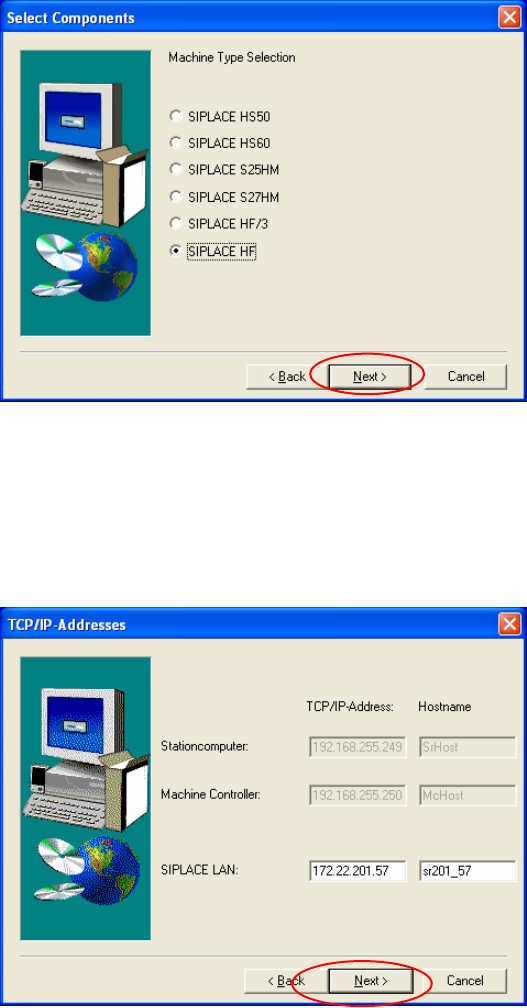
Machine types
Fig. 4-10: Application selection
→ Select the SIPLACE machine type.
→ Click the Next button.
TCP/IP addresses
Fig. 4-11: TCP/IP addresses
→ Enter the IP addresses of the computers in your SIPLACE placement station.
→ The default IP addresses for your placement machine can be found on the stickers on the
station computer.
→ Click the Next button.
Installation Manual, Station Software Version 505.04 Edition 07/2006
27 of 156
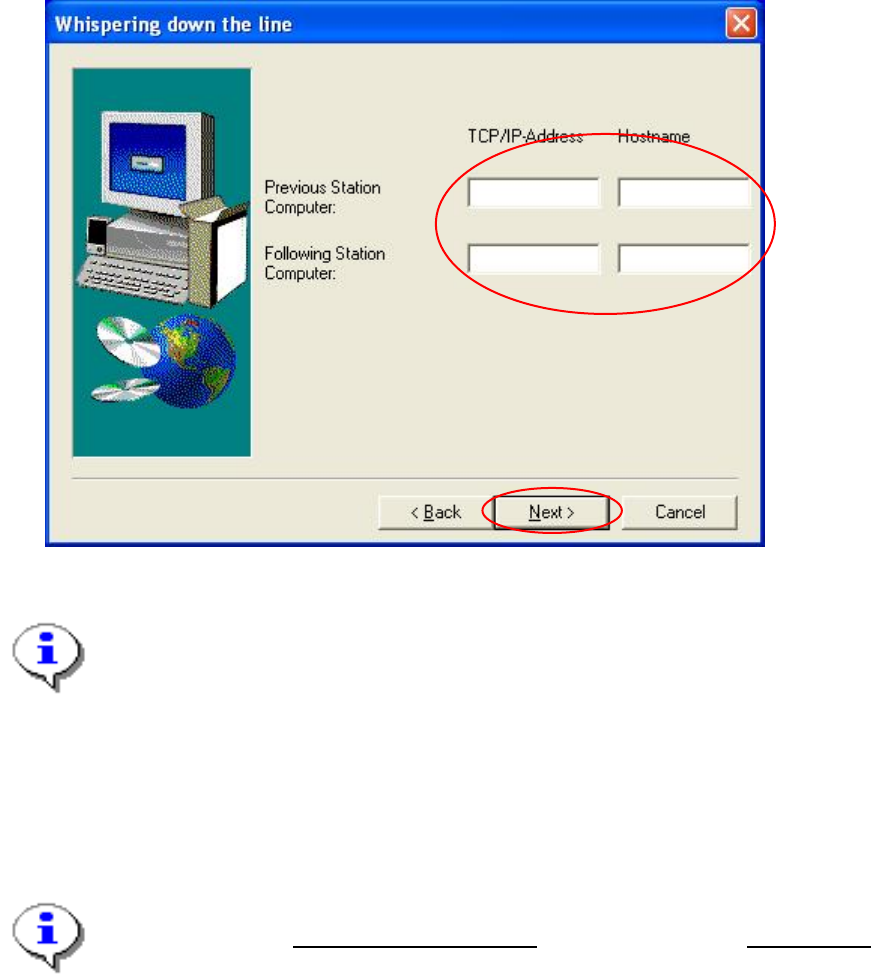
Whispering down the line
→ If you intend to use the Whispering Down the Line option, you must enter the IP addresses
and the host names of the upstream and downstream stations:
Fig. 4-12: TCP/IP addresses for "Whispering Down the Line"
Note:
When assigning names for the hosts, you must take the following rules into account:
At the beginnning of the host name, a vg should stand for the upstream
station and an nf for the downstream station.
Example: TCP/IP address Hostname
Station computer upstream station: 192.193.194.195 vg194_195
Station computer downstream station: 192.193.196.196 nf194_196
Note:
Always enter the SIPLACE LAN addresses
of the stations for the IP addresses.
→ Click the Next button.
Installation Manual Station Software Version 505.04
28 of 156
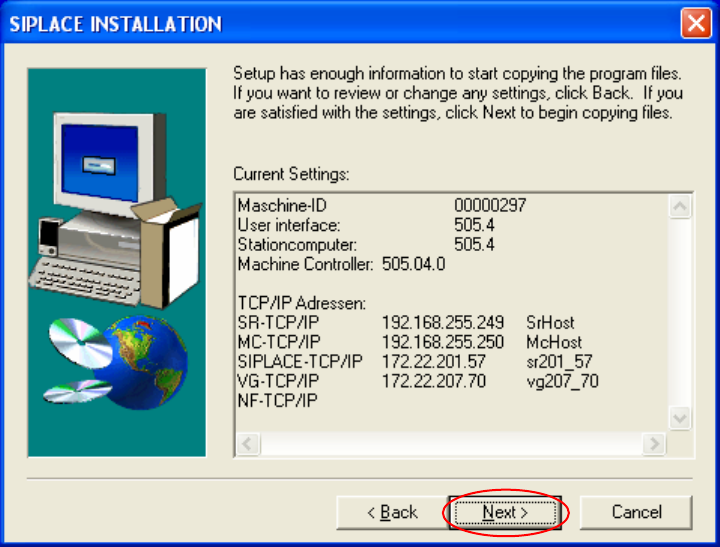
Checking entries
The entries which you have made will be listed again:
Fig. 4-13: Checking entries
→ Check the entries again.
→ If the entries are correct, click the Next button.
The installation program now copies all the required files from the CD to your station computer.