DECAN_S1_Administrator′s_Guide(Eng_Ver1.5)_Print.pdf - 第103页
4-21 Tools Shortcut Menu Clicking the <Advanced Surface Measure> bu tton will display the following dialog box. <Spread> group The X and Y values are registered auto matically by calculating the margin inpu…
4-20
Next Generation, Multi-Functional Placer DECAN S1 Administrator’s Guide
<Origin> combo box
Select the method of choosing the reference origin. Selectable reference origin is as
follows.
Machine Logical: Assign the origin of equipment as a reference origin.
FeederBase Front (1): Assign the origin of the front feeder row as a reference origin.
FeederBase Rear (2): Assign the origin of the rear feeder row as a reference origin.
Status Indication Area
Indicates the information generated during manual operation.
<Park Front> button
Move the front gantry near to the front ANC, and the rear gantry near to the Y2 +
Limit position.
<Park Rear> button
Move the front gantry near to the Y1 + Limit position, and the rear gantry near to the
rear ANC.
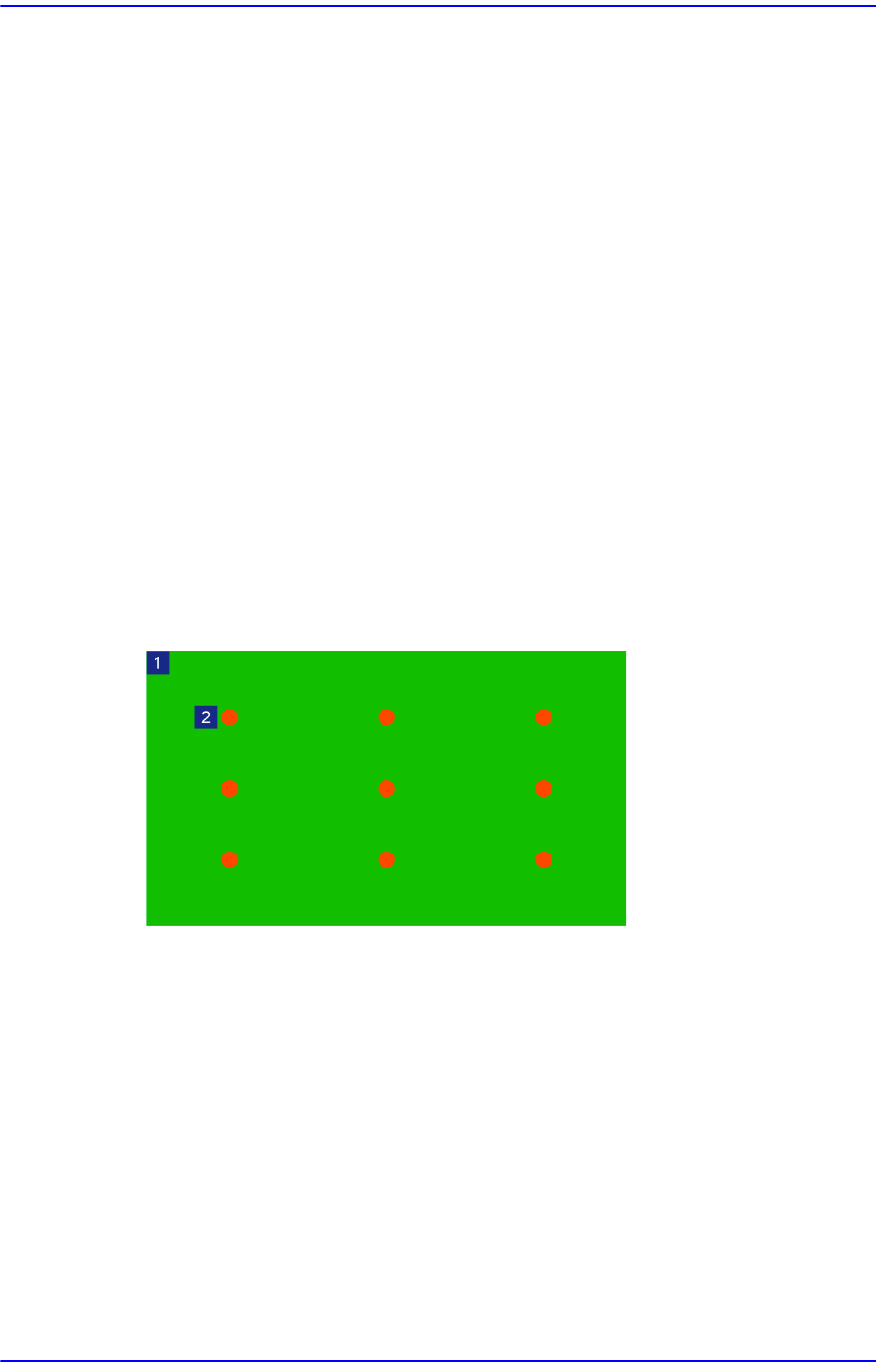
<Advanced Surface Measure> button
Perform setup of the value with which the flatness of a board is checked by teaching
nine points on the board.
1: Board
2: Teaching Point
4-21
Tools Shortcut Menu
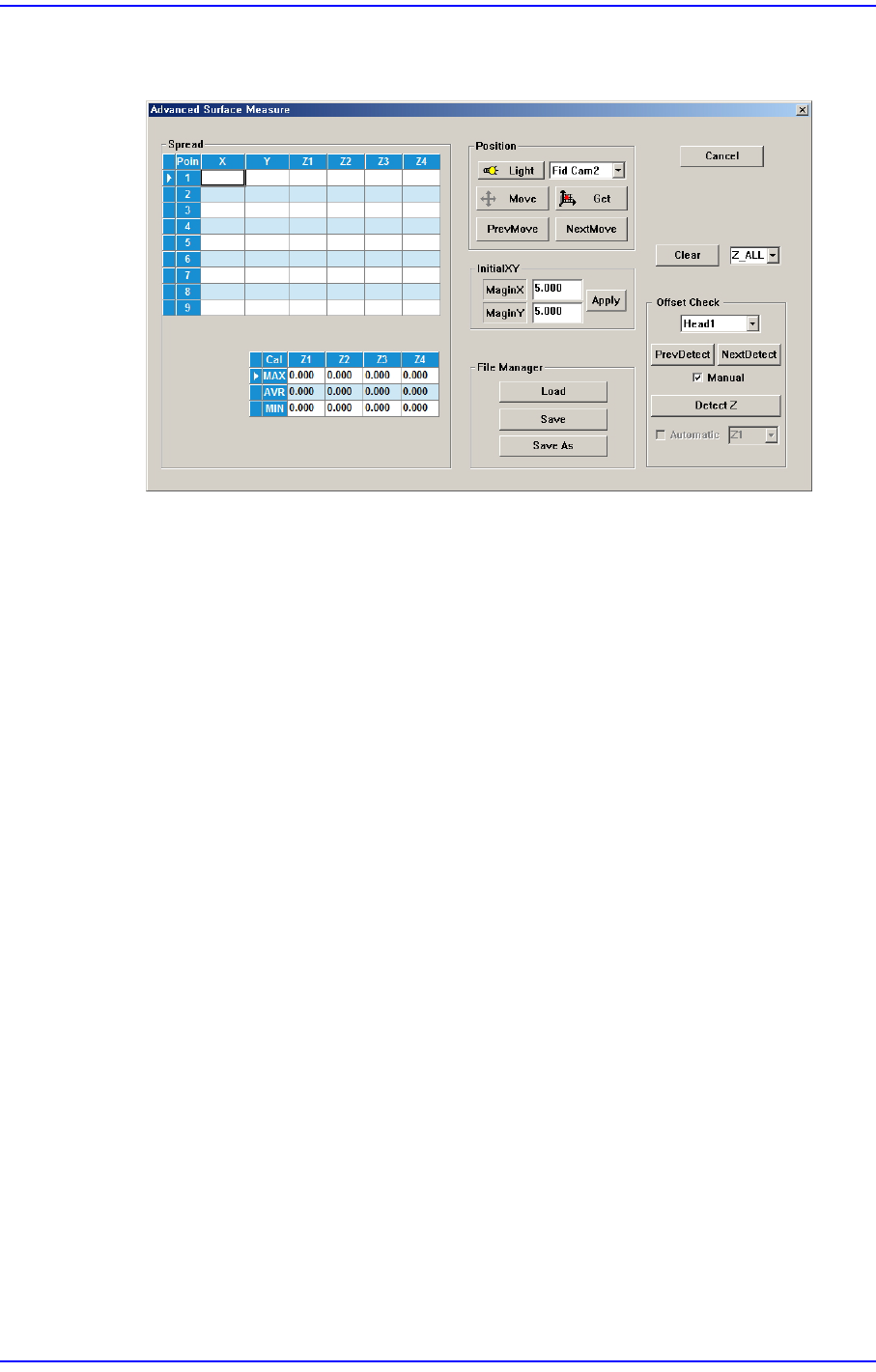
Clicking the <Advanced Surface Measure> button will display the following dialog
box.
<Spread> group
The X and Y values are registered automatically by calculating the margin
inputted in the <InitialXY> group.
<Point> column
Refers to the position at which the board flatness is to be measured.
<X> column
Refers to the X position value of the flatness measuring position.
<Y> column
Refers to the Y position value of the flatness measuring position.
<Z1~4> column
Refers to the Z height value measured at the X and Y positions.
<MAX> row
Shows the maximum value among the Z values obtained by measuring them
at the nine points on the board.
<MAX> row
Shows the average Z value obtained by measuring the values at nine points on
the board.
<MIN> row
Shows the minimum value among the Z values obtained by measuring them at
the nine points on the board.
4-22
Next Generation, Multi-Functional Placer DECAN S1 Administrator’s Guide
<Position> group
<Light> button
Outer
Adjusts the outer lighting for the Down Camera of the selected Gantry.
Inner
Adjusts the inner lighting for the Down Camera of the selected Gantry.
<Move> button
Move the fiducial camera of the selected gantry.
<Get> button
Applys the coordinate value of the current position as the selected fiducial
mark position.
<PrevMove> button
The fiducial camera moves from the current position to the previous position.
<NextMove> button
The fiducial camera moves from the current position to the next position.
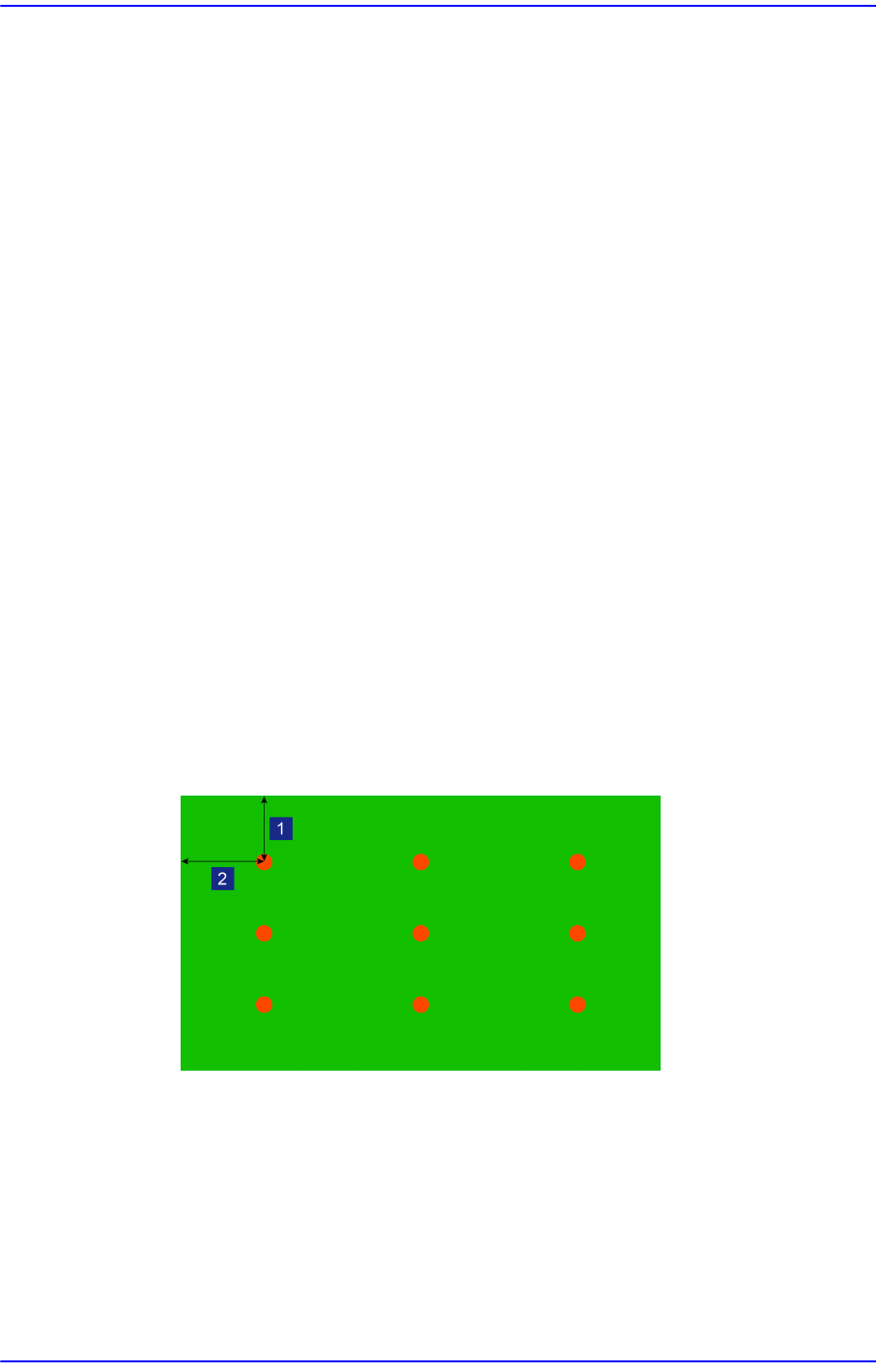
<InitialXY> group
<MarginX> editbox
Refers to the margin in the X direction of the board.
<MarginY> editbox
Refers to the margin in the Y direction of the board.
1: MatginY
2: MarginX
<Clear> button
Deletes the teaching values of the Z-column in the <Spread> group.