DECAN_S1_Administrator′s_Guide(Eng_Ver1.5)_Print.pdf - 第109页
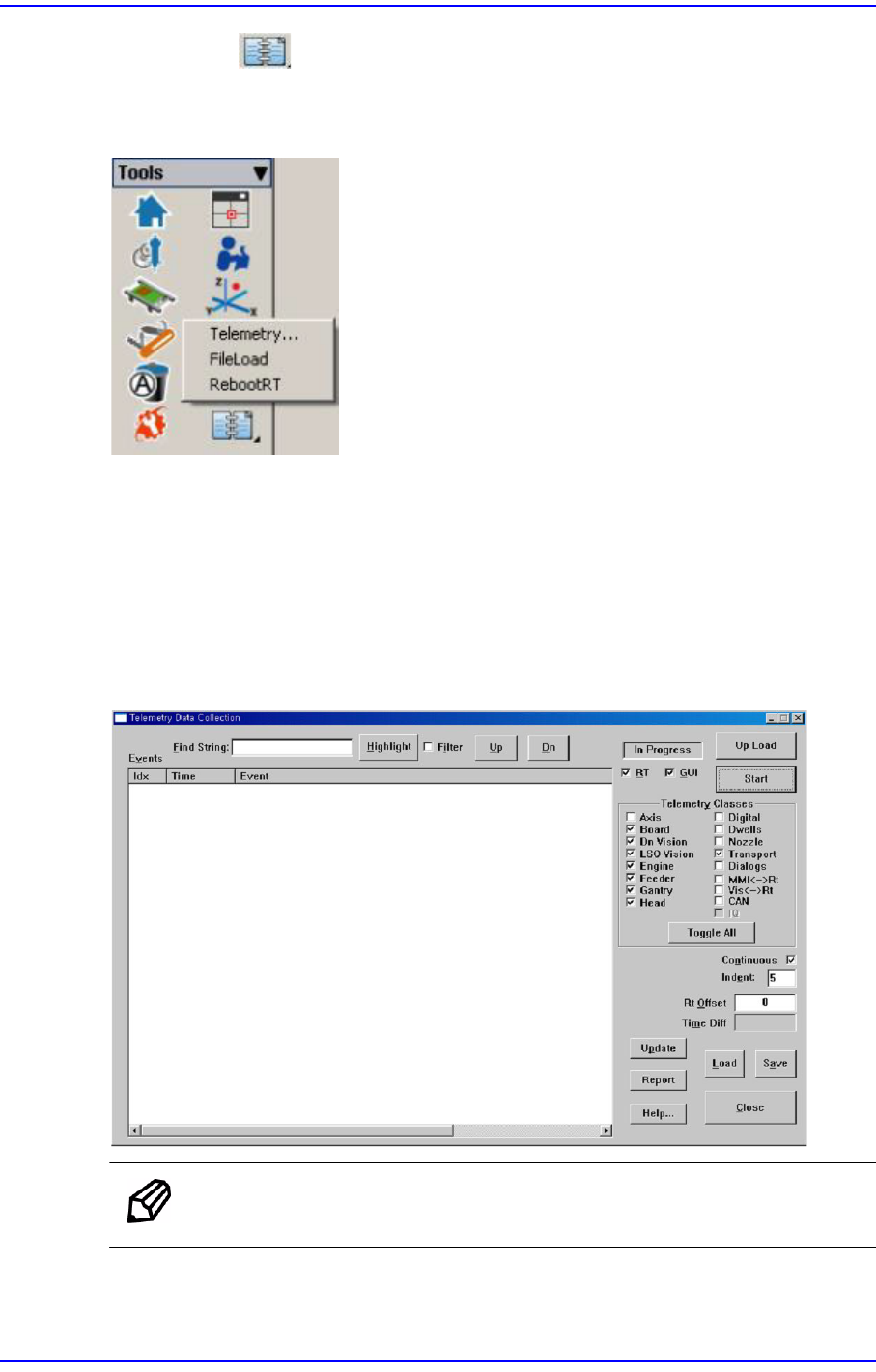
4-27 Tools Shortcut Menu 4.12. Data Logging Use to record and manage vari ous items relate d to the use of the machine. It is mainly utilized to solve problems occurring in th e machine using the log file recorded here. …
4-26
Next Generation, Multi-Functional Placer DECAN S1 Administrator’s Guide
<Clear> button
Deletes the details about the part and feeder from the message window.
<Oldest Order> option button
Displays the details about the part and feeder in order from the oldest one in the
message window.
<Latest Order> option button
Displays the details about the part and feeder in order from the latest one in the
message window.
4.9. Part Dump All
Used for dumping all the parts picked up by the head in the dump box.
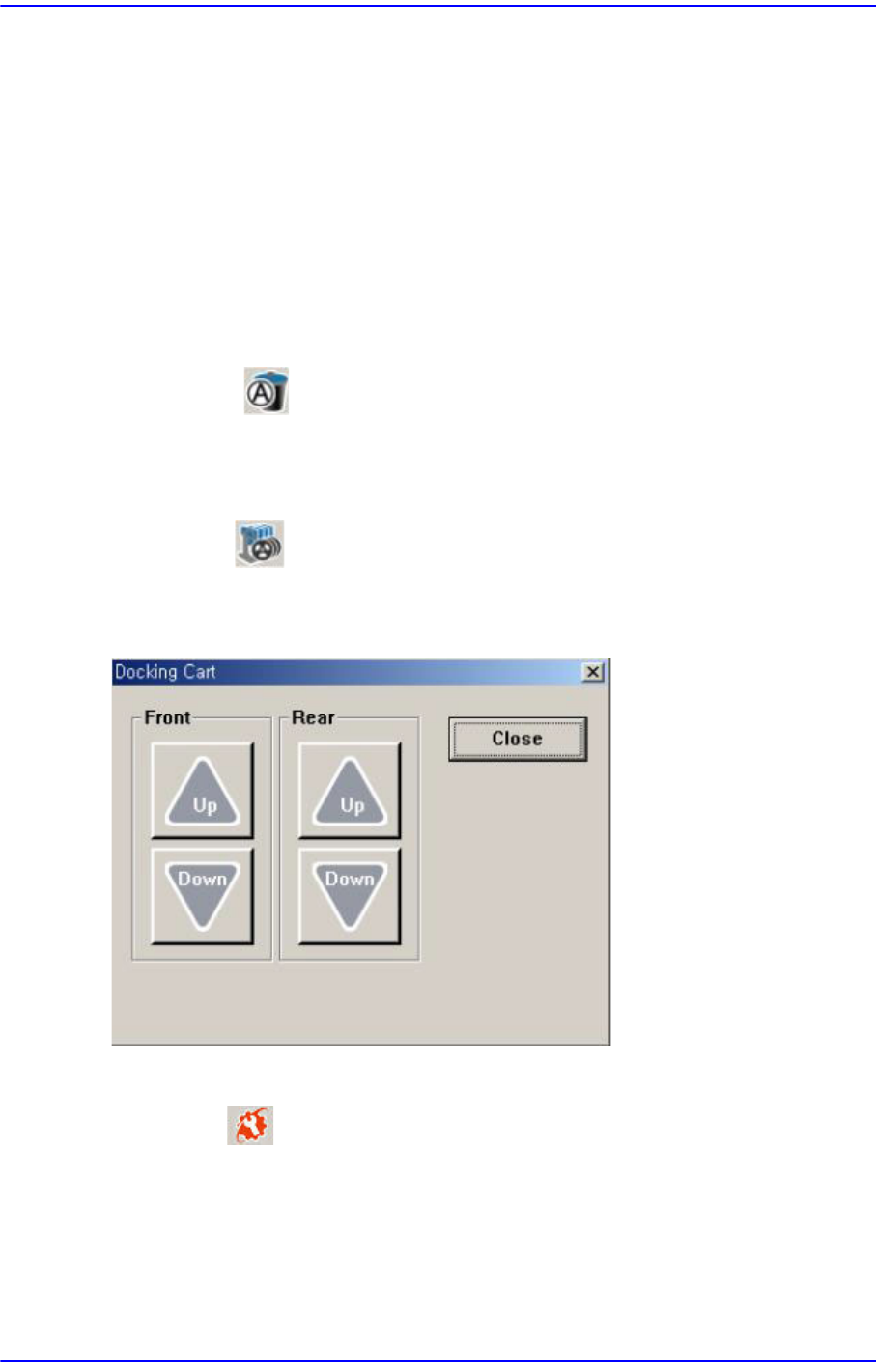
4.10. Docking Cart
Used to manipulate the movement of the front or rear side docking cart clamp when
applying the docking cart to the machine. Docking cart is option.
4.11. PM Manager
The PM Manager is a management menu that is used for the maintenance of the machine
in the MMI (Man-Machine Interface), an application program for machine operation. The
items to be inspected as well as check periods can be checked through the PM Manager,
and the machine can be managed more efficiently through the schedule check function.
For more details, refer to “Appendix. PM Manager” of the “Administrator’s Guide”
4-27
Tools Shortcut Menu
4.12. Data Logging
Use to record and manage various items related to the use of the machine. It is mainly
utilized to solve problems occurring in the machine using the log file recorded here.
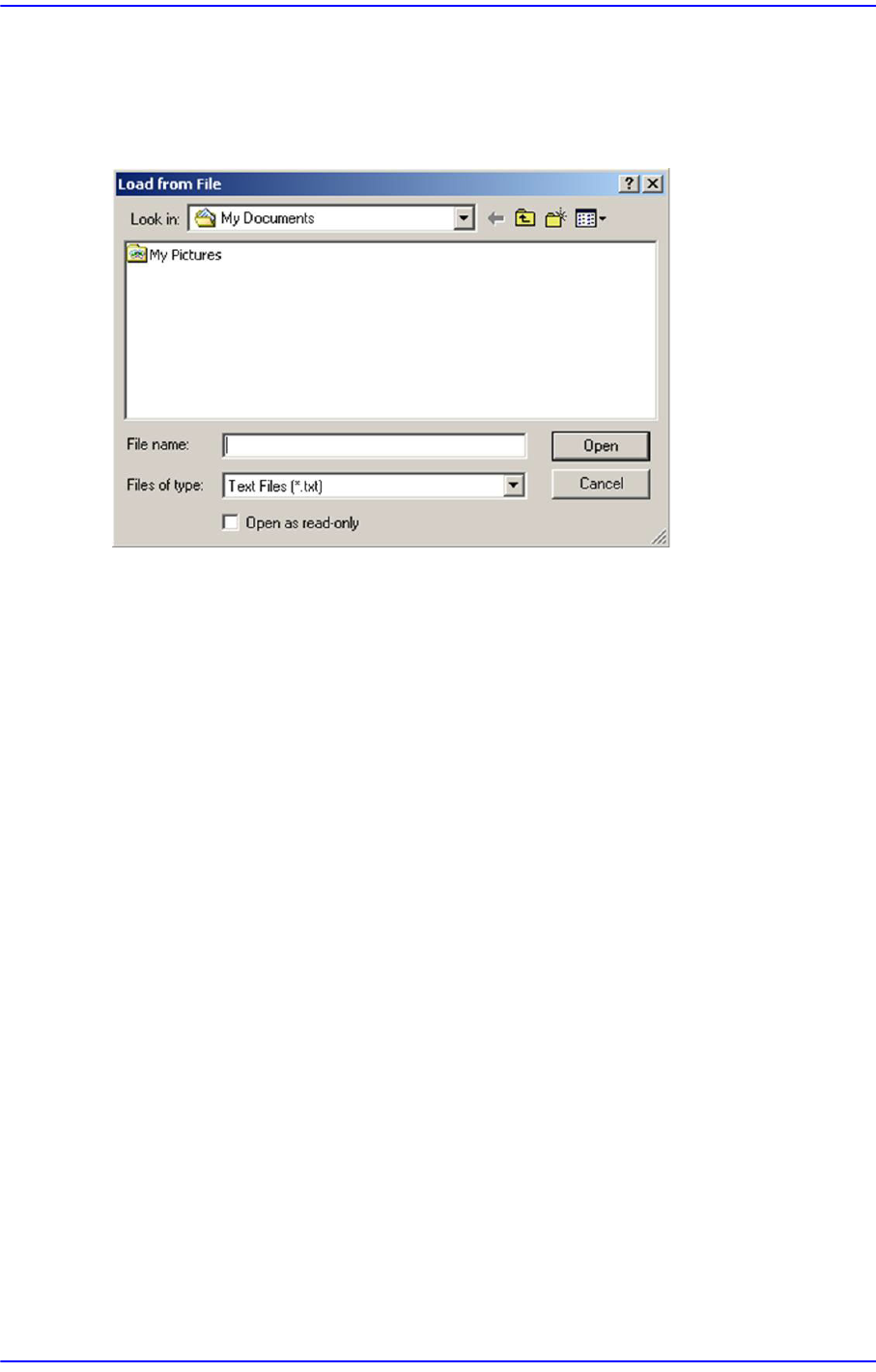
4.12.1. Telemetry
Used to record and manage various items related to the use of the machine. When a
problem occurs with the machine, this menu is mainly used to examine its cause, and to
solve the problem using the log file recorded here.
This menu is used to debug the machine. For more details, refer to “1.1 General
Troubleshooting Guide” in the Troubleshooting Guide.
Memo It is possible to save up to 50 telemetry files.
4-28
Next Generation, Multi-Functional Placer DECAN S1 Administrator’s Guide
4.12.2. File Load
This menu is used to update the booting image of the RT. After selecting the image to be
updated, clicking the <Open> button will transmit the corresponding image from MMI to
RT. It is used in the service mode.
4.12.3. RebootRT
This menu is used to initialize the machine without rebooting it. It is used in the service
mode.
4.12.4. Mean TimeLog
Refers to the PCB production data log, which is one of the developer’s menus.