DECAN_S1_Administrator′s_Guide(Eng_Ver1.5)_Print.pdf - 第134页
6-20 Next Generation, Multi-Functional Plac er DECAN S1 Administrator’s Guide Obtain coordinates for XY axis with reference to the object selected in the <Device> combo box. At this time, the objects (Coordinates o…
6-19
Board Definition
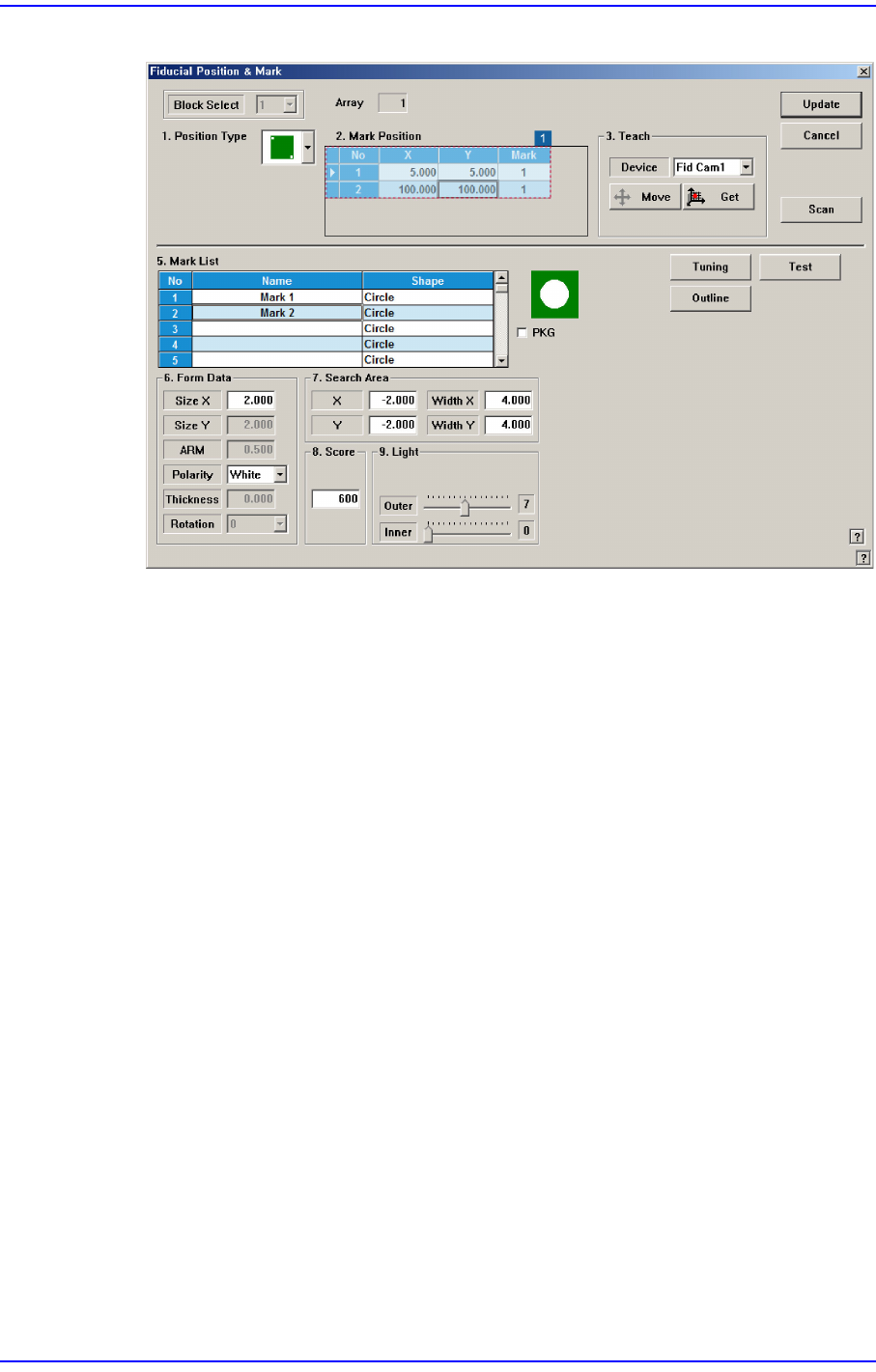
Figure6.5“Fiducial Position & Mark” dialog box (When the Position Type is “2 Panel”)
<No> column
A serial number of the position of fiducial mark.
<X> column
The X position value of fiducial mark.
<Y> column
The Y position value of fiducial mark.
<Mark ID> column
The mark ID value of fiducial mark. This value must be set from a series of
numbers in <5. Mark List>.
<4. Teach > group
Used to teach the fiducial mark position.
<Device> combo box
Select the Camera for checking Fiducial Mark
Fid Cam1/2: Select the fiducial camera.
<Move> button
Move the object selected in the <Device> combo box to the position of the
assigned coordinates. Before executing <Move> button, the cell in the grid
(Coordinates of the fiducial mark) corresponding to the desired position must be
clicked on with a mouse.
<Get> button
6-20
Next Generation, Multi-Functional Placer DECAN S1 Administrator’s Guide
Obtain coordinates for XY axis with reference to the object selected in the
<Device> combo box. At this time, the objects (Coordinates of the fiducial mark)
related with coordinates must first be clicked with the mouse before clicking on
the <Get> button.
Station
Indicates the station in which the current PCB is to be worked on. (F2: Front, R2:
Rear)
Memo On Fiducial Marks
A fiducial mark has to satisfy several shape and material conditions.
During the design of PCB, the following precautions should be taken.
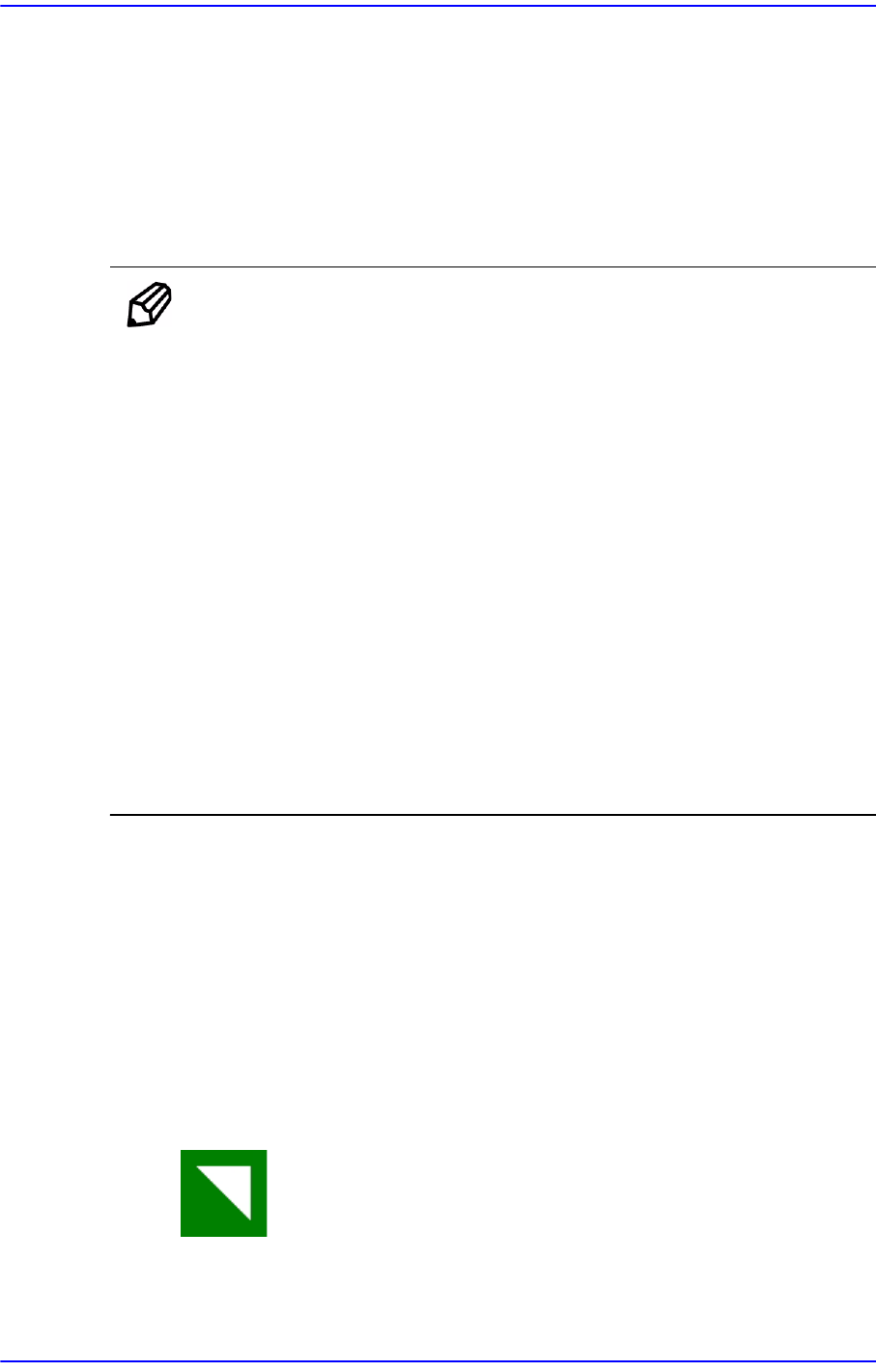
8 patterns of fiducial mark shapes are possible as shown in the
figure below (top/bottom symmetry or right/left symmetry)
For the size of A, over 2.0? is recommended. The width of mark
sensor beam is about ø0.7? measured from the surface of PCB
Make sure that any changes in color or shape (solder resist, lead
pattern) that can cause error should not be found within 2.0?of
fiducial mark's outer edges.
Make sure that the shading difference exits between the fiducial
mark and the board surrounding it.
To ensure search accuracy, coat the surface of the fiducial mark with
copper or lead so that the surface does not reflect. The line shaped
fiducial marks can not be searched with Beam.
<5. Mark List> group
A list of fiducial mark shape data.
<No> column
A serial number of fiducial mark shape.
<Name> column
The name of the fiducial mark. (Up to 10 characters)
<Shape> column
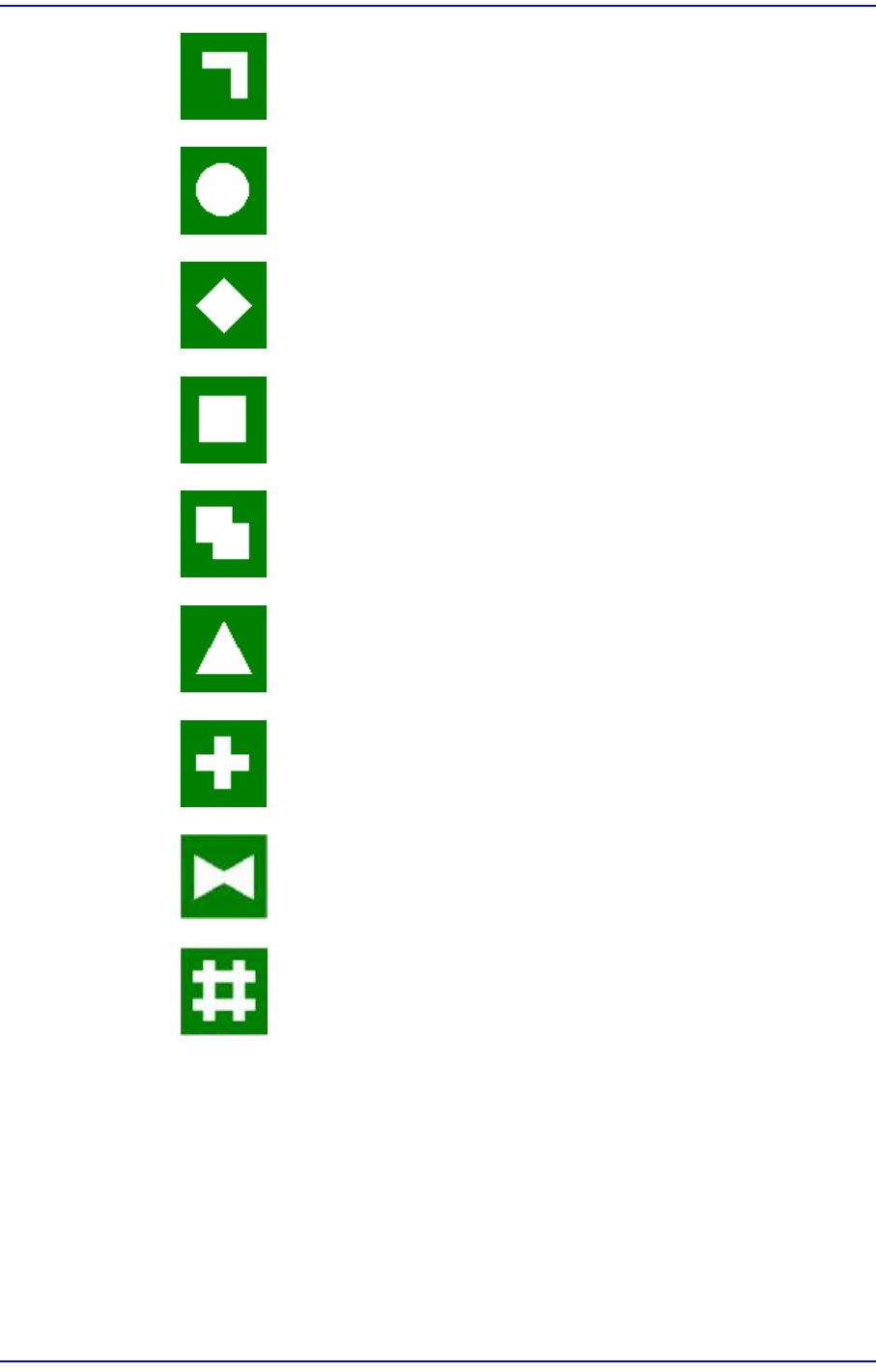
Select the shape of fiducial mark. Available shapes are as follows.
Corner Triangle: Shape of a fiducial mark of a right-angled triangle
shape.
6-21
Board Definition
Bent Bar: Shape of a fiducial mark of a bent bar shape.
Circle: Circular shape fiducial mark.
Diamond: Diamond shape fiducial mark.
Rectangle: Rectangular shape fiducial mark.
Rectangle2: Overlapping of 2 rectangular fiducial marks.
Triangle: Triangular shape fiducial mark.
Cross: Cross shape fiducial mark.
Butterfly: Butterfly shape fiducial Mark.
Sharp: Sharp(#) shape fiducial mark.