DECAN_S1_Administrator′s_Guide(Eng_Ver1.5)_Print.pdf - 第157页
6-43 Board Definition Figure6.11 Manual 2D Barcode Conf irm Dialog Box <Enter> button Move the teaching camera o n the barcode us ing the jog box and click this button to select the new barcode position. <Re…
6-42
Next Generation, Multi-Functional Placer DECAN S1 Administrator’s Guide
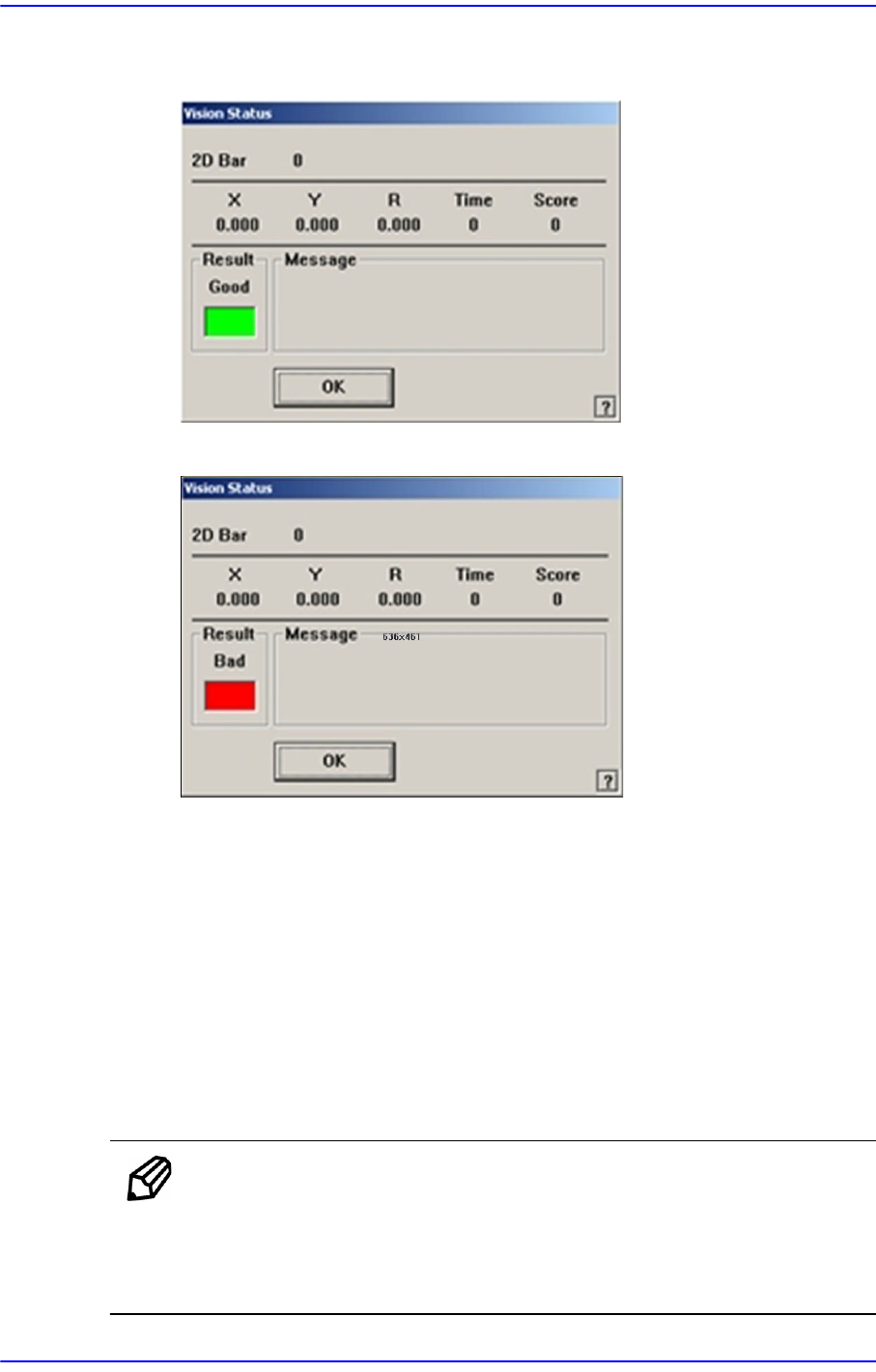
Checks if the read barcode data can be used. If the test is successfully performed,
the following window is displayed.
If the test fails, the following window is displayed.
<Update> button
Save the array setup data and close the “Barcode Position” dialog box.
<Cancel> button
Close the “Barcode Position” dialog box without saving the array setup data.
6.6.3. Manual 2D Barcode Confirm Dialog Box
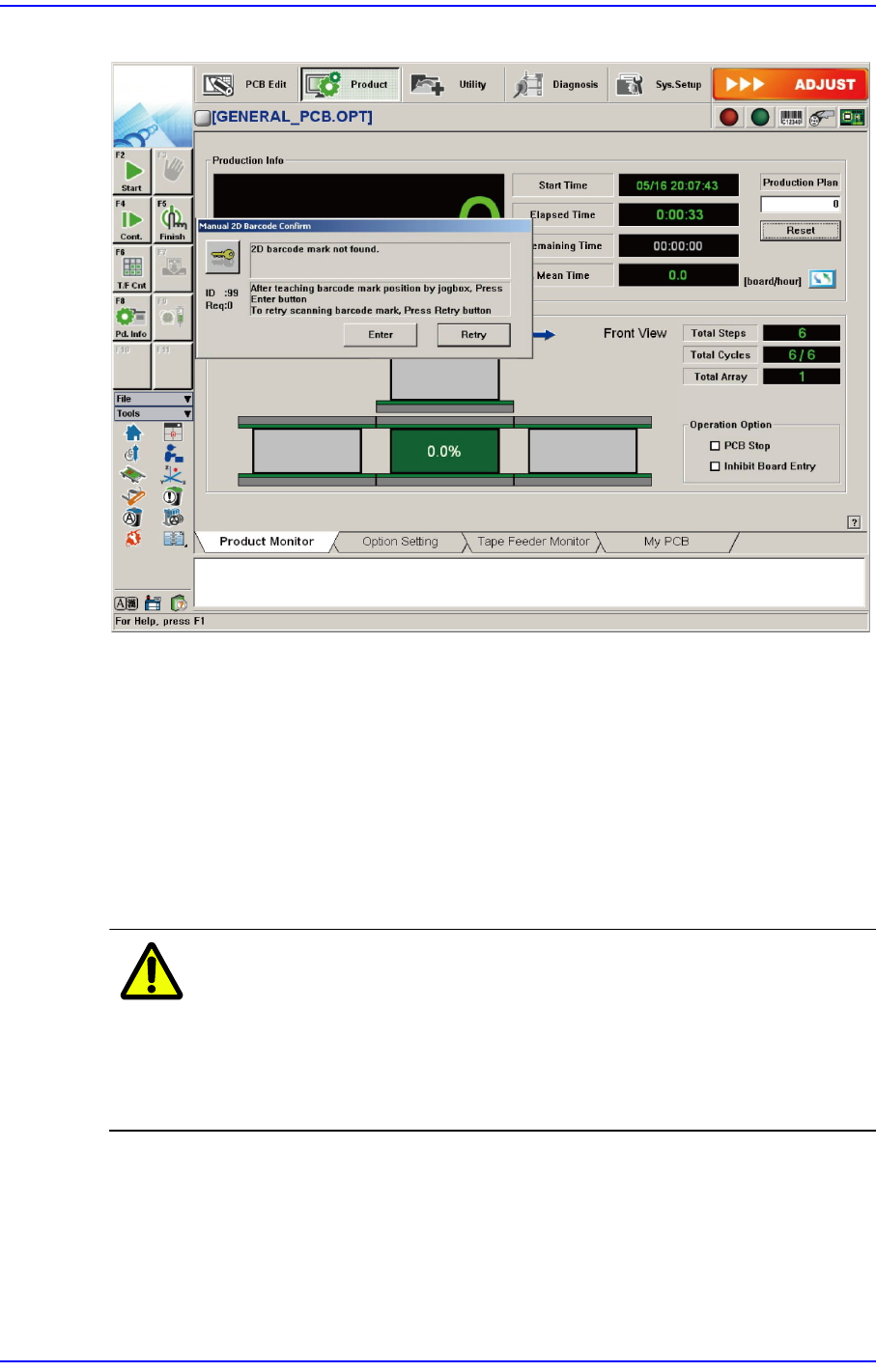
If 2D barcode recognition error occurs during automatic production when using the 2D
barcode function, pressing the ‘Stop’ button on the machine operation panel will display
the screen for processed errors as follows.
Memo In order to enable the following screen, the system constant setup
must be preceded. If you want to take measures against the error
during automatic production, please contact our CS or local
representative office.
6-43
Board Definition
Figure6.11 Manual 2D Barcode Confirm Dialog Box
<Enter> button
Move the teaching camera on the barcode using the jog box and click this button to
select the new barcode position.
<Retry> button
Execute the ‘Barcode Position’ dialog box to re-teach the barcode position and
perform the recognition test. For more details, refer to “6.6.2 Barcode Position”.
If the 2D barcode recognition fails after manual processing, remove the corresponding
PCB manually.
Warning If you remove the board manually or take measures against
the error while the machine is in ready state, you may get
injured. Release the ready state and manually remove the
board or take measures against the error while the machine
is in idle state.
6-44
Next Generation, Multi-Functional Placer DECAN S1 Administrator’s Guide
6.7. PCB Block
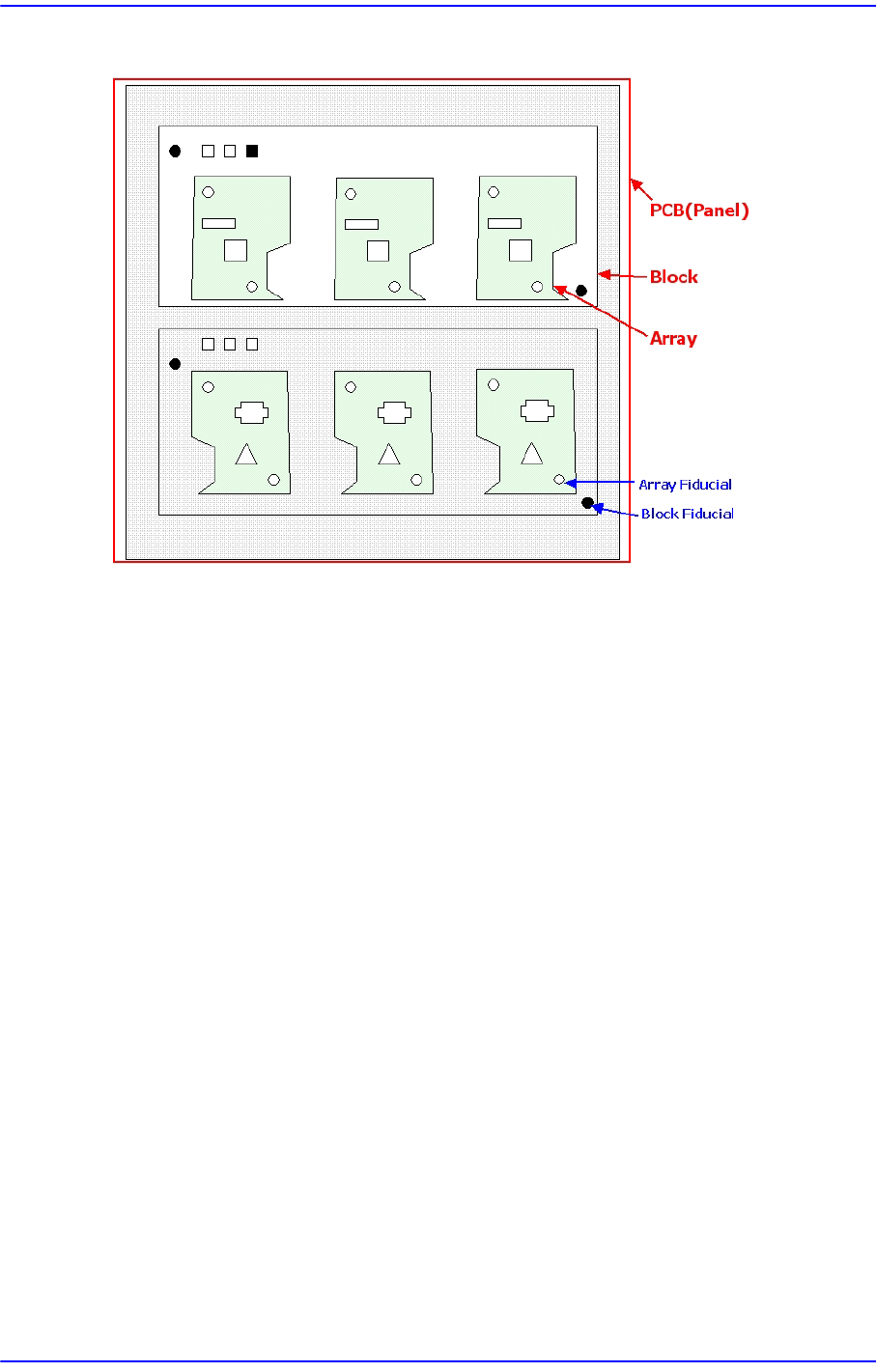
Block
Refers to a unit in the separate form which composes one complete PCB. It is composed in
the form of One Board or array PCB. It is in the same form physically as the existing PCB.
Block Fiducial
Refers to the fiducial representing one block defined to compensate the coordinates for
placement points, etc., in the block.
The concept is the same as that of the existing panel fiducial. However, if only one panel
fiducial exists in the block, the number of block fiducial is equal to the number of blocks.
Block PCB
Refers to the one complete PCB. It is composed in the form of One Board or array PCB.
PCB
One PCB may be composed of one or several blocks.