DECAN_S1_Administrator′s_Guide(Eng_Ver1.5)_Print.pdf - 第311页
9-17 Step Programming Select the format to be converted and press the <Export> button. The formats that can be selected are as follows: IMP Format: Converts the file to the file in IMP format. SSA Format: Conve…
9-16
Next Generation, Multi-Functional Placer DECAN S1 Administrator’s Guide
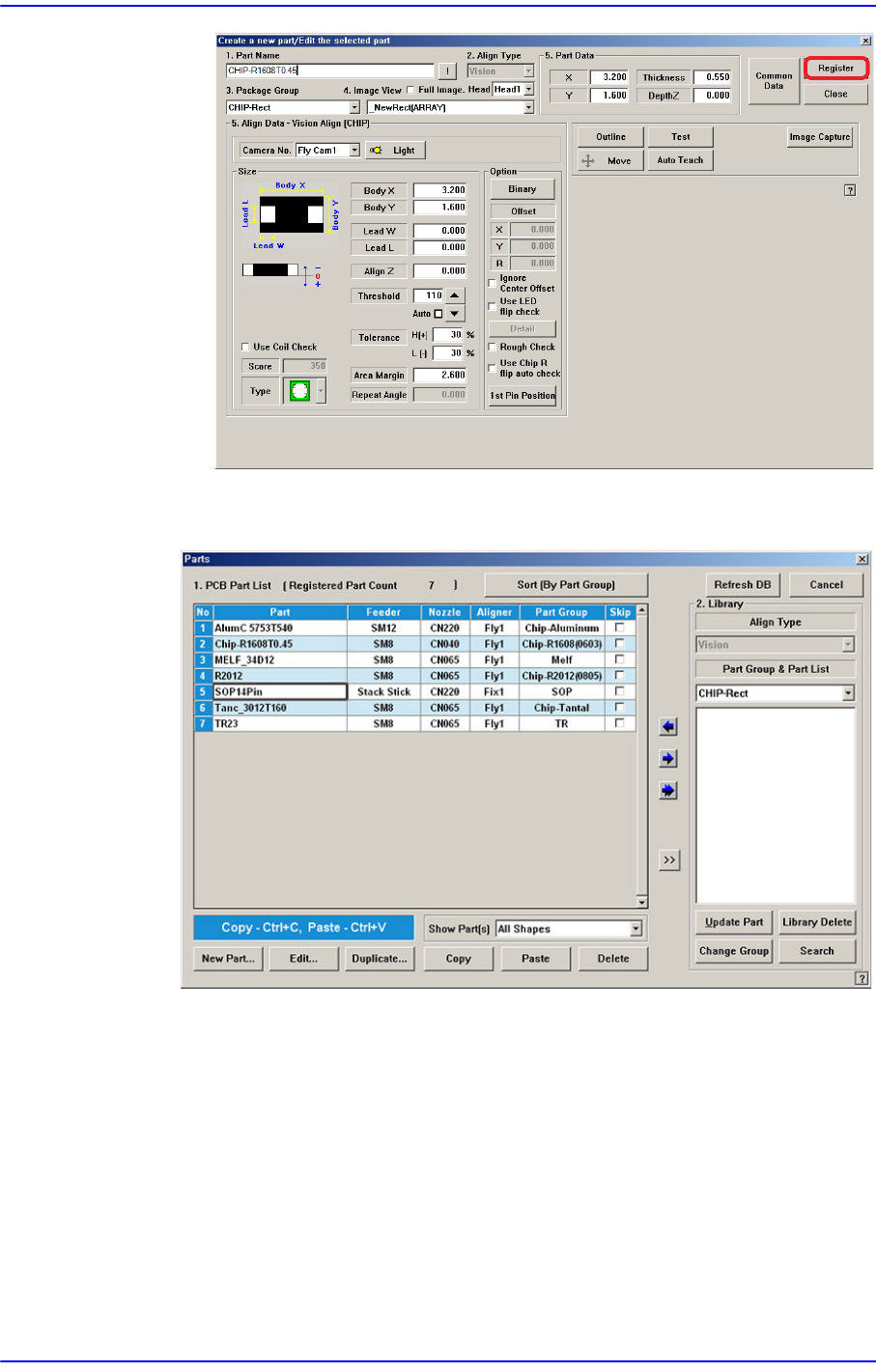
When all the unregistered part information is registered, they are displayed as
follows.
<Export…> button
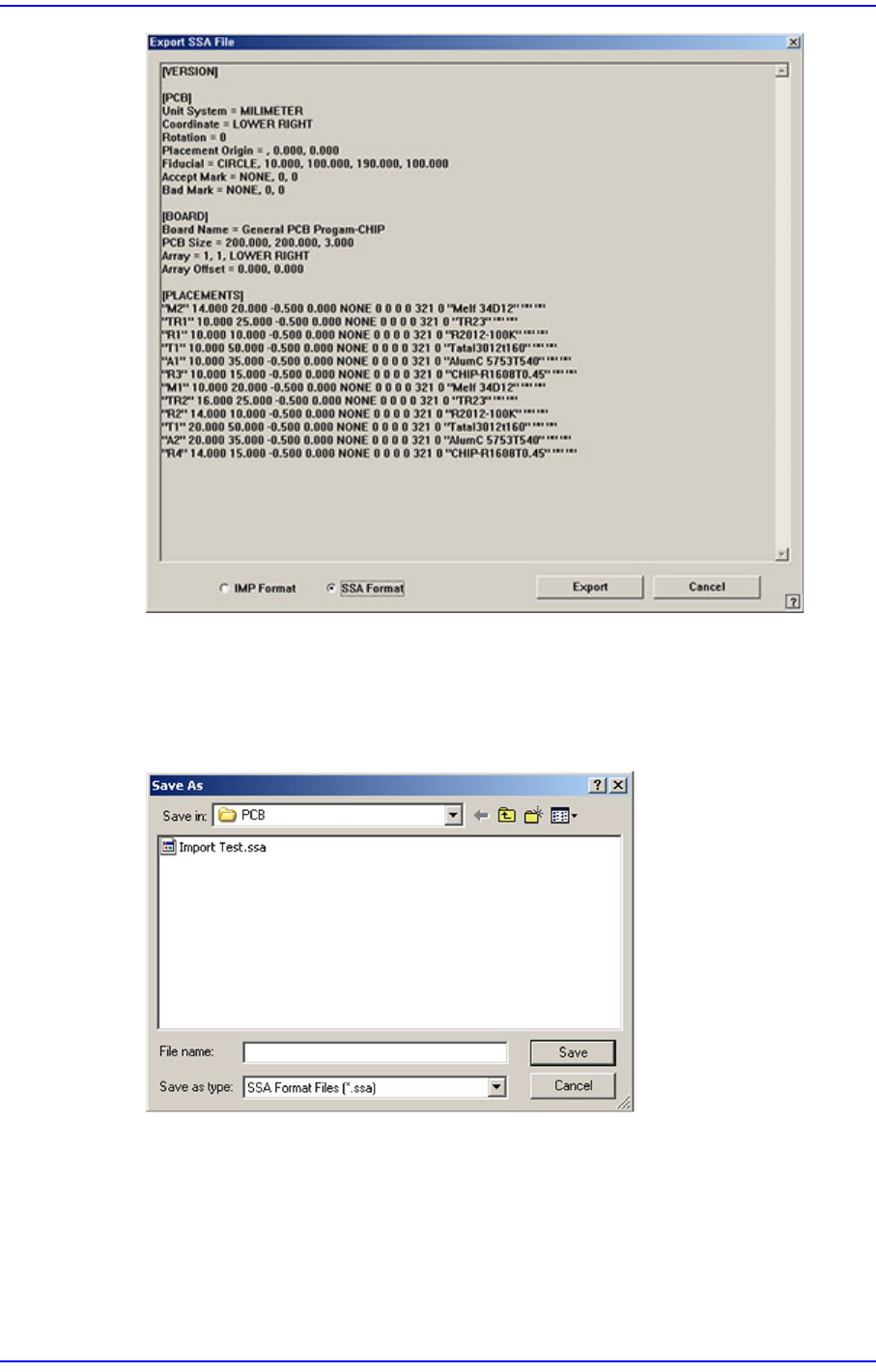
Converts the step data created by this machine into other format (SSA Format) ASCII
File. When this button is clicked on, the following dialog box is displayed.
9-17
Step Programming
Select the format to be converted and press the <Export> button. The formats that can
be selected are as follows:
IMP Format: Converts the file to the file in IMP format.
SSA Format: Converts the file to the file in SSA format.
When the “Save” button is clicked on after the ASCII File name has been set, converts
the step data into SSA format and saves the data under the set file name.
<Cancel> button
Cancels the edited data.