DECAN_S1_Administrator′s_Guide(Eng_Ver1.5)_Print.pdf - 第376页
13-24 Next Generation, Multi-Functional Plac er DECAN S1 Administrator’s Guide Displays the number of tr ay step. <Remain> column Indicates the number of p arts re maining in the corresponding pallet. <Reset…
13-23
Production Setup
13.6. T/F Cnt [F6]
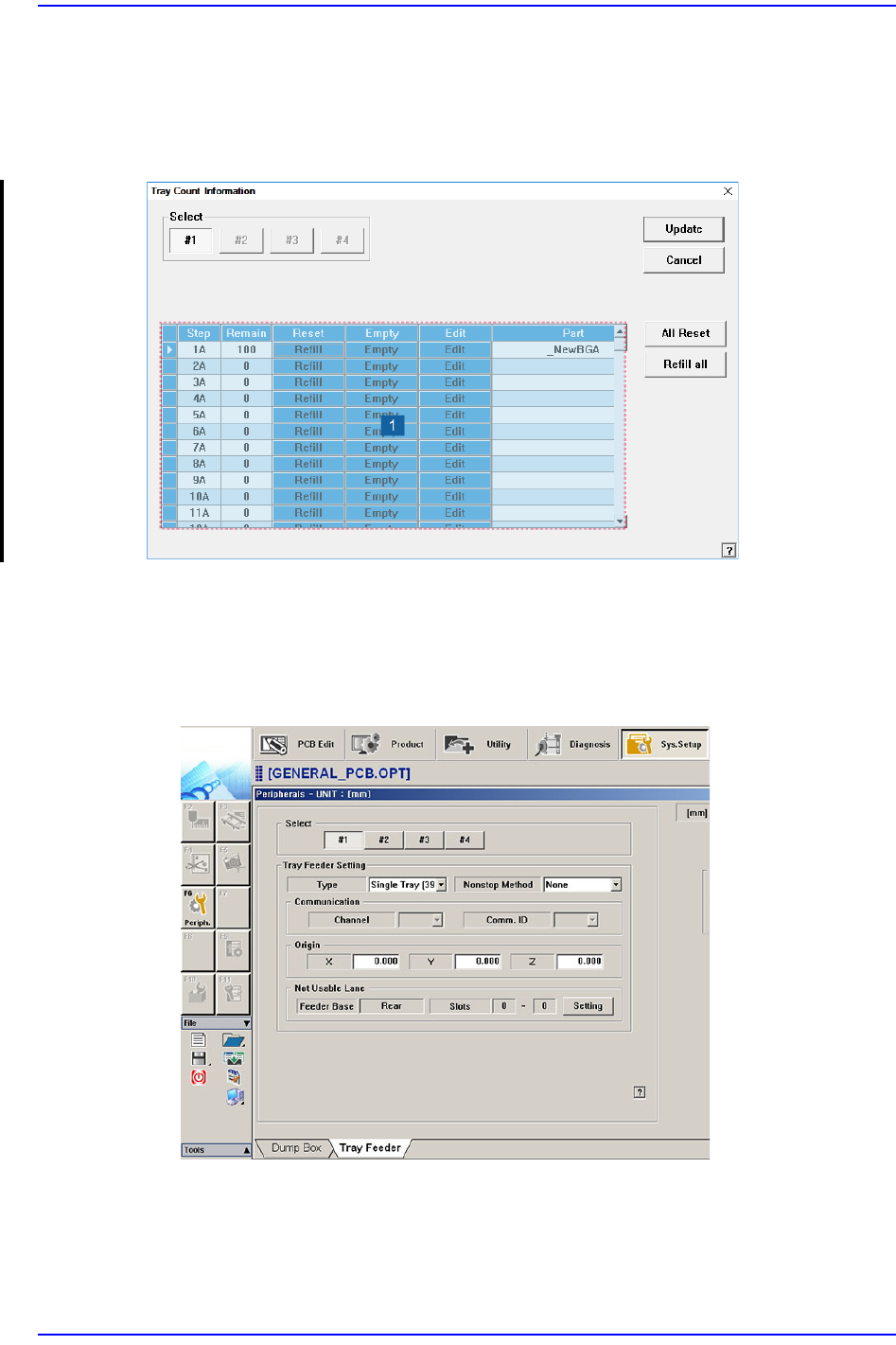
Set the start position of the pocket on the tray feeder to pick up the component. When this
button is clicked on, the following dialog box is displayed.
Figure13.7 “Tray Count Information” dialog box
1: Grid group
<Select> option button
Select the tray feeder unit to set. The tray feeder unit follows the setup of the tray
feeder registered in the Tray dialog box of the System Setup menu.
<Grid> group
Set the position of the pocket to start.
<Step> column
13-24
Next Generation, Multi-Functional Placer DECAN S1 Administrator’s Guide
Displays the number of tray step.
<Remain> column
Indicates the number of parts remaining in the corresponding pallet.
<Reset> column
<Refill> button
After refilling components for empty pallets, Clicking this button, The
number of parts displayed in the <Remain> column changes to the initial
value. (e.g., for a 10 x 10 pallet, the number of parts in the <Remain> column
changes to “100”.)
<Empty> column
<Empty> button
The number of parts displayed in the <Remain> column changes to ‘0’.
<Edit> column
<Edit> button
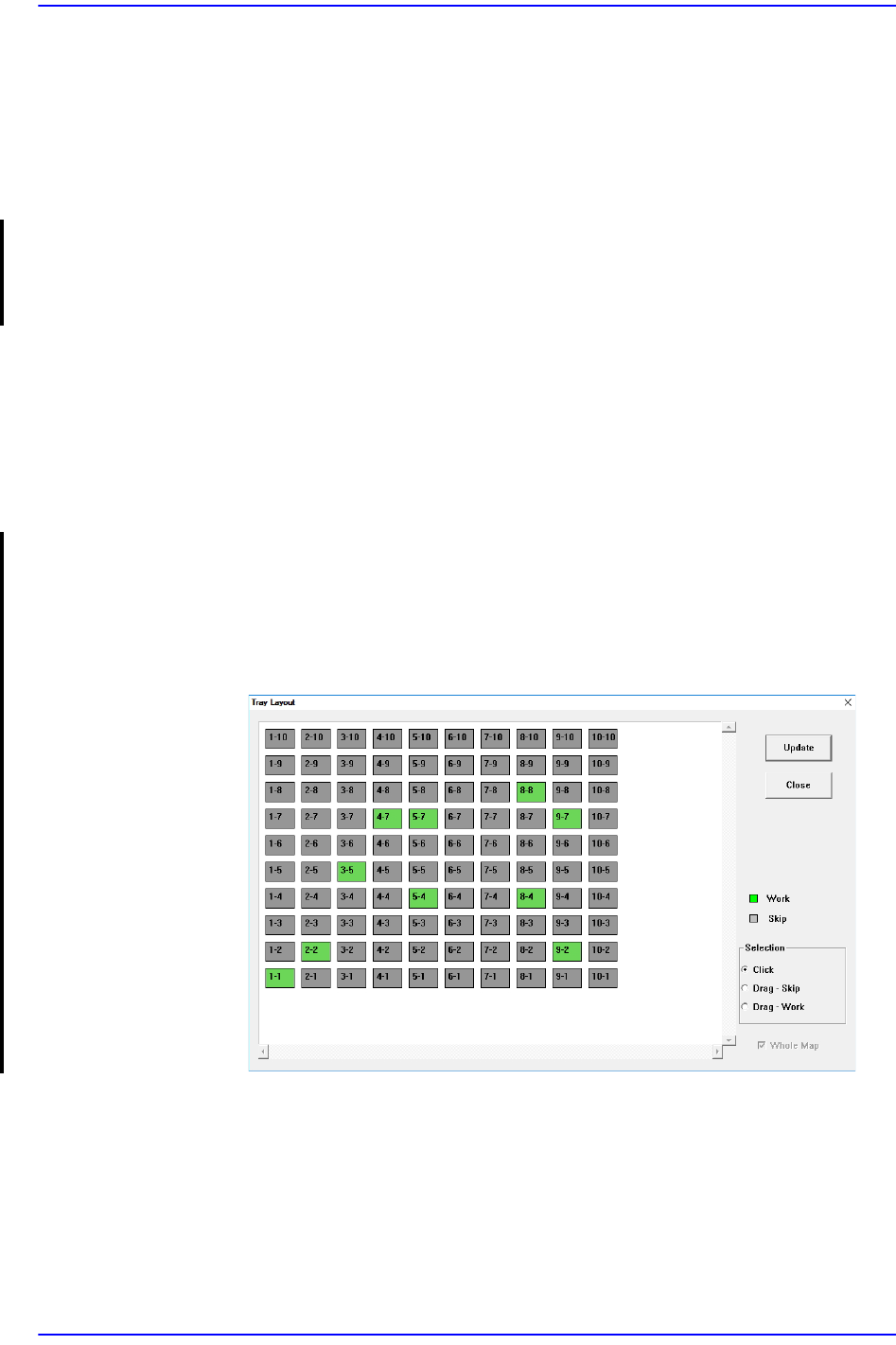
You can manually set whether parts remaining in the palette exist or not.
During production, if it fails to adsorb/recognize a part, that part is dumped to
the pallet's original pocket location. At this time, the positions of remaining
parts are irregular. When reusing the pallet for production, manually select the
pocket position where the part is located.
13-25
Production Setup
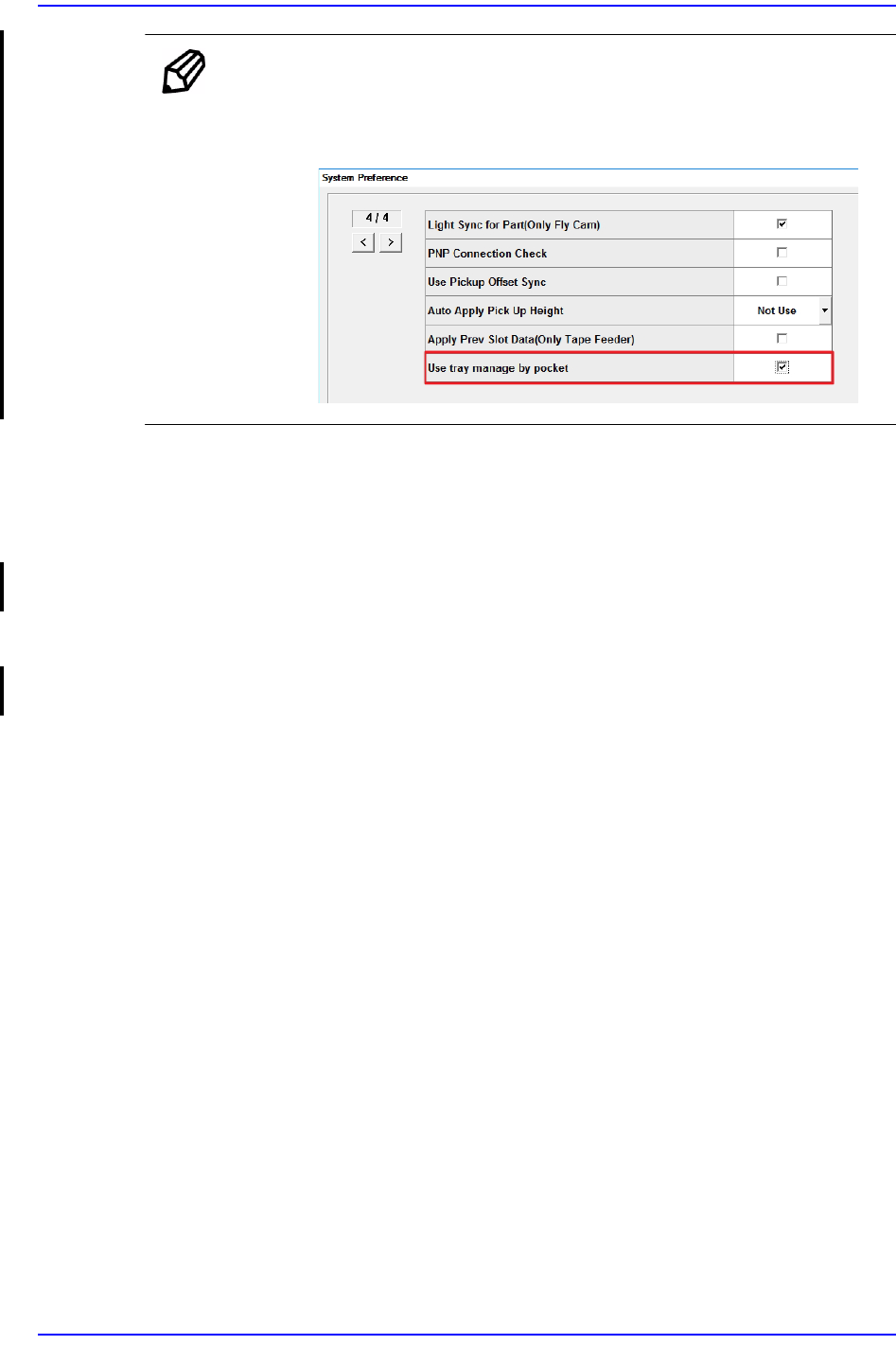
Memo To activate the <Edit> column, the option “Use tray manage by
pocket” must be set in the “Preferences” submenu of the “System
Setup” menu.
<Part> column
Displays the name of the component supplied the Tray
<All Reset> button
The number of parts displayed in the <Remain> column will change to the initial
value (All palettes in all Tray Feeder Units).
<Refill all> button
The number of parts displayed in the <Remain> column will change to the initial
value (All pallets of the selected Tray Feeder Unit).
<Update> button
Transmits the set data to the equipment and closes the dialog box.
<Cancel> button
Ignores the set data and closes the dialog box.