DECAN_S1_Administrator′s_Guide(Eng_Ver1.5)_Print.pdf - 第400页
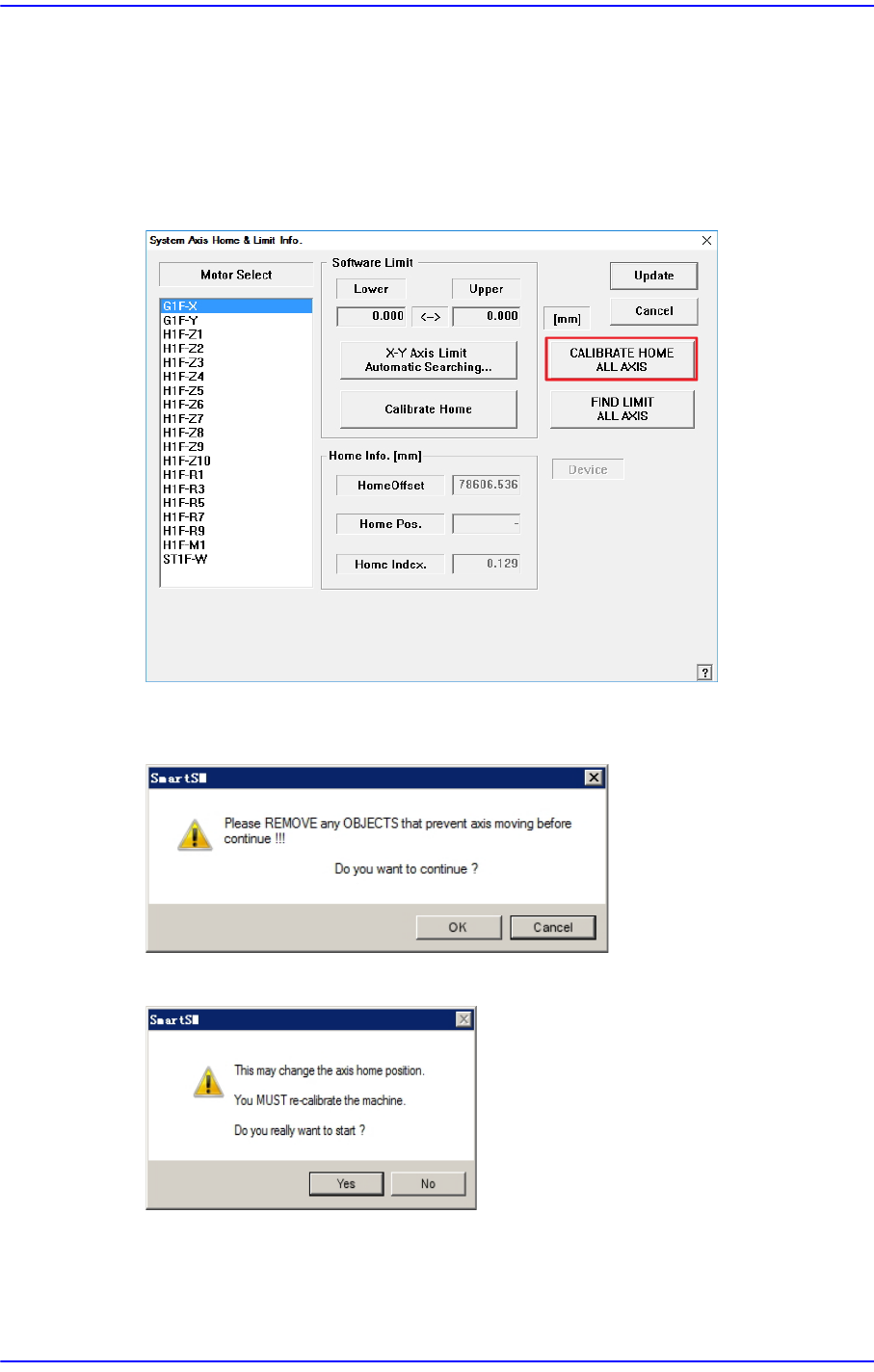
14-18 Next Generation, Multi-Functional Plac er DECAN S1 Administrator’s Guide 14.3.1.1. Procedure Axis Home Calibration method is as follows. 1. Click the <CALIBRA TE HOME ALL AXIS> button. (Proceed in the followi…

14-17
Machine Calibration
<Skew Compensation> button
Activated when selecting the Y axis. It is used to perform the skew compensation.
For further details, refer to “13.3.2 Skew compensation”.
<Head Limit Setting> button
Activated when selecting the Z axis. The function automatically measures the
limit value of the Z axis and checks whether or not to apply the changed value.
<Station Axis Limit Searching> button
This is activated when the conveyor width control motor is selected. The function
automatically measures the limit value of the conveyor width and checks whether
or not to apply the changed value.
<Calibrate Home> button
Automatically finds and reflects the home position of the motor selected from the
<Motor Select> list box.
<CALIBRATE HOME ALL AXIS> button
Automatically finds and reflects the home positions of all axes.
<FIND LIMIT ALL AXIS> button
Finds limit value of all axes.
<Home Info.> group
If the mirror axis is selected, the <Home Offset> edit box will be enabled. It is used to
perform calibration for the mirror axis.
<Update> button
Transmits the set data to the machine and closes the dialog box.
<Close> button
Ignores the set data and closes the dialog box.
Caution If calibration is done again, the machine might not operate
properly unless the items related to the equipment position,
such as pick up position, ANC, placement origin are taught
again as the home position is changed.
After calibration, be sure to teach the items related to
position again.
14-18
Next Generation, Multi-Functional Placer DECAN S1 Administrator’s Guide
14.3.1.1. Procedure
Axis Home Calibration method is as follows.
1. Click the <CALIBRATE HOME ALL AXIS> button.
(Proceed in the following order: Head Homing → Gantry Homing → Skew →
Conveyor → Shuttle)
2. After confirming that there is no object inside the machine or on the conveyor, click
the <OK> button.
3. Click the <Yes> button.
14-19
Machine Calibration
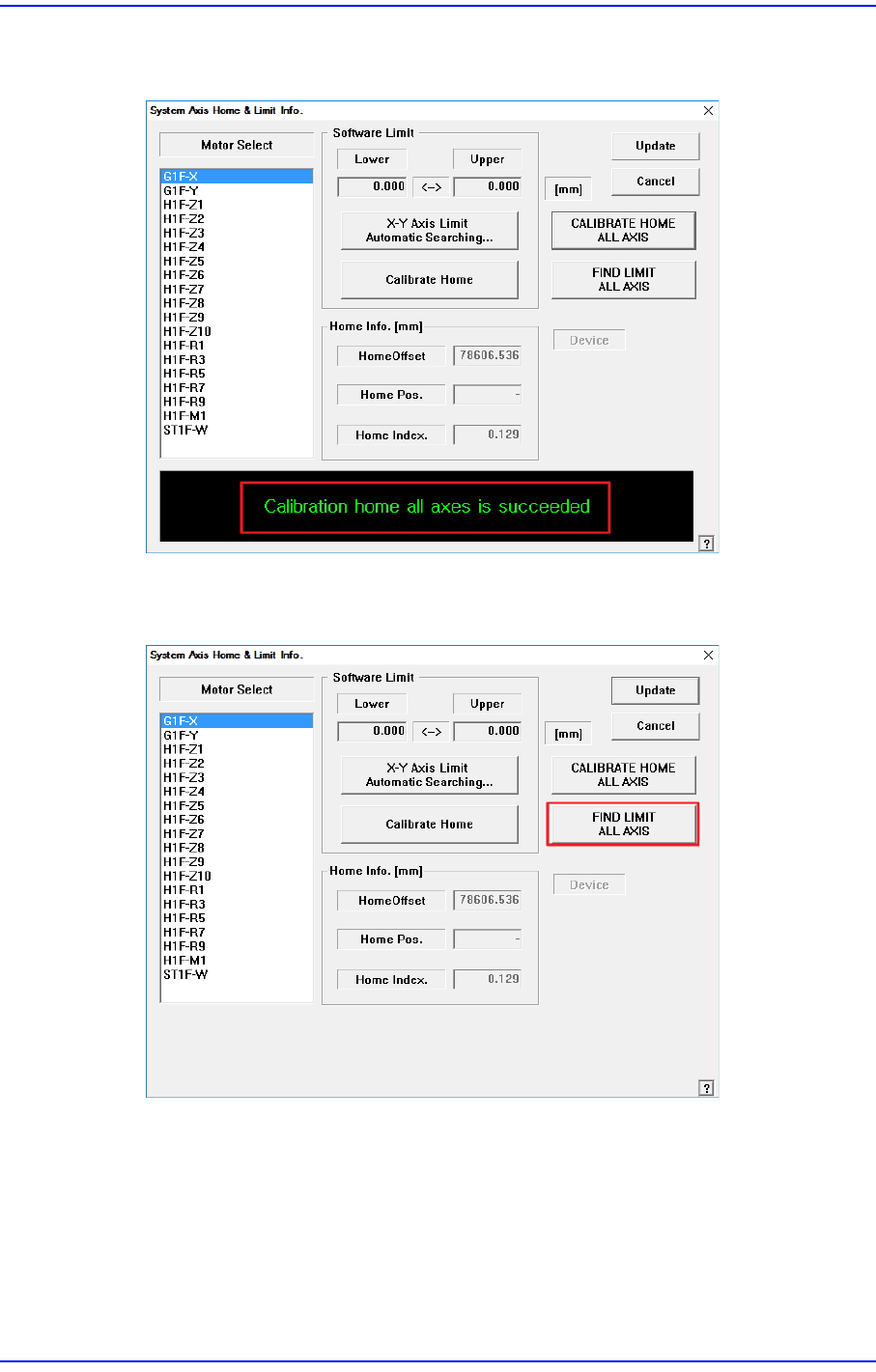
If the calibration procedure is completed properly, the result as shown in the following
figure is displayed.
4. Click the <FIND LIMIT ALL AXIS> button.
(Proceed in the following order: Head Z → Gantry Limit → Conveyor)