DECAN_S1_Administrator′s_Guide(Eng_Ver1.5)_Print.pdf - 第405页
14-23 Machine Calibration 3. After confirming that there is no object in side the machine or on the convey or , click the <OK> button. 4. Click the <Y es> button. Click on the <Skew compensa tion> butto…
14-22
Next Generation, Multi-Functional Placer DECAN S1 Administrator’s Guide
14.3.2. Skew compensation
Skew means compensating the skew occurred horizontally in the X-axis frame against the
Y1-axis and Y2-axis after movement of equipment. This must be done upon initial
installation and after movement of the equipment to a new location. Method of skew
compensation for Y-axis is as follows;
Caution Skew means compensating the skew occurred horizontally
in the X-axis frame against the Y1-axis and Y2-axis after
movement of equipment. This must be done upon initial
installation and after movement of the equipment to a new
location. Method of skew compensation for Y-axis is as
follows;
14.3.2.1. Procedure
Skew Compensation method is as follows.
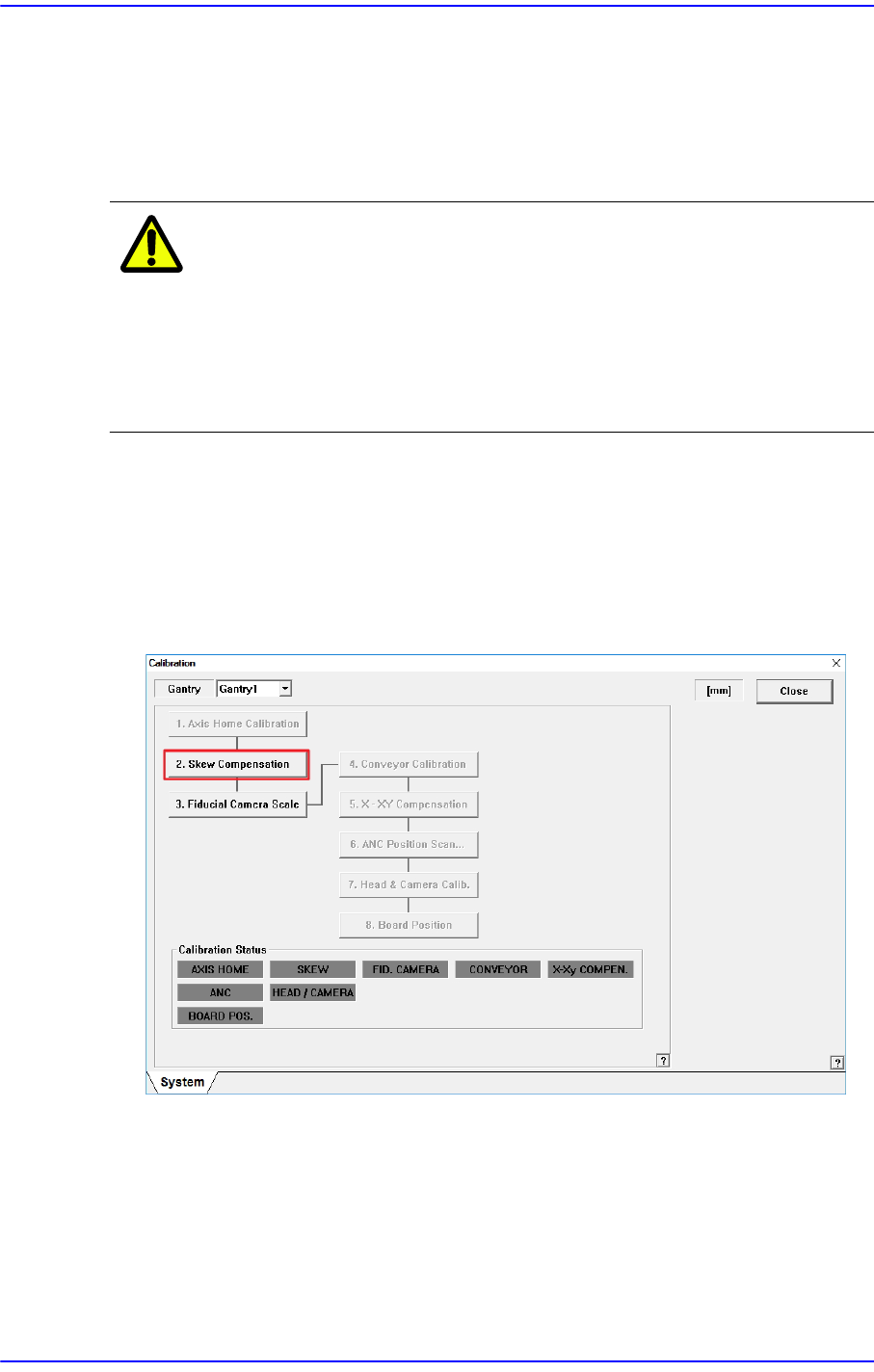
1. First, move the X frame manually to the center of equipment.
2. Click the <Skew Compensation> button.
14-23
Machine Calibration
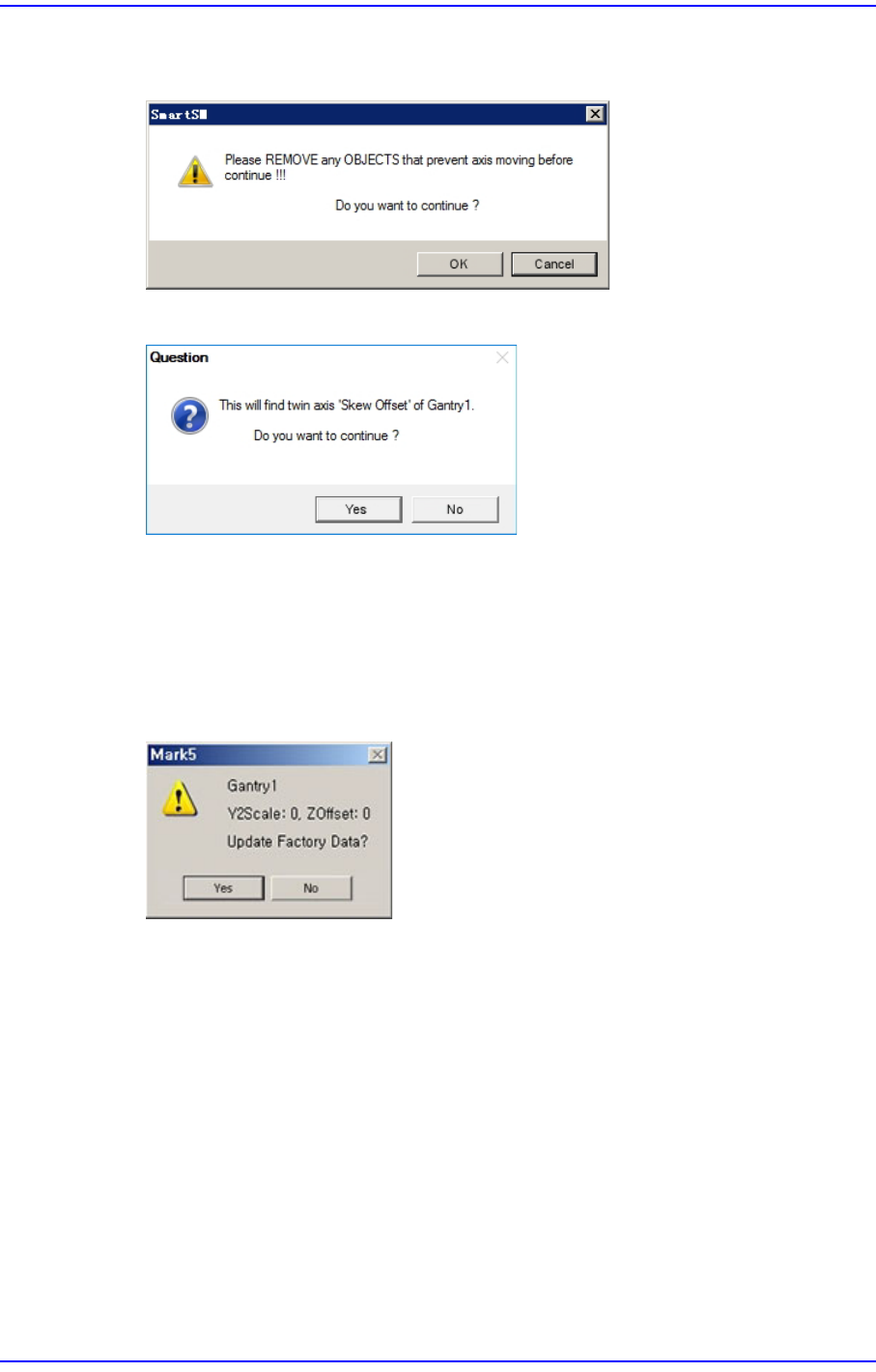
3. After confirming that there is no object inside the machine or on the conveyor, click
the <OK> button.
4. Click the <Yes> button.
Click on the <Skew compensation> button. Automatic homing on Z-axis is performed,
Y1-axis motor rotates and moves X frame until detecting the Y home sensor. Once the
home sensor has been detected, move to the Y-axis movement distance (Y Stroke) in
the opposite direction, and move to the opposite direction again until the Y Home
sensor is detected.
5. Then, ‘Skew’ information is shown as follows, and asks whether to apply the value.
6. Click on the <Yes (Y)> button and <Update> button, and then homing of the
equipment is newly done in accordance with the applied skew information.
14-24
Next Generation, Multi-Functional Placer DECAN S1 Administrator’s Guide
14.3.3. Fiducial Camera Scale
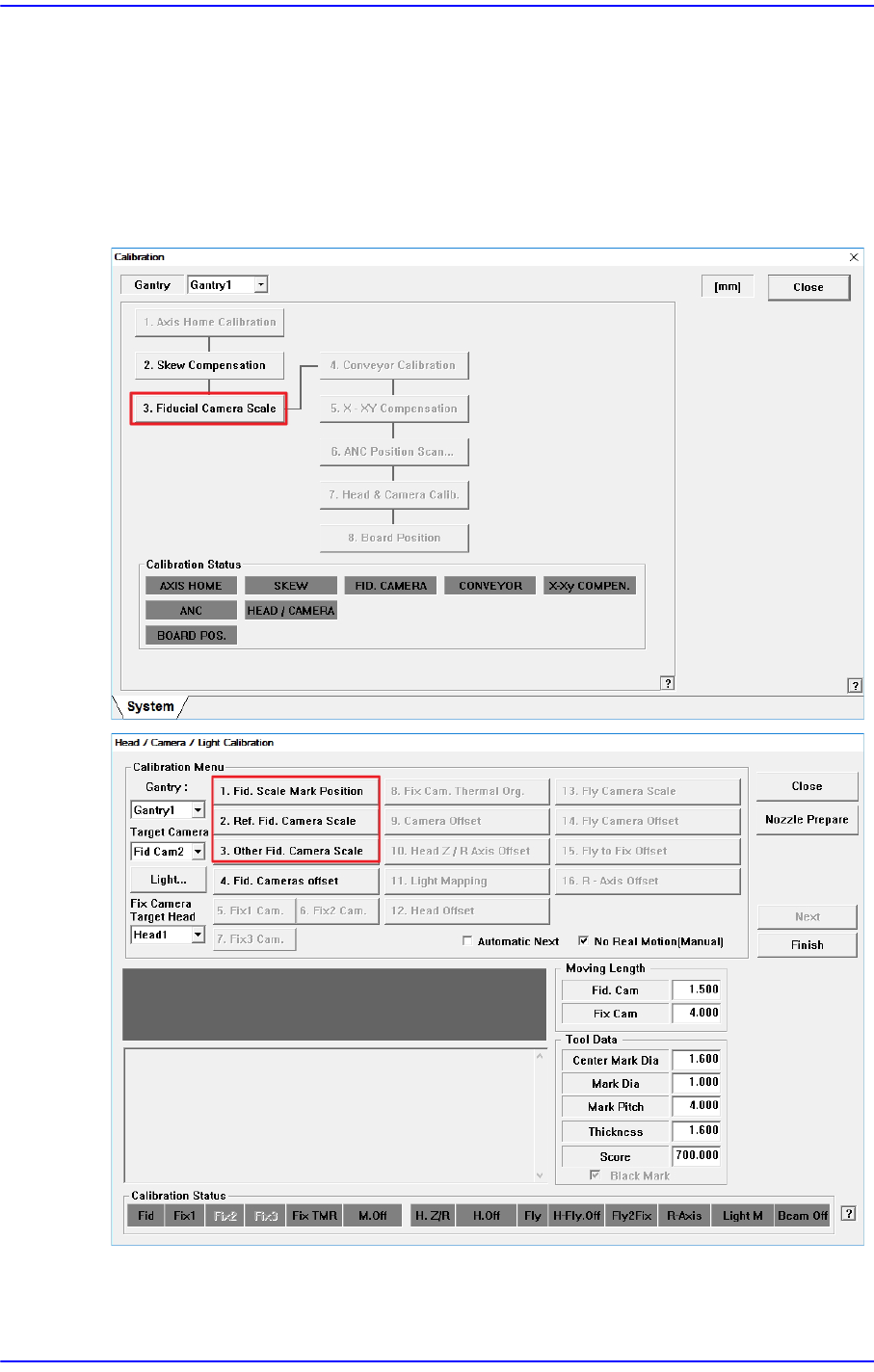
Calibration must be performed by using the fiducial camera. Therefore, the scale
calibration of the fiducial camera must be performed first.
If the fiducial camera is not calibrated, the rest of the buttons are disabled.
When the Fiducial Camera Scale Calibration is completed, the <3. Fiducial Camera Scale>
button is not displayed in the “Calibration” window.
<1. Fid. Scale Mark Position> button
Set the position of the fiducial mark (White) located at the top surface of the ANC.