DECAN_S1_Administrator′s_Guide(Eng_Ver1.5)_Print.pdf - 第412页
14-30 Next Generation, Multi-Functional Plac er DECAN S1 Administrator’s Guide Ref. The reference value for the calibra tion of the Other Fid. Cameras is as follows: Gantry 1 Offset X: -263 ~ -261 (mm) Offset Y : -…
14-29
Machine Calibration
14.3.4. Fiducial Cameras Offset Calibration
Measure the distance between the center of the gantry's Ref. Fiducial Camera and that of
the Other Fiducial Cameras.
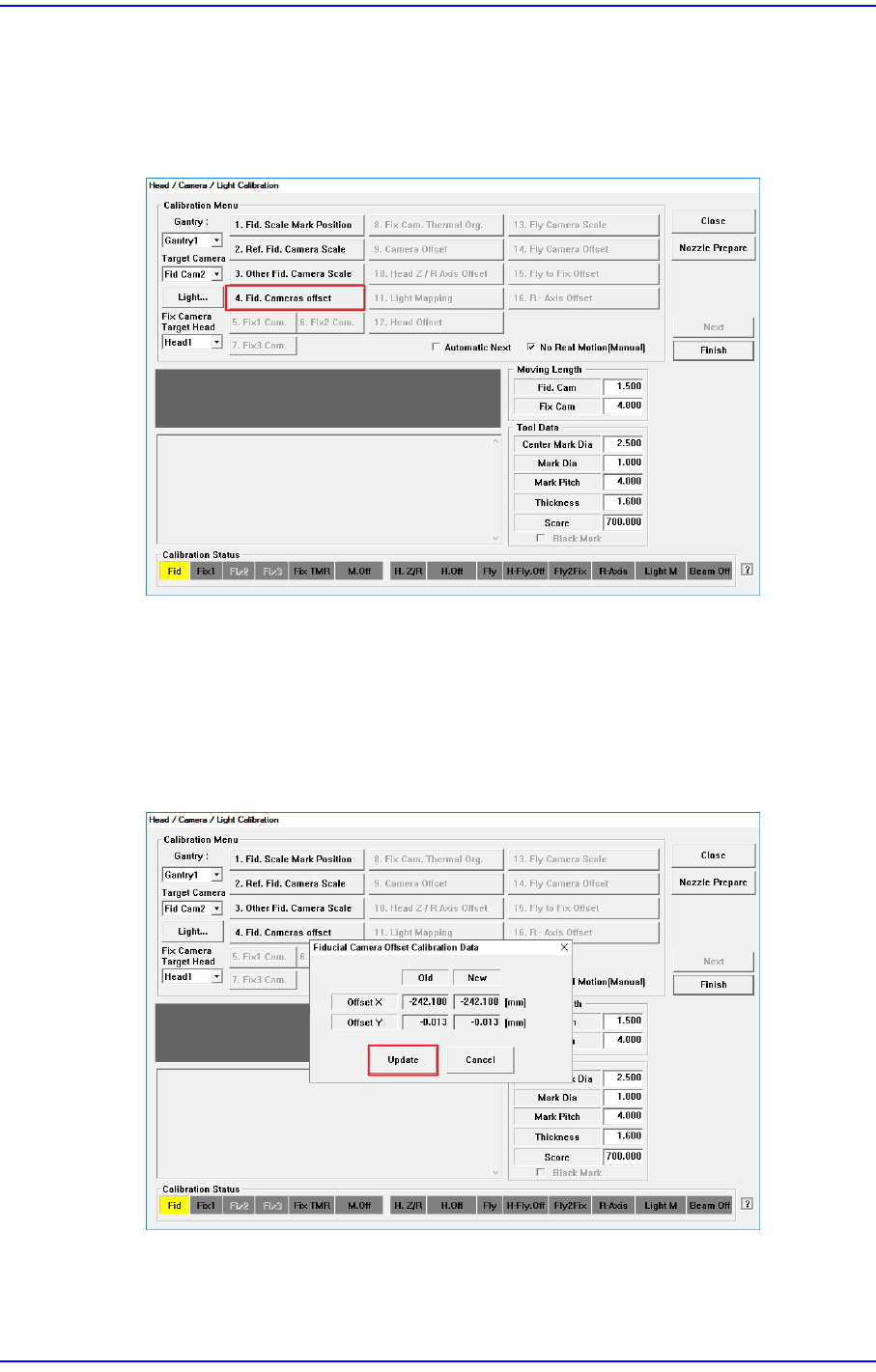
1) Click the <4. Fid. Cameras Offset> button in the <Calibration Menu> group.
Move the Ref. Fiducial Camera to the Mark position set in the Fiducial Camera Scale
Calibration to measure the center position of the Mark.
Next, move the Other Fiducial Camera to the Mark position to measure the center
position of the Mark.
2) Once calibration is completed, the calibration result is displayed as shown in the
following figure. Click the <Update> button to apply the calibration value.
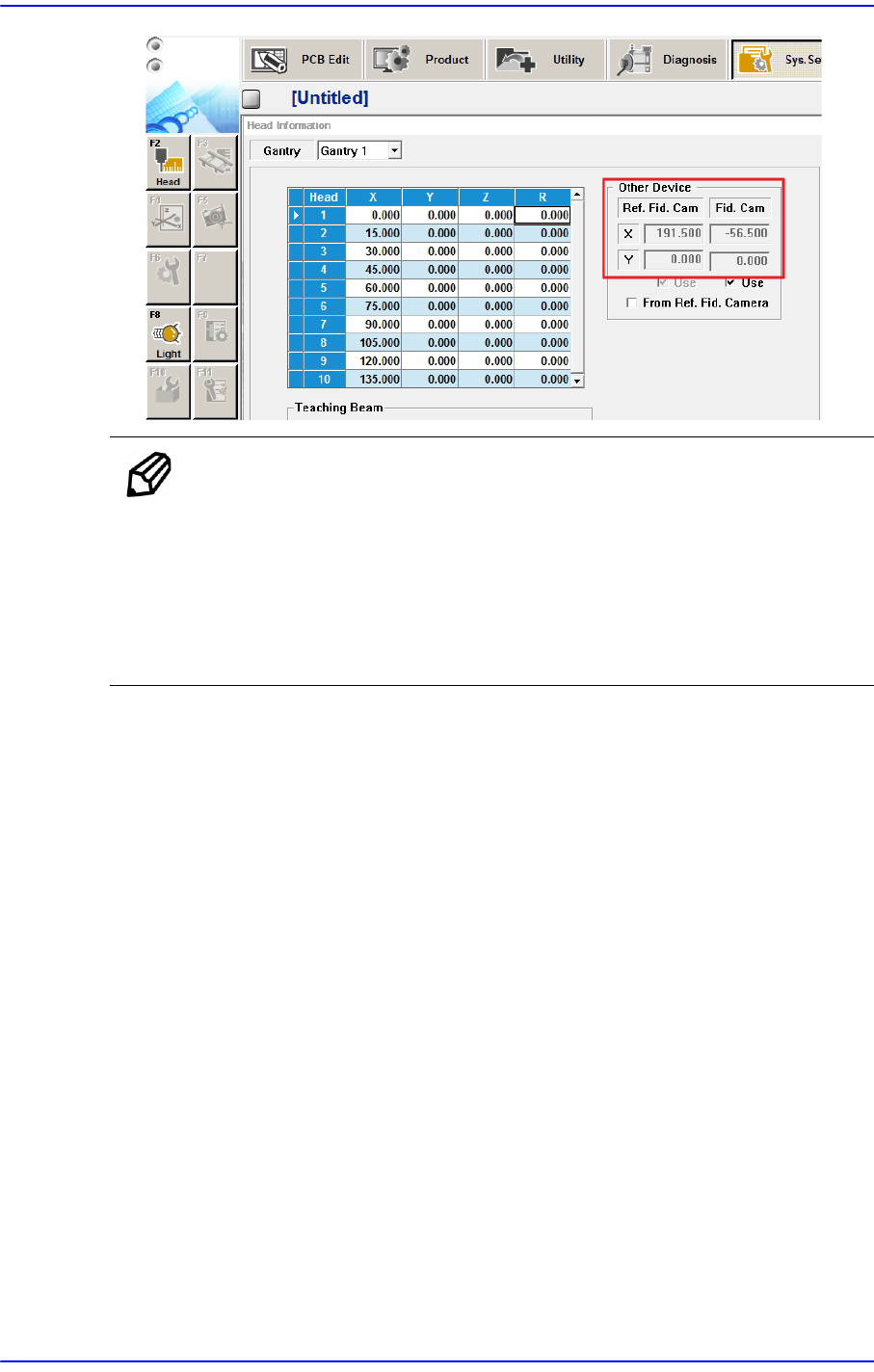
The measurement result can be confirmed in the Head Offset dialog box.
14-30
Next Generation, Multi-Functional Placer DECAN S1 Administrator’s Guide
Ref. The reference value for the calibration of the Other Fid. Cameras is as
follows:
Gantry 1
Offset X: -263 ~ -261 (mm)
Offset Y: -1 ~ 1 (mm)
14-31
Machine Calibration
14.3.5. Conveyor Calibration
Set the Home Offset of the station in the conveyor and the Offset between stations. Teach
the position of the stopper and work sensor in the station to measure the information
needed to bring the PCB board in and out.
Calibration is made upon initial installation of the machine. The recalibration of transport
rail should be performed when mechanical adjustments to the transport rail occur.
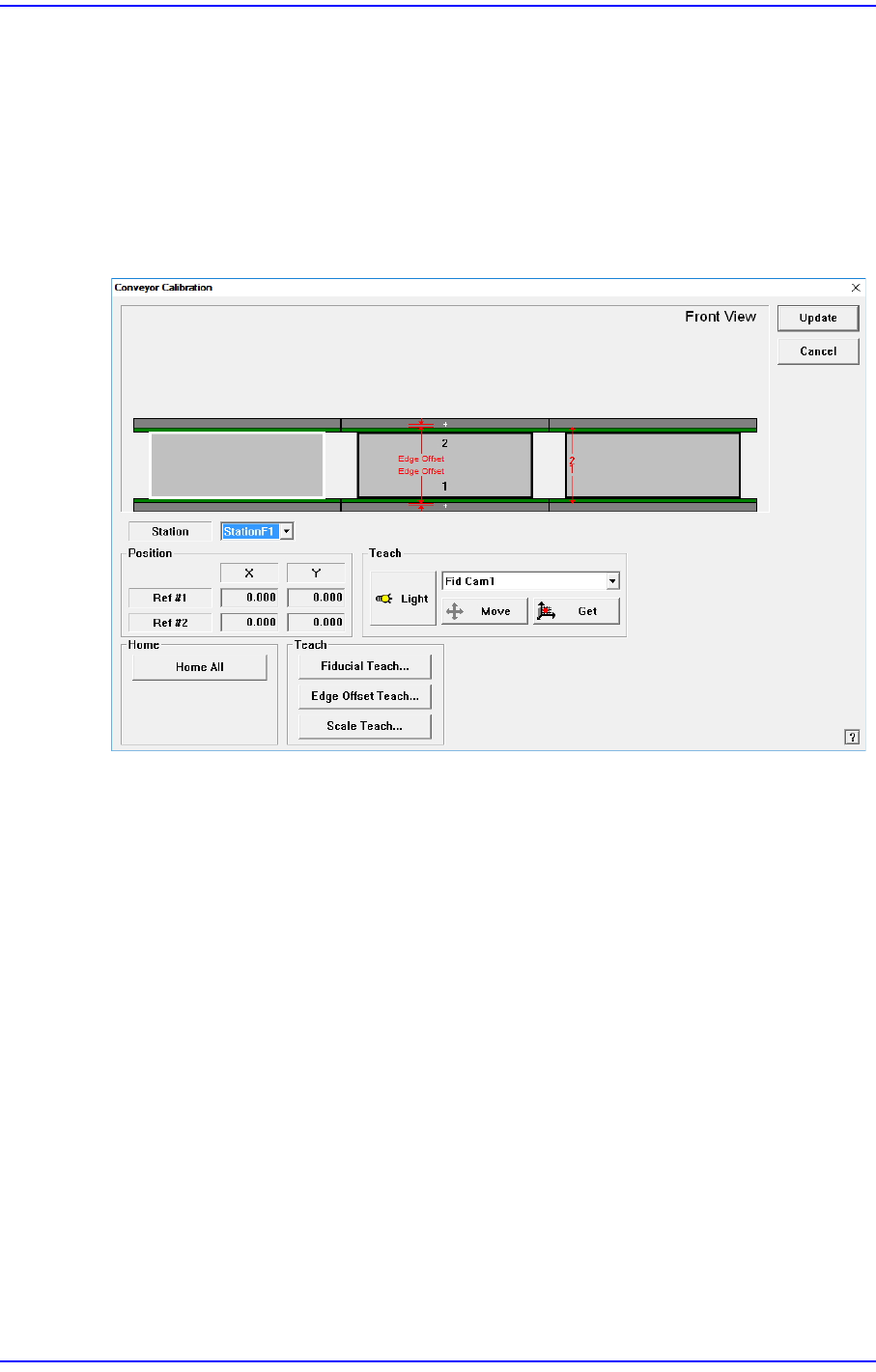
Figure14.8 "Conveyor Calibration" dialog box
<Station> combo box
Select the Station.
<Position> group
Input the position of the fiducial mark of the selected station. First click the <Home
All> button to enable this edit box and find the home position for all axes related to the
conveyor.
Ref #1: the first fiducial mark of the selected station
Ref #2: the second fiducial mark of the selected station
<Home> group
<Home All> button: Finds the homes of all axes.
<Teach> group
<Light> button
Set the lighting value. Set the value by adjusting the sliding bar.
<Move> button
Moves the fiducial camera of the corresponding gantry to the position of the