DECAN_S1_Administrator′s_Guide(Eng_Ver1.5)_Print.pdf - 第417页
14-35 Machine Calibration 5. Click the <Edge Offset T each…> button 6. .Select the station to be calib rated from the <Stations> combo box.
14-34
Next Generation, Multi-Functional Placer DECAN S1 Administrator’s Guide
14.3.5.1. Procedure
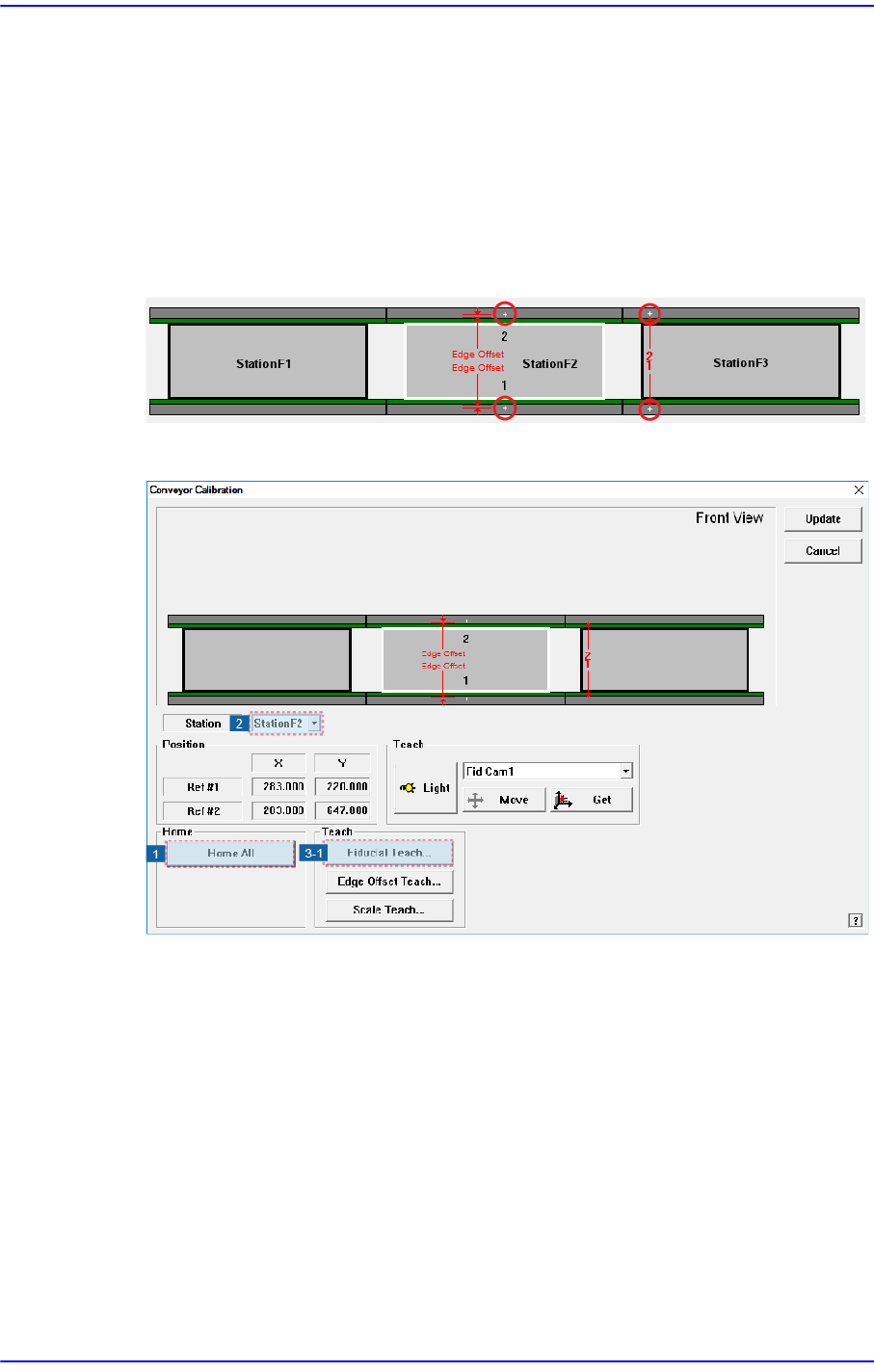
Conveyor Calibration method is as follows.
1. “Click the <Home All> button in the “Conveyor Calibration” dialog box.
2. Select the station to be calibrated from the <Stations> combo box. (StationF2,
StationF3)
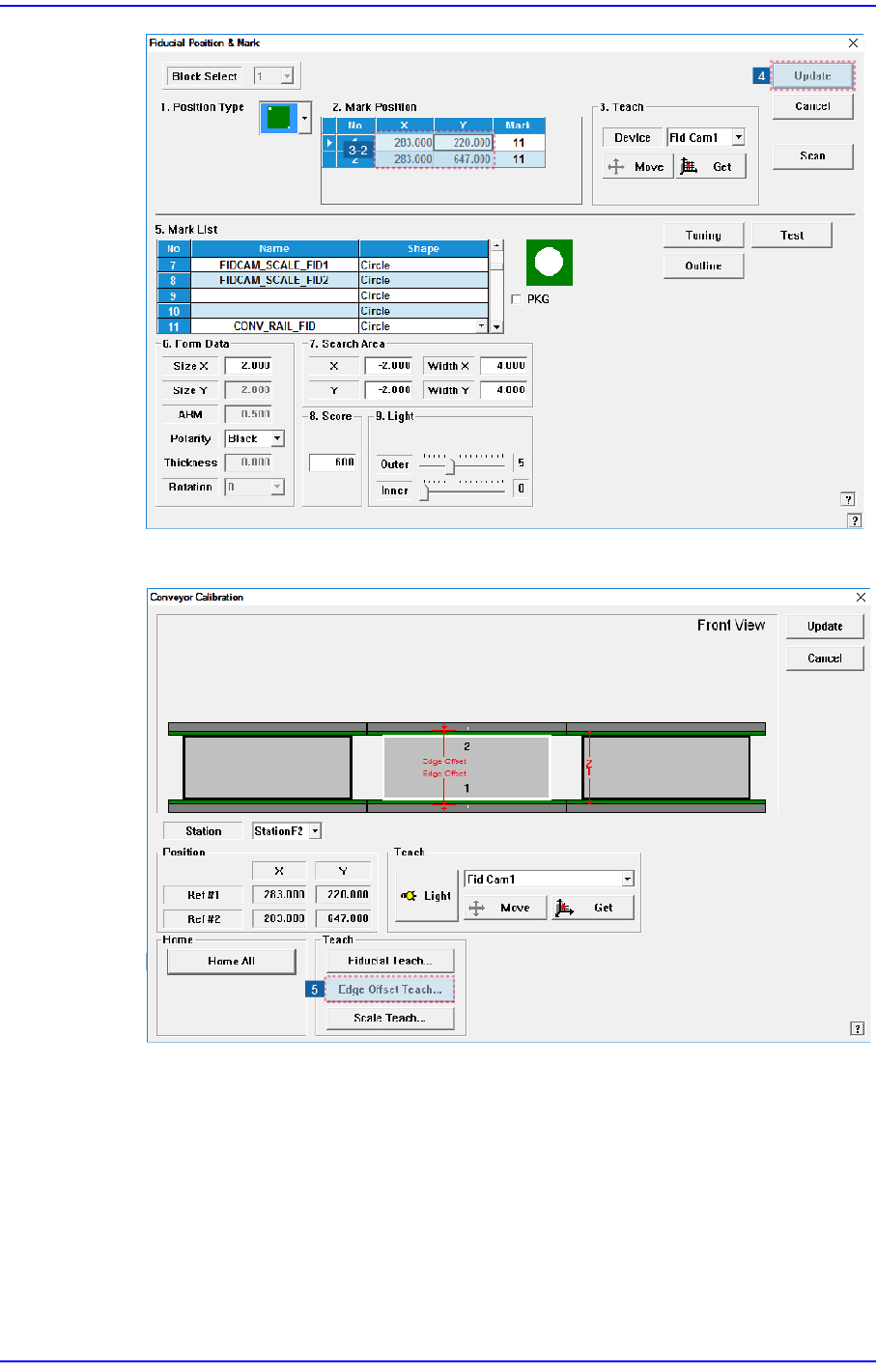
3. Click the <Fiducial Teach…> button to teach the fiducial marks of the selected station
accurately and click the <Scan> button to scan the position accurately.
4. Click the <OK> button to update the information on the fiducial mark position.
14-35
Machine Calibration
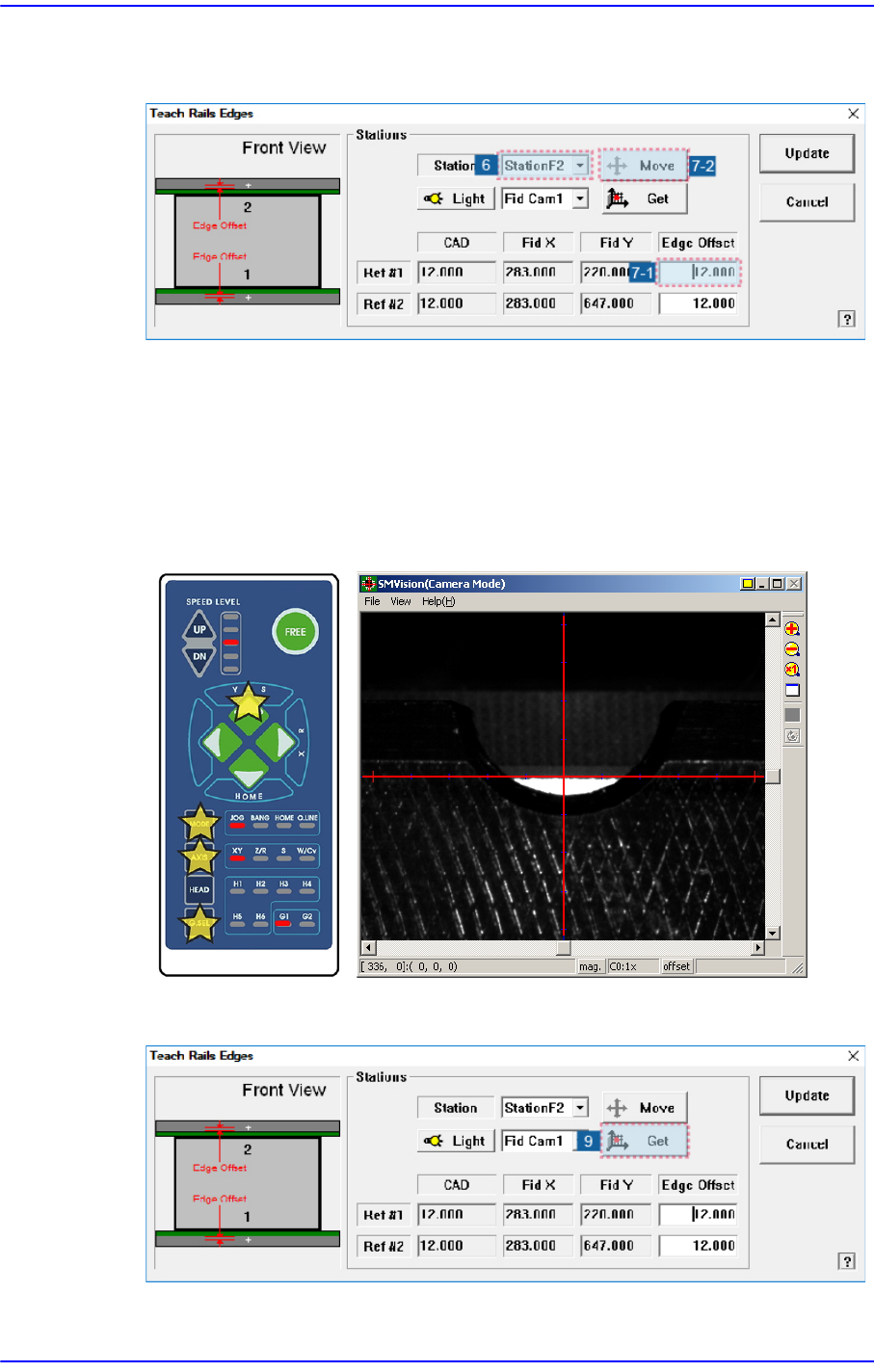
5. Click the <Edge Offset Teach…> button
6. .Select the station to be calibrated from the <Stations> combo box.
14-36
Next Generation, Multi-Functional Placer DECAN S1 Administrator’s Guide
7. Select the <Edge Offset> edit box corresponding to the “Ref. #1” and click the <Move
Cam> button.
8. Then the downward camera (fiducial camera) moves to the corresponding position of
the fiducial mark. Select XY by pressing the ‘AXIS’ button using the teach box to
make the backup table rise and make the edge of the transport rail frame correspond
with the horizontal line of the cross lines in the vision.
Then select the jog by pressing the ‘MODE’ button, and slowly move by pressing the
Y(+) direction move button.
9. When matched, click the <Get> button.