DECAN_S1_Administrator′s_Guide(Eng_Ver1.5)_Print.pdf - 第420页
14-38 Next Generation, Multi-Functional Plac er DECAN S1 Administrator’s Guide 14. Click the <Update> button. 15. After finishing the teaching, Perfor m teaching of Stopper and Sensor in the “Conveyor Configuration…
14-37
Machine Calibration
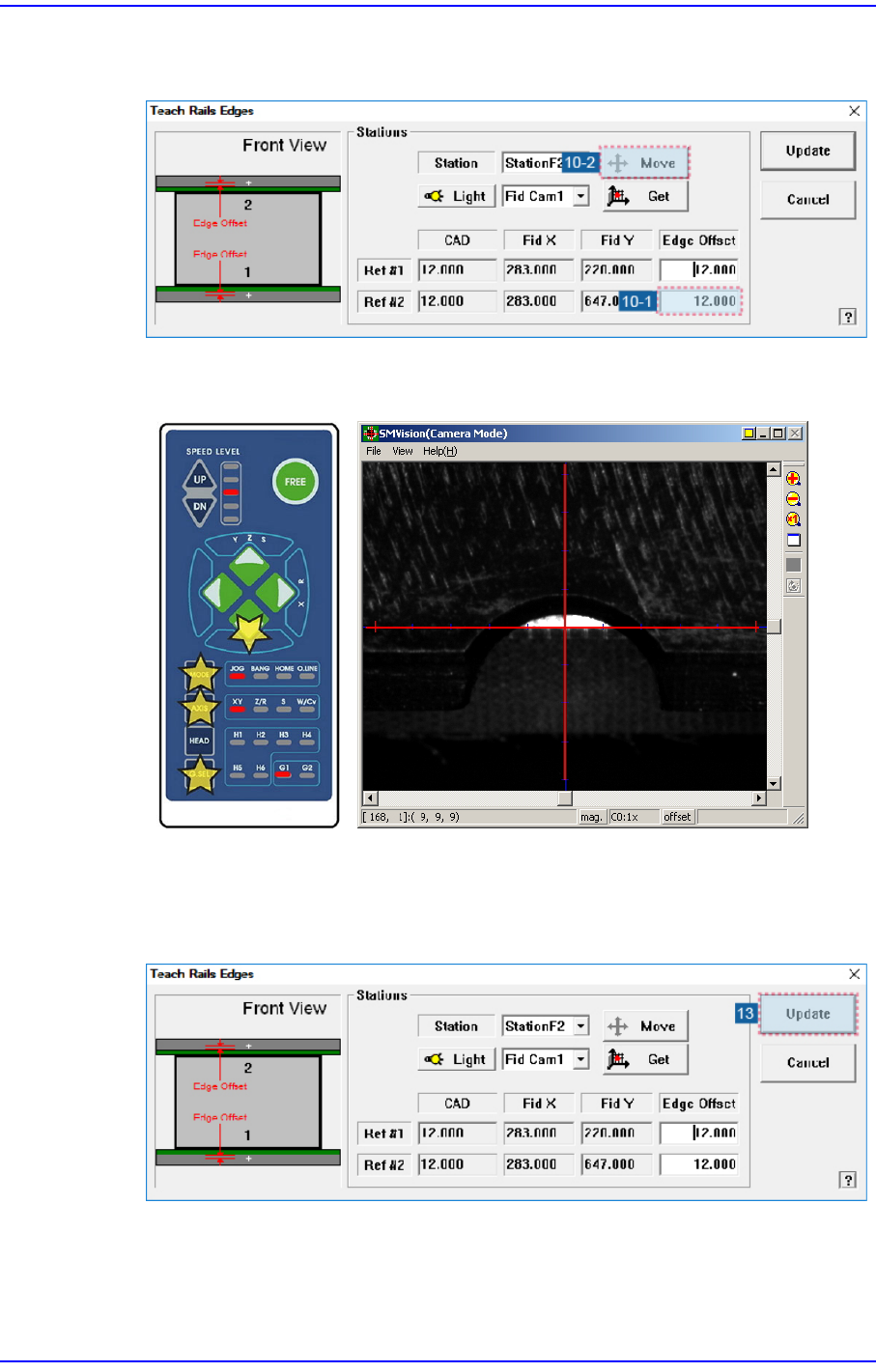
10. Select the corresponding <Edge Offset> edit box in ‘Ref. #2’ and click the <Move
Cam> button.
11. Perform teaching on ‘Ref. #2’ in the same way as teaching on ‘Ref. #1’.
12. When teaching on the fiducial marks of the selected station is finished, perform
teaching on the fiducial marks of the StationF3 in the same way.
13. After finishing the teaching, click the <Update> button to apply the changed value.
14-38
Next Generation, Multi-Functional Placer DECAN S1 Administrator’s Guide
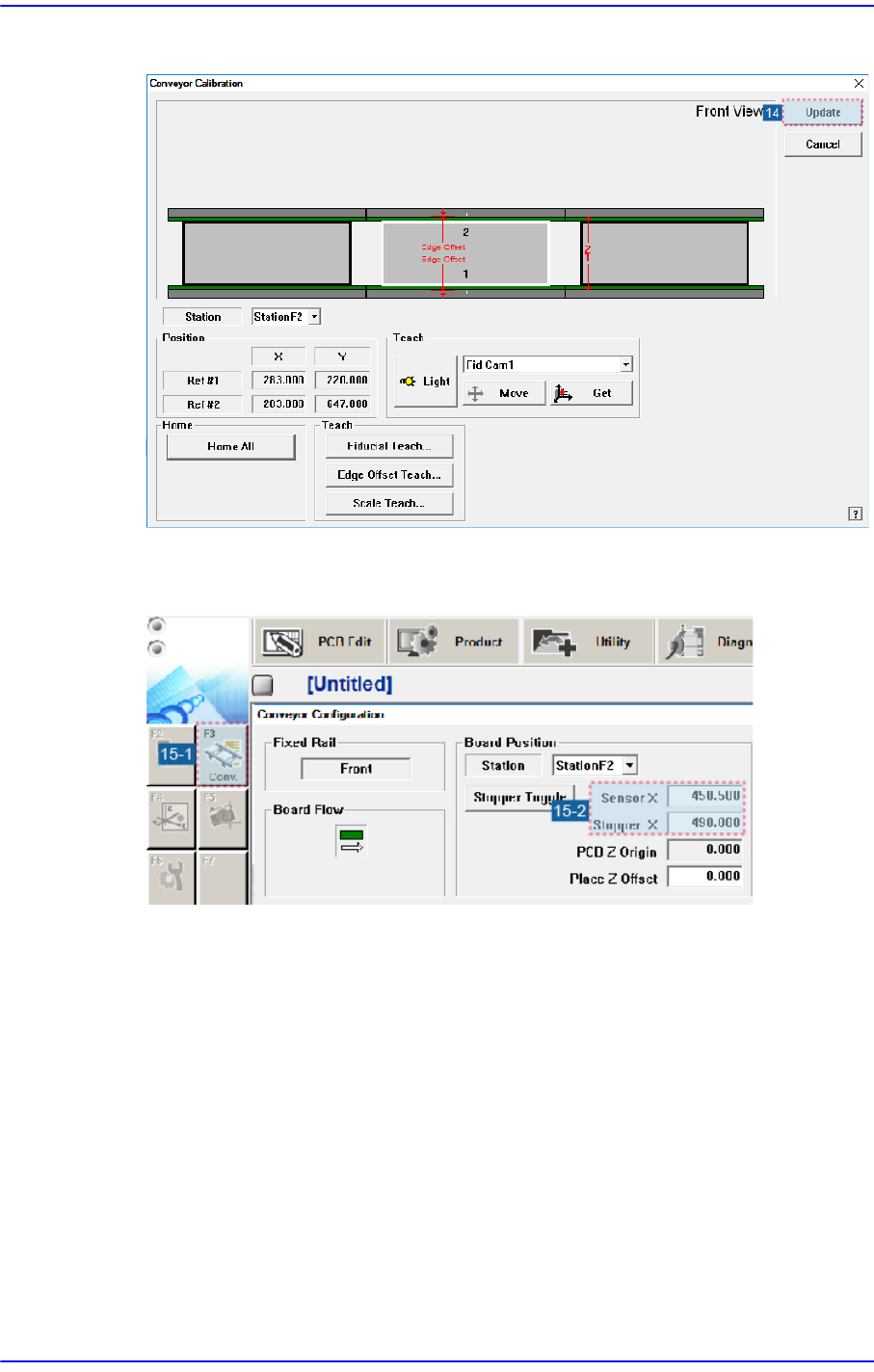
14. Click the <Update> button.
15. After finishing the teaching, Perform teaching of Stopper and Sensor in the “Conveyor
Configuration” dialog box.
14-39
Machine Calibration
14.3.6. X-XY Compensation
This is performed to compensate the XY error that occurs while moving the X axis. If the
thermal mapping and gantry mapping have already been enabled, disable the mapping by
force to perform the X-XY compensation.
Caution X-XY compensation is performed at the factory before the
machine is shipped. An exclusive calibration tool is needed
to perform this calibration.
In general cases, skip this calibration process and perform
the next calibration process.
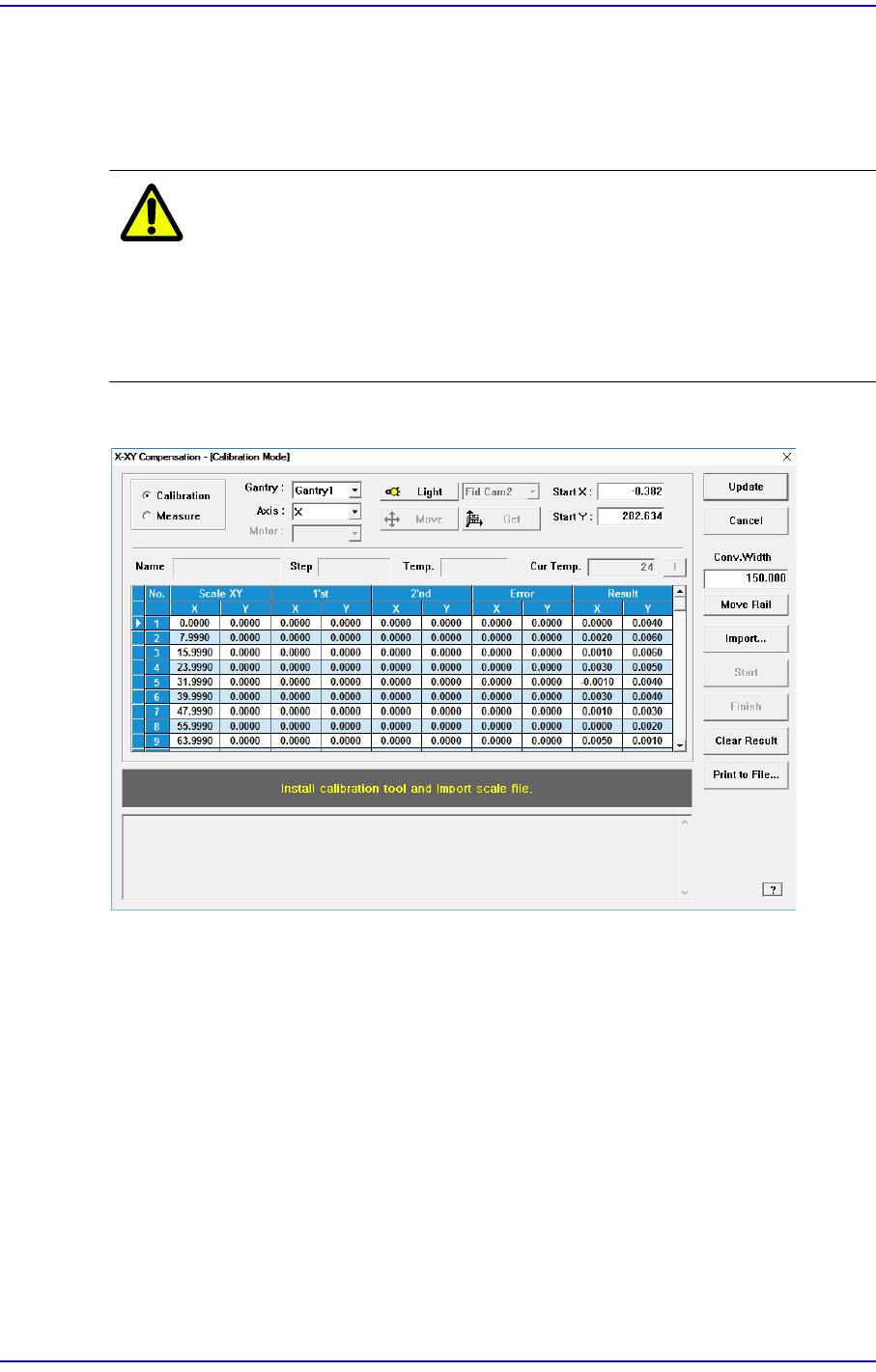
Figure14.11 "X-XY Compensation" dialog box
Mode Option button
Select the mode in which this process is to be performed.
<Calibration> Option button
Perform the X-XY compensation in the calibration mode and reflect the result.
<Measure> Option button
Perform the X-XY compensation in the measurement mode and do not reflect the
result. It is selected to measure the error for the Y axis.
<Gantry> combo box
Gantry1
When performing calibration in Station F2 by using the calibration tool.
Gantry2