DECAN_S1_Administrator′s_Guide(Eng_Ver1.5)_Print.pdf - 第424页
14-42 Next Generation, Multi-Functional Plac er DECAN S1 Administrator’s Guide 14.3.8. Head & Camera Calibration Perform the camera calibration function. The calibration sequence and tools necessary for calibration a…
14-41
Machine Calibration
14.3.7. ANC Pos. Scan
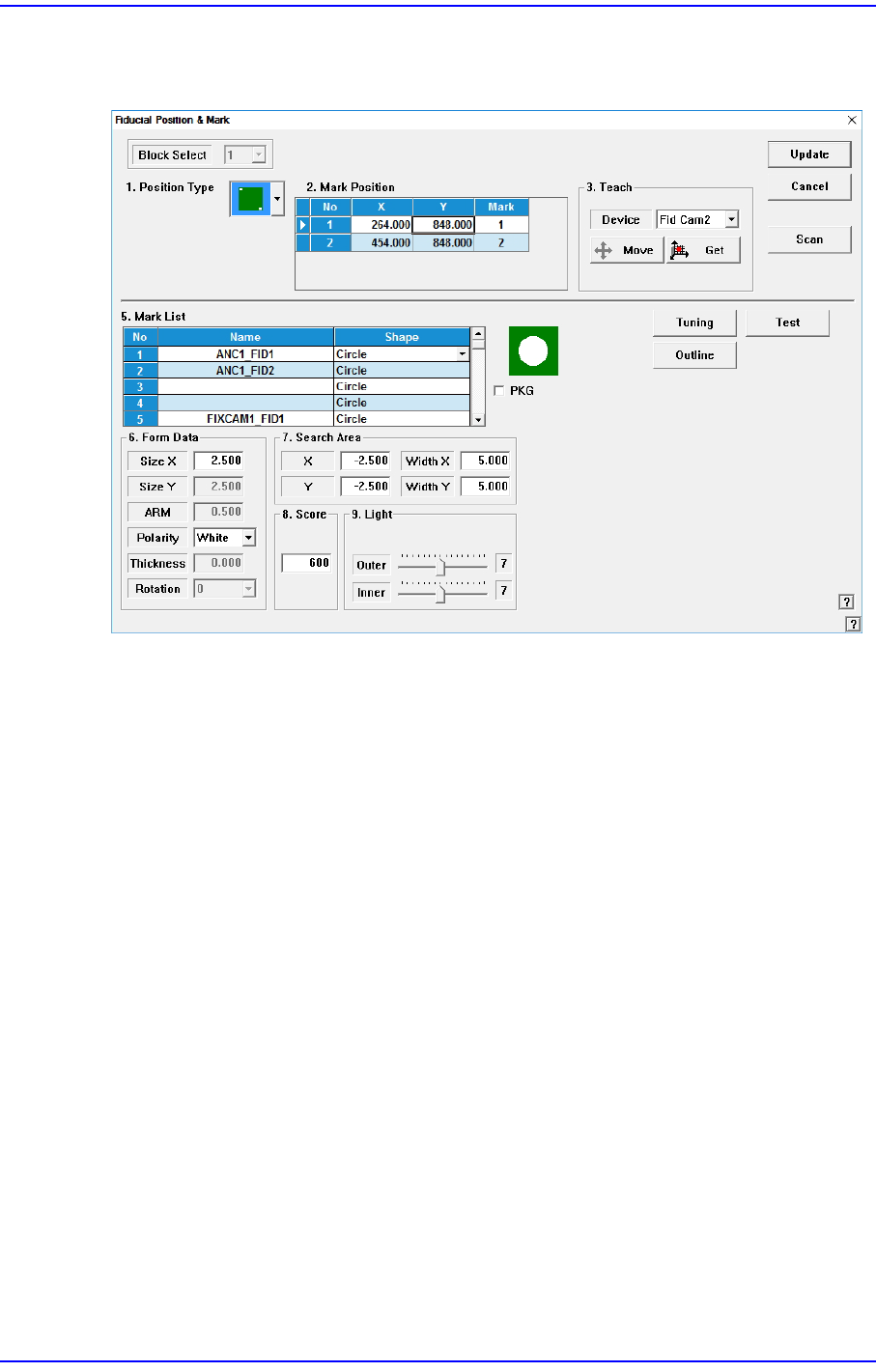
Teach the 2 fiducial marks on the top surface of the ANC.
Refer to “6.3 Fiducial Mark Setup” for more information.
14-42
Next Generation, Multi-Functional Placer DECAN S1 Administrator’s Guide
14.3.8. Head & Camera Calibration
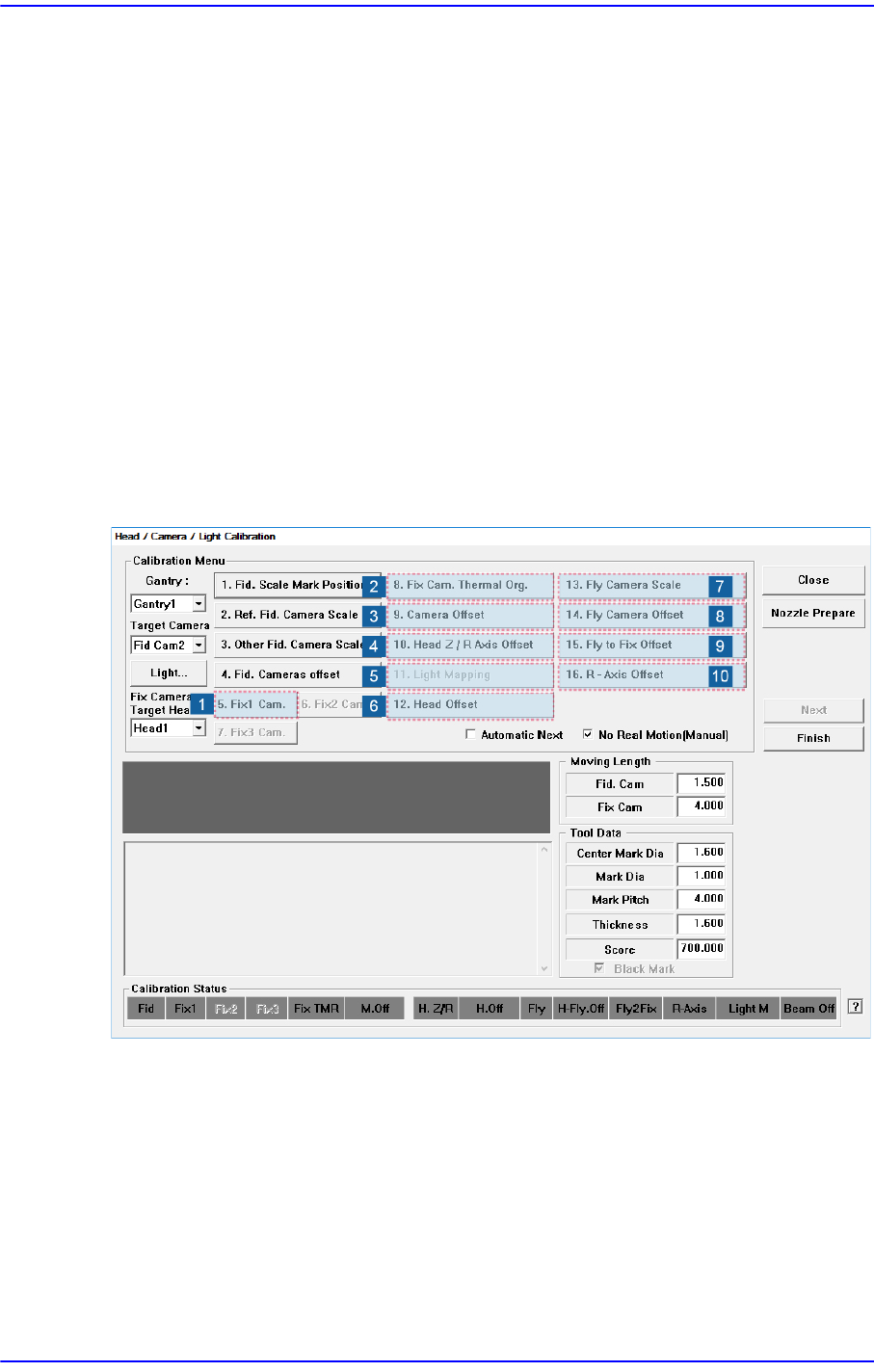
Perform the camera calibration function. The calibration sequence and tools necessary for
calibration are as follows.
1) Fix Camera Calibration (Scale & Rotation & Position) (CNT20 Nozzle)
2) Fix Cam. Thermal Org.
3) Camera Offset
4) Head Z & R Offset Calibration (CN040 Nozzle)
5) Light Mapping (LightFly Nozzle, LightFix Nozzle, Fiducial Mapping Chart)
6) Head Offset Calibration
7) Fly Camera Scale & Rotation Calibration
8) Fly Camera Offset Calibration
9) Fly To Fix Offset Calibration
10) R-Axis Offset Calibration
14-43
Machine Calibration
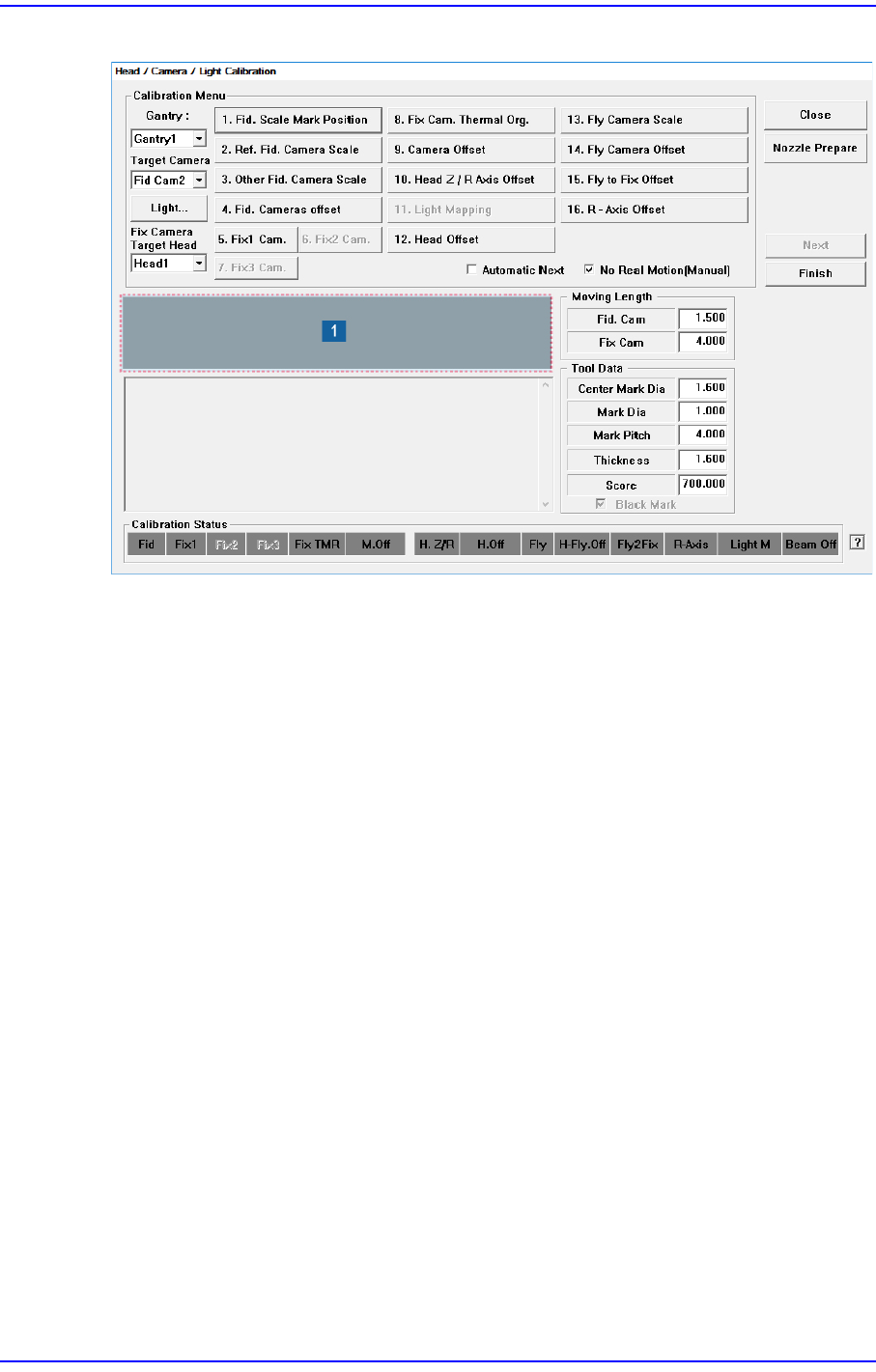
Figure14.12 “Head/ Camera/ Light Calibration” dialog box
1: Head/ Camera/ Light Calibration” dialog box
<Calibration Menu> group
Select an item to be calibrated. If you click the button of a specific item, the
description on the works to be performed are displayed in the message box in order.
Follow the instructions to complete the calibration.
<Gantry> combo box
Select the Gantry for performing Calibration
<Target Camera> combo box
Select the camera to set light value.
<Light…> button
Set the light value for the selected camera.