DECAN_S1_Administrator′s_Guide(Eng_Ver1.5)_Print.pdf - 第427页
14-45 Machine Calibration 4. The message “Set Calibration T ool into hole 1 of ANC1” appears. After installing the CNT20 nozzle in hole 1 of ANC1, click the <OK> button. 5. After selecting the <Automatic Next>…
14-44
Next Generation, Multi-Functional Placer DECAN S1 Administrator’s Guide
14.3.8.1. Fix Camera Calibration (Scale & Rotation & Position)
Calibrate the Scale (um/pixel), Rotation (deg) and Position (mm) of the Fix Camera. In
order to calibrate the Fix Camera, a dedicated fiducial mark jig must be used. (CNT20
Nozzle)
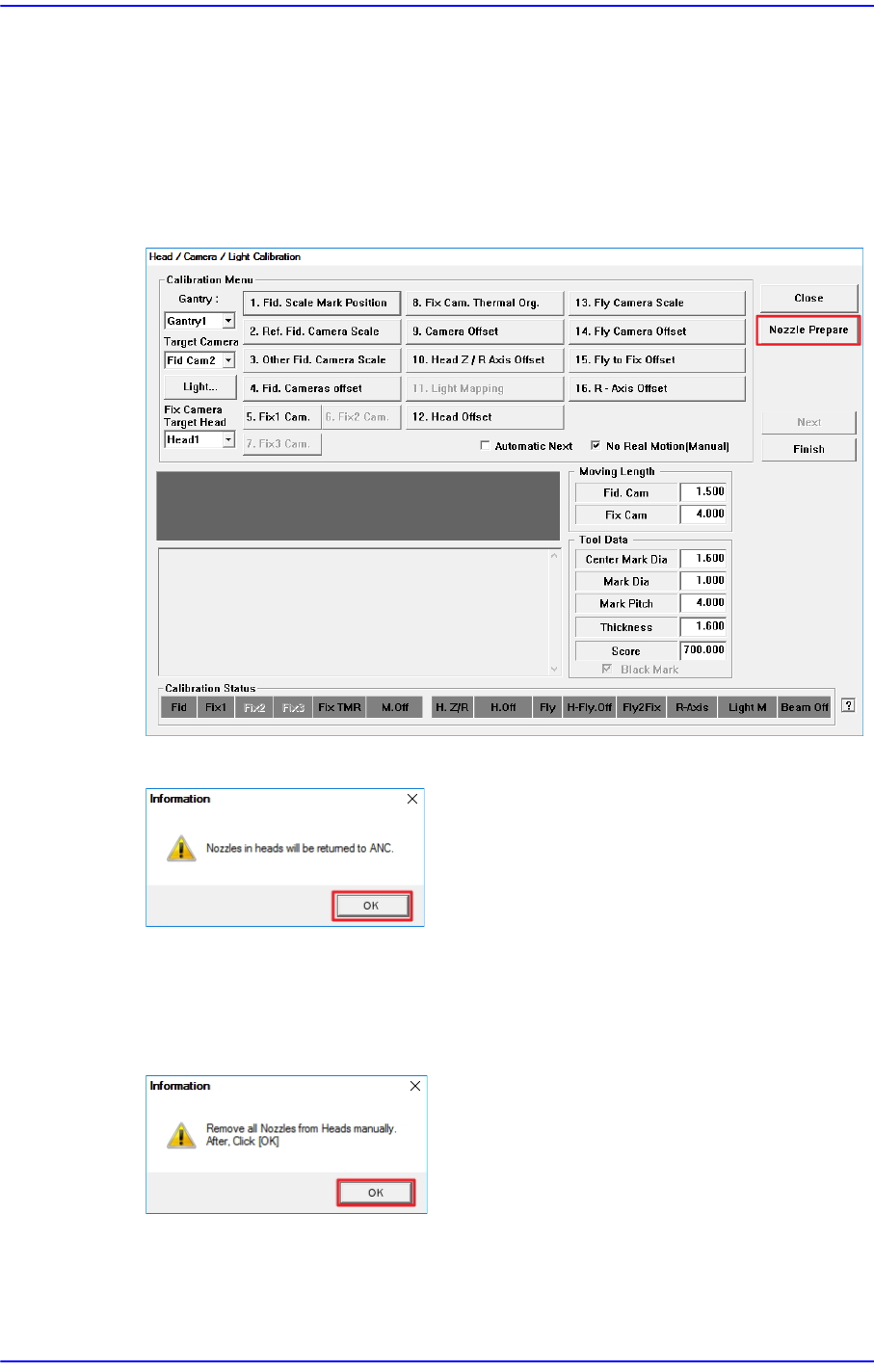
Perform calibration of the Fix Camera in the following manner:
1. Click the <Nozzle Prepare> button.
2. Click the <OK> button.
3. Click the <Next> button to move down the Z axis of the head in order to remove all
nozzles inserted in the nozzle-holder manually.
Then, after the head assembly moves to the designated position, move all Z-axes
down. At this time, remove all inserted nozzles manually
14-45
Machine Calibration
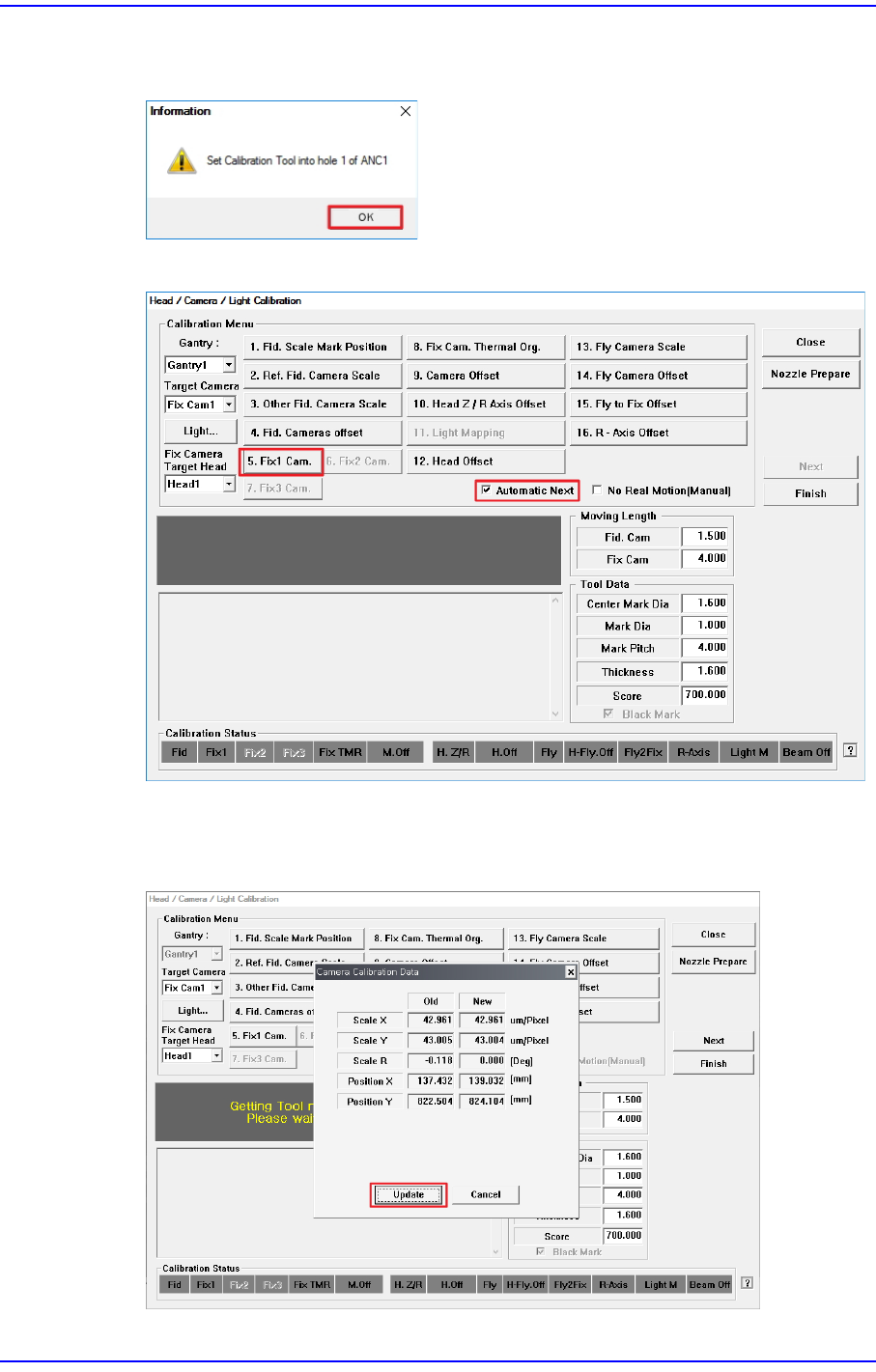
4. The message “Set Calibration Tool into hole 1 of ANC1” appears. After installing the
CNT20 nozzle in hole 1 of ANC1, click the <OK> button.
5. After selecting the <Automatic Next> check box, click the <5. Fix1 Cam.> button.
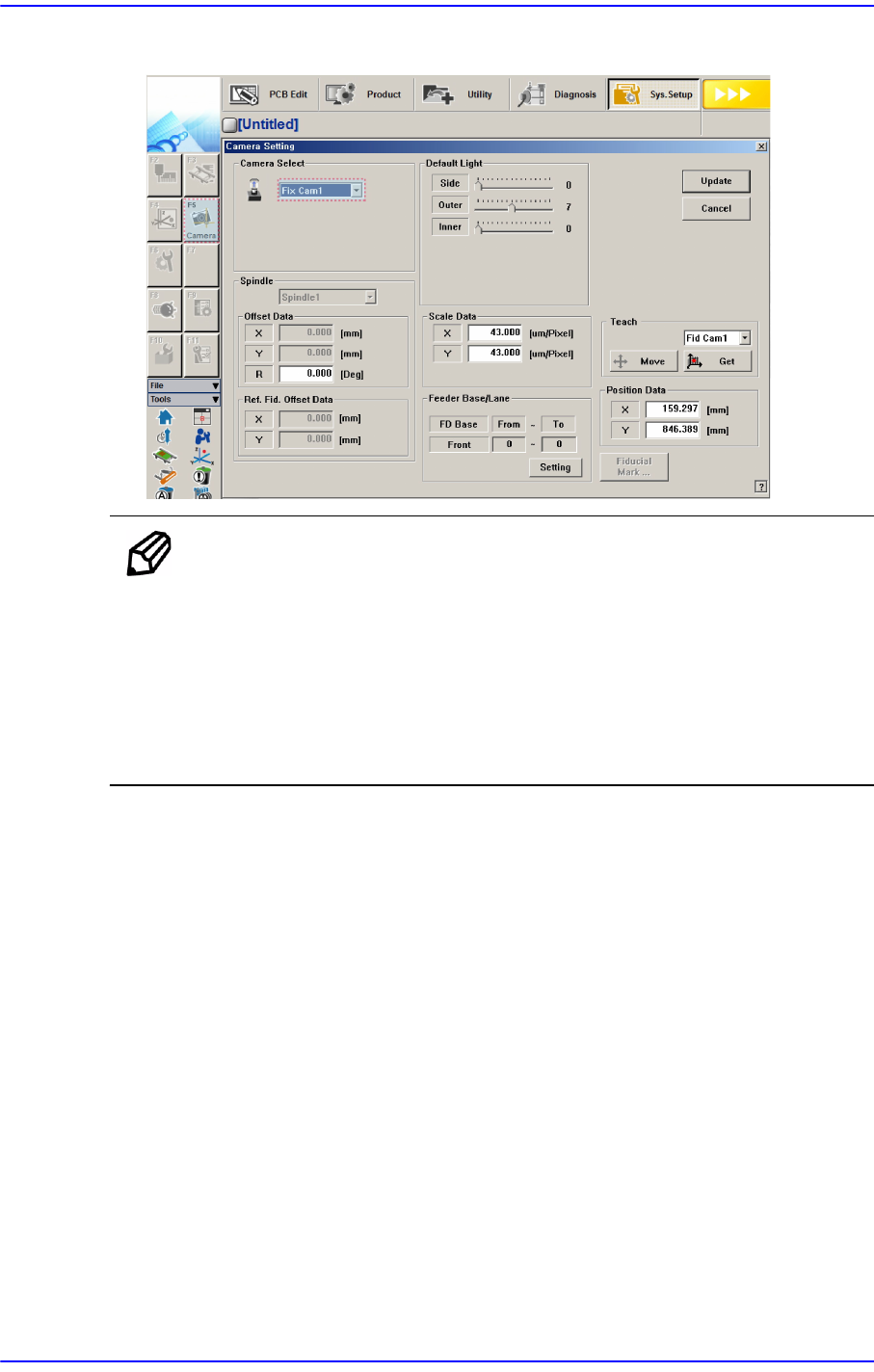
6. The calibration is performed automatically. If it is completed, the calibration result is
displayed as shown in the following figure. Click the <Update> button to apply the
new calibration value.
14-46
Next Generation, Multi-Functional Placer DECAN S1 Administrator’s Guide
The measurement result can be confirmed in the Camera Setting dialog box
Ref. The reference value for the calibration of the Fix Camera is as
follows:
FOV 45mm (MEGA)
Scale X: 42.7 ~ 45.7 (μm/pixel)
Scale Y: 42.7 ~ 45.7 (μm/pixel)
Scale R: -1 ~ 1 (Deg)