DECAN_S1_Administrator′s_Guide(Eng_Ver1.5)_Print.pdf - 第429页
14-47 Machine Calibration 14.3.8.2. Fix Camera Thermal Mapping After starting the machine, teach one of th e fiducial marks on the ANC in order to compensate the thermal deformation of the XY coordinate system caused by …
14-46
Next Generation, Multi-Functional Placer DECAN S1 Administrator’s Guide
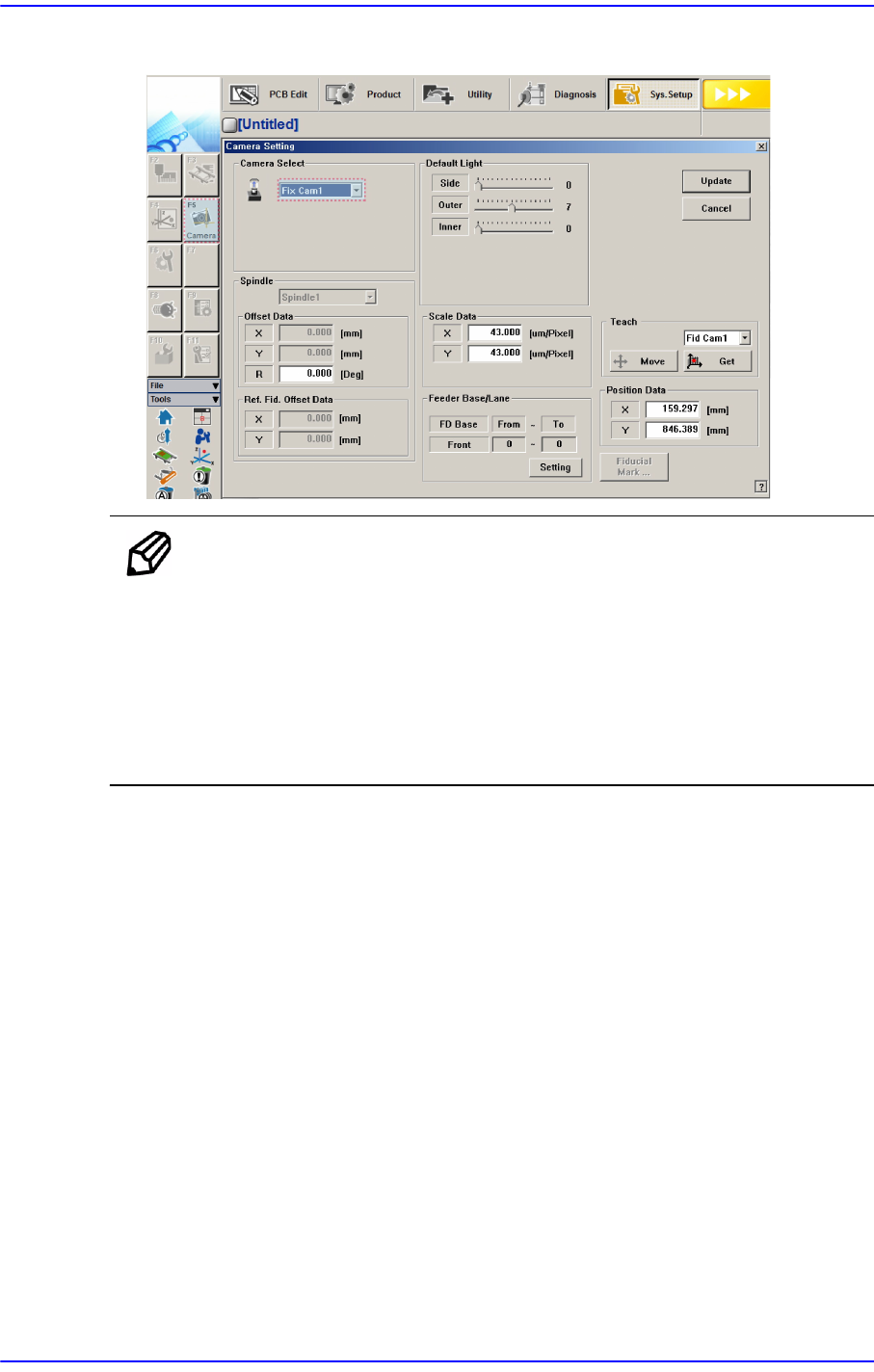
The measurement result can be confirmed in the Camera Setting dialog box
Ref. The reference value for the calibration of the Fix Camera is as
follows:
FOV 45mm (MEGA)
Scale X: 42.7 ~ 45.7 (μm/pixel)
Scale Y: 42.7 ~ 45.7 (μm/pixel)
Scale R: -1 ~ 1 (Deg)
14-47
Machine Calibration
14.3.8.2. Fix Camera Thermal Mapping
After starting the machine, teach one of the fiducial marks on the ANC in order to
compensate the thermal deformation of the XY coordinate system caused by the friction
heat of the ball screw.
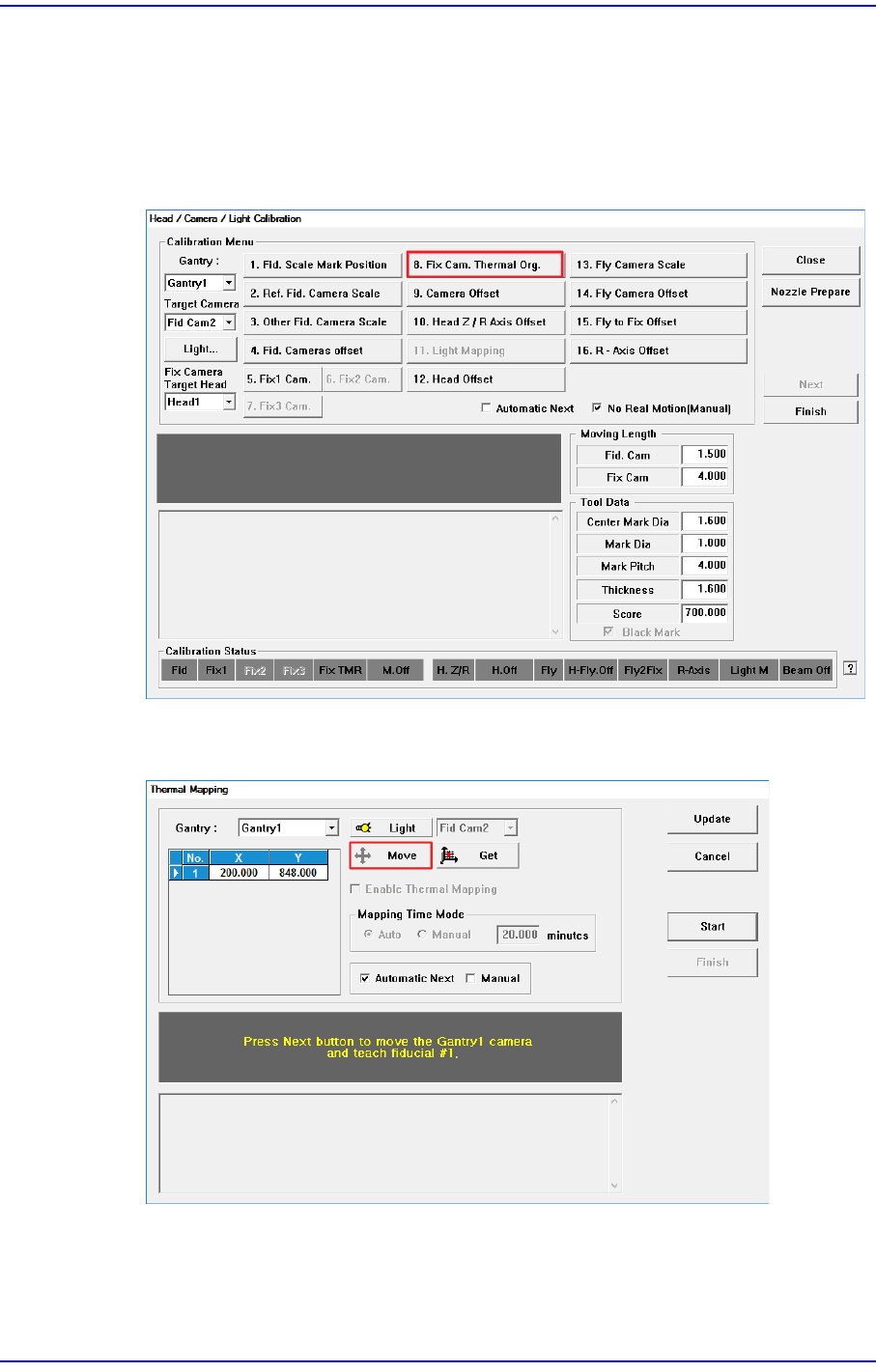
1. Click the <8. Fix Cam. Thermal Org.> button.
2. Click the <Move> button to check whether the position of the default coordinate falls
on the ANC fiducial mark.
14-48
Next Generation, Multi-Functional Placer DECAN S1 Administrator’s Guide
3. If the default coordinate does not fall on the ANC fiducial mark, teach the coordinate
manually.
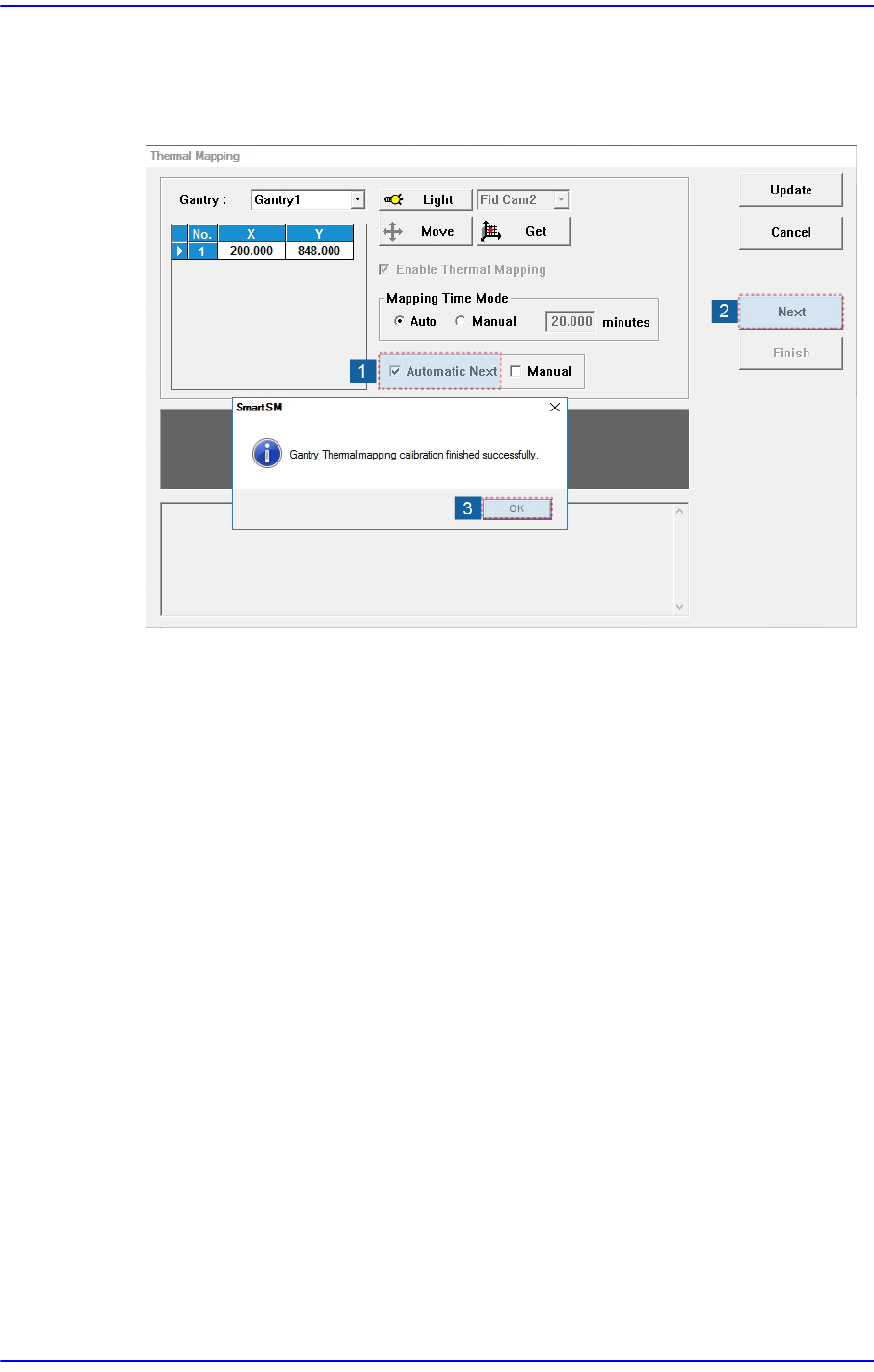
4. Perform thermal mapping according to the procedure shown in the following figure.
5. Click the <Update> button to apply the calibration result to the machine.