DECAN_S1_Administrator′s_Guide(Eng_Ver1.5)_Print.pdf - 第430页
14-48 Next Generation, Multi-Functional Plac er DECAN S1 Administrator’s Guide 3. If the default coord inate does not fall on the ANC fiducial mark, teach the coordi nate manually . 4. Perform thermal mapping acco rding …
14-47
Machine Calibration
14.3.8.2. Fix Camera Thermal Mapping
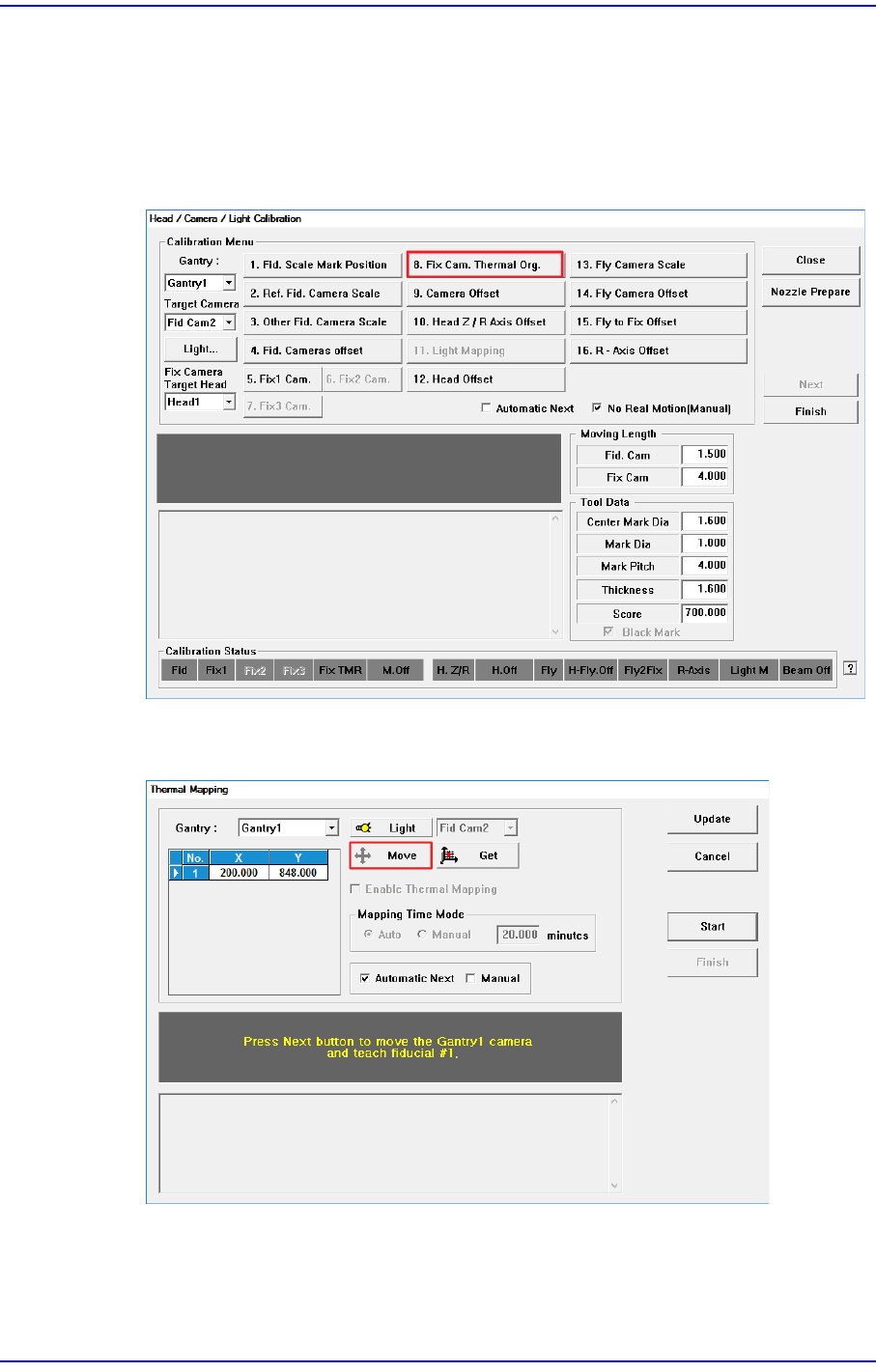
After starting the machine, teach one of the fiducial marks on the ANC in order to
compensate the thermal deformation of the XY coordinate system caused by the friction
heat of the ball screw.
1. Click the <8. Fix Cam. Thermal Org.> button.
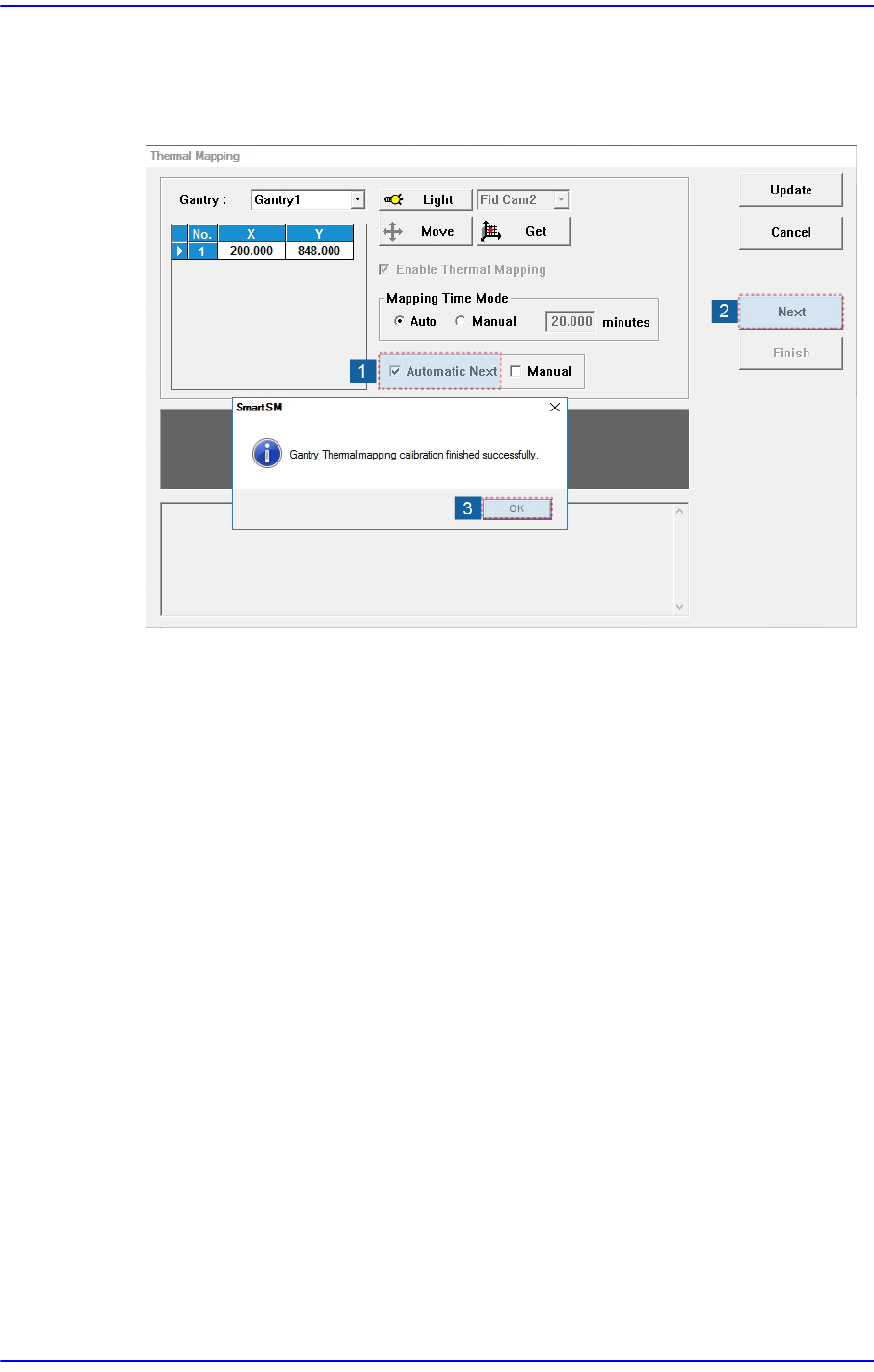
2. Click the <Move> button to check whether the position of the default coordinate falls
on the ANC fiducial mark.
14-48
Next Generation, Multi-Functional Placer DECAN S1 Administrator’s Guide
3. If the default coordinate does not fall on the ANC fiducial mark, teach the coordinate
manually.
4. Perform thermal mapping according to the procedure shown in the following figure.
5. Click the <Update> button to apply the calibration result to the machine.
14-49
Machine Calibration
14.3.8.3. Camera Offset
Measure the offset between the center of the fiducial camera and the head (Spindle 1).
This offset measurement must be completed to be able to use the Auto Nozzle Change
function for calibrations that follow. This process is performed only in the Manual Mode.
Camera Offset Calibration can be performed in two ways.
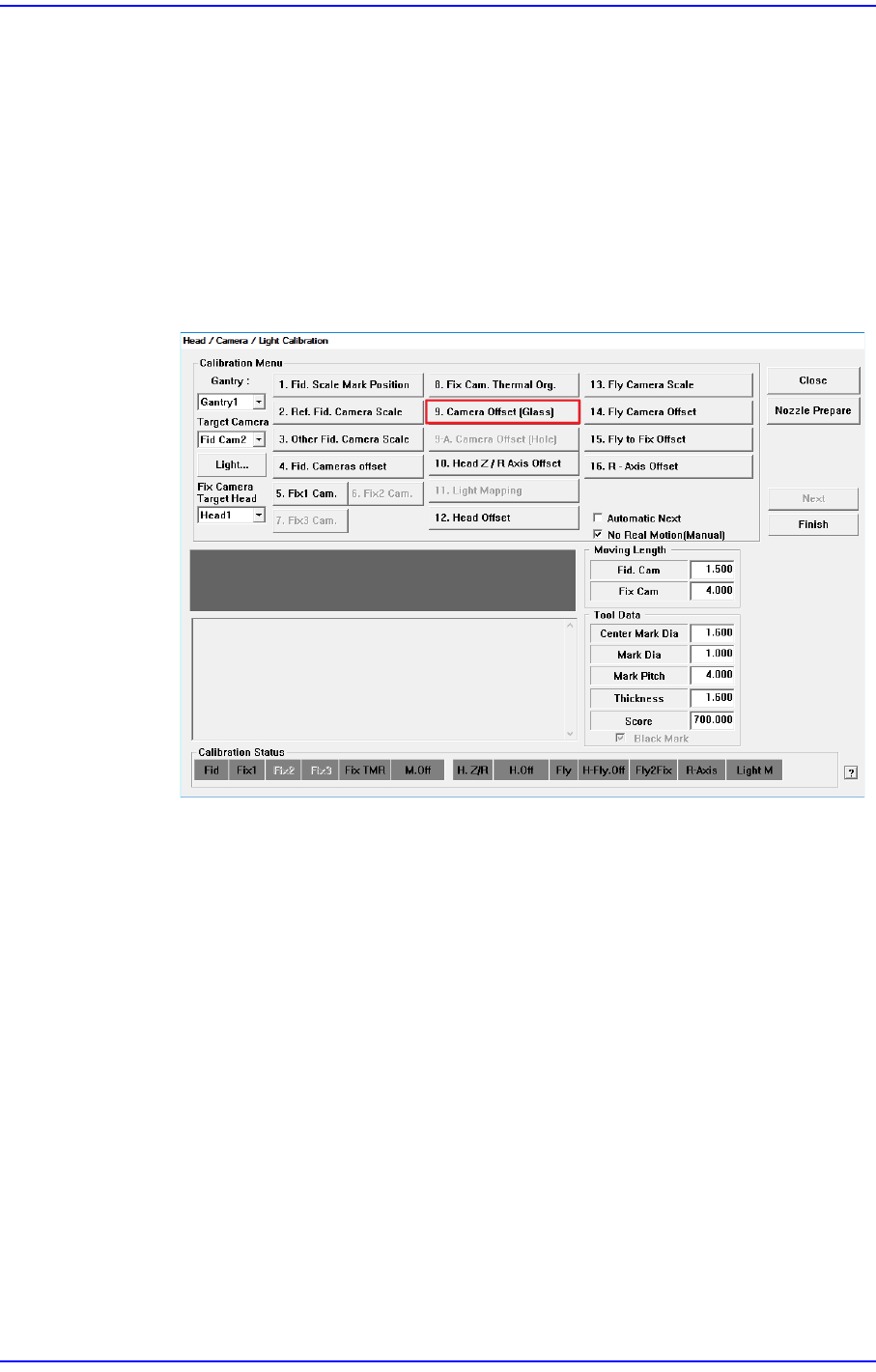
Calibration with Calibration Glass (required)
The following is the procedure to calibrate the fiducial camera offset;
1. Click the <9. Camera Offset (Glass)> button.
2. Then the message “Put a Tool Plate on Upward(Fix) Camera 1. And Adjust Tool
Center. If You Finish it, Click [Next].” appears.
Place the Calibration Glass on the center of the Fix Camera screen, and then click
the <Next> button.