DECAN_S1_Administrator′s_Guide(Eng_Ver1.5)_Print.pdf - 第437页
14-55 Machine Calibration Click the <Next> button to move the fi ducial camera to the fix camera hole position. 4. Then the message “1. First, Select Move Camera and Adjust Light Level. 2. After then, Select Fix Ca…
14-54
Next Generation, Multi-Functional Placer DECAN S1 Administrator’s Guide
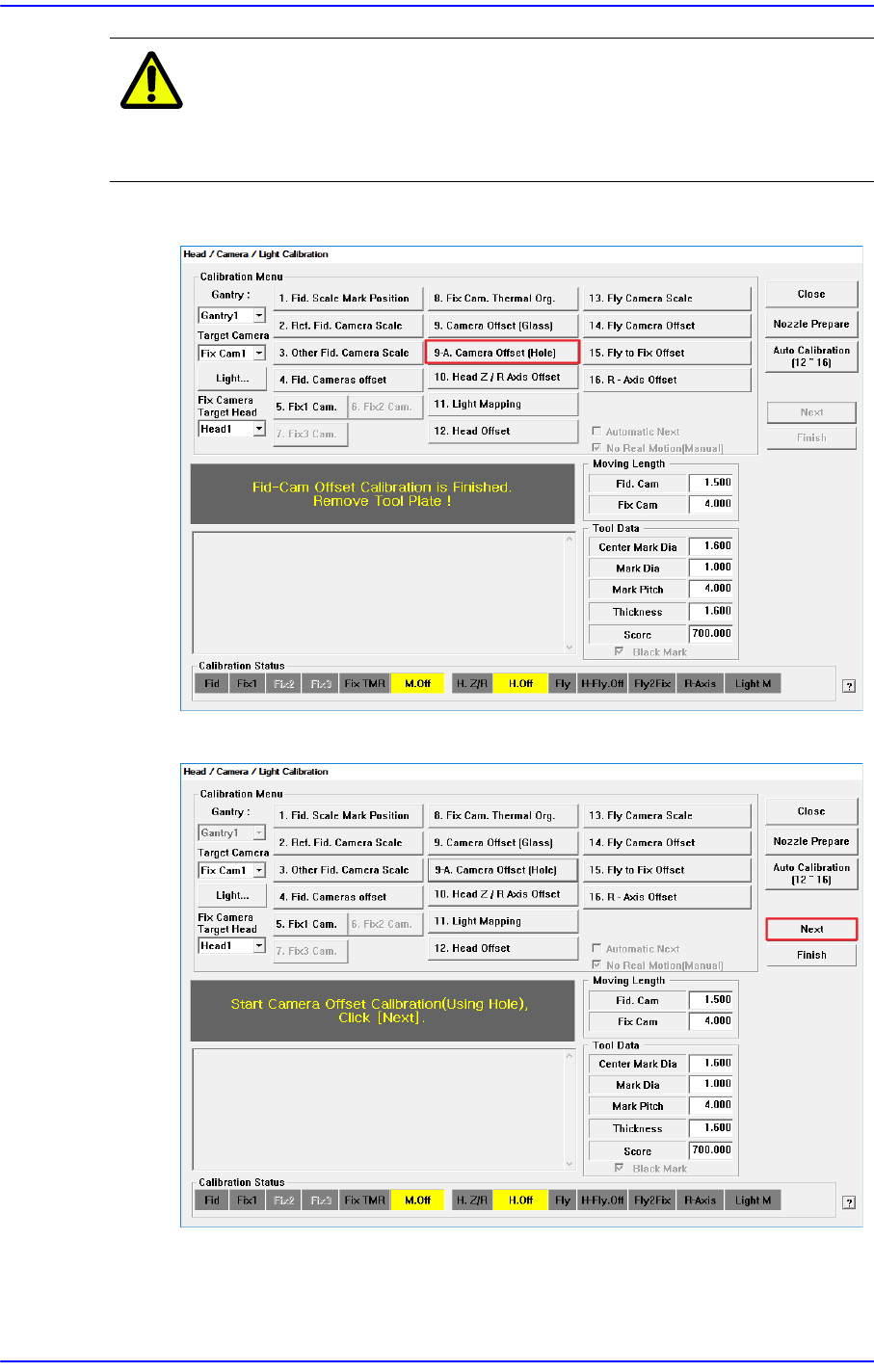
Caution Before performing this calibration, be sure to remove the
Glass used in the Camera Offset (Glass) Calibration from
the Fix Camera.
1. Click the <9-A. Camera Offset (Hole)> button.
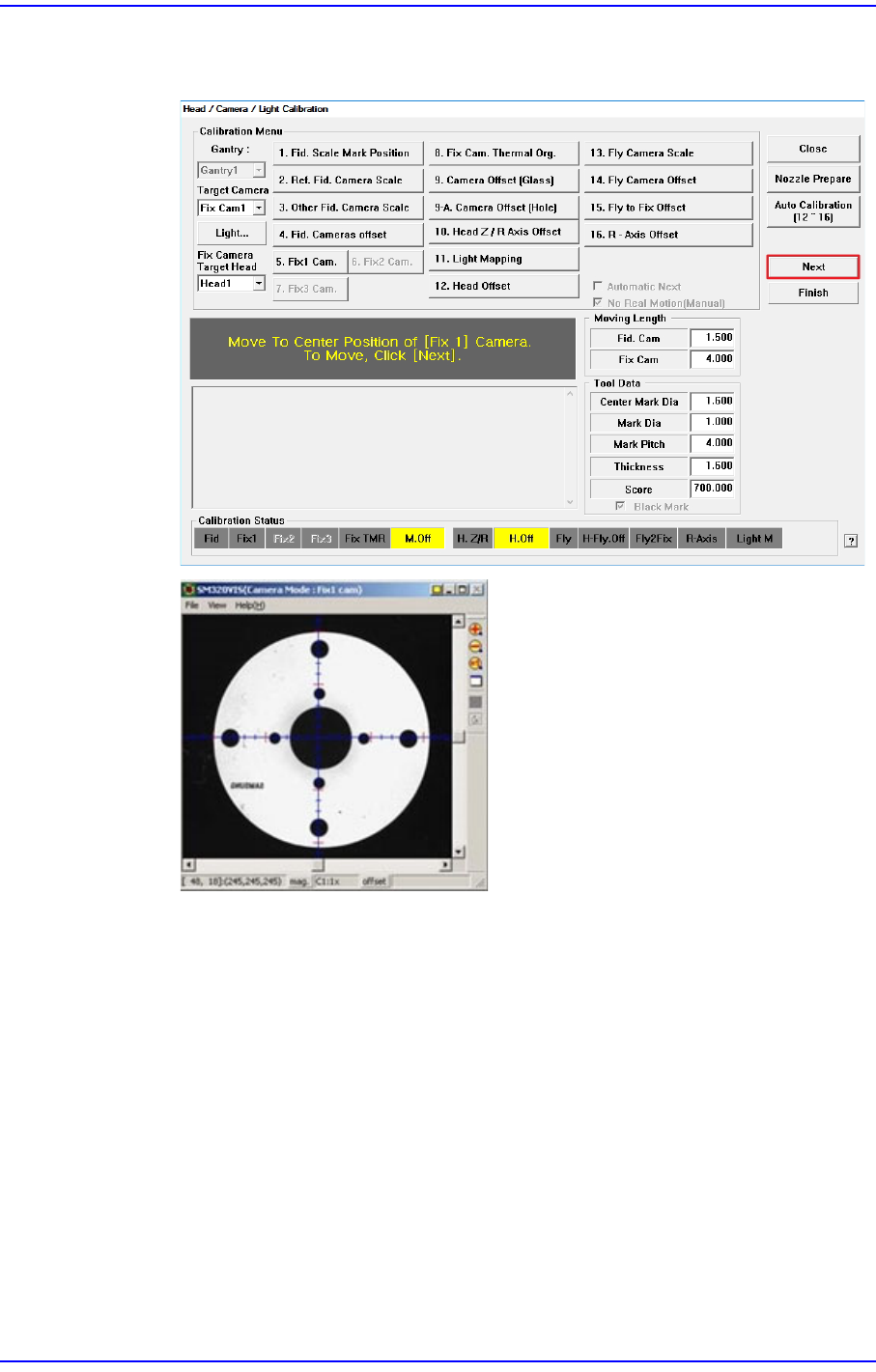
2. Click the <Next> button.
3. The message “Move To Center Position Of [Fix 1] Camera. To Move,
Click[Next].” appears in the message window.
14-55
Machine Calibration
Click the <Next> button to move the fiducial camera to the fix camera hole
position.
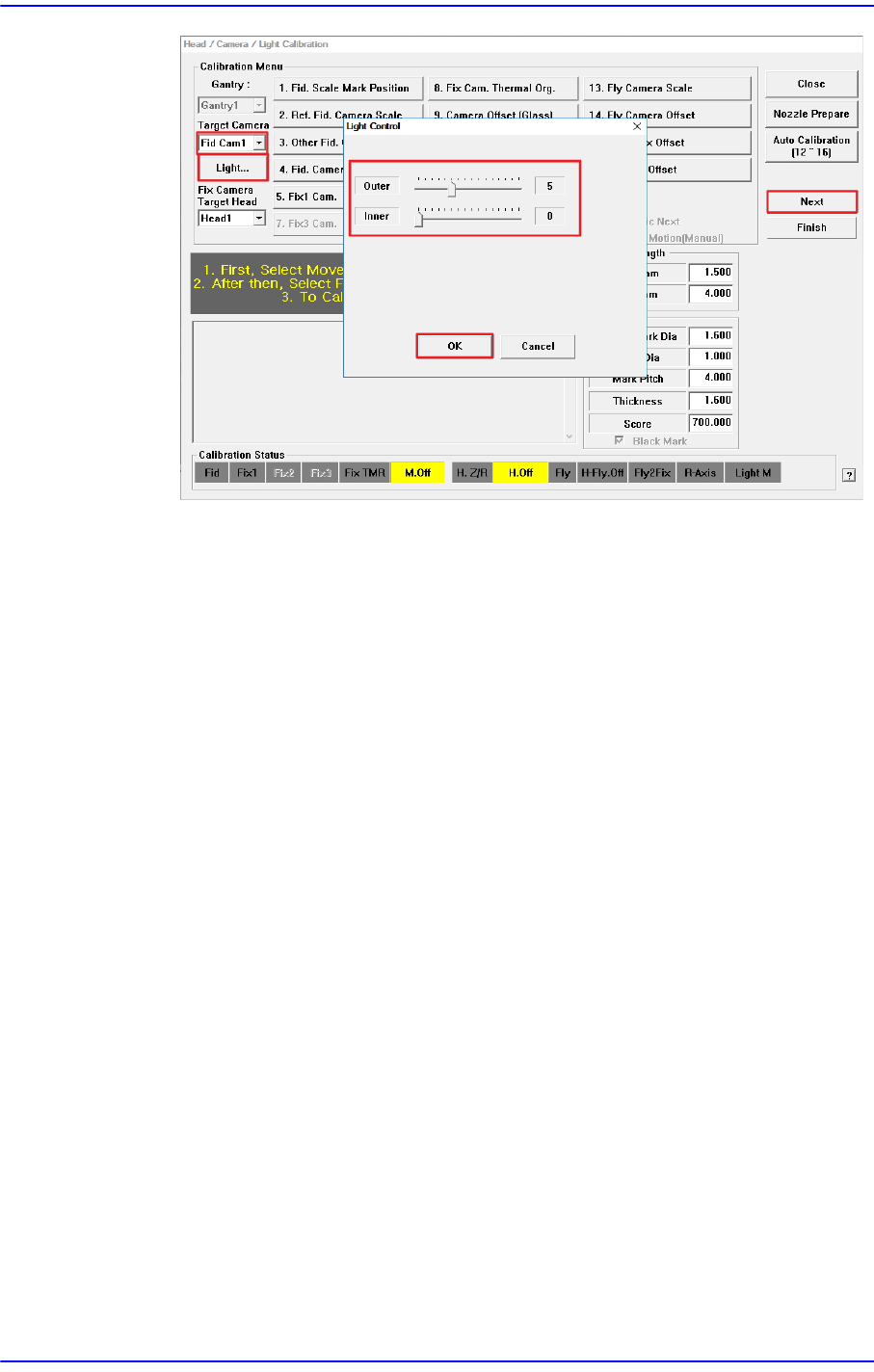
4. Then the message “1. First, Select Move Camera and Adjust Light Level. 2. After
then, Select Fix Camera and Adjust Light Level. 3. To Calibrate, Click [Next].”
appears.
Select "Fid Cam1" in the <Target Camera> combo box and click the <Light ...>
button to adjust the brightness of the lighting so that the Fix Camera Hole shown
in the SM Vision window is clearly visible.
Then, select "Fix Cam1" in the <Target Camera> combo box, and follow the same
procedure as for the fiducial camera.
When you have finished adjusting the brightness of the lighting, click the <Next>
button.
14-56
Next Generation, Multi-Functional Placer DECAN S1 Administrator’s Guide