DECAN_S1_Administrator′s_Guide(Eng_Ver1.5)_Print.pdf - 第464页
14-82 Next Generation, Multi-Functional Plac er DECAN S1 Administrator’s Guide 7. Press the <Update> button to save the setups. Y ou can check the result value in the Head Offset dialog box of the System Setup menu…
14-81
Machine Calibration
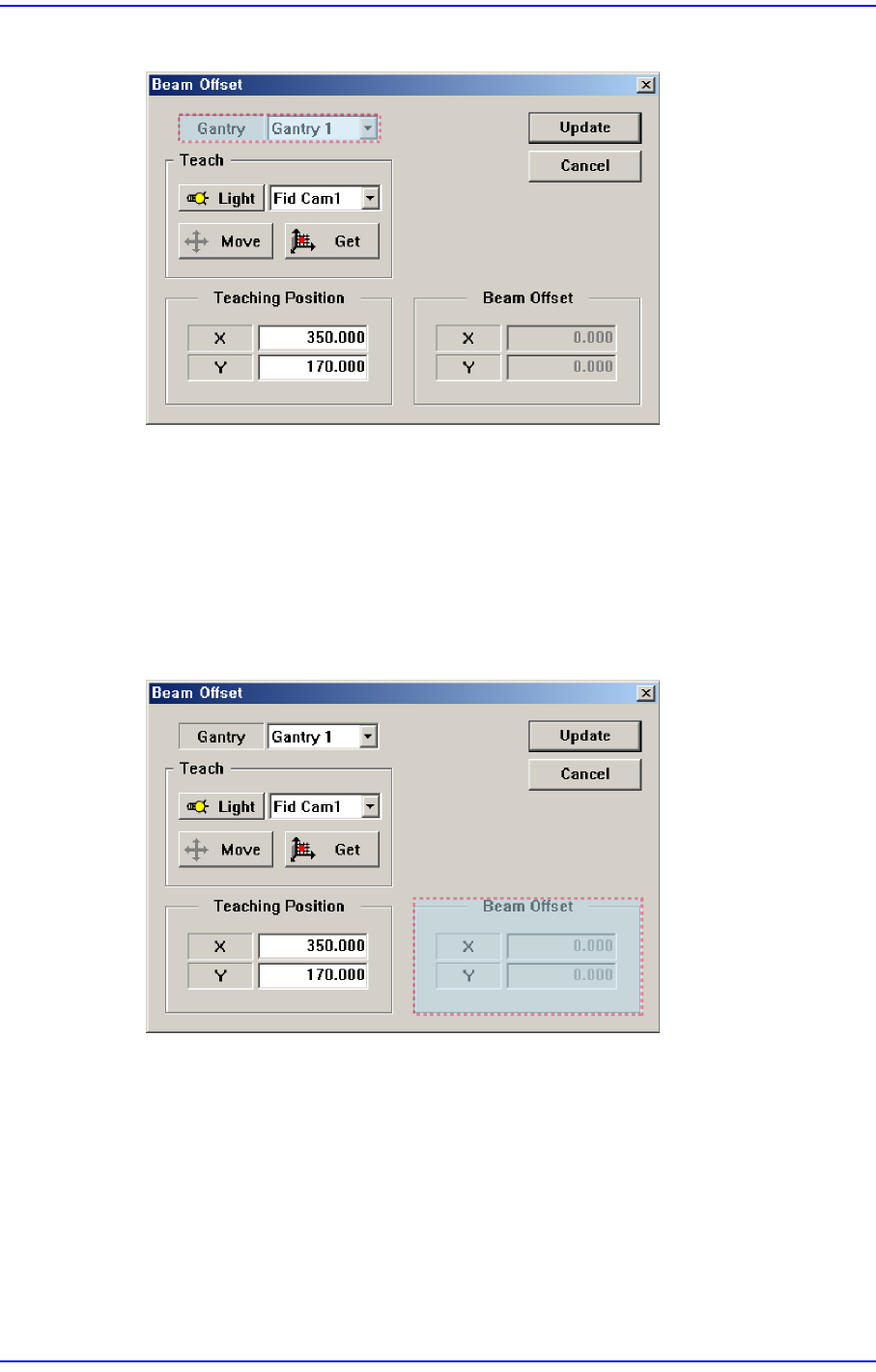
2. Select the gantry to be calibrated.
3. After selecting the Fid Cam1 (or Fid Cam2) as a teaching camera, move the X-Y axes
to the area (a point that can be distinguished by SMVision) which can be recognized
using the jog box.
4. Press the <Get> button to save the current position in the <Teaching Position>.
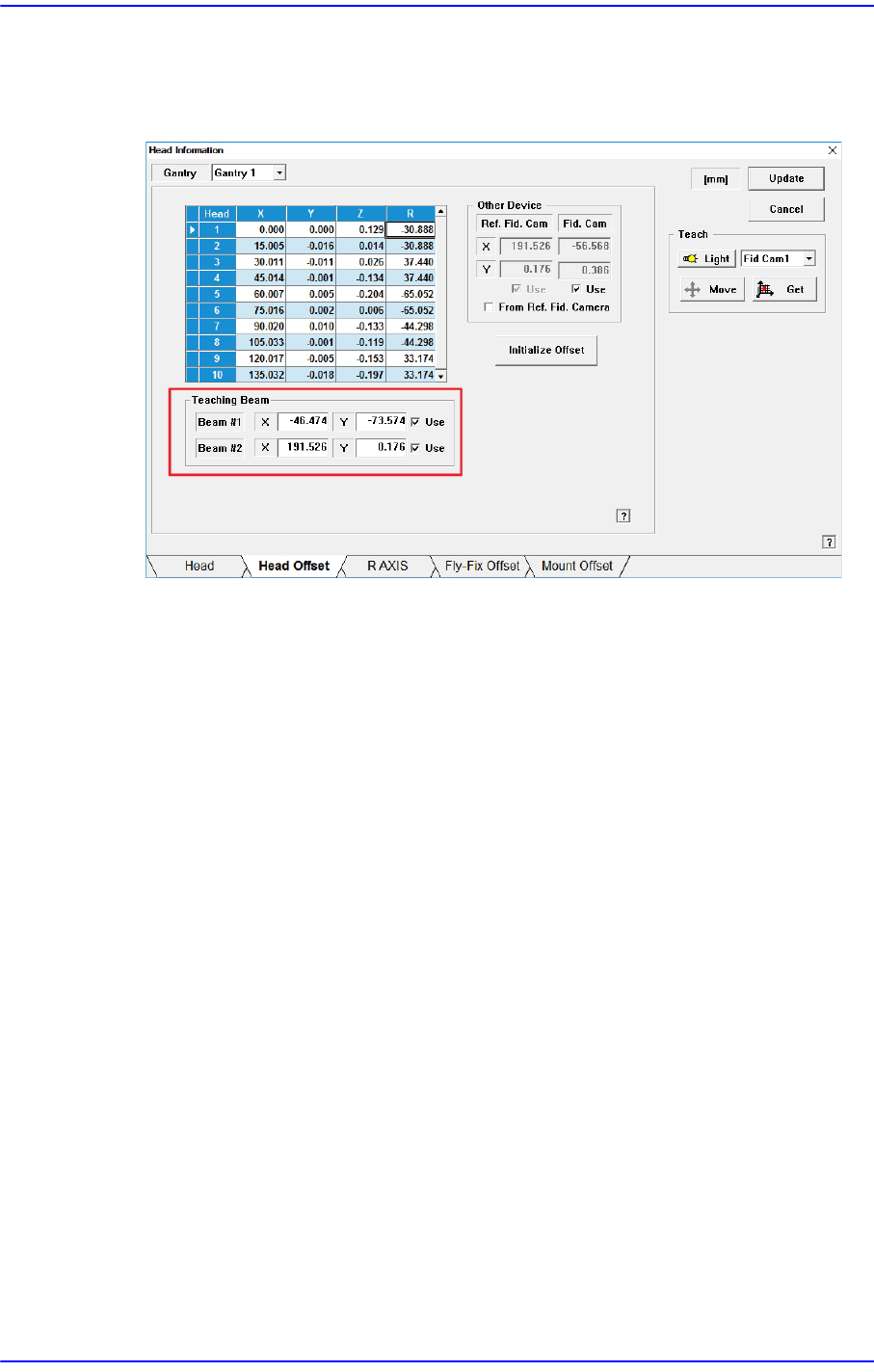
5. Select Beam 1 (or Beam 2) as a teaching tool and move it to the <Teaching Position>
using the jog box.
6. Press the <Get> button to save the current position in the <Beam Position>.
14-82
Next Generation, Multi-Functional Placer DECAN S1 Administrator’s Guide
7. Press the <Update> button to save the setups.
You can check the result value in the Head Offset dialog box of the System Setup
menu.
14-83
Machine Calibration
14.3.9. Board Position Calibration
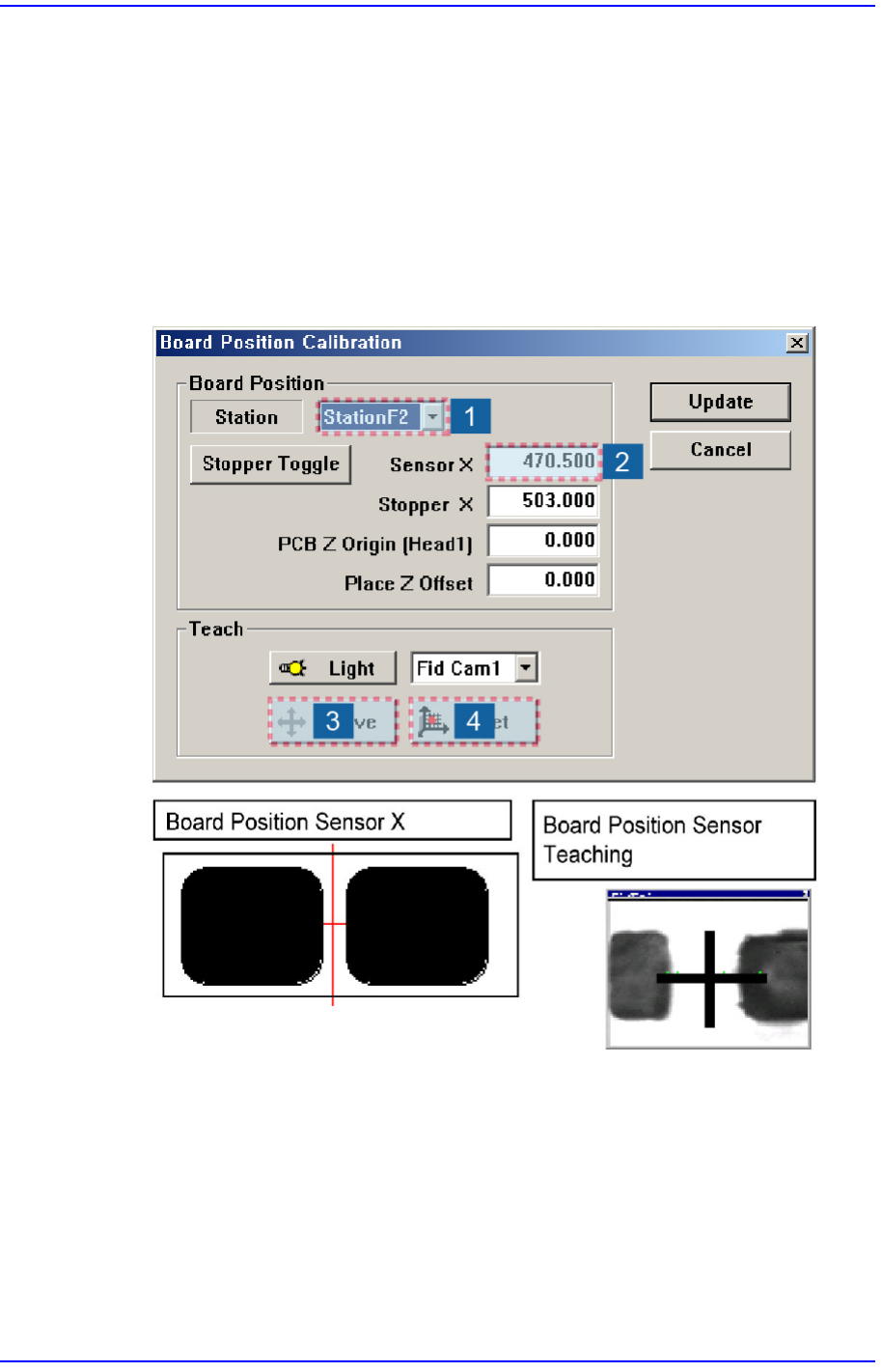
Teach the stopper position in the conveyor installation area and the X position of the
sensor.
The following is the board position calibration procedure.
1. Select the edit box for the <Sensor X> using the mouse and move the downward
camera (Fiducial Camera) to the position of Sensor X by clicking the <Move> button.
2. Perform teaching of the exact position using the teaching box. Enter the precise
coordinates for ‘Sensor X’ by pressing the <Get> button of the teaching box.
3. Select the <Stopper X> combo box using the mouse and then select the stopper to
teach and click the <Move> button, move fiducial Camera to position of Stopper X.
4. Click the <Stopper Toggle> button in the left of the <Stopper X> edit box first to move
the stopper up and then teach the stopper position correctly using the teaching box.
5. Click the <Get> button to enter the coordinates in the <Stopper X> edit box.
6. Click the <Stopper Toggle> button to move down the stopper.