DECAN_S1_Administrator′s_Guide(Eng_Ver1.5)_Print.pdf - 第491页
15-25 System Setup values. <Mapping/T est> button Perform test or automatic mapping for the lig ht level for the camera selected from the <Select Camera> group. Figure15.11When the Fiduci al Camera is selec…
15-24
Next Generation, Multi-Functional Placer DECAN S1 Administrator’s Guide
15.4. Light [F8]
Calibrate the brightness of the light for the camera. In order to perform this calibration,
insert a nozzle for camera test (LightFix) into the ANC.
Caution Since the nozzle for the SM32x,SM411, SM421 model is
not compatible to the one for the light mapping used for the
SM32x,SM411, SM421 model, do not use it for this
machine.
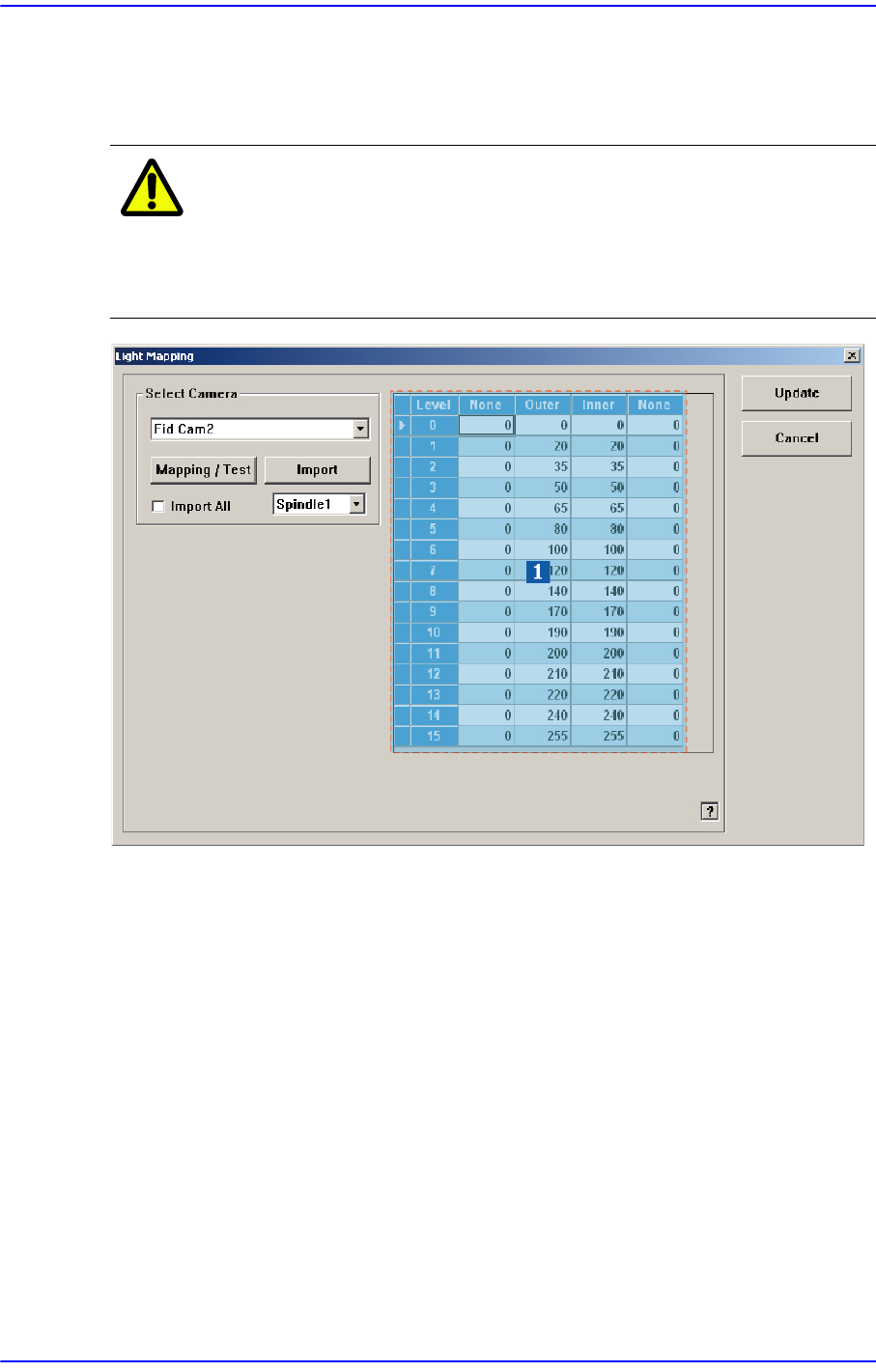
1: Light Level group
<Select Camera> combo box
Selection Control
Select the camera to perform light mapping.
Light Level group
Sets the brightness by light level.
<Level> column
Displays 16 steps of lighting.
<Side> / <Inner> / <Outer>/ <Coaxial> column
For the Fid Camera: Input the side illumination value within the range of 256
values.
For the Fly Camera: Input the side illumination value within the range of 256
15-25
System Setup
values.
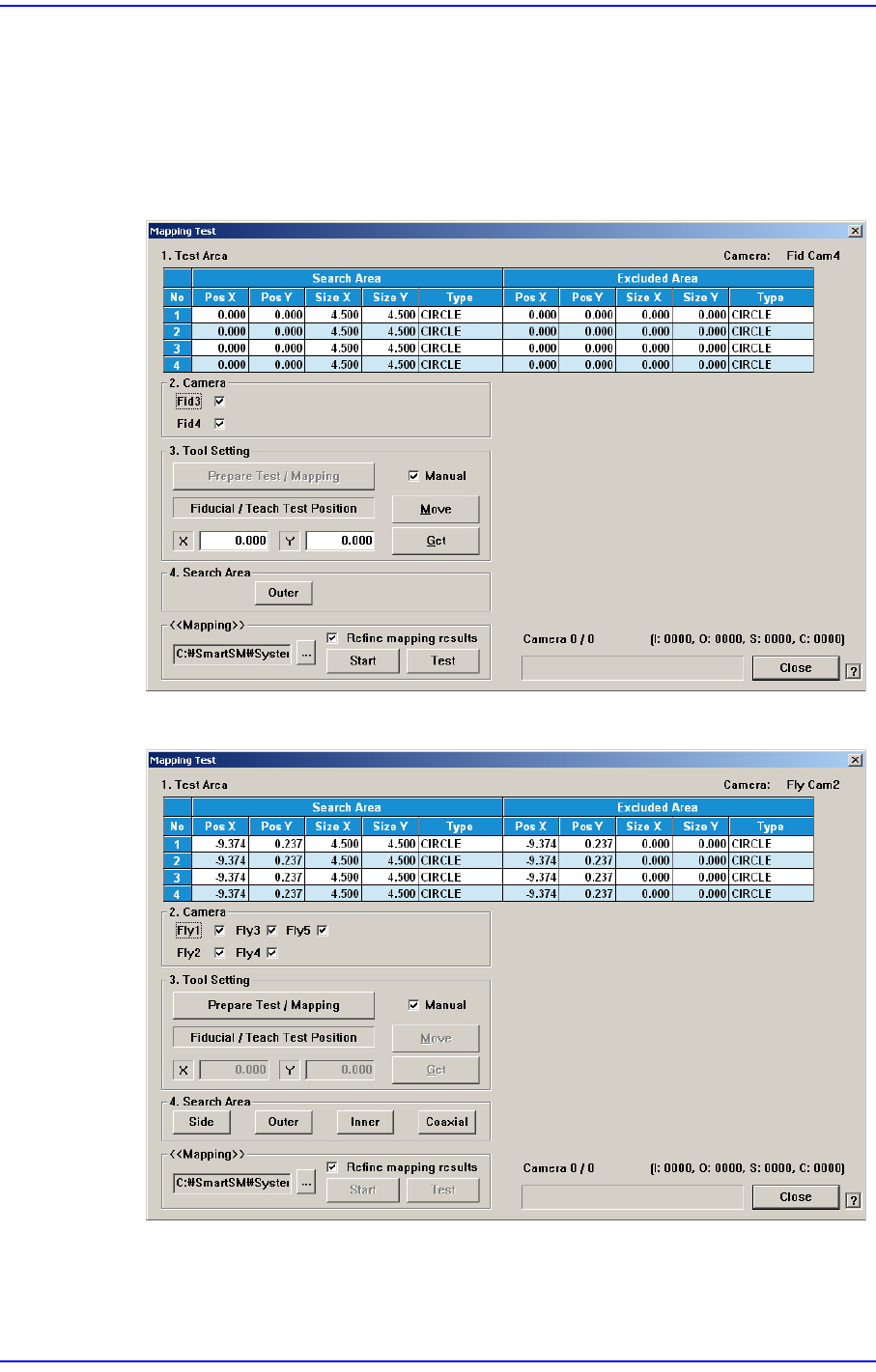
<Mapping/Test> button
Perform test or automatic mapping for the light level for the camera selected from the
<Select Camera> group.
Figure15.11When the Fiducial Camera is selected
Figure15.12When the Fly Camera is selected
15-26
Next Generation, Multi-Functional Placer DECAN S1 Administrator’s Guide
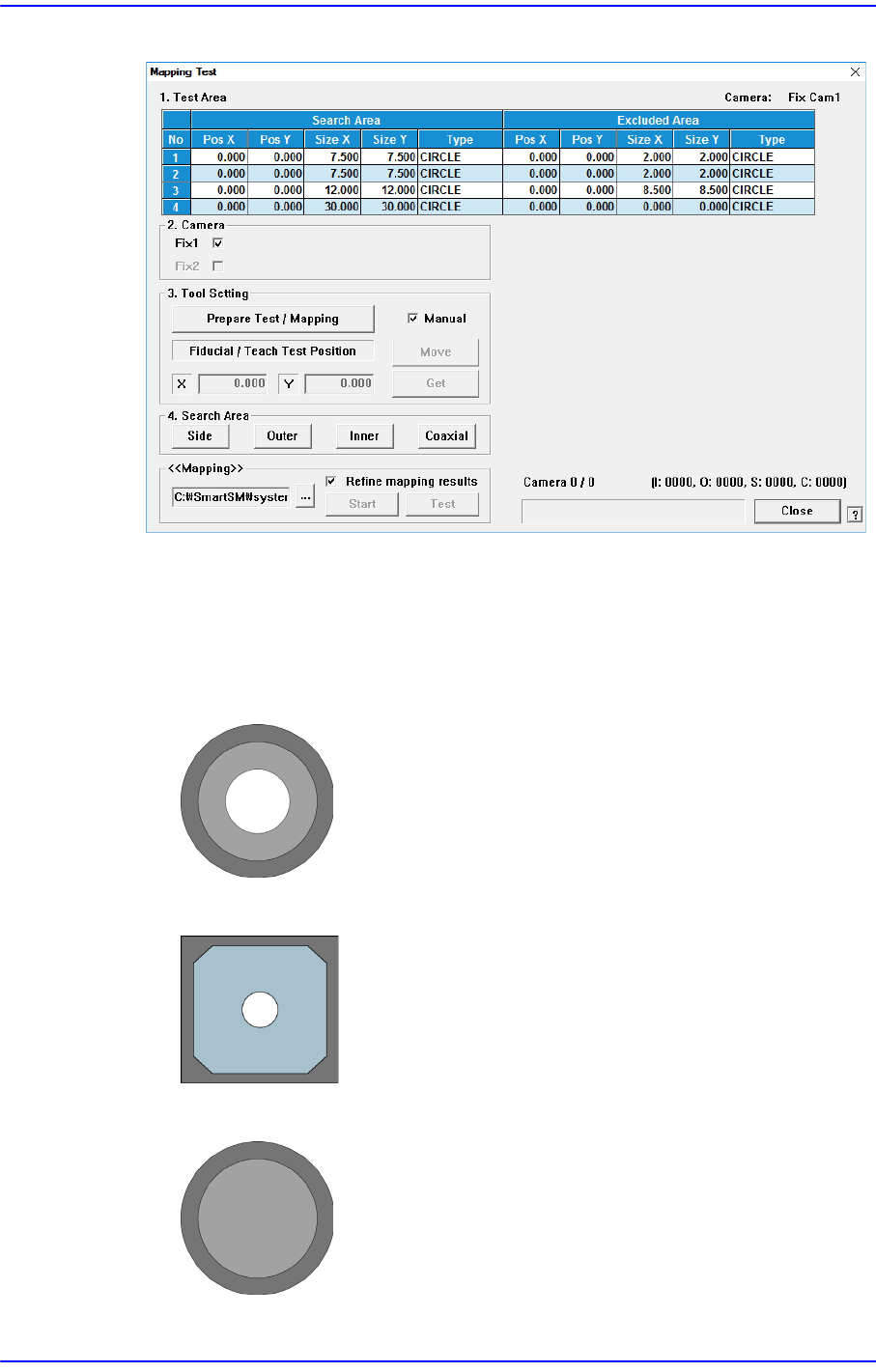
Figure15.13When the Fix Camera is selected
<1. Test Area> group
Designates the area for which the nozzle for test checks the brightness of the
lighting. The are can be designated up to 4. the search area and excluded area are
designated together. The test area is set automatically. Do not change this value.
Figure15.14Bottom Shape of Calibration Nozzle for Fly Camera
Figure15.15Bottom shape of the calibration plate for the Fid camera
Figure15.16Bottom shape of the calibration nozzle for the Fix camera