DECAN_S1_Administrator′s_Guide(Eng_Ver1.5)_Print.pdf - 第563页
16-17 Diagnosis Displays the status of command handling. <Execution T ime> Static box Displays the time taken to handle the command. <Close> button Closes the current dial og box. 16.7. Motor IO [F9] Indi…
16-16
Next Generation, Multi-Functional Placer DECAN S1 Administrator’s Guide
16.6. Tray [F7]
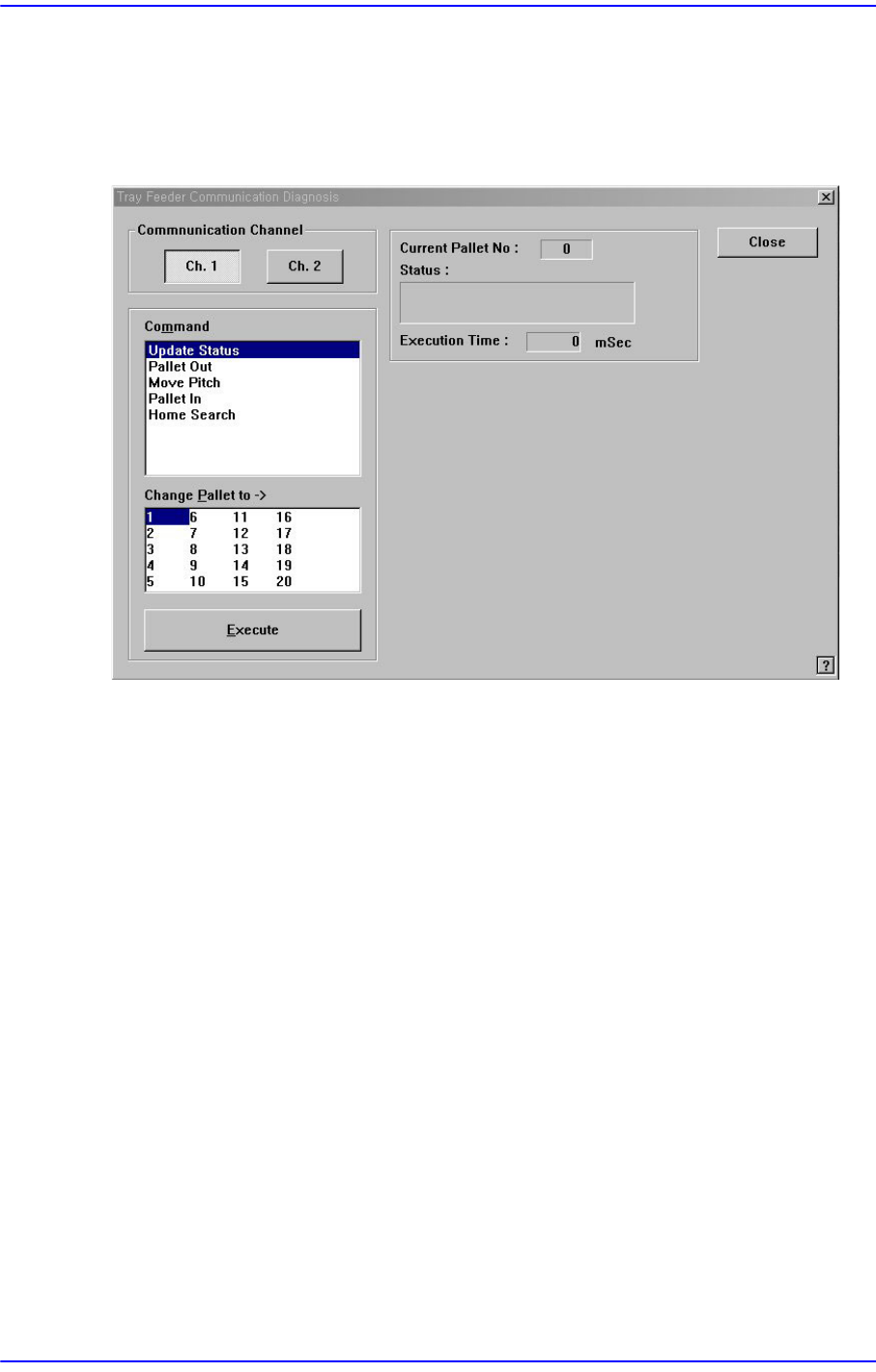
Checks communication with the tray feeder. When this submenu is selected on, the
following dialog box is displayed.
Figure16.9 “Diagnosis: Tray Feeder Communication Diagnosis” dialog box
<Communication Channel> group
Select the communication channel to which the tray feeder is connected.Ch. 1: Selects
RS-232C communication Port1.Ch. 2: Selects RS-232C communication Port2.
<Command> combo box
Select the command to transmit to the tray feeder.
Update Status: Updates the status.
Pallet Out: Outputs the selected pallet from the tray magazine.
Move Pitch: Locates the selected pallet at the entrance of tray magazine output.
Pallet In: Brings the selected pallet into the tray magazine.
Home Search: Moves the tray feeder to Home.
<Change Pallet to> list box
Select the palette number to change.
<Execute> button
Transmits the selected command to the tray feeder.
<Current Palette No.> Static box
Displays the number of the pallet currently taken out.
<Status> message box
16-17
Diagnosis
Displays the status of command handling.
<Execution Time> Static box
Displays the time taken to handle the command.
<Close> button
Closes the current dialog box.
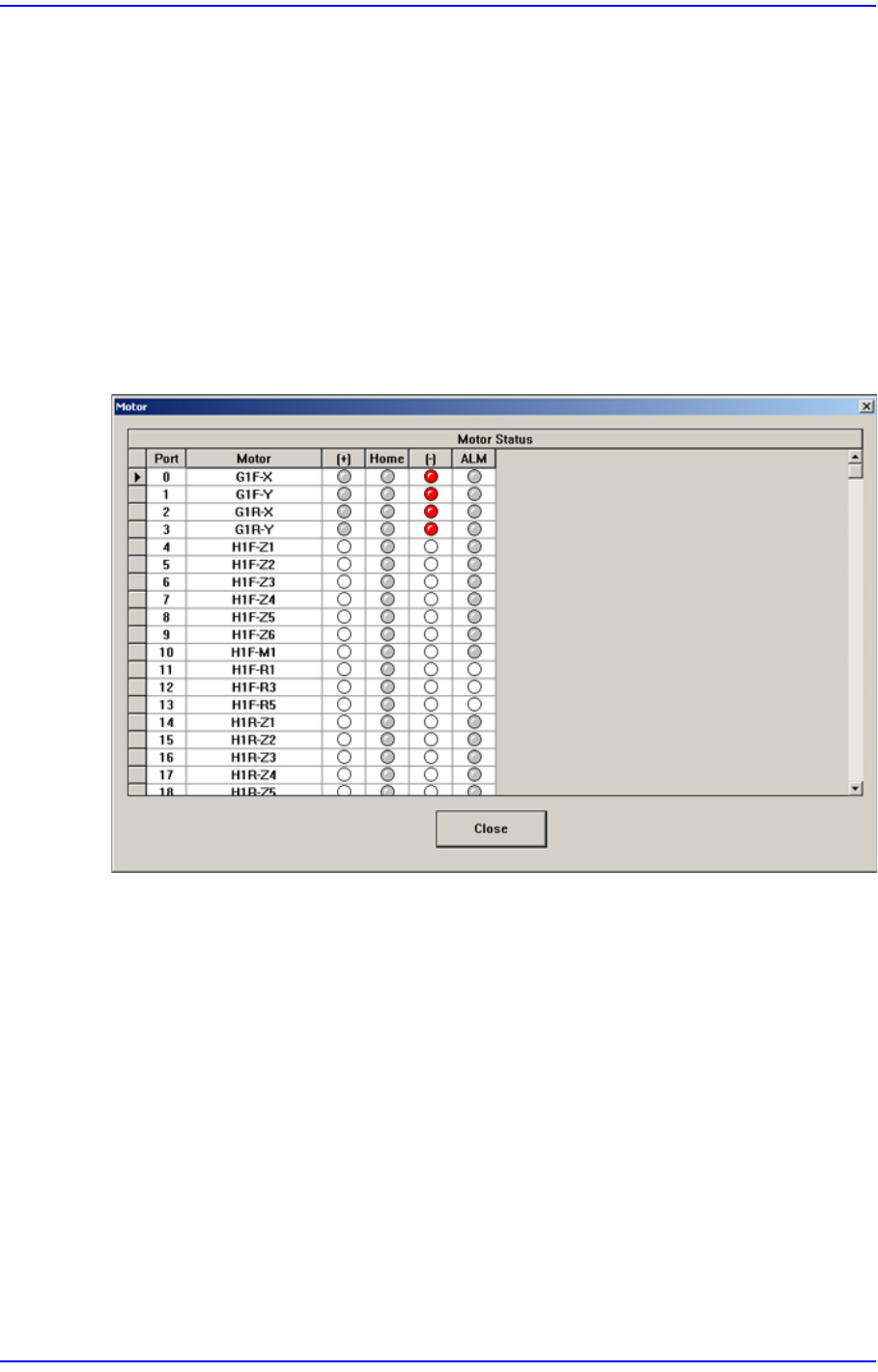
16.7. Motor IO [F9]
Indicates the input status of sensors related with the driving motor.
Figure16.10 “Motor” dialog box