DECAN_S1_Administrator′s_Guide(Eng_Ver1.5)_Print.pdf - 第572页
17-8 Next Generation, Multi-Functional Plac er DECAN S1 Administrator’s Guide 17.4. File Man... [F5] Allows easy file management such as Copy , Move, Delete , etc. Figure17.6 “File Manager” dial og box <Select F ile…
17-7
Utility
following dialog box is displayed.
List box
List up the PCB files on which the copied information will be applied.
<Add> button
Adds the file defined in the <File Name:> edit box to the PCB file on which the
copied information will be applied.
<Remove> button
Excludes the selected file in the list box from the object to apply the copied
information.
button
Copy the selected information from the original PCB file to the object PCB file.
17-8
Next Generation, Multi-Functional Placer DECAN S1 Administrator’s Guide
17.4. File Man... [F5]
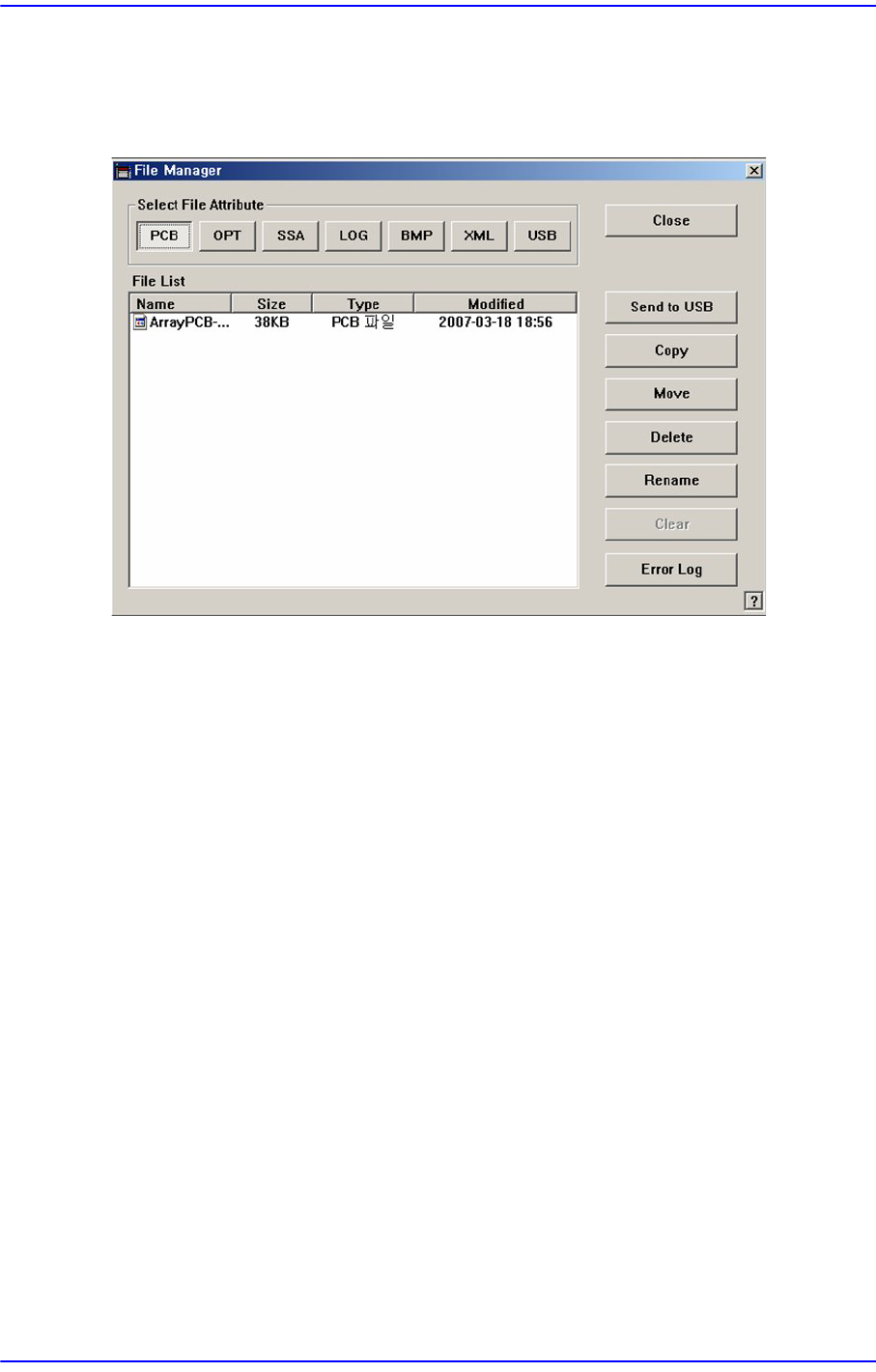
Allows easy file management such as Copy, Move, Delete, etc.
Figure17.6 “File Manager” dialog box
<Select File Attribute:> group
When the extension file button in the <Select File Attribute group> is clicked, the
corresponding contents are indicated in the list.
<Send to USB> button
Save the selected file in the USB storage device.
<Copy> button
Makes a copy of the selected file and as the original file exists under its original name,
saves the copied file under a different file name when using the <Copy> command.
<Move> button
Moves the selected file to the other folder.
<Delete> button
Deletes the selected file.
<Rename> button
Renames the selected file.
<Clear> button
If the file size of a *.log file is very big, deletes the data saved previously.
<Error Log> button
When machine error occurs, it creates a zip file for all log files of corresponding works
necessary for the examination of the cause of the error to allow easy transmission of

17-9
Utility
the files to our C/S company and local agent..