DECAN_S1_Administrator′s_Guide(Eng_Ver1.5)_Print.pdf - 第604页
19-14 Next Generation, Multi-Functional Plac er DECAN S1 Administrator’s Guide 19.5.8. Scheduled Check Function The scheduled check function informs the user of the items to be checked at the time set by the user . When …
19-13
PM Manager
19.5.6. Deleting User Check Item
The registered user check item can be modified. This can be performed in the following
manner.
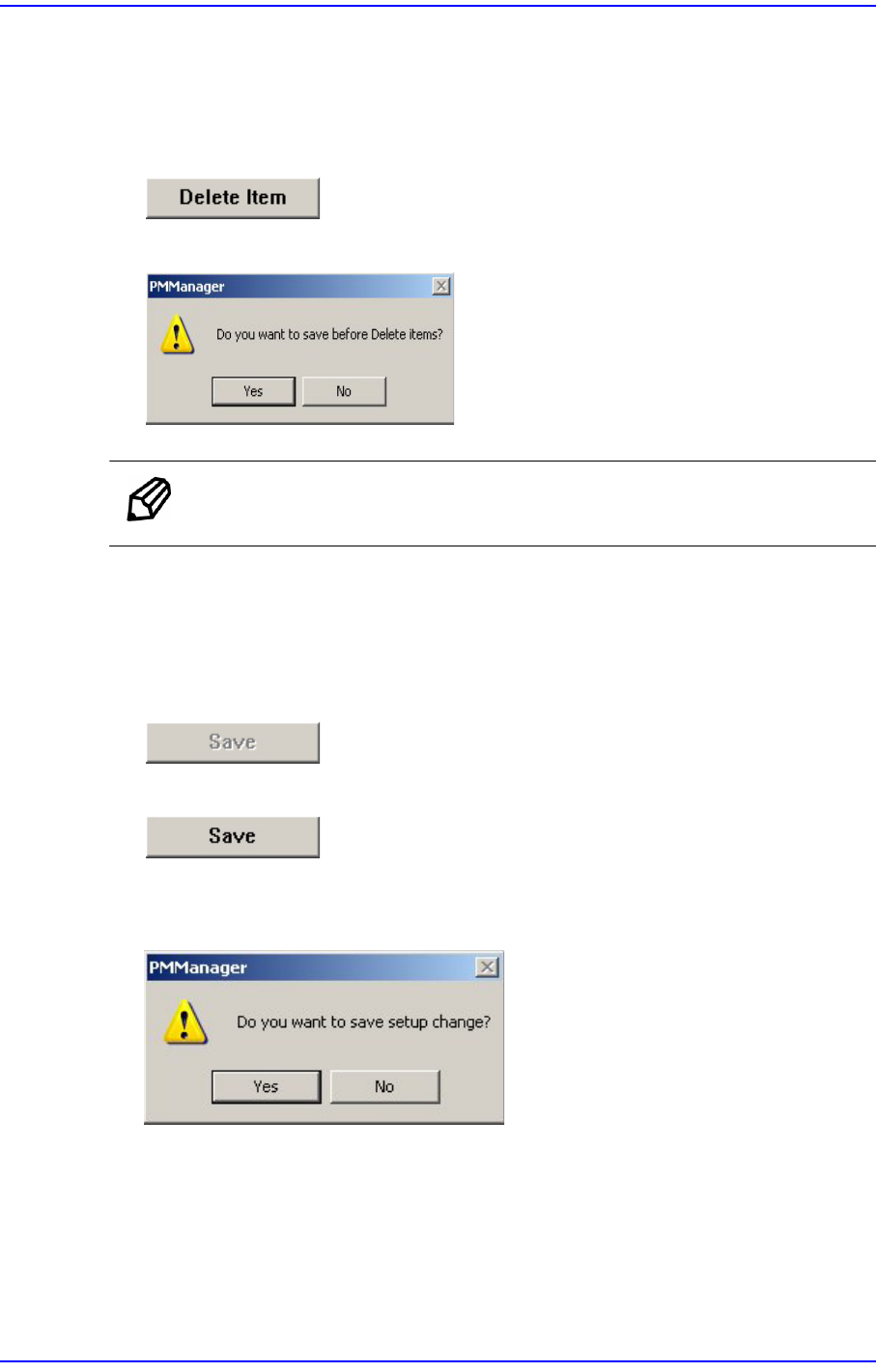
Click the <Delete Item> button.
Click the <Yes> button to delete the corresponding item.
Memo The item other than the user check item cannot be deleted.
19.5.7. Saving Changed Item
If there is changed setups in the Setup Screen, the <Save> button is enabled.
When there is no changed item
When there is changed item
When saving the changed item, click the <Save> button.
If the following window appears, click the <Yes> button to save the setups.
19-14
Next Generation, Multi-Functional Placer DECAN S1 Administrator’s Guide
19.5.8. Scheduled Check Function
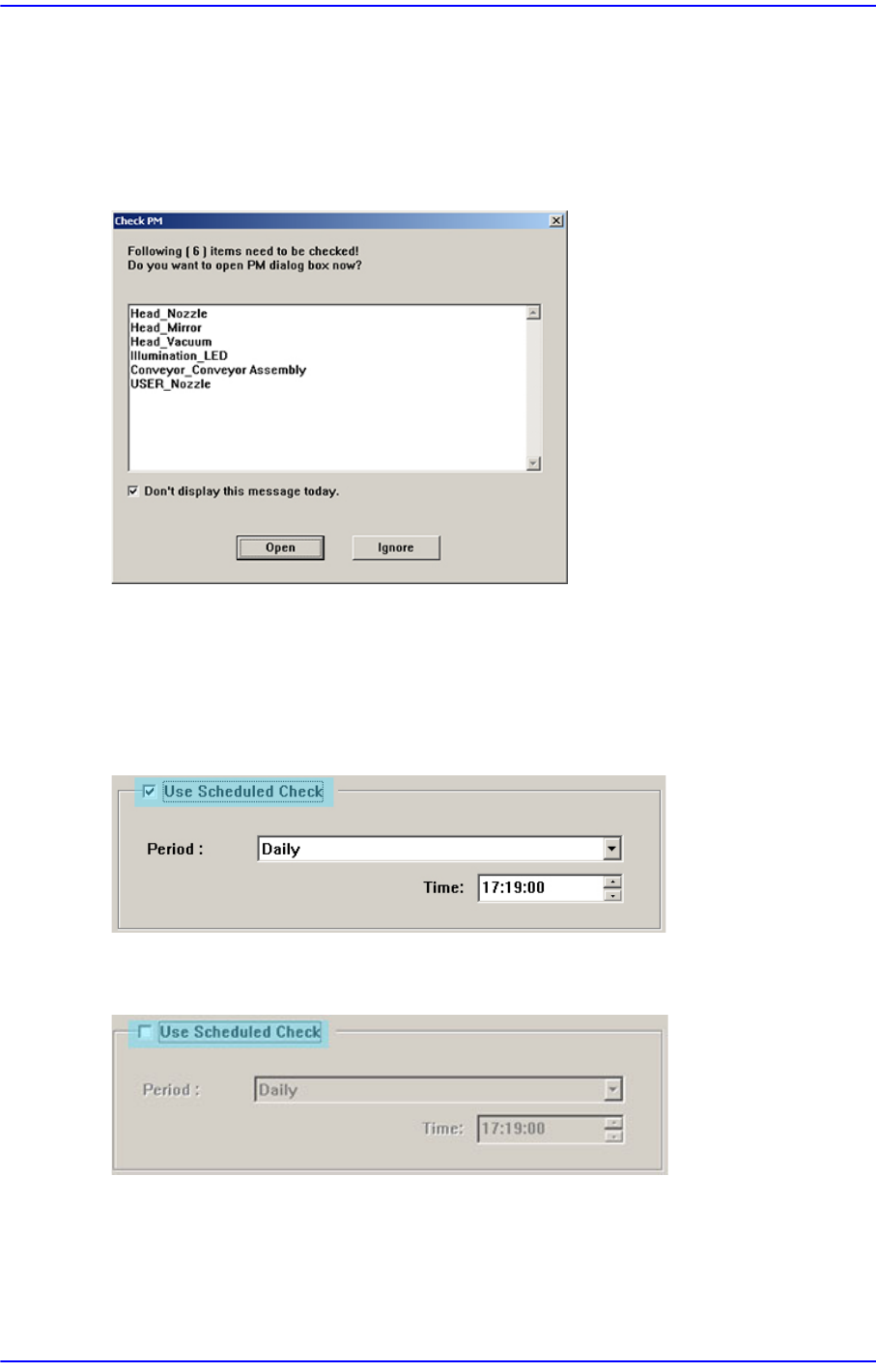
The scheduled check function informs the user of the items to be checked at the time set by
the user. When the time set by the user comes, the number of check items and items to be
checked are indicated as follows.
Figure19.13 Scheduled Check Informing Screen
If the <Open> button is clicked the PM Manager window is indicated. If the <Ignore>
button is clicked, the PM Manager window is not indicated.
19.5.8.1. Using Scheduled Check Function
When using the scheduled check function, select the <Use Scheduled Check> function
When it is not desired to use the scheduled function, release the check of the <Use
Scheduled Check> box.
19-15
PM Manager
19.5.8.2. Setting Time for Scheduled Check
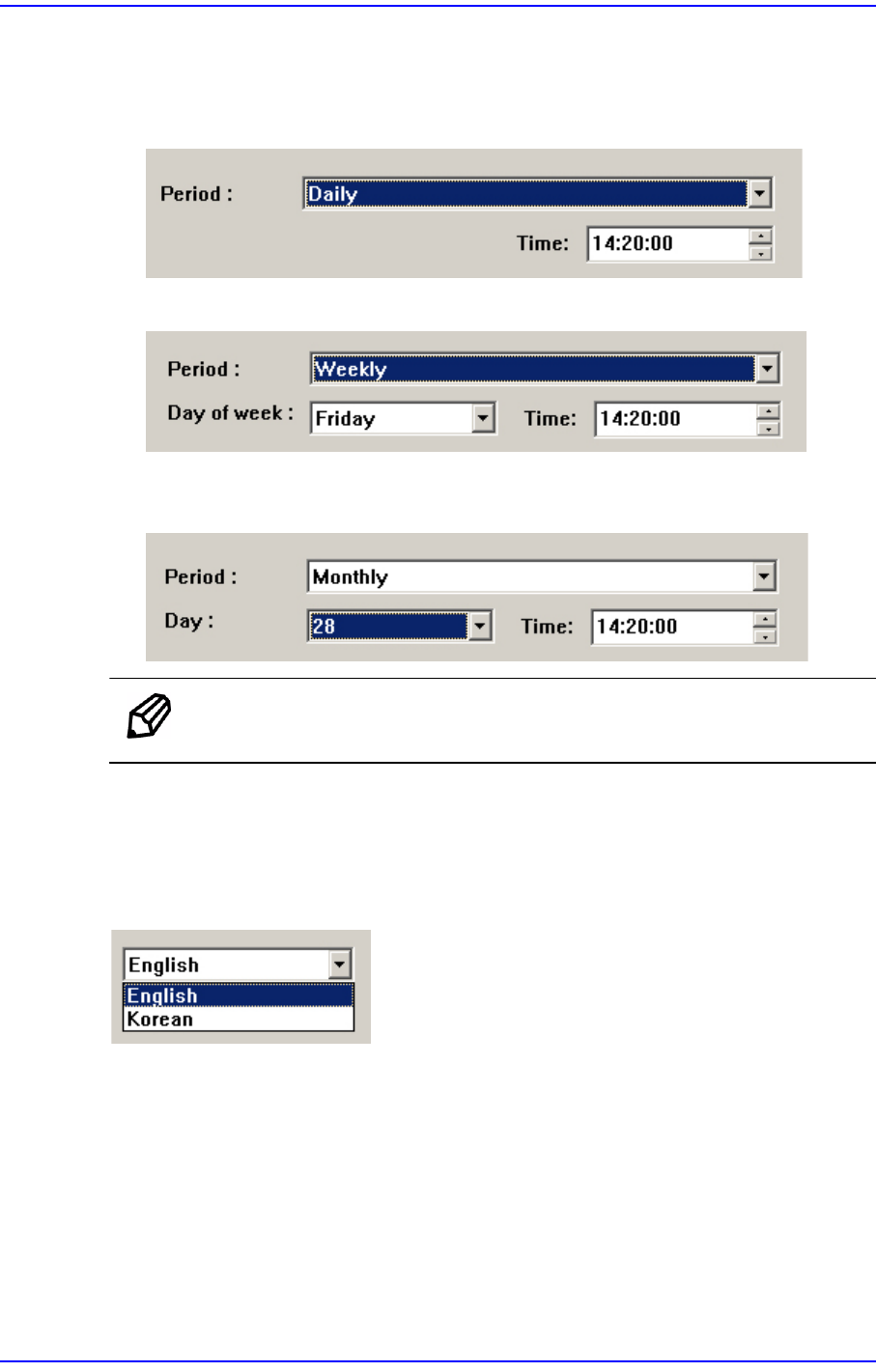
The time for scheduled check can be set in the following manner.
When setting the time informing the scheduled check at 14: 20 every day.
When setting the time informing the scheduled check at 14: 20 every Friday.
When setting the time informing the scheduled check at 14: 20 every 28th day of the
month.
Memo The scheduled check time cannot be set in seconds.
19.5.9. Language Setup
The language setup of the PM Manager user interface can be changed. Select the desired
language from the Setup Screen.