DECAN_S1_Administrator′s_Guide(Eng_Ver1.5)_Print.pdf - 第79页
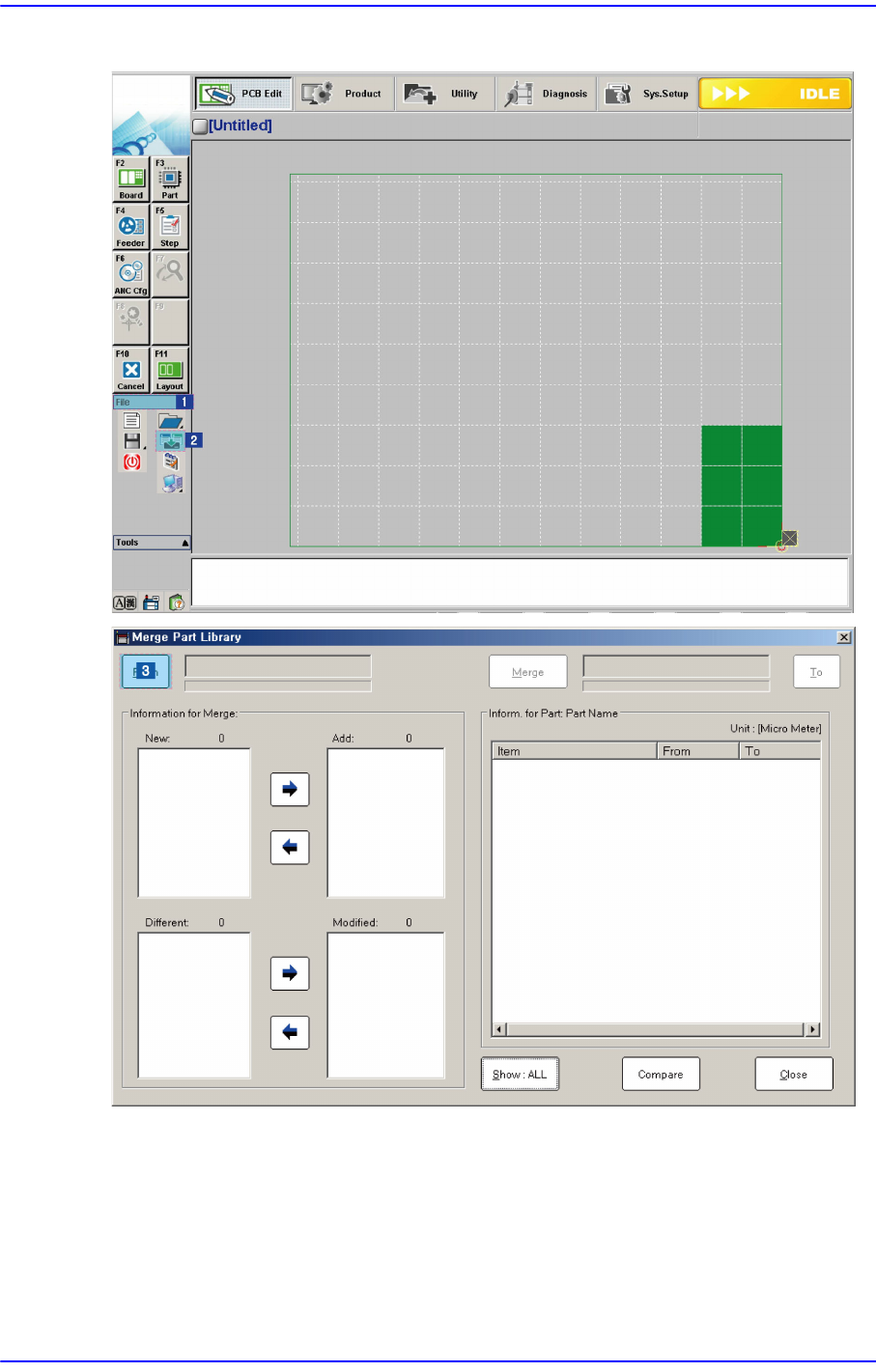
3-15 File Shortcut Menu Click the <T o> button to select the target DB file.
3-14
Next Generation, Multi-Functional Placer DECAN S1 Administrator’s Guide
3.4.1. Part Library Merge Procedure
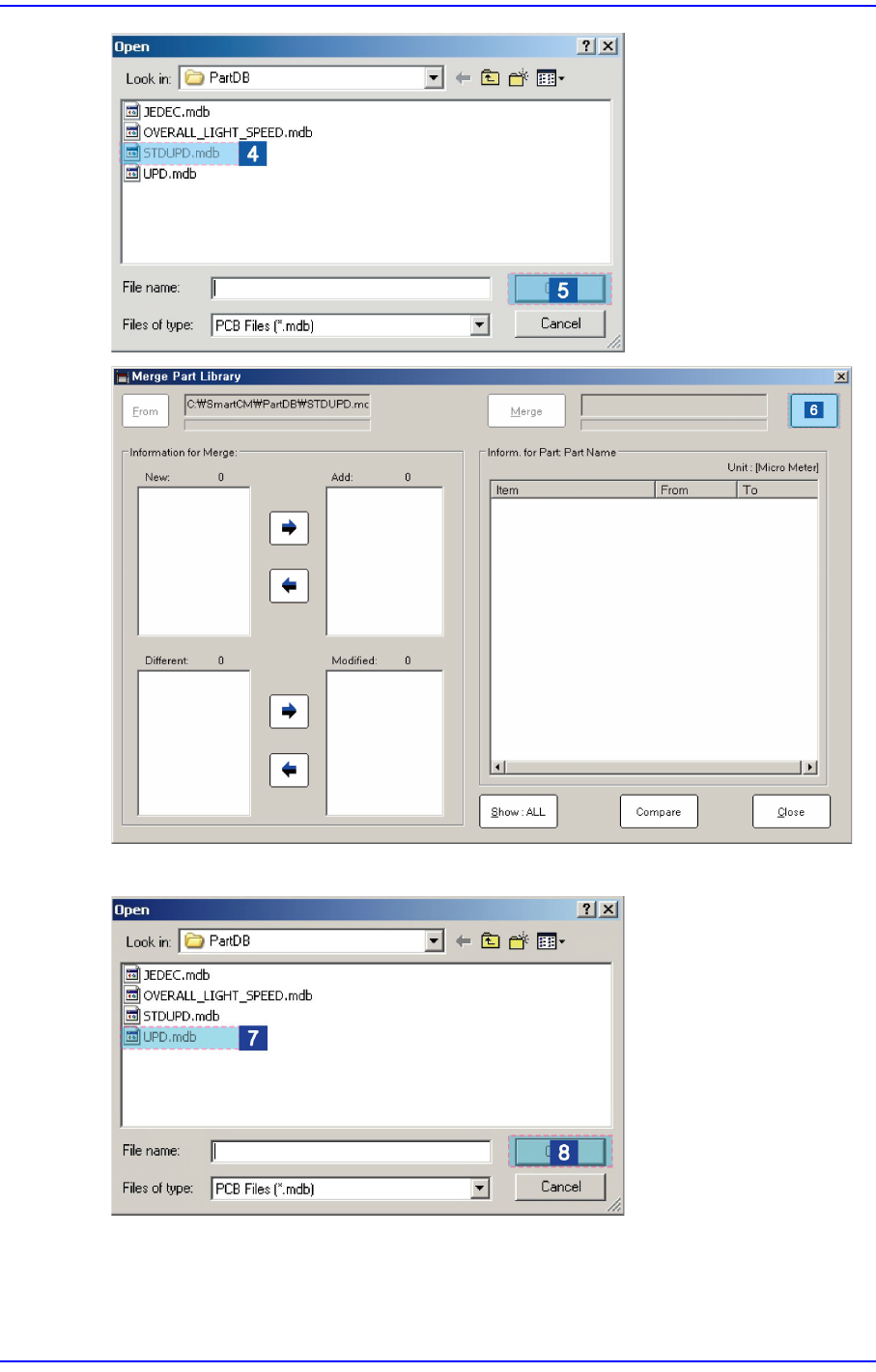
Click the <From> button to select the source DB file copied from the other machine
3-15
File Shortcut Menu
Click the <To> button to select the target DB file.
3-16
Next Generation, Multi-Functional Placer DECAN S1 Administrator’s Guide
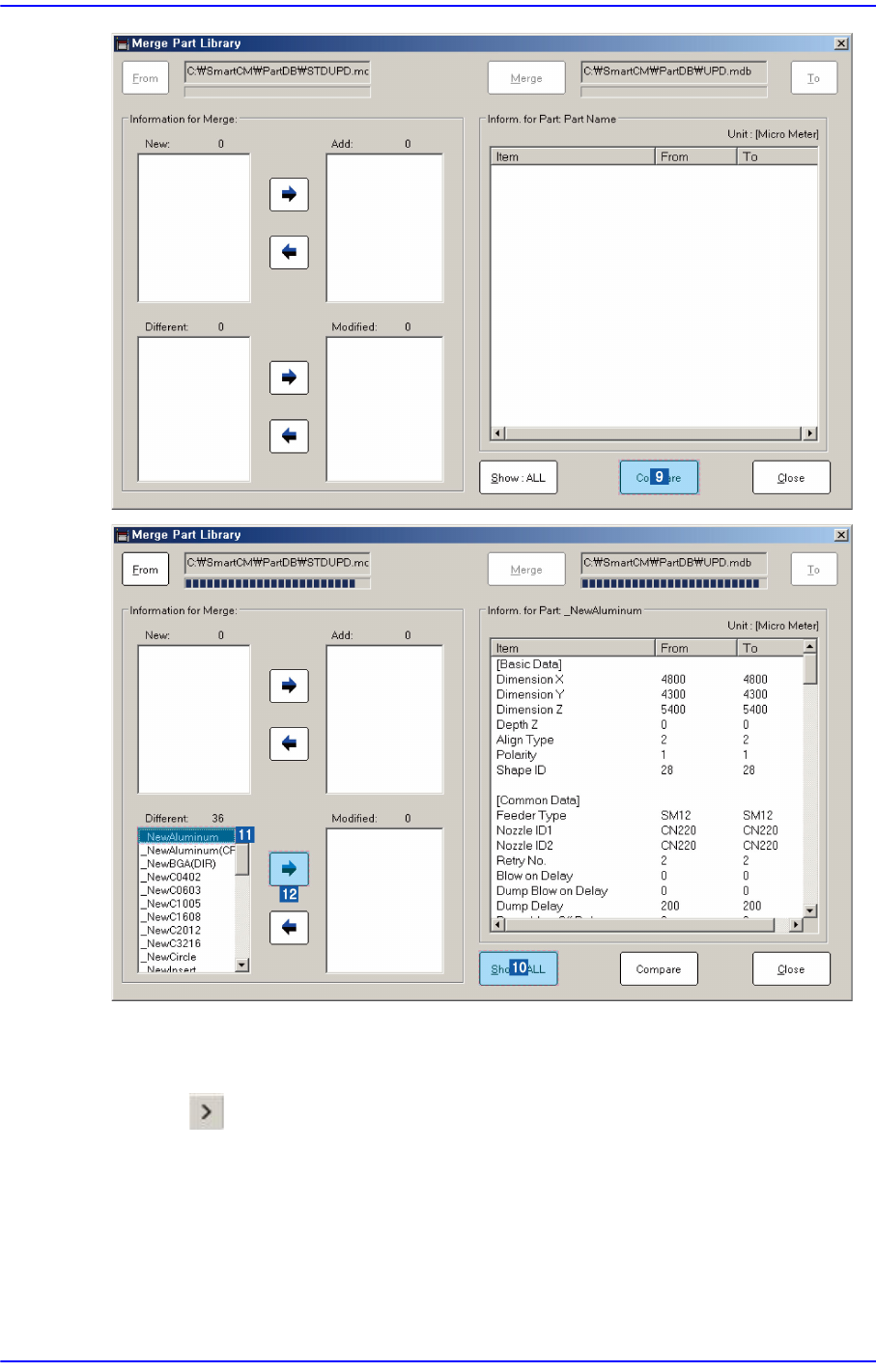
Click the <View All> button to compare and check items with different part information.
Select the part name to be merged from the <New:> or <Different:> list box.
Click the button and add the item to be merged into the <Add:> or <Modified:> list
box