00195700-02_Install_701_02_EN_DE.pdf - 第25页
Installation Manual, Station Software Version 701.02 07/2008 Edition 4.5.4 Selecting the machine type Fig. 4-12 Selecting the machine type → Select the option for the machine type fo r which the software is to be configu…
Installation Manual, Station Software Version 701.02 07/2008 Edition
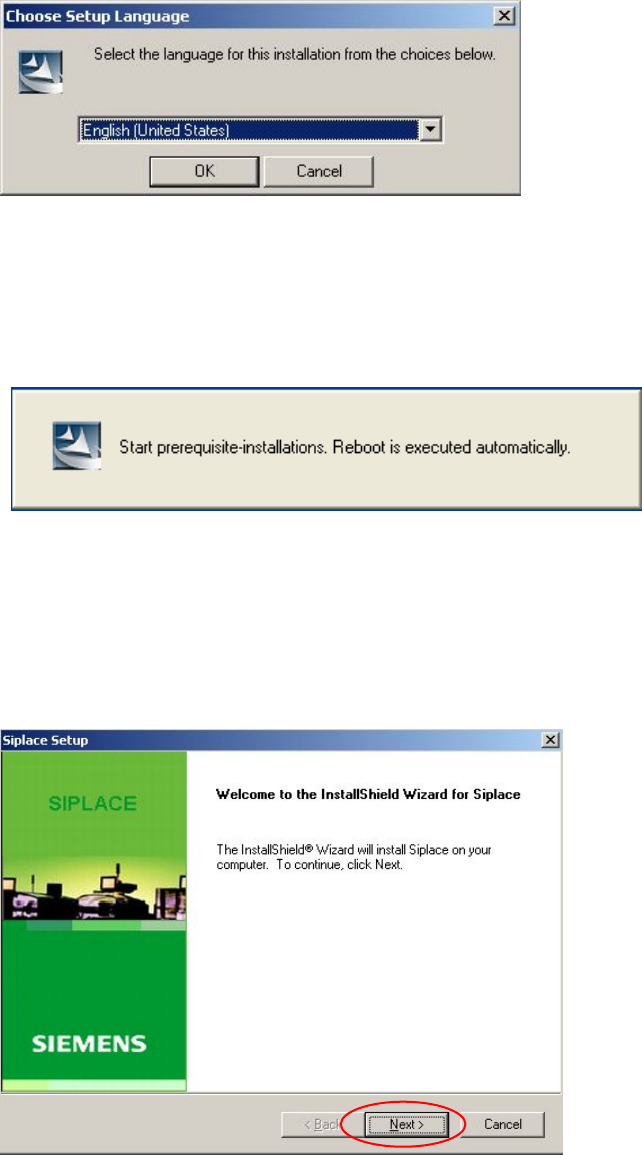
4.5.1 Language selection
→ Select the language to be used during installation.
You can choose between German (Germany) and English (United States).
Fig. 4-10: Language selection
→ Click the OK button.
4.5.2 Installing the system files
The necessary system files are installed if they are not already on the machine computer. The machine
computer is rebooted automatically after installation. You are automatically logged in as administrator.
Installation of the station software continues with the welcome screen.
4.5.3 Welcome screen
Fig. 4-11 Welcome screen
→ Click the Next button.
24 of 38
Installation Manual, Station Software Version 701.02 07/2008 Edition
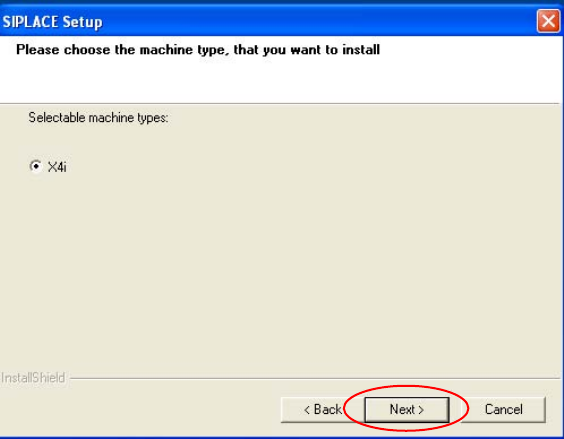
4.5.4 Selecting the machine type
Fig. 4-12 Selecting the machine type
→ Select the option for the machine type for which the software is to be configured.
→ Click the Next button.
25 of 38
Installation Manual, Station Software Version 701.02 07/2008 Edition
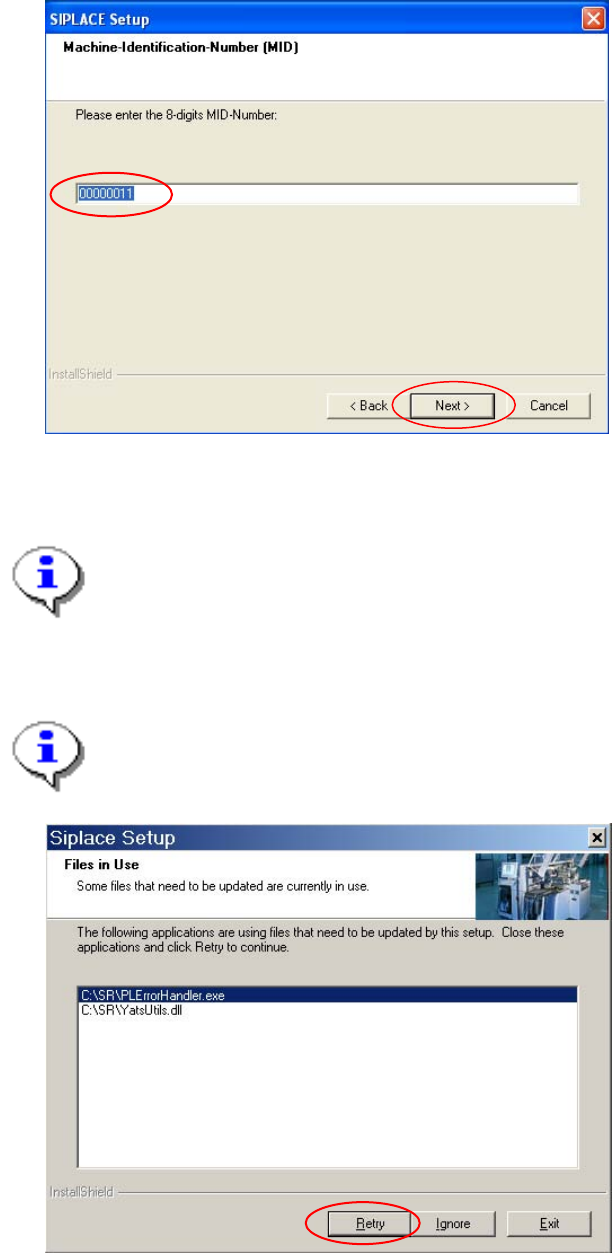
4.5.5 Entering the Machine Identification Number (MID)
26 of 38
Fig. 4-13: Entering the Machine Identification Number (MID)
→ In the text box, enter the 8-digit machine identification number.
Note:
You will find the MID on an adhesive label on the side of the protective covers directly below the
label for the number of the relevant location. The number following the dash after the MID
specifies the location and is not entered here (e.g. 00000001-2 stands for location 2).
→ Click the Next button.
Note:
The following screen only appears if applications are open which use files which must be
updated during installation of SIPLACE.
Fig. 4-14: Open applications