Momentum 中文操作说明 - 第9页
三、 Momentum 机台选项 在 Benchmark 主画面菜单栏“ Vi e w→Configuration”或相应快捷方式进入 Configuration 页面,其中一 共 有八个标 签页,但 “Tandem Machine ”与“T raceabili ty/Verifi cation”是 选项, 暂无效就不 作介 绍了,现在 讲讲其它六个里的内容。 图 -3.1 Momentum 中文操作说明 9 / 6 1
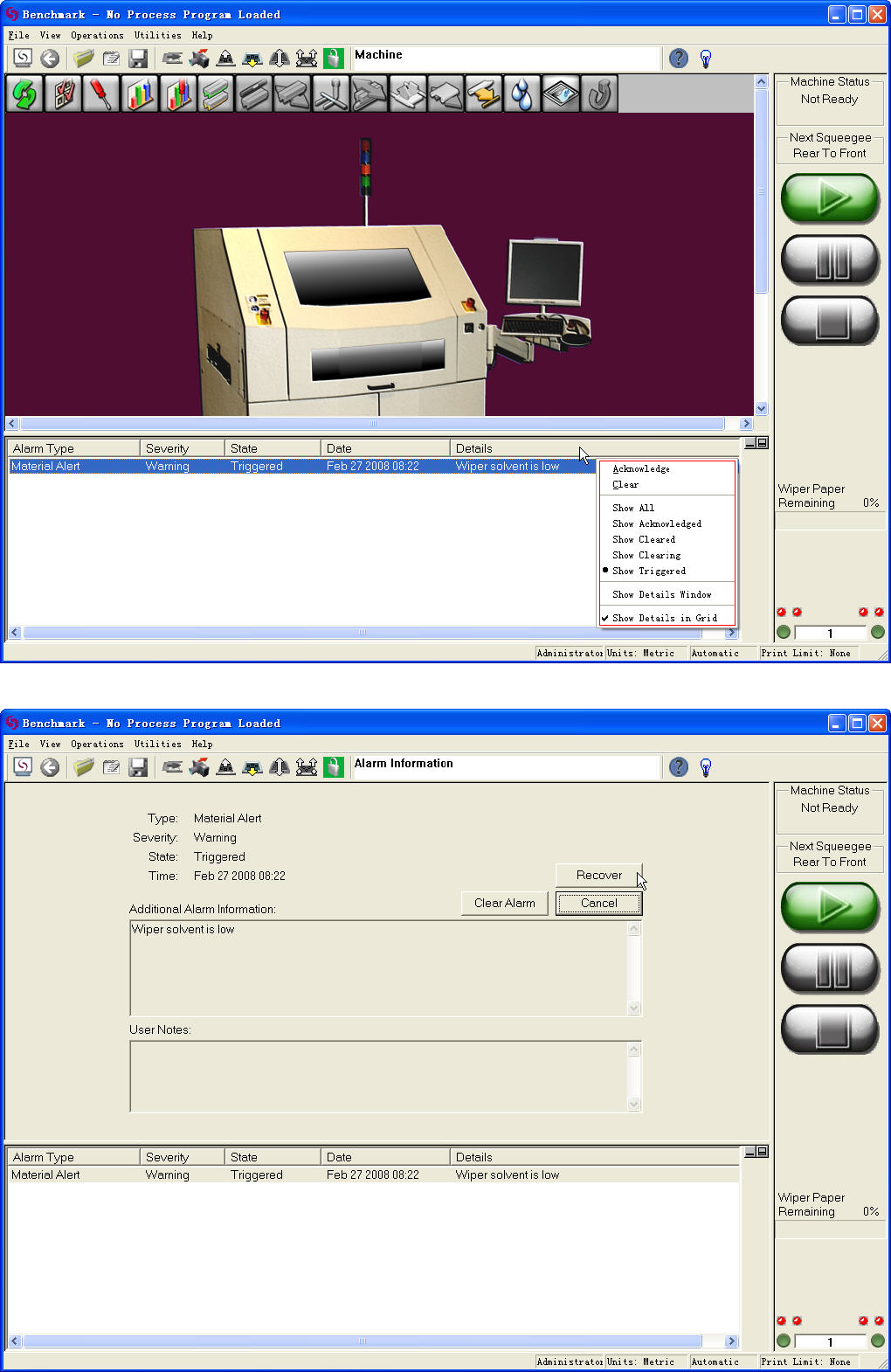
图-2.2
图-2.3
Momentum 中文操作说明 8/61
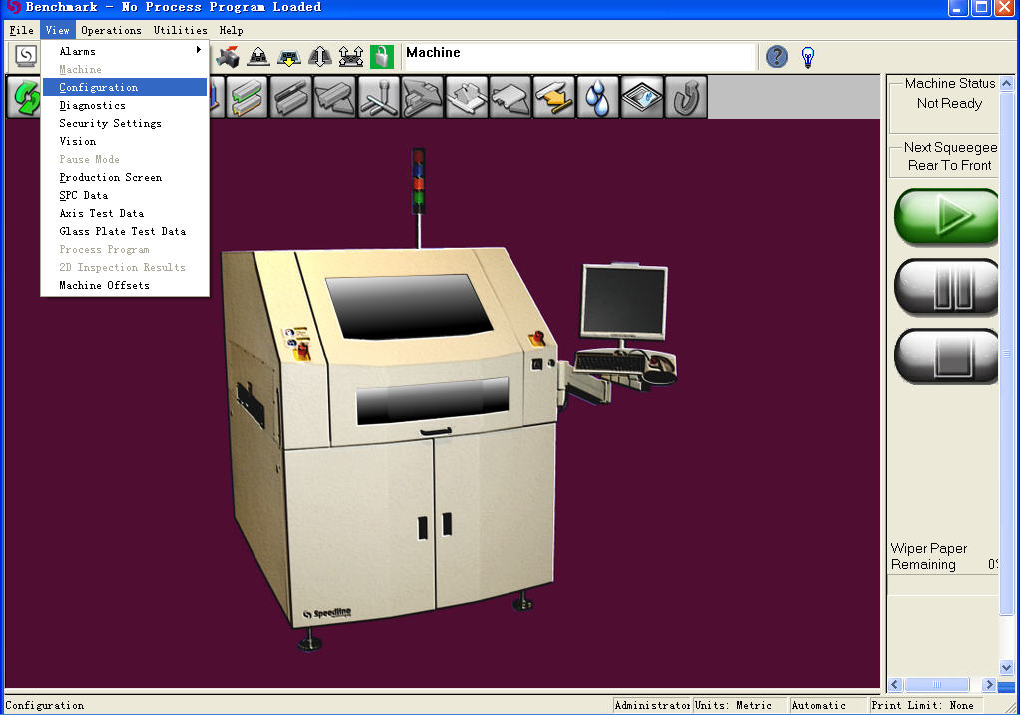
三、Momentum 机台选项
在 Benchmark 主画面菜单栏“View→Configuration”或相应快捷方式进入 Configuration 页面,其中一共
有八个标签页,但“Tandem Machine”与“Traceability/Verification”是选项,暂无效就不作介绍了,现在
讲讲其它六个里的内容。
图-3.1
Momentum 中文操作说明 9/61
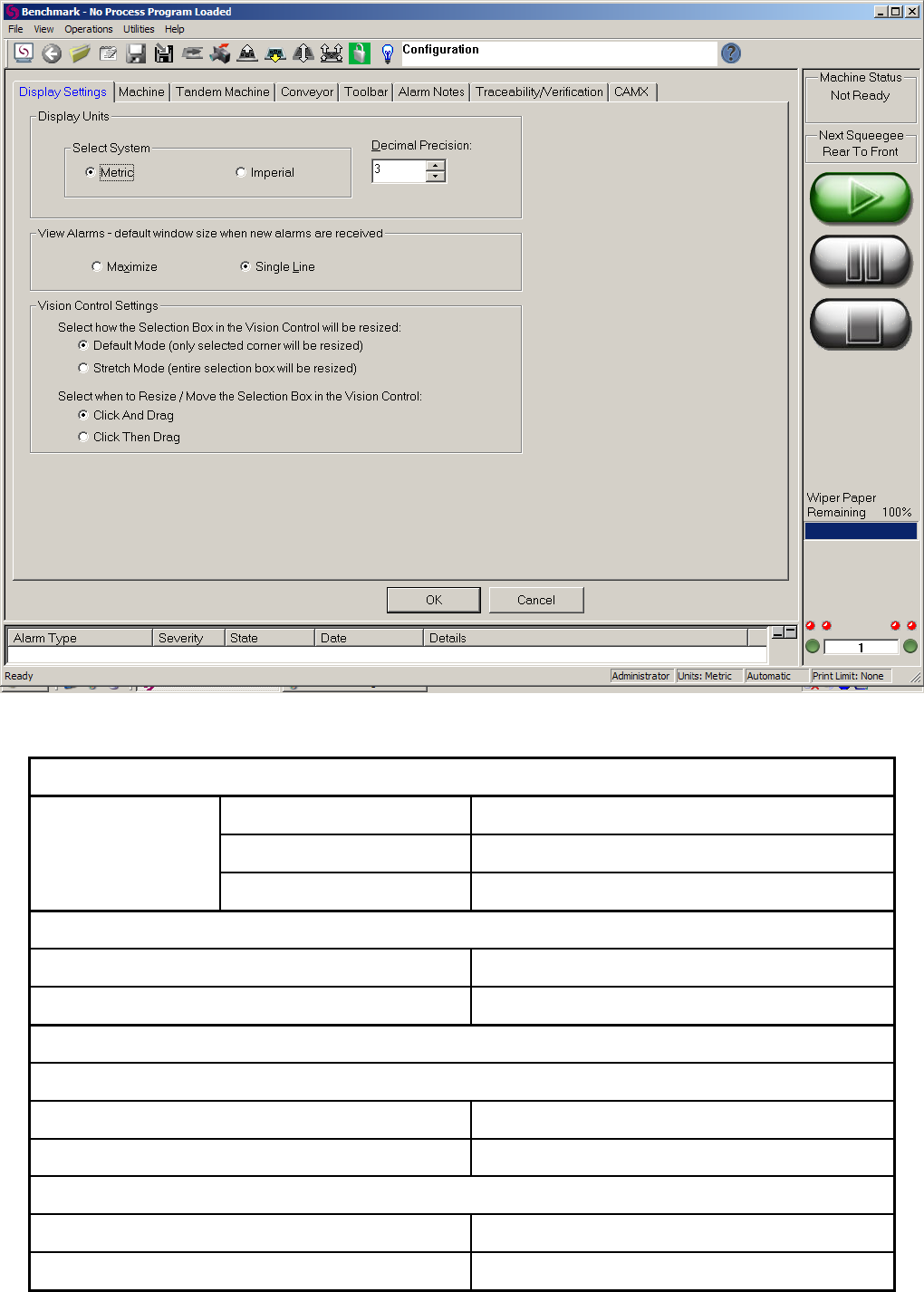
图-3.2
Display Settings 显示设定
Metric 英制
Imperial 公制
Display Units
显示单位
Decimal Precision 小数点位数
View Alarms-default window size when new alarms are received 警报栏新警报的显示方式
Maximize 最大化
Single Line 单行显示
Vision Control Settings 图像框操作设定
Select how Selection Box in the Vision Control will be resized 图像框大小调整方式
Default Mode (only selected corner will be resized) 默认模式(只有选中坐标线才能调整大小)
Stretch Mode (entire selection box will be resized) 扩展模式(进入图像框就可以调整大小)
Select when to Resize / Move the Selection Box in the Vision Control 图像框大小调整与移动方式
Click And Drag 选中并且移动鼠标
Click Then Drag 选中然后移动鼠标
表-3.1
Momentum 中文操作说明 10/61