N7201A617E00_0317.pdf - 第154页
NPM-W 2 EJM7DE-MB-05 M-00 Describes the cleanin g of the touchscreen . Tool used: Lin t free cloth T ime re quired: 3 minutes (Tota l time re quired for cleaning fro nt/rear touchscreens) ● Dust c an cause to uchscreen m…

5 Periodic inspection
Every-140-hours
NPM-W2 EJM7DE-MB-05M-00
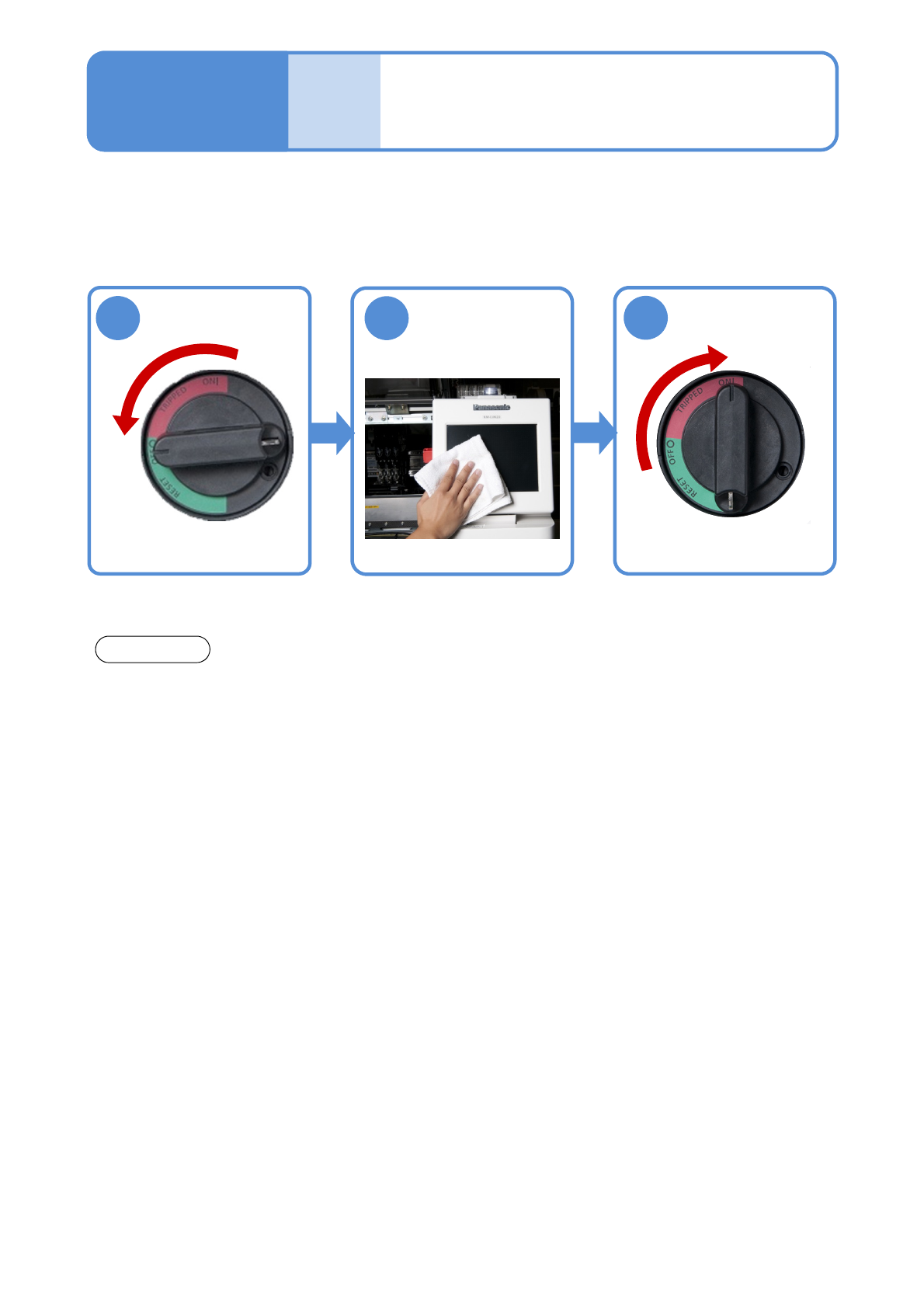
Describes the cleaning of the touchscreen.
Tool used: Lint free cloth Time required: 3 minutes (Total time required for cleaning front/rear touchscreens)
●Dust can cause touchscreen malfunction. The screen should be cleaned as needed.
5-1-1
Cleaning the
touchscreen
Maintenance
5-1
Wipe with a
clean, soft cloth
NOTICE
●Be careful not to give any shock to or damage the touch screen.
●When the touch screen is laden with dust or dirt, soak a lint-free cloth in a neutral detergent diluted
with water and wring out thoroughly. Use the cloth to wipe off the dust or dirt. Never spray cleaning
solutions, including liquid crystal display cleaners, directly on the touch screen; the liquid could
penetrate inside of the touch screen and cause it to malfunction.
●Use a lint-free cloth when cleaning the touch screen in a clean room.
1
2
3
OFF
ON

NPM-W2 EJM7DE-MB-05M-00
Every
140
hours
Periodic
inspection
5-1-2