N7201A617E00_0317.pdf - 第163页
NPM-W 2 EJM7DE-MB-05 M-00 Every 140 hours Periodic Periodic Periodic inspection 5-3-1 -2 OFF SERVO ENABLING 1 ENABLING 2 4 3 6 5 8 Lock lever 7 Fold the feeder table cover to the back Confirm the message Cover the multi-…
NPM-W2 EJM7DE-MB-05M-00
Cleaning
the PCB-
support
blocks
Cleaning the PCB-support
blocks
(single conveyor specifications)1
Maintenance
5-3-1
5-3-1-1
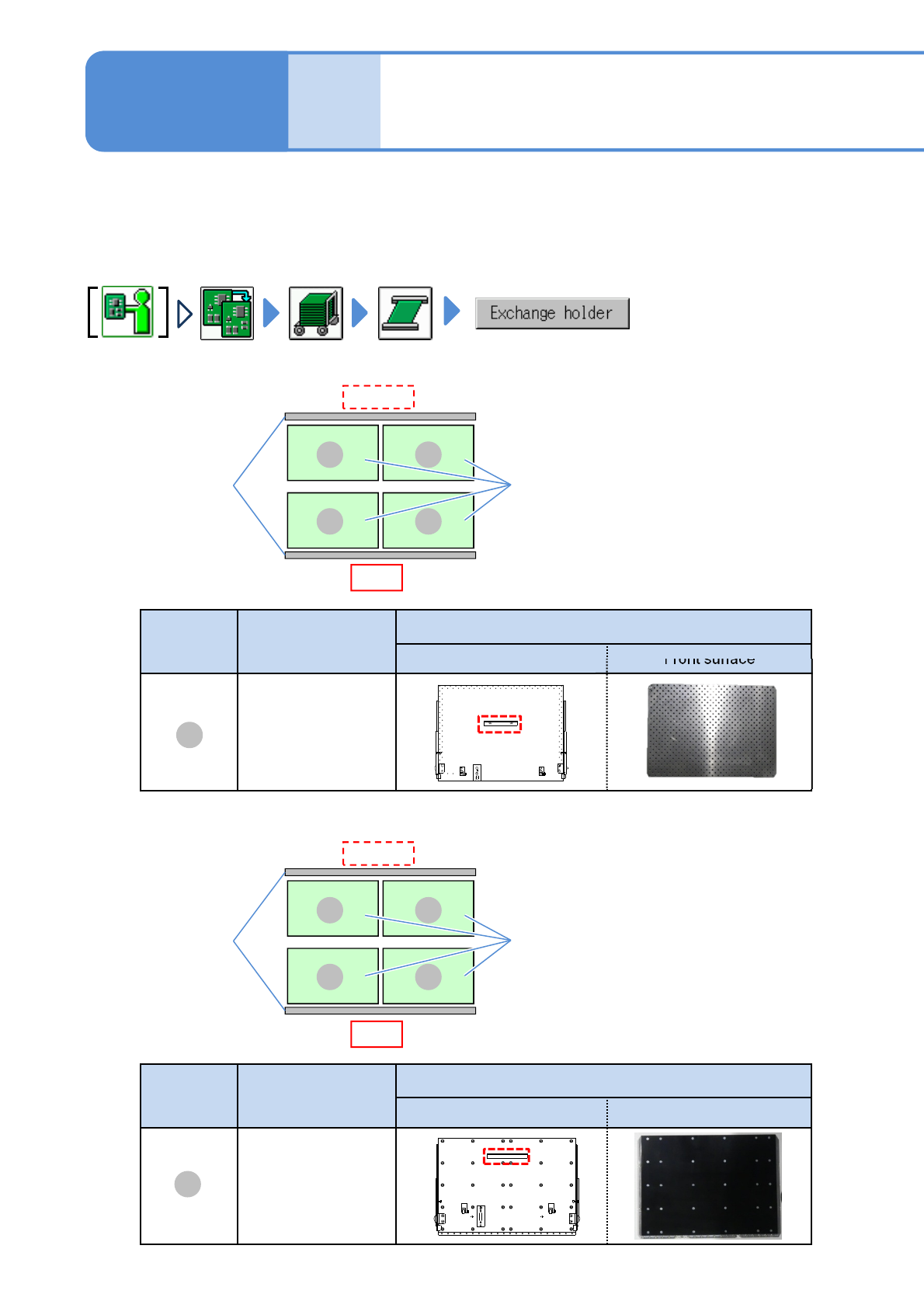
Describes cleaning of the PCB-support block(for standard and automatic change(option)).
●If a foreign body such as dust is present in the PCB-support block and the PCB holder, it could cause
attachment problems with the PCB-support block, thus damaging PCBs.
●Cleaning should be performed from the front side.
Tool used: Lint free cloth, brush Time required: 10 minutes
■For PCB support block (standard)
Front
Rear side
A
A
A
A
Conveyor
PCB-support
block
PCB support
block
Product No
Outline drawing of PCB support block
Back surface Front surface
N610118877AB
A
■For PCB-support block (for automatic change) (option)
B
B
B
B
Conveyor
PCB-support
block
Front
Rear side
B
PCB support
block
Product No
Outline drawing of PCB support block
Back surface Front surface
N610145049AB
NPM-W2 EJM7DE-MB-05M-00
Every
140
hours
PeriodicPeriodicPeriodic
inspection
5-3-1-2
OFF
SERVO
ENABLING
1
ENABLING
2
4
3
6
5
8
Lock lever
7
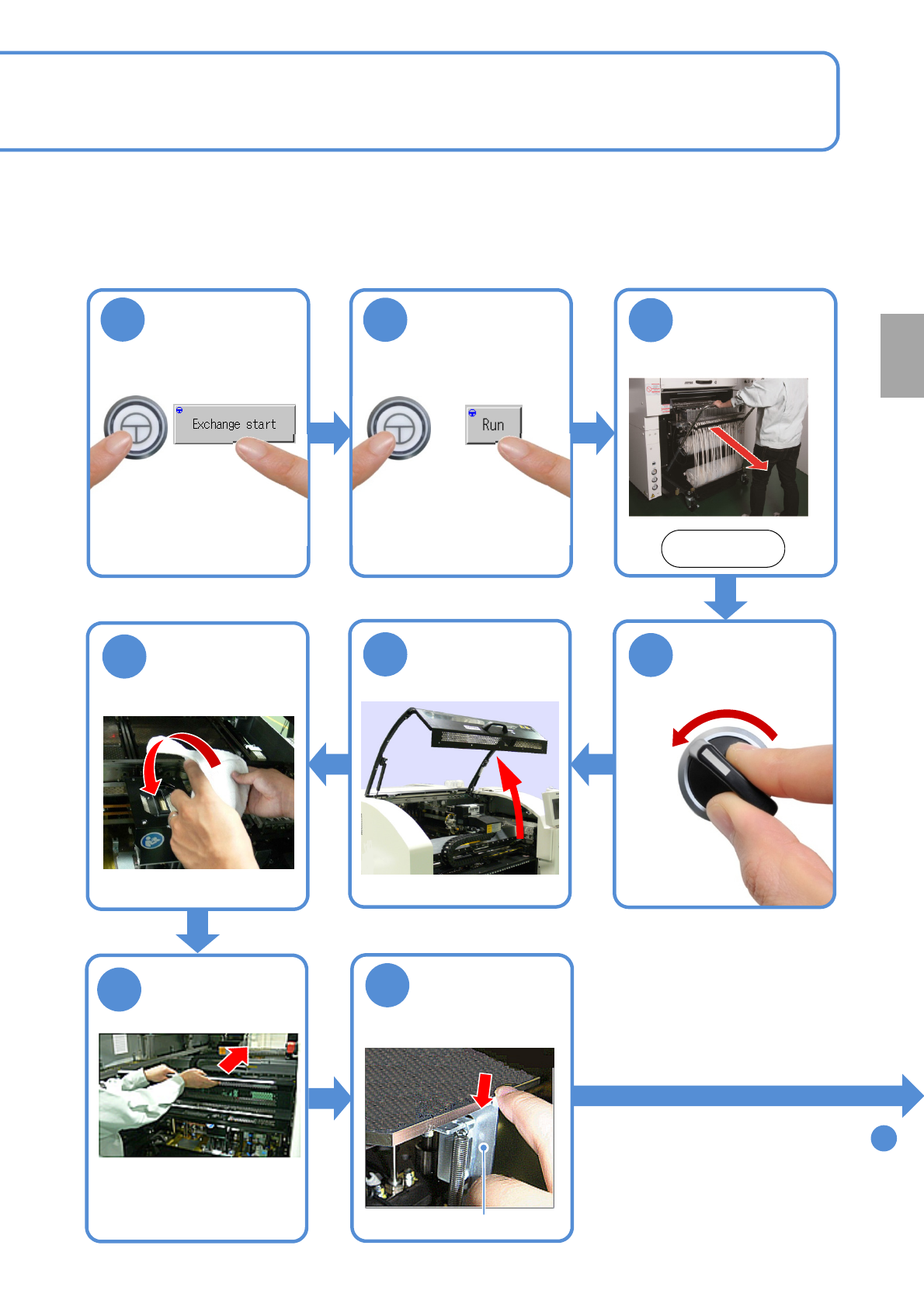
Fold the feeder
table cover to
the back
Confirm the
message
Cover the multi-
recognition
camera with a
lint free cloth
Detach the
feeder cart
(→P.3-2)
Front side
Push down the
lock lever
(X-axes in the front and
rear move to the
retraction position)
(The PCB-support block
moves upward)
To
9
●Neither lean against the
feeder table cover nor place
anything on it.
NPM-W2 EJM7DE-MB-05M-00
5-3-1-3
Cleaning
the PCB-
support
blocks
Cleaning the PCB-support
blocks
(single conveyor specifications) 2
Maintenance
5-3-1
9
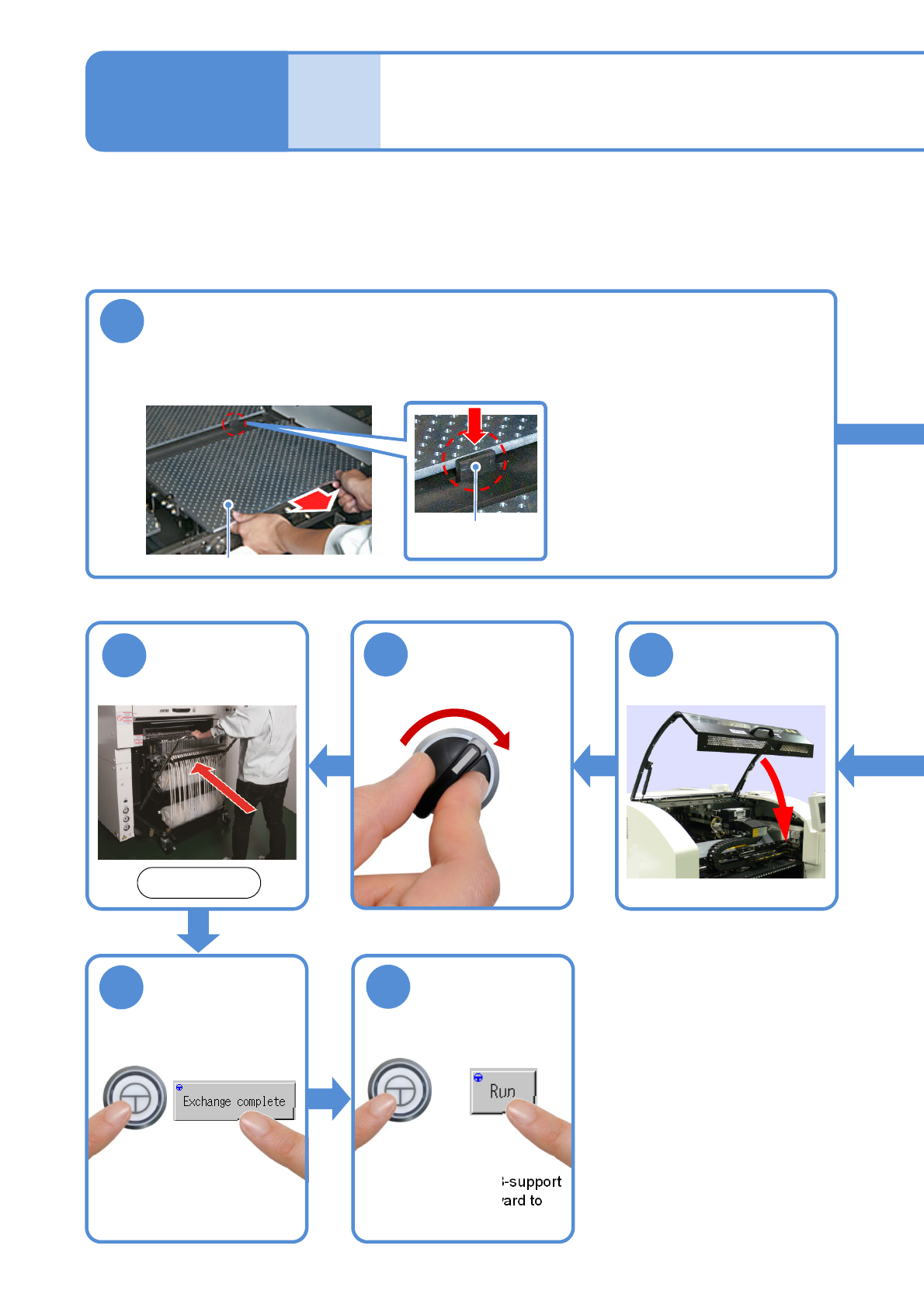
Stopper
PCB-support block
Remove the PCB-support block
●PCB-support block:4 blocks
●Be careful not to drop an object on the multi-recognition camera or bump the multi-recognition
camera.
●If there are support pins on
the PCB-support block, be
careful not to fall them.
●Draw it out slowly with both
hands. Draw out the rear
support block while holding
down the stopper.
SERVO
ON
15
16
14
Attach the feeder
cart (→P.3-2)
Front side
ENABLING
17
18
ENABLING
(Make sure the PCB-support
block moves downward to
the original position)
Confirm the
message