N7201A617E00_0317.pdf - 第166页
NPM-W 2 EJM7DE-MB-05 M-00 Cleaning the PCB- support blocks Cleaning the PCB-suppor t bloc ks (dual conveyor specifications) 1 Maintenance 5-3-2 5-3-2 -1 Describes cleanin g of the PCB-suppo rt block(for standa rd and aut…
NPM-W2 EJM7DE-MB-05M-00
5-3-1-4
Every
140
hours
PeriodicPeriodicPeriodic
inspection
10
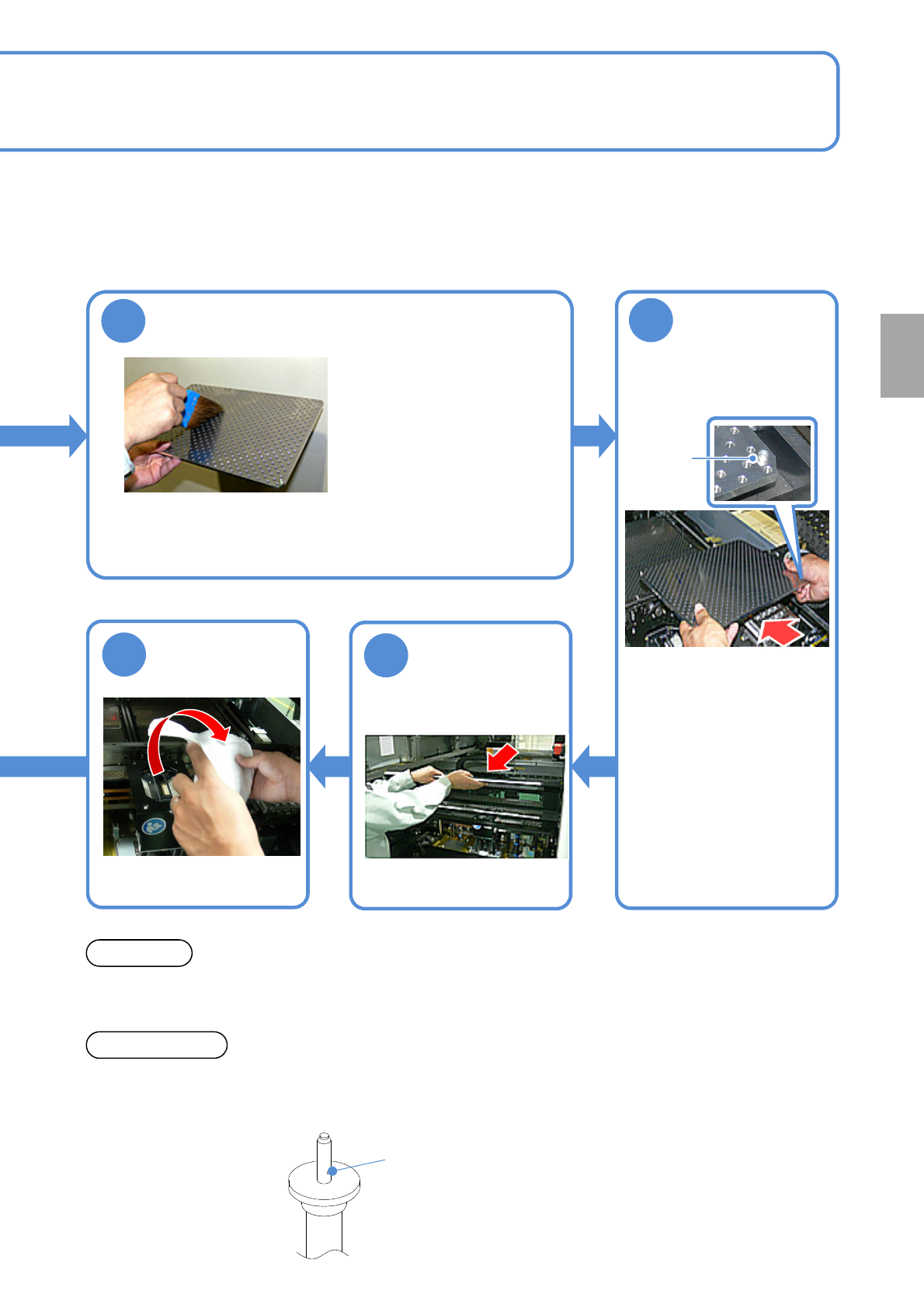
Clean the PCB holder and the PCB-support
block
●Use a lint free cloth or brush.
●Clean the top surface of the
PCB support block (for
automatic change) with a lint
free cloth dampened with
alcohol.
●Be careful not to scratch
coating material on the
surface of the PCB support
block (for automatic change)
by sharps.
11
Attach the PCB-
support block as
it is no tilt
13
12
●PCB-support block
:4 blocks
Bolt
Return the feeder
table cover back
Remove the lint
free cloth
●When you clean the PCB-support block, please check the support pin condition. If flux is adhered to the tip
of the support pin, wipe off with a lint free cloth.
NOTICE
●Do not apply impact such as dropping on the support pin for automatic change. It may cause deformation.
Do not use a deformed support pin.
●Please note that the vacuum hole of the support pin for automatic change is not clogged.
ATTENSION
Vacuum hole
●Put it back as the same
direction as before (the
bolt locates at the right
side toward you).
●If it tilts, it interferes with
the rail.
NPM-W2 EJM7DE-MB-05M-00
Cleaning
the PCB-
support
blocks
Cleaning the PCB-support
blocks
(dual conveyor specifications)1
Maintenance
5-3-2
5-3-2-1
Describes cleaning of the PCB-support block(for standard and automatic change(option)).
●If a foreign body such as dust is present in the PCB-support block and the PCB holder, it could cause
attachment problems with the PCB-support block, thus damaging PCBs.
●Cleaning should be performed from the near side of the PCB support block to be cleaned, while the
machine with the tray feeder equipped on the rear side, cleaning should be performed from the front side.
Tool used: Lint free cloth, brush Time required: 10 minutes
CAUTION
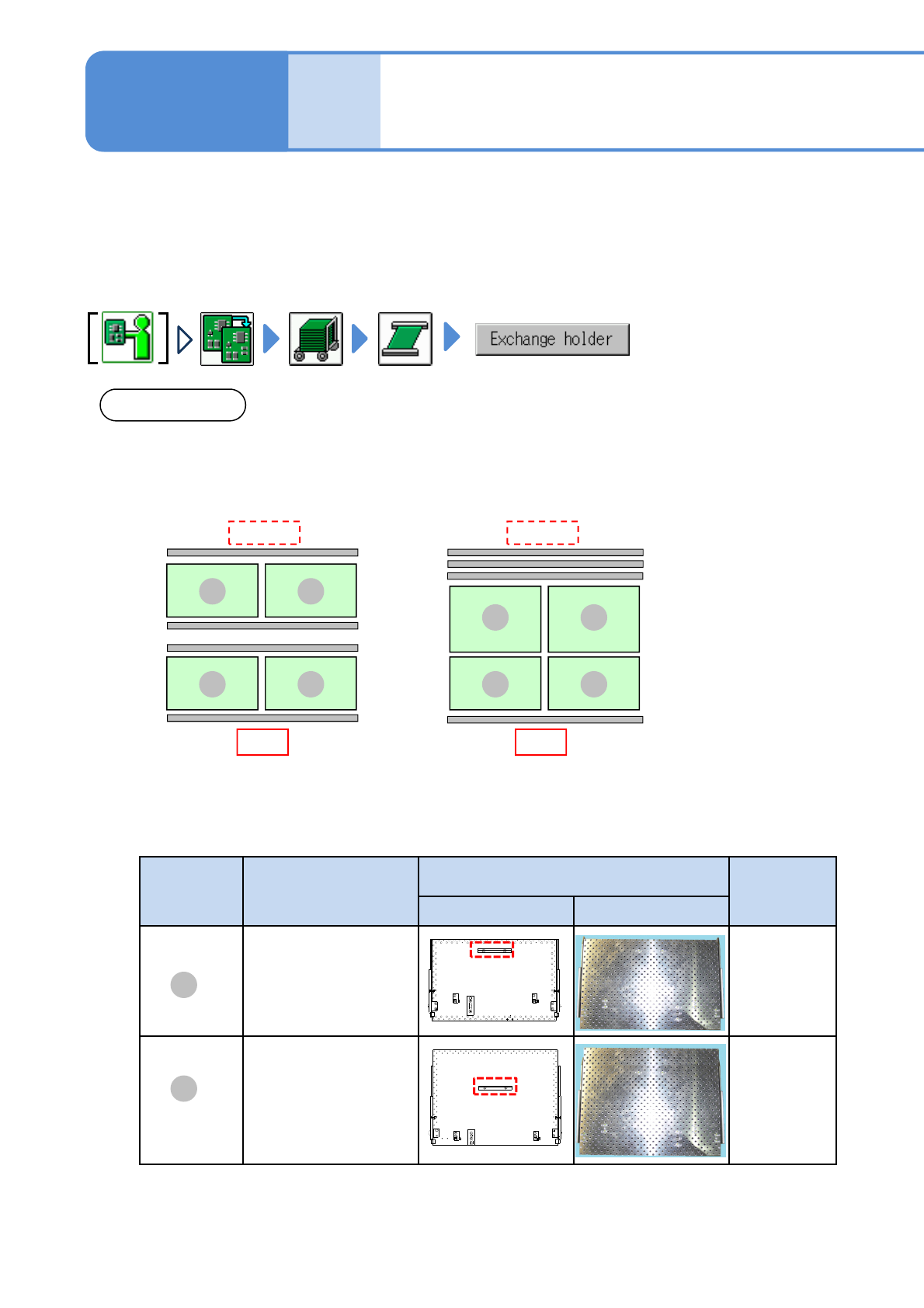
The arrangement of the PCB support block on the rear side vary between single lane mode and dual lane
mode. (See below)
* If you wrongly install the PCB support block of C with D, you cannot change to the arrangement in
single lane mode.
■For PCB support block (standard)
●Arrangement on single mode●Arrangement on dual mode
Front
Rear side
C
D
C
D
C C
C C
Front
Rear side
PCB support
block
Product No.
Outline drawing of PCB support block
Remarks
Back surface Front surface
N610134595AB Standard
N610134594AB Option
D
C
NPM-W2 EJM7DE-MB-05M-00
Every
140
hours
PeriodicPeriodicPeriodic
inspection
5-3-2-2
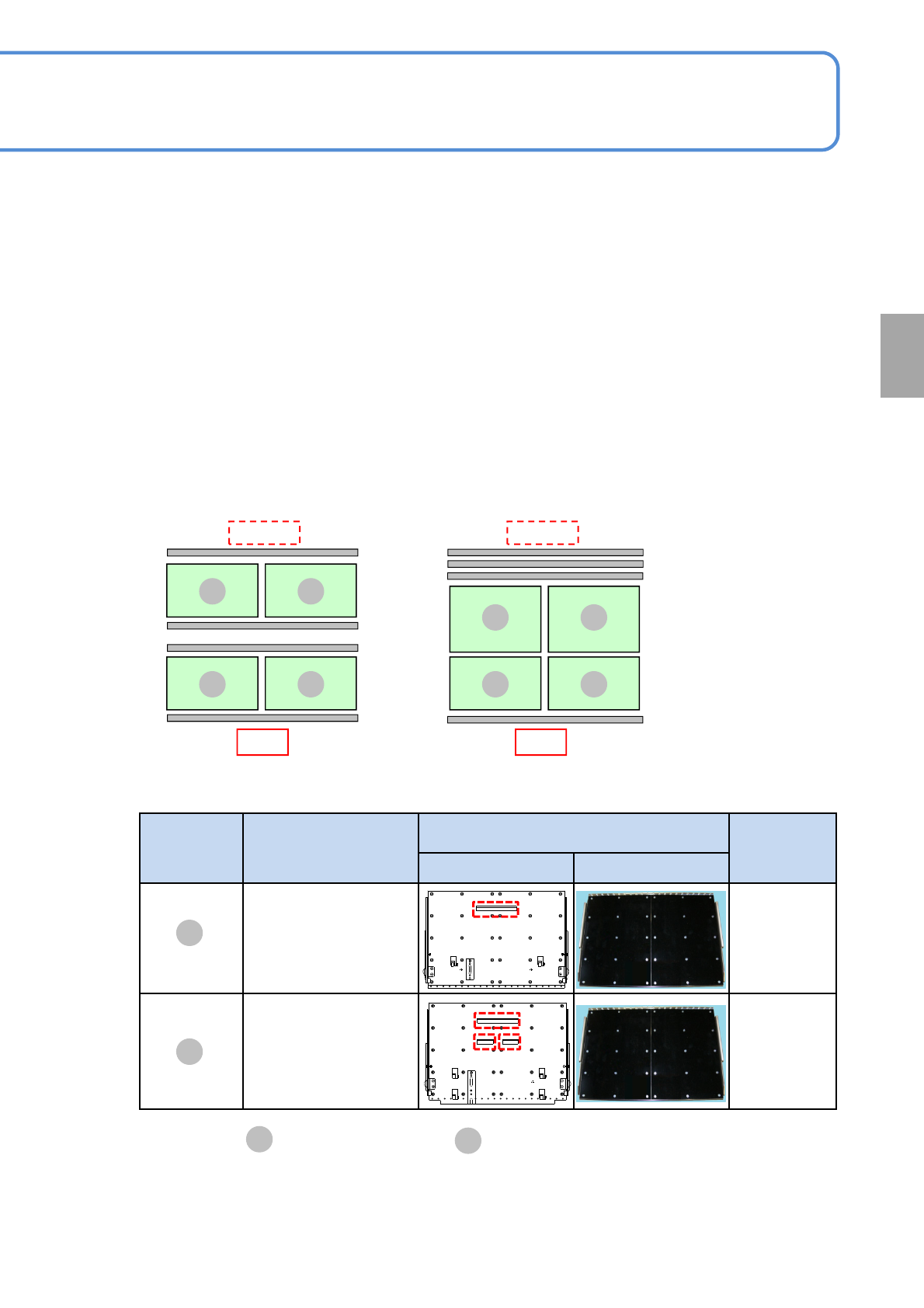
■For PCB-support block (for automatic change) (option)
If the PCB block
is switched position with ,
E
F
you cannot change to the arrangement of the single
lane mode.
●Arrangement on single mode●Arrangement on dual mode
Front
Rear side
E
F
E
F
E E
F F
Front
Rear side
F
E
基板下受け
ブロック
Product No.
Outline drawing of PCB support block
Remarks
Back surface Front surface
N610145010AB Standard
N610145011AB Option