N7201A617E00_0317.pdf - 第209页
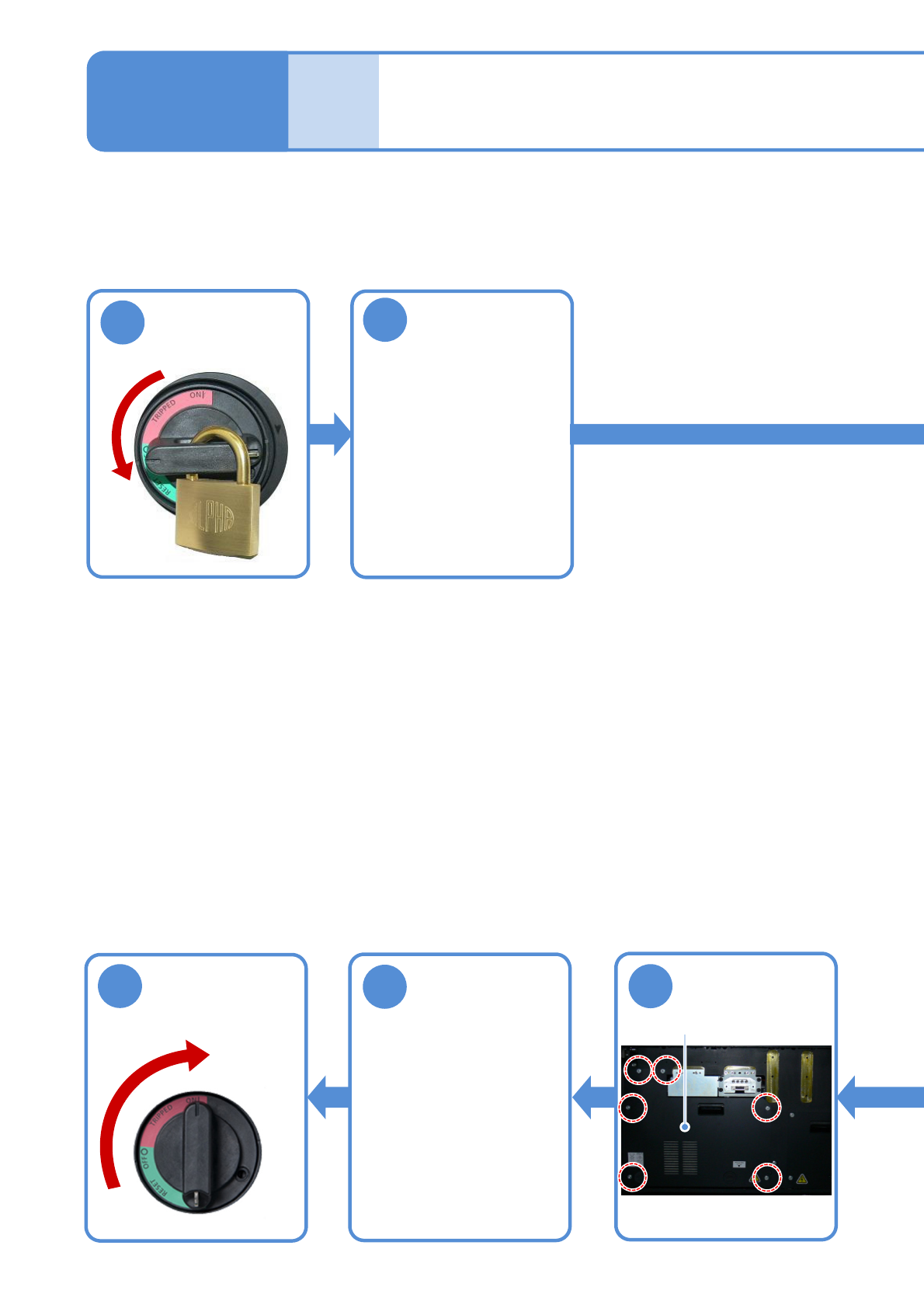
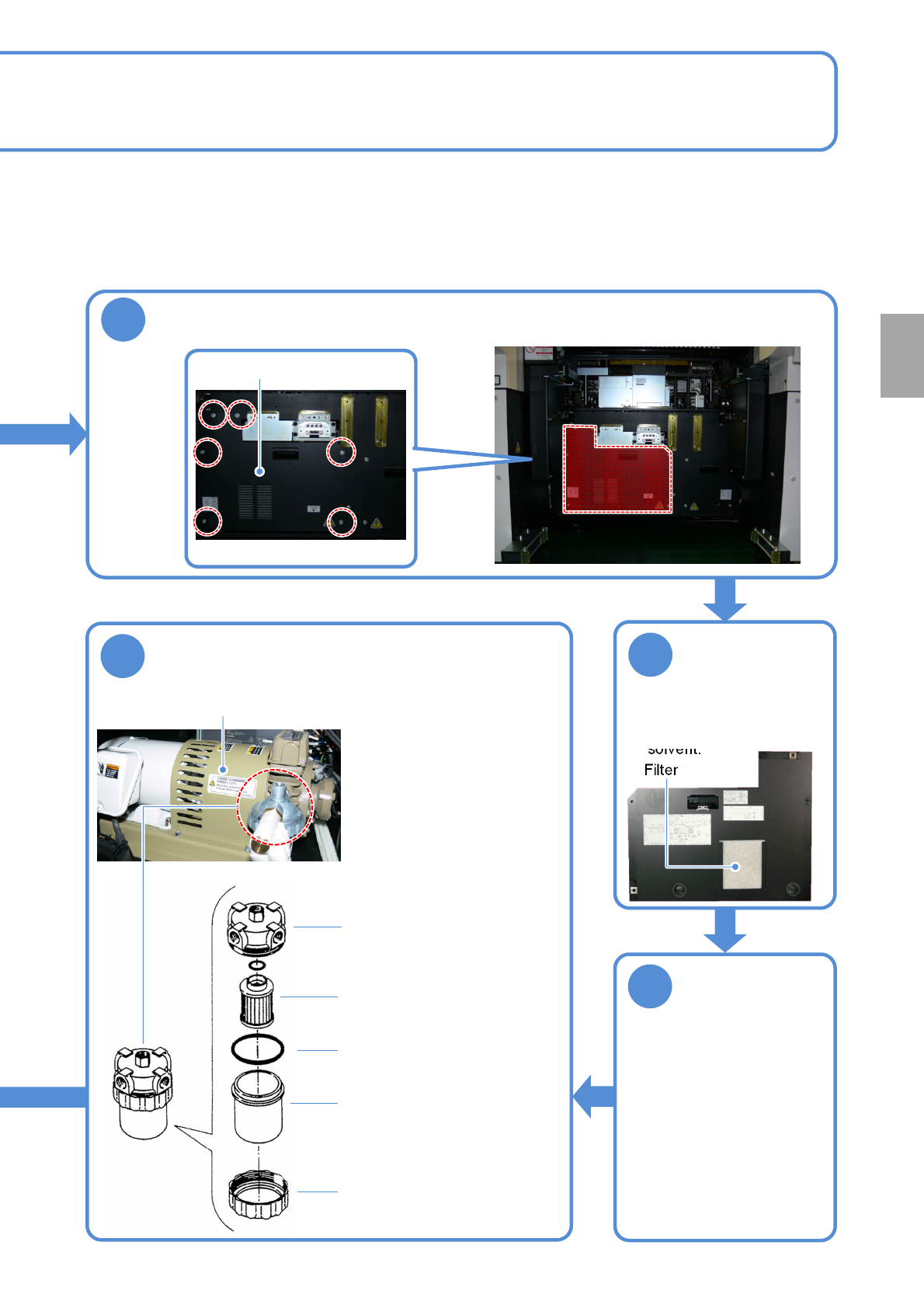
NPM-W 2 EJM7DE-MB-06 M-00 4 Remove the filter from the cover and clean it ● Use an air blow gun. ● Do not use an organic solvent. Filter 5 Attach the filter to the cover T ake out the filter element to clean ① Disassembl…
NPM-W2 EJM7DE-MB-06M-00
Describes how to clean the vacuum pump filter.
Tool used: Allen wrench (4 mm) Time required: 30 minutes
●Be careful not to hit your head during the maintenance work.
7
Cleaning the vacuum
pump filter
Attach the cover
6-7-1
Cover
2
Remove the
feeder cart or
tray feeder of the
rear side
●How to detach
・For a feeder cart
(→P.3-2)
・For a tray feeder
(→P.14-8)
8
Attach the feeder
cart or tray
feeder of the rear
side
●How to attach
・For a feeder cart
(→P.3-2)
・For a tray feeder
(→P.14-8)
●Six screws
(Rear)
Maintenance
6-7
9
Unlock the
machine and
ON
4
1
Turn OFF the
power and lock
the machine
OFF
NPM-W2 EJM7DE-MB-06M-00
4
Remove the filter
from the cover
and clean it
●Use an air blow gun.
●Do not use an organic
solvent.
Filter
5
Attach the filter
to the cover
Take out the filter element to clean
①Disassemble the filter unit.
②Eliminate dirt on the filter
element with an air blow
gun.
(No organic solvent should
be used)
③Put the filter unit back
together.
6
Head
Filter element
O-ring
Filter case
Ring
Vacuum pump
6-7-2
3
Detach the cover
Cover
Every
560
hours
PeriodicPeriodicPeriodicPeriodic
inspection
(Rear)
●Six screws
NPM-W2 EJM7DE-MB-06M-00
6-8-1
Maintenance
6-8
Inspecting the safety
switches
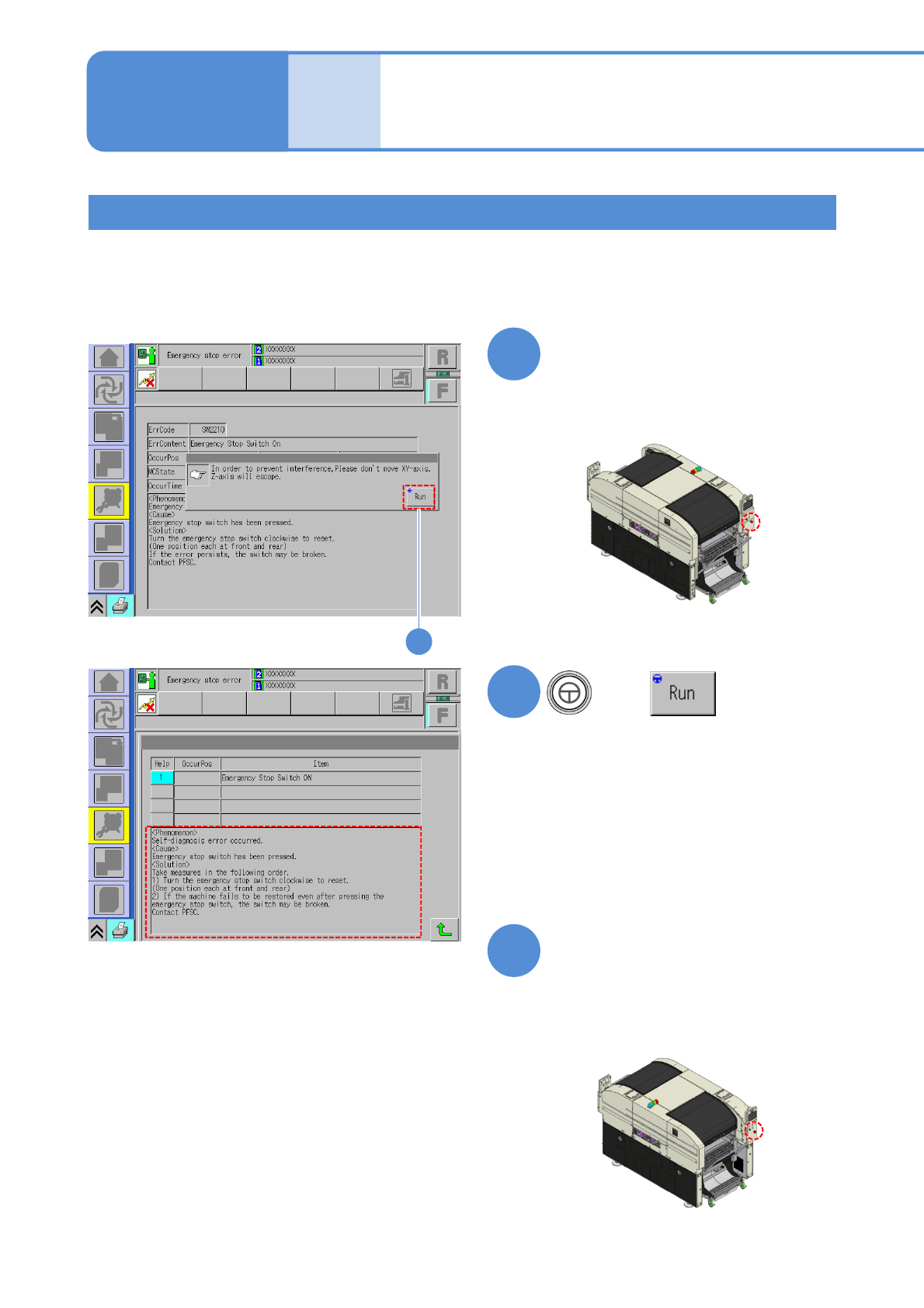
Describes how to check the emergency stop switch.
Tool used: None Time required: 2 minutes
●Origin return should be performed in advance.
Checking the emergency stop switch
1
Press the emergency stop switch
on the front side
3
Press the emergency stop switch
on the rear side and make sure
the screen changes to the one
shown on the left as in the case
of the front side
2
Make sure the screen changes to the one
shown on the left.
Make sure the screen changes to the one
shown on the left.
2
+