N7201A617E00_0317.pdf - 第21页
NPM-W 2 EJM7DE-SF-01N-0 0 D ANGER 1-1 -2 Emergency stop switch (Located in front and rear) Be sure to observe the following Machine does not stop Machine stops Once the emergency stop switch has been pushed ■ For several…
NPM-W2 EJM7DE-SF-01N-00
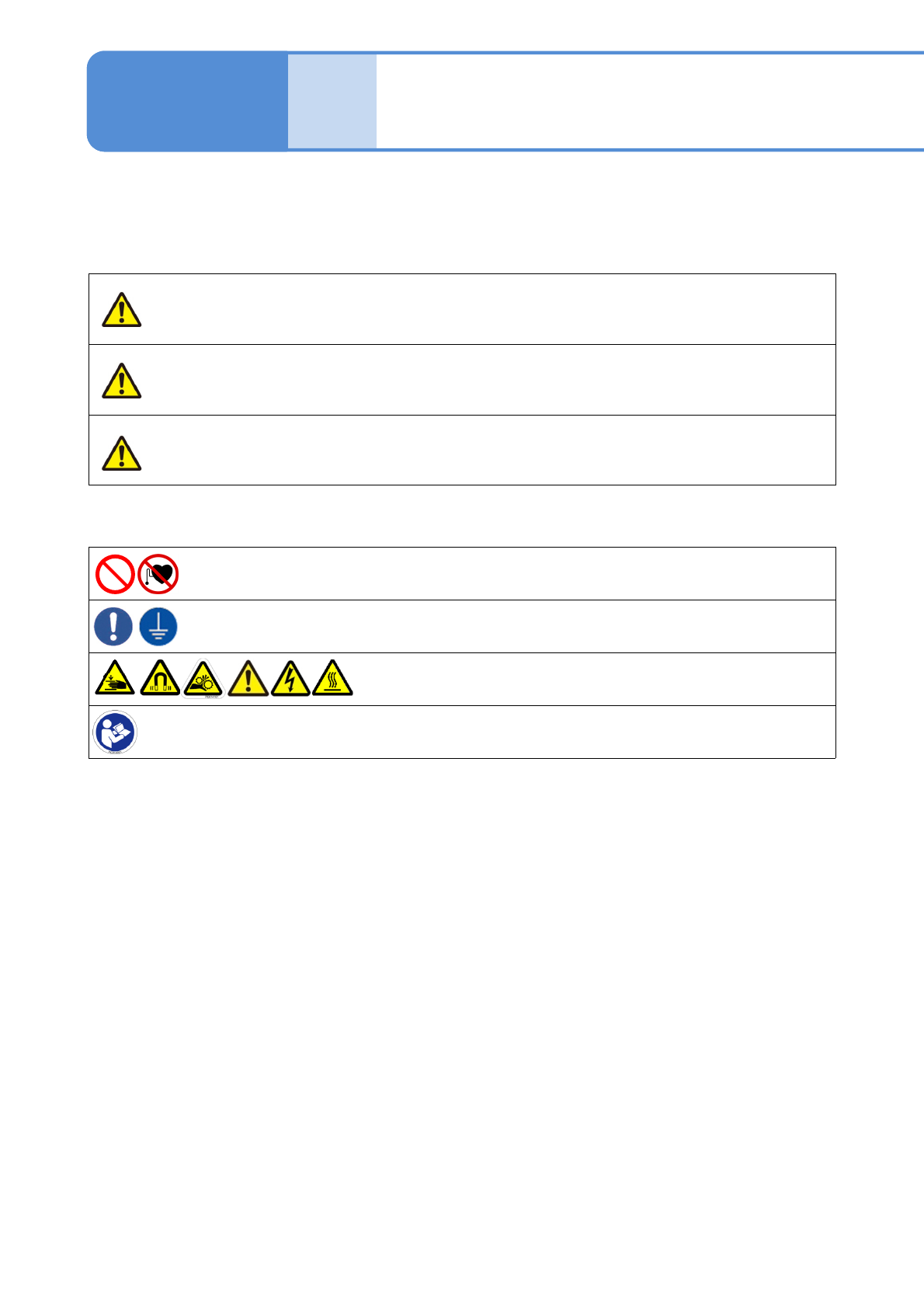
Safety precautions 1
DANGER
Indicates an imminently hazardous situation that could
result in death, severe bodily injury or major property
damage.
WARNING
Indicates a potentially hazardous situation that could result
in death, severe bodily injury or property damage.
CAUTION
Indicates a potentially hazardous situation that could result
in minor or moderate injury and property damage.
Indicates actions that must not be carried out.
Indicates actions that must be carried out.
Indicates matters to which attention must be paid.
Indicates that you must read the manual.
1-1
1-1-1
The degree of danger or injury resulting from incorrect usage are classified and described as follows.
Precautions that must be observed in order to prevent injury to the user or other persons, and damage to
property are described below.
Precautions that must be observed are classified by the symbols shown and described below.
(The followings are examples of symbols)
NPM-W2 EJM7DE-SF-01N-00
DANGER
1-1-2
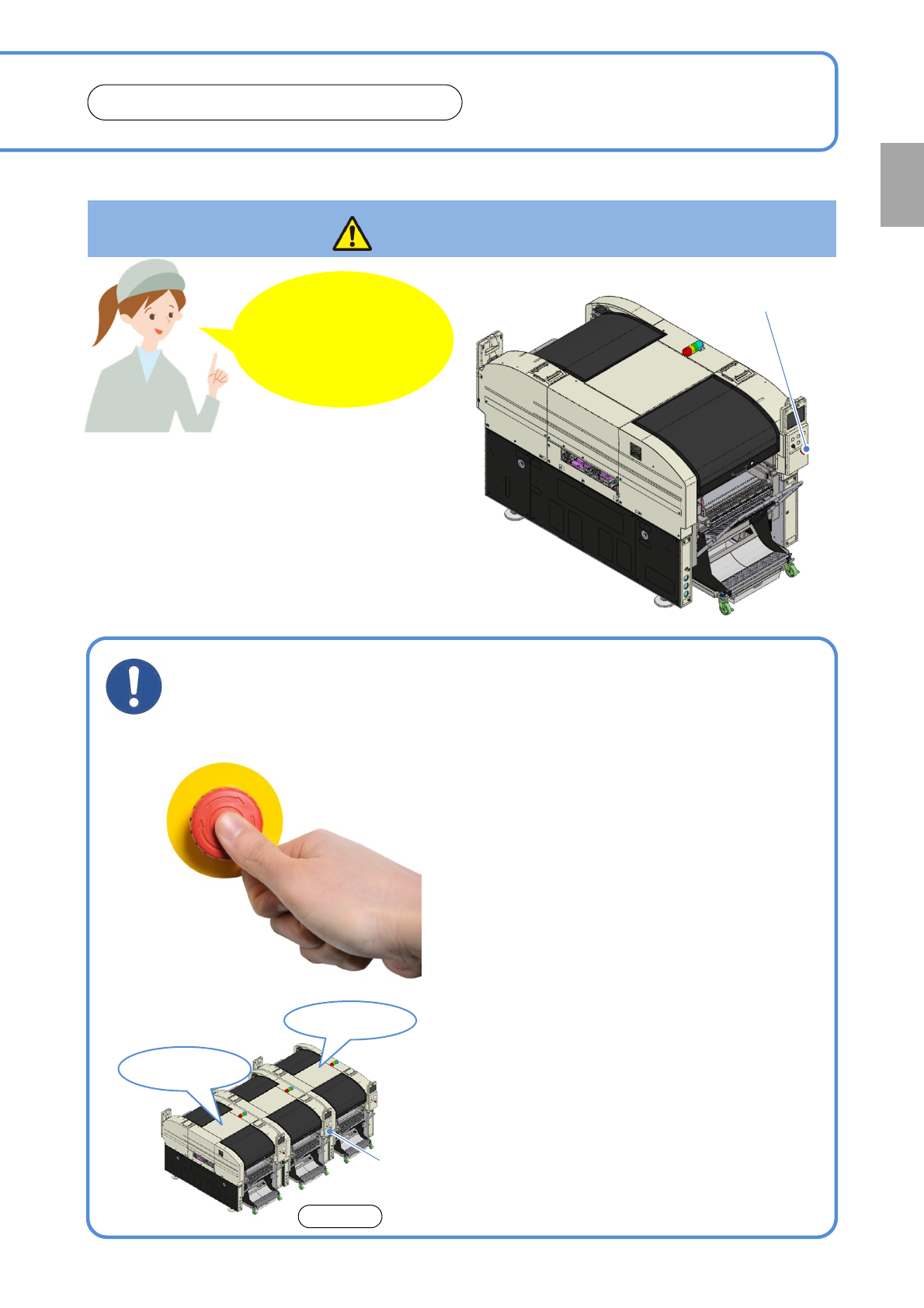
Emergency stop switch
(Located in front and rear)
Be sure to observe the following
Machine
does not stop
Machine
stops
Once the emergency
stop switch has been
pushed
■For several machines connected
If you sense any danger or abnormalities,
press the emergency stop switch to stop
operation
●When you push the emergency stop switch, the
machine stops.
●Push the nearest emergency stop switch (two
locations). Either switch stops the machine.
[How to reset]
When you are ready to restart operation, turn the
emergency stop switch clockwise and pull out after
checking and clearing any danger or abnormalities.
(If you continue to operate the machine in a dangerous
or abnormal state, an accident will occur)
Confirmation
●The machine located on the right side seen from
the machine front also stops along with the one on
which the emergency stop switch is pushed. Other
machines do not stop. (See the picture above)
Front side
To prevent
injury or
burn…
NPM-W2 EJM7DE-SF-01N-00
1-1-3
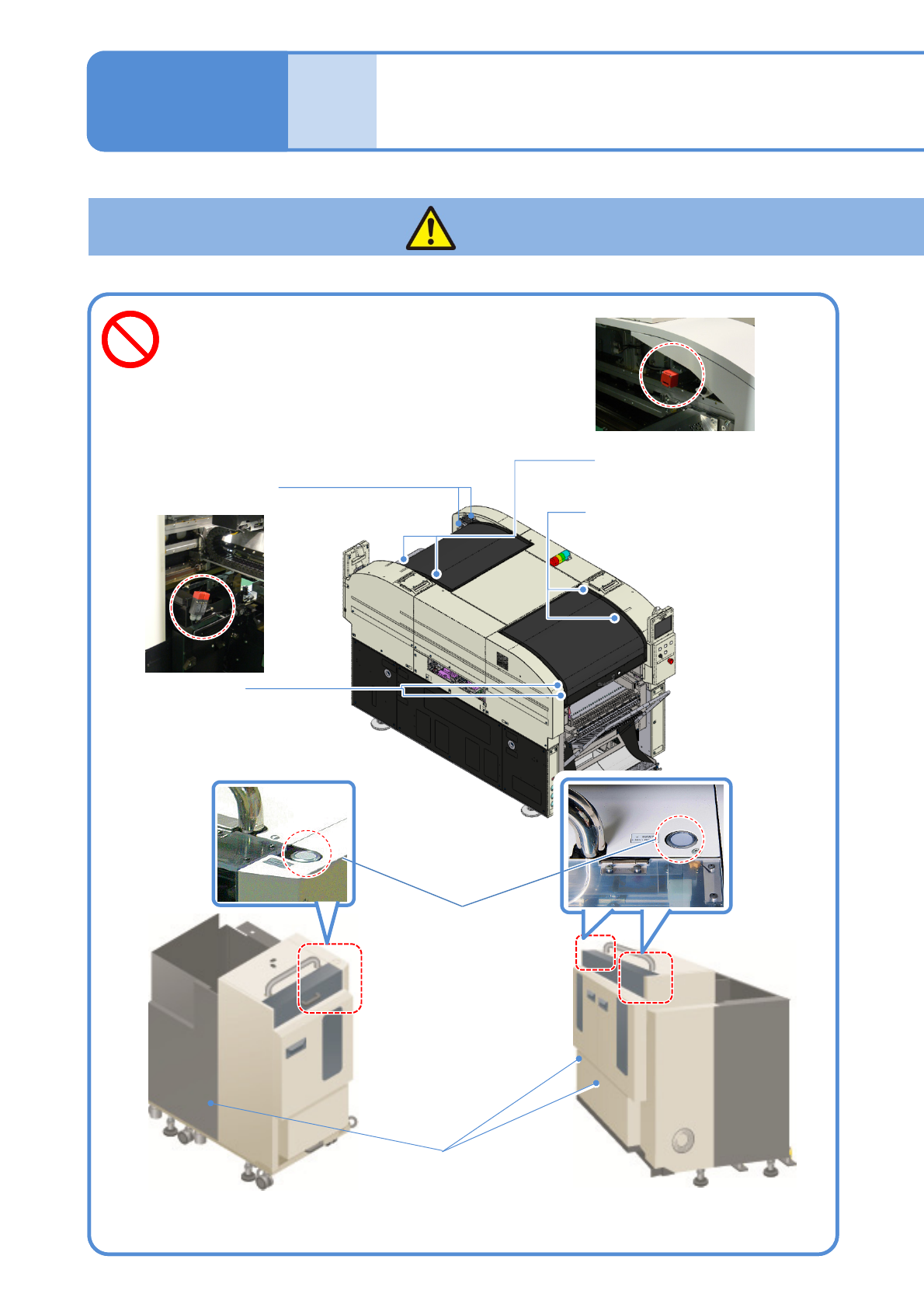
Do not disable safety
switches
(Risk of injury)
Safety precautions 2
1-1
DANGER
Safety switch
(Under rear feeder
table cover)
Do not disable safety
switches
(Risk of injury)
Replenish-section
open/close switch
●It has a function of
safety switch
●Installed under the
cover
Safety switch
(In the magazine
door)
Single tray feeder Twin tray feeder
Safety switch
(Under front feeder
table covers)
Safety switches
(Under rear safety cover)
Safety switches
(Under front safety cover)
●When safety switches on safety convers
are activated during operation , the
machine stops.