N7201A617E00_0317.pdf - 第211页
NPM-W 2 EJM7DE-MB-06M-00 6-8 -2 Describes how to check t he safety switch (safet y cover). Tool used: None Time required: 2 minutes Perform steps through at the front of the machine , and for step , perform at the rear. …
NPM-W2 EJM7DE-MB-06M-00
6-8-1
Maintenance
6-8
Inspecting the safety
switches
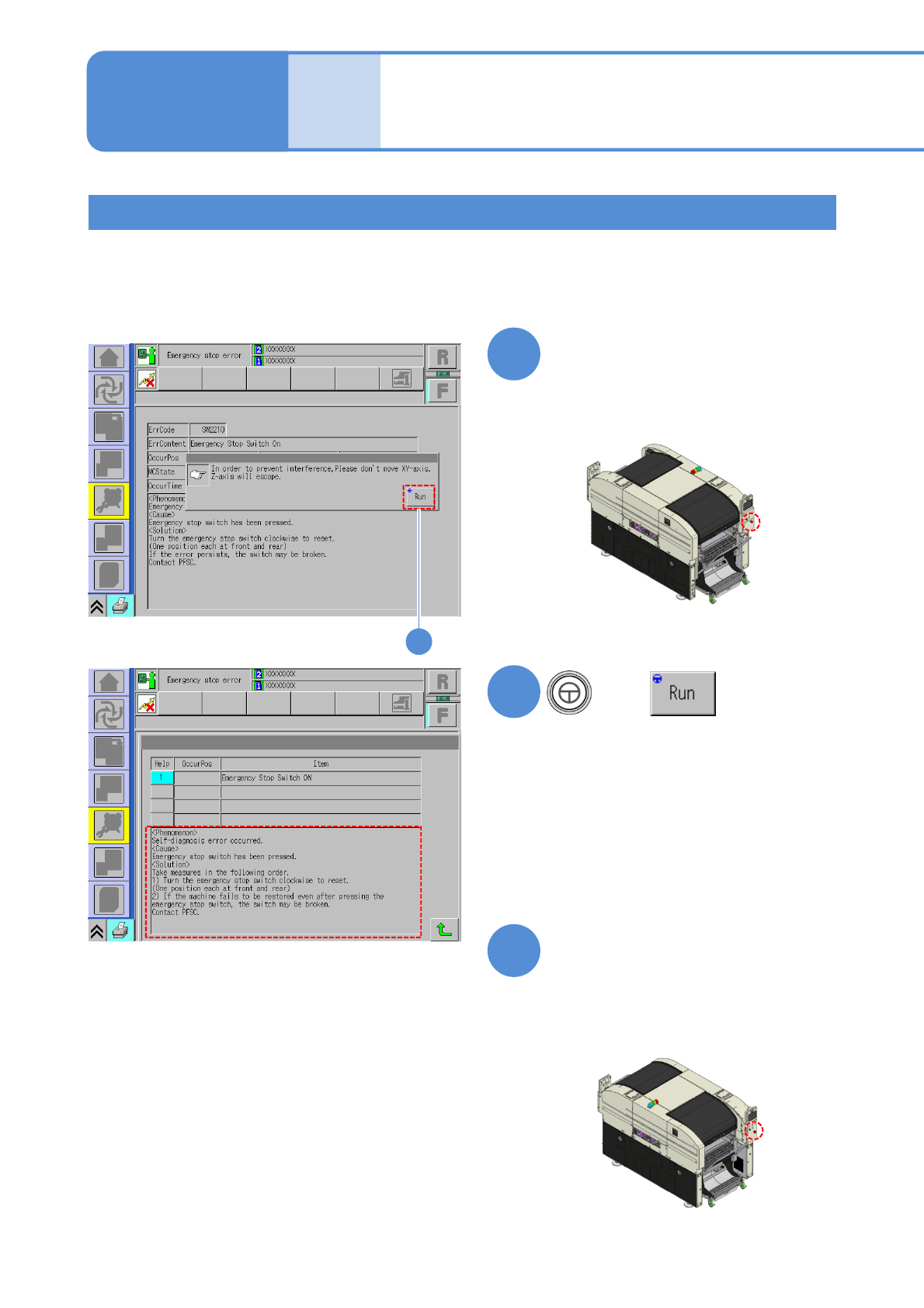
Describes how to check the emergency stop switch.
Tool used: None Time required: 2 minutes
●Origin return should be performed in advance.
Checking the emergency stop switch
1
Press the emergency stop switch
on the front side
3
Press the emergency stop switch
on the rear side and make sure
the screen changes to the one
shown on the left as in the case
of the front side
2
Make sure the screen changes to the one
shown on the left.
Make sure the screen changes to the one
shown on the left.
2
+
NPM-W2 EJM7DE-MB-06M-00
6-8-2
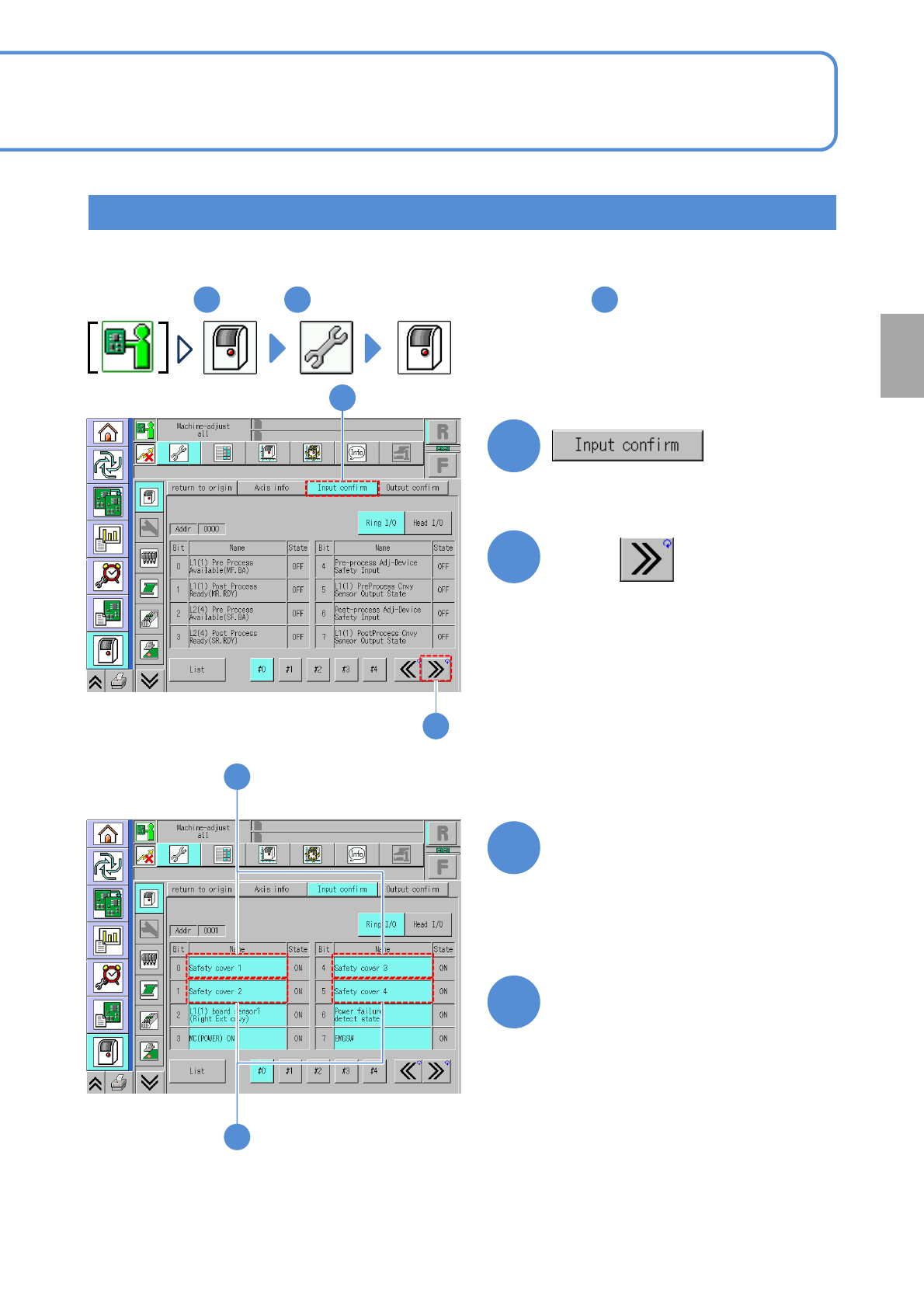
Describes how to check the safety switch (safety cover).
Tool used: None Time required: 2 minutes
Perform steps through at the front of the machine, and for step , perform at the rear.
1
2
(The [Input confirm]screen is displayed.)
3
Press once.
431
1
2
4
Checking the safety switch (safety cover)
3
Open the safety cover on the
front side and be sure that the
display color of
・[Safety cover 1] and
・[Safety cover 3]
changes from light blue to gray.
4
Open the safety cover on the
rear side and be sure that the
display color of
・[Safety cover 2] and
・[Safety cover 4]
changes from light blue to gray.
Every
560
hours
PeriodicPeriodicPeriodicPeriodic
inspection
NPM-W2 EJM7DE-MB-06M-00
6-9-1
Cleaning the PCB
detection sensors 1
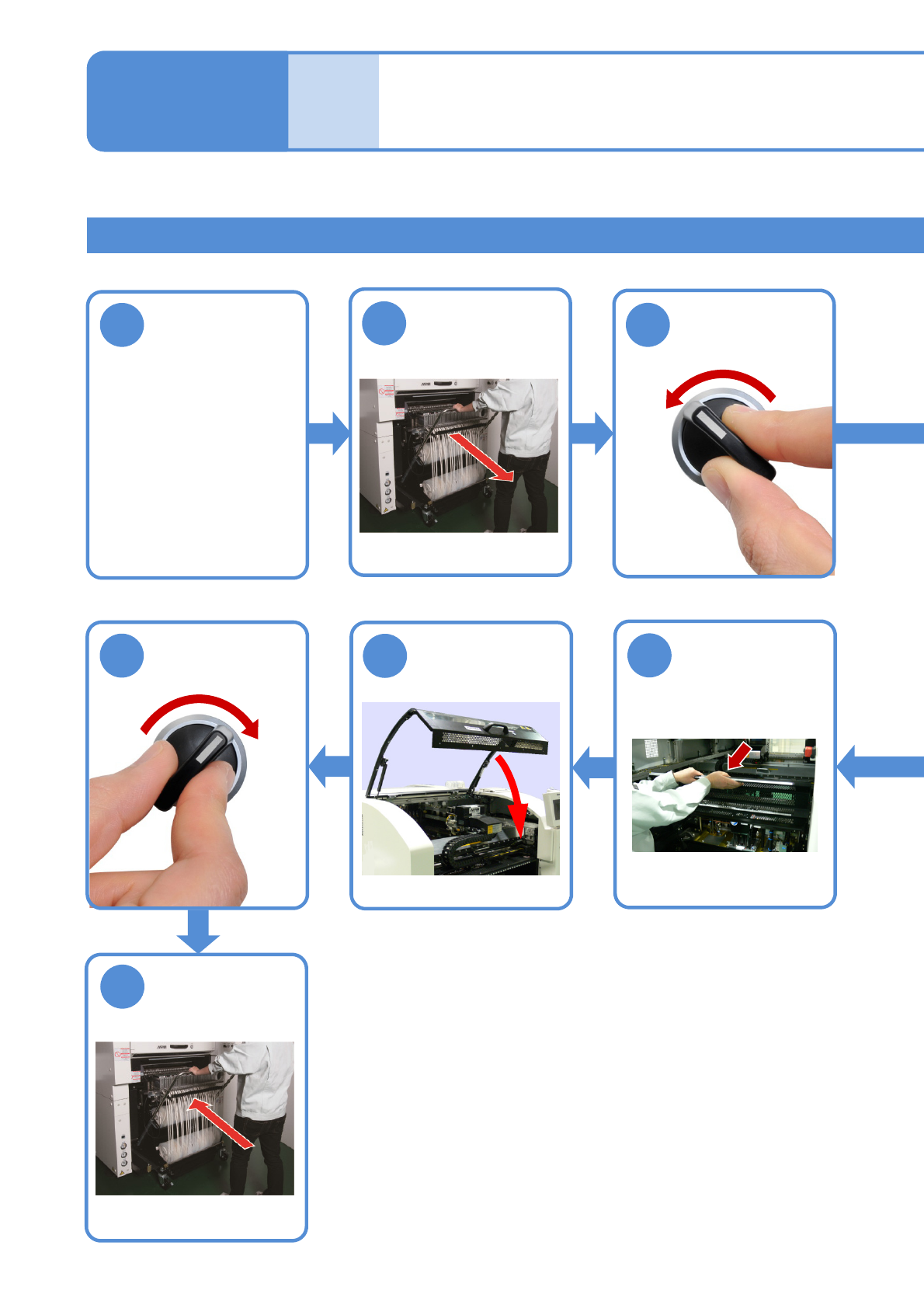
Detach the
feeder cart
(→P.3-2)
Adjust the
conveyor
width of 150mm
(→[Operating
procedure] P.2-5-4)
PCB conveyor
Describes how to clean the PCB detection sensor. Remove the tray feeder before work. (→ P.14-8)
●For better workability
Maintenance
6-9
1
2
OFF
SERVO
3
SERVO
ON
10
9
8
7
Attach the
feeder cart
(→P.3-2)
Tool used: Swabs Time required: 10 minutes for single conveyor 15 minutes for dual conveyor
Return the
feeder table
cover back