N7201A617E00_0317.pdf - 第216页
NPM-W 2 EJM7DE-MB-06 M-00 Inspecting the vacuum air pa th (placement head(o ption)) 6-10 -1 Describes how to inspect the vacuu m air path using the 12-nozzle head as an example; however, the same procedure is also applic…
NPM-W2 EJM7DE-MB-06M-00
6-9-4
4
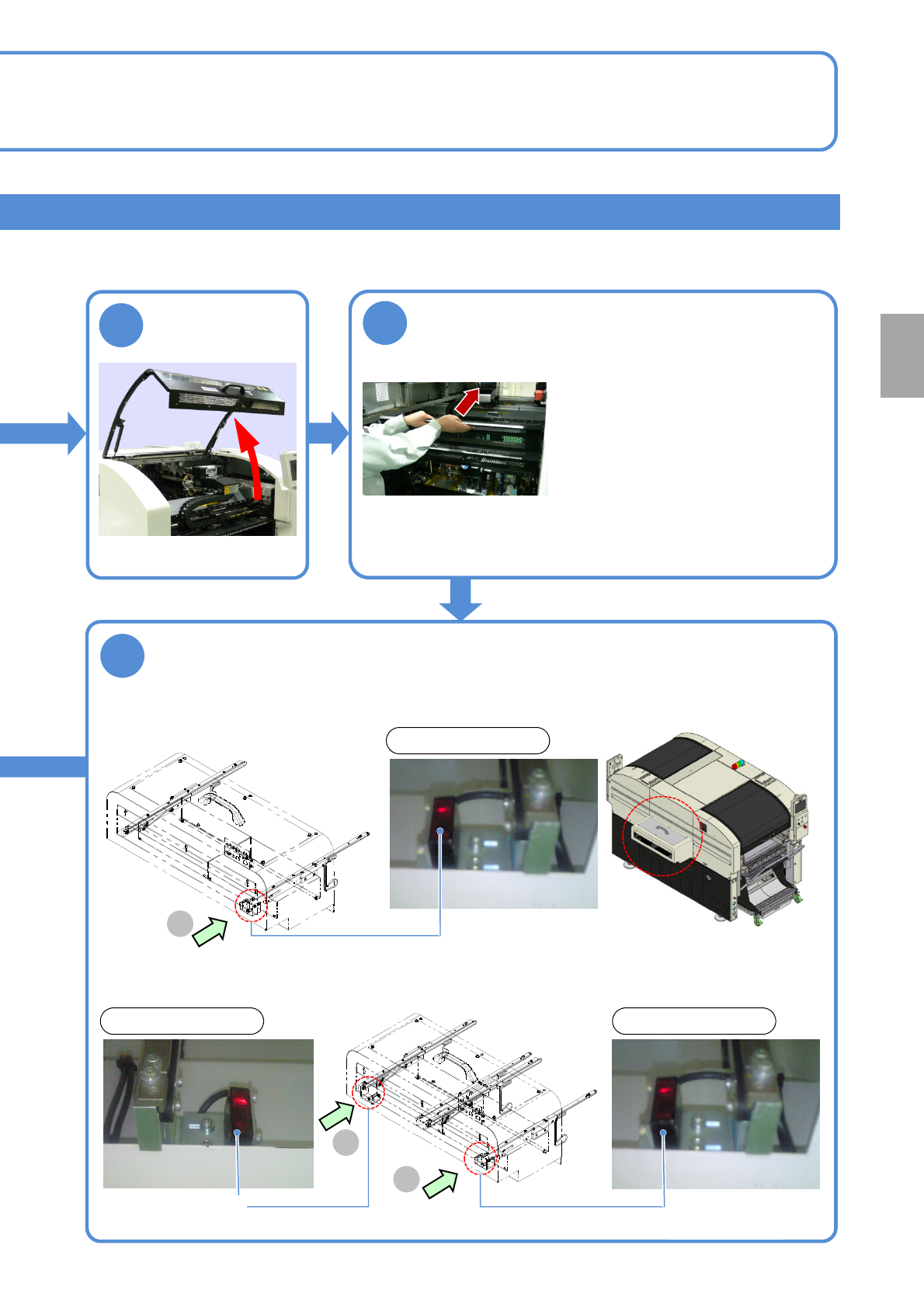
■Sensor position installed to the upstream process of the dual conveyor
Clean the PCB detection sensors using a swab
●Use a swab.
Every
560
hours
PeriodicPeriodicPeriodicPeriodic
inspection
4
5
Hold the feeder table cover to the back
■Sensor position installed to the upstream process of the single conveyor
A
(Reflection type)
PCB detection sensor
View on arrow A
A
B
View on arrow AView on arrow B
(Reflection type)
PCB detection sensor
(Reflection type)
PCB detection sensor
●If it is difficult to perform the work,
remove the feeder table cover.
●Neither lean against the feeder
table cover nor place anything on
it.
NPM-W2 EJM7DE-MB-06M-00
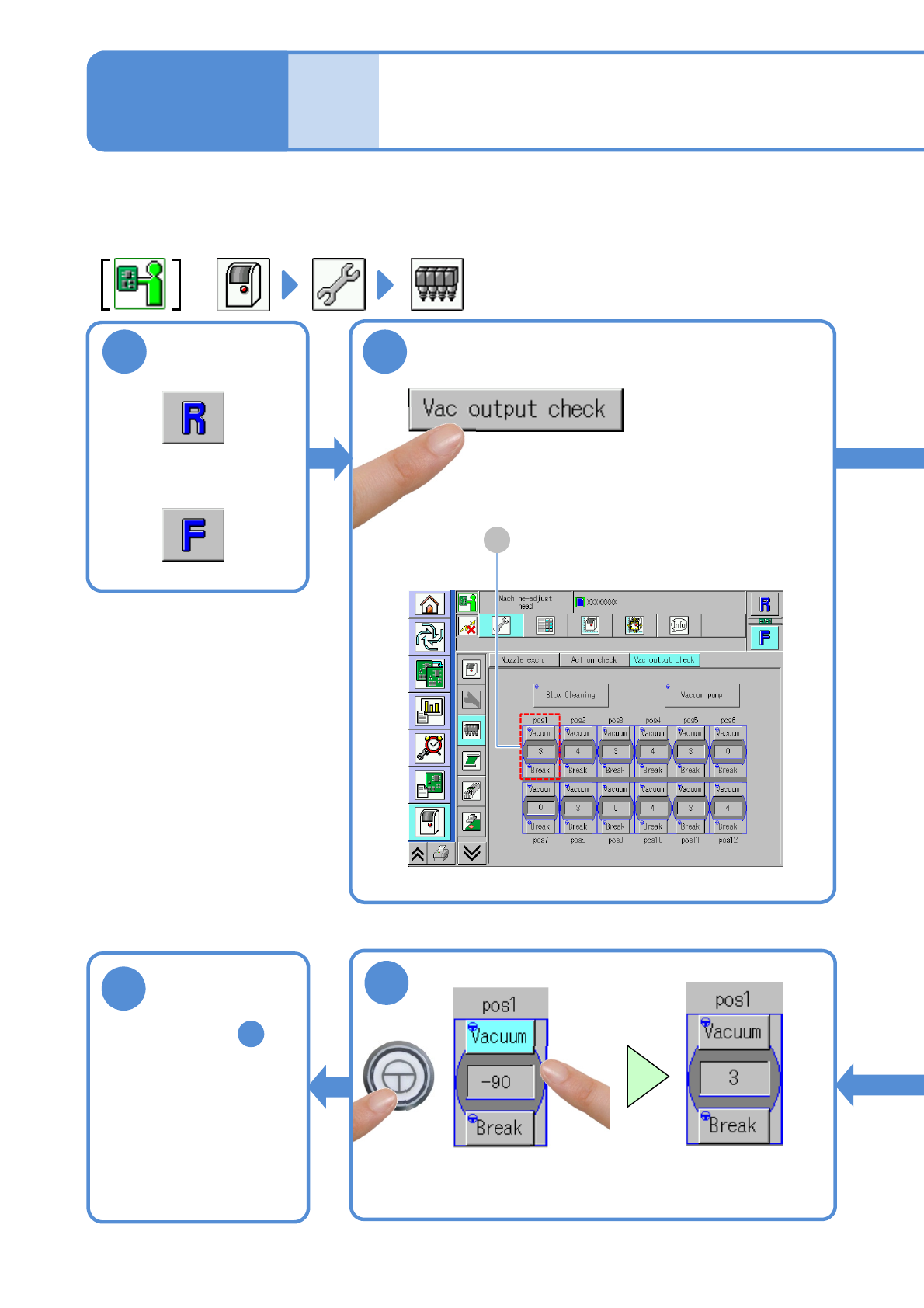
Inspecting the vacuum
air path (placement head(option))
6-10-1
Describes how to inspect the vacuum air path using the 12-nozzle head as an example; however, the same
procedure is also applicable to the light weight 16-and 8-nozzle head.
Tool used: None Time required: 2 minutes (per stage)
Maintenance
6-10
or
A
(The display color changes from
the light blue to the gray, and the
vacuum suction ends)
ENABLING
Return to step
and repeat the same
procedure for each
position (pos)
5
1
2
7
8
NPM-W2 EJM7DE-MB-06M-00
6-10-2
ENABLING
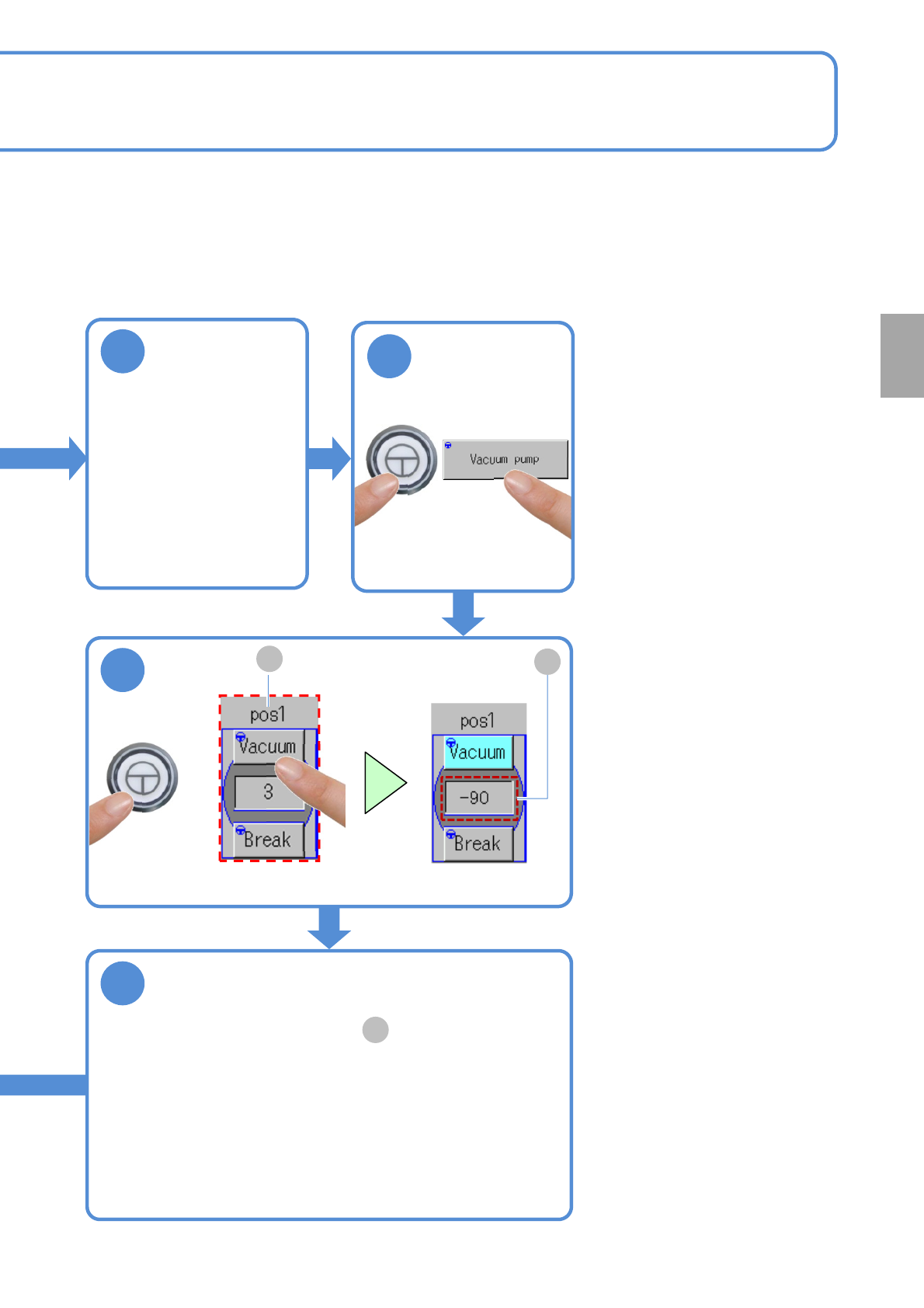
Ensure the [pos1] is within the prescribed
value
●If the display value is not within the prescribed value range,
・Check the supply pressure of the vacuum pump (→P4-1-1)
・Clean the nozzle holders (→P5-2)
●If it still stays out of the prescribed value range, contact us.
●Prescribed value: value in the frame is less than "-85".
B
(The display color changes from gray to light blue,
and the vacuum suction starts)
ENABLING
A
B
Ensure that the
nozzles are
absent from the
head
●Detach if any.
3
4
5
6
Every
560
hours
PeriodicPeriodicPeriodicPeriodic
inspection