N7201A617E00_0317.pdf - 第255页
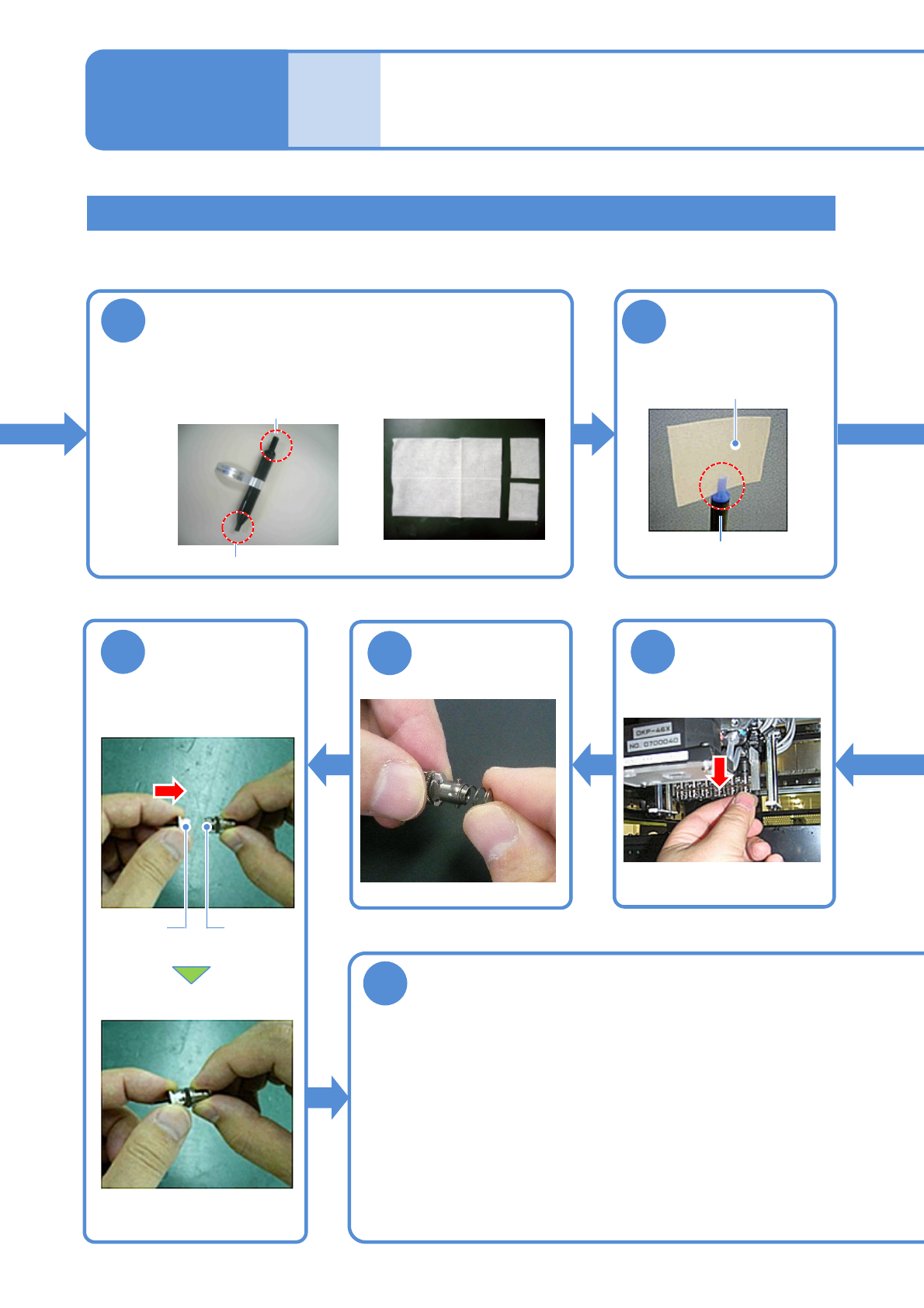
NPM-W 2 EJM7DE-MB-07 M-00 7-1 -8 Attaching the nozzle holder 13 T urn down the end of the cleaning paper ● Use the nozzle holder shaft cleaning tool (option ) . ● Align the groove on the 12- nozzle cleaning side with the…
NPM-W2 EJM7DE-MB-07M-00
Cleaning the nozzle holder shaft
Cleaning the nozzle holder 4
(Light weight 16-/12-/8-nozzle head(option))
Maintenance
7-1
7-1-7
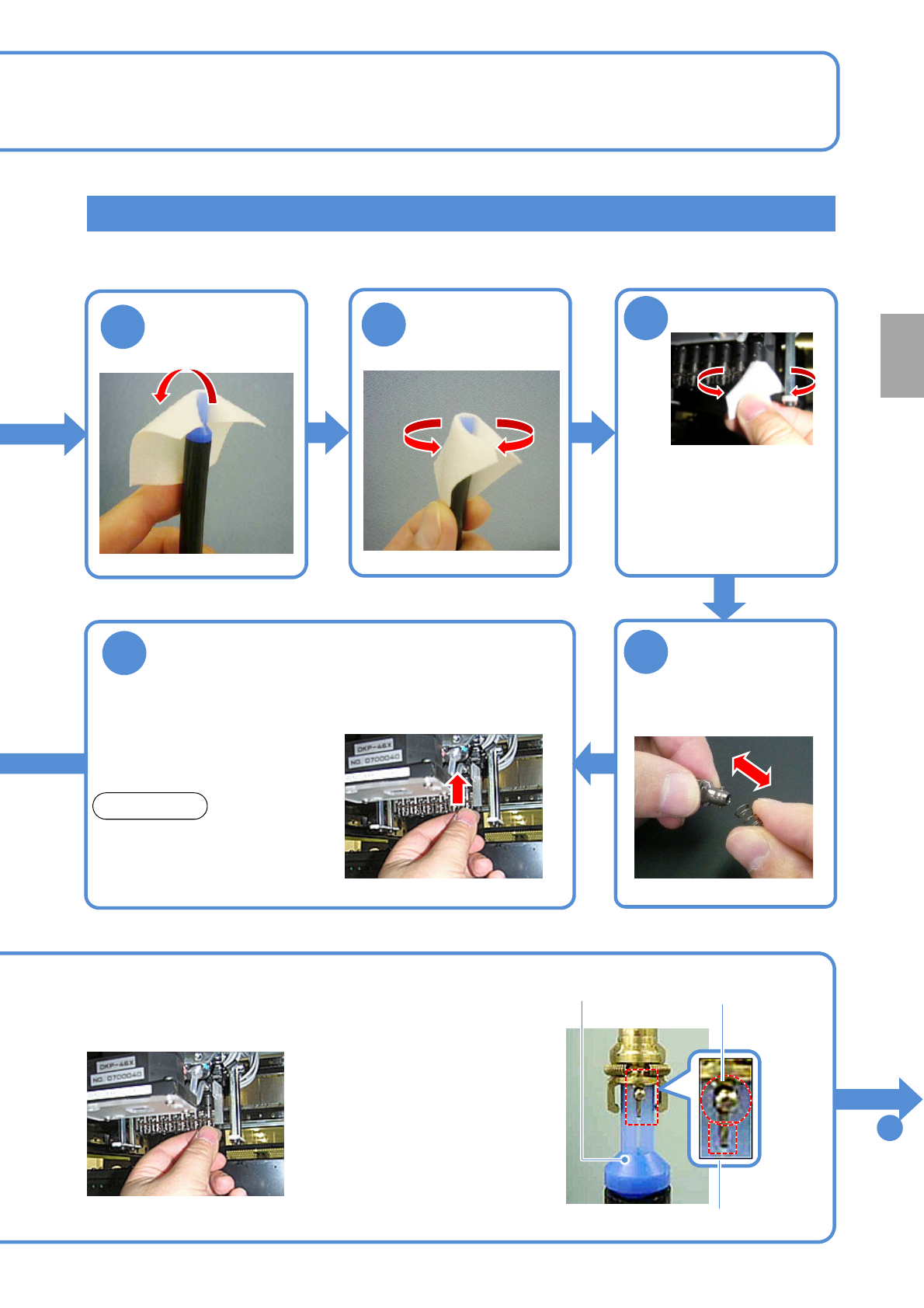
●Turn the nozzle clockwise as viewed from below while pushing
it up.
●Be careful not to let the nozzle cushion use spring pop out.
●The spring for holding clamp claws can be easily deformed so
you should avoid pressing it tightly with your fingers.
●Follow the same procedure to attach all the nozzle holders to
the transfer head.
■With the nozzles attached
10
Prepare for cleaning
■Nozzle-holder shaft
cleaning tool
■Cleaning paper
( Approx. 40 x 50 mm)
φ5: for 8-nozzle head and 12-nozzle head
φ4: for 16 nozzle head
11
Attach the
cleaning paper to
the cleaning tool
φ5: for 8 nozzle head and
12-nozzle head
Cleaning paper
17
Detach the
nozzle holder
18
Attach the
spring
19
Nozzle
holders
Nozzle
Attach the
nozzle (If any)
20
Attach the nozzle holder
NPM-W2 EJM7DE-MB-07M-00
7-1-8
Attaching the nozzle holder
13
Turn down the
end of the
cleaning paper
●Use the nozzle holder shaft
cleaning tool (option).
●Align the groove on the 12-
nozzle cleaning side with the
positioning pin of the nozzle
holder.
●Turn it clockwise as viewed from
below while pushing up the
cleaning tool.
■Without the nozzle
attached
12
15
Remove the
spring
●Push the nozzle holder up with
a finger and make sure that it
does not get stuck, and remove
the finger and make sure it
lowers by its own weight.
16
Attach the nozzle holder
NOTICE
●If the holder gets stuck or does
not lower (→P.7-1
-11 to 12)
Positioning pin
Cleaning tool
To
21
14
Clean the shaft
●Insert the cleaning tool into
the shaft, and turn it in the
direction of nozzle rotation
two to three times.
●Replace the paper when it
becomes dirty.
Every
1000
hours
PeriodicPeriodicPeriodic
inspection
Groove
NPM-W2 EJM7DE-MB-07M-00
7-1-9
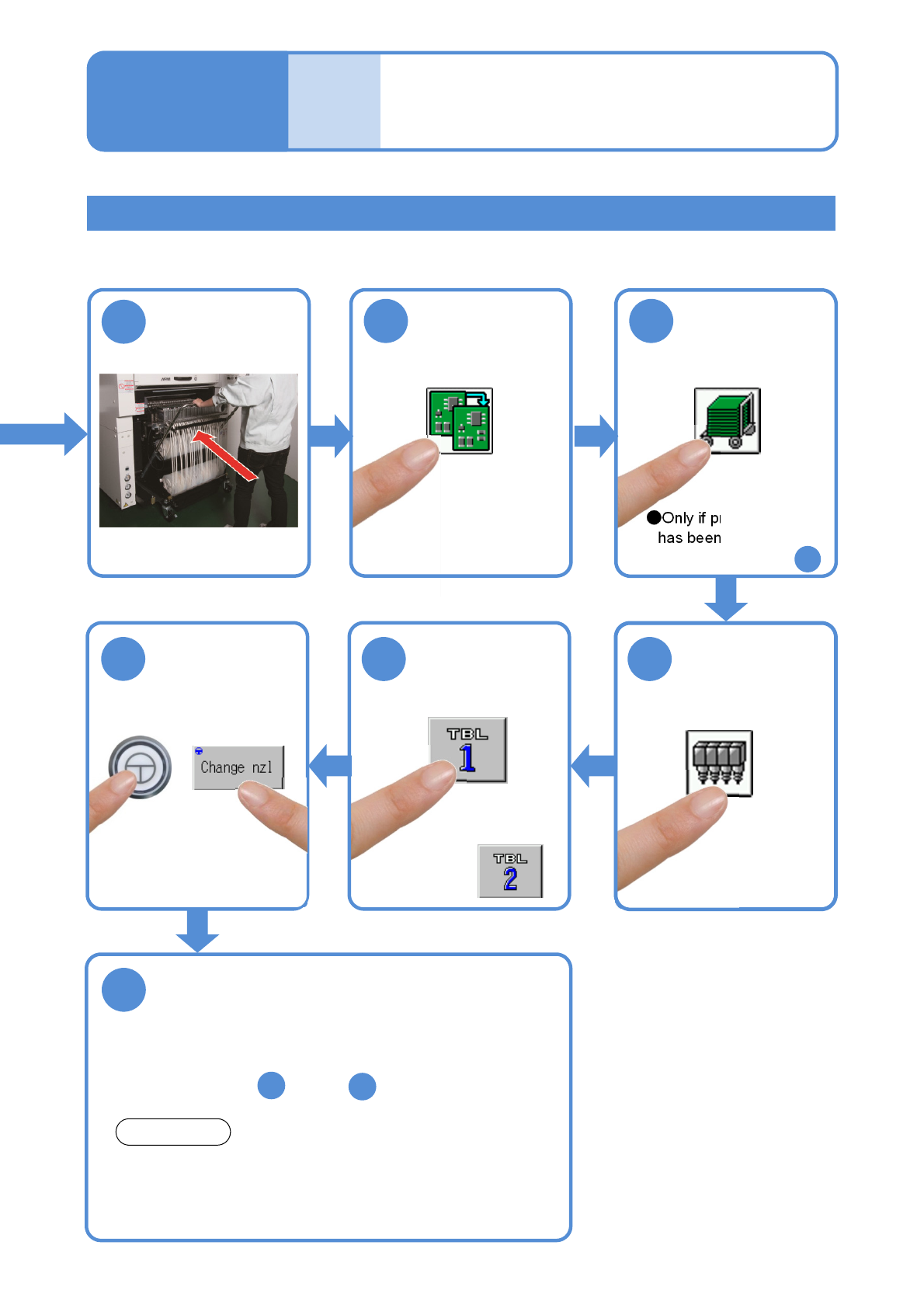
Checking the nozzle arrangement
Cleaning the nozzle holder 5
(Light weight 16-/12-/8-nozzle head(option))
Maintenance
7-1
23
●Only if production data
has been loaded, carry
out operations after
24
22
25
26
27
Check the nozzle arrangement
* The dimensions of nozzle bases are measured in this
operation. Nozzles that have the same dimensions but
differ in nozzle type are not identified. So visually check for
the nozzle type when attaching nozzles.
●Check the screen for the nozzle arrangement of each
nozzle position.
●If the wrong nozzle is set, replace it with the correct one
after the step , and do .
24
21
2
NOTICE
●For the rear,
Attach the
feeder cart
(→P.3-2)
21