N7201A617E00_0317.pdf - 第266页
NPM-W 2 EJM7DE-MB-08 M-00 8-2 -3 Attach the filter 11 Maintenance 8-2 ● Attach the filter to the filter holder, insert the joints into the four fan-installation grooves, and attach the filter holder. Filter holder 12 13 …
NPM-W2 EJM7DE-MB-08M-00
3
4
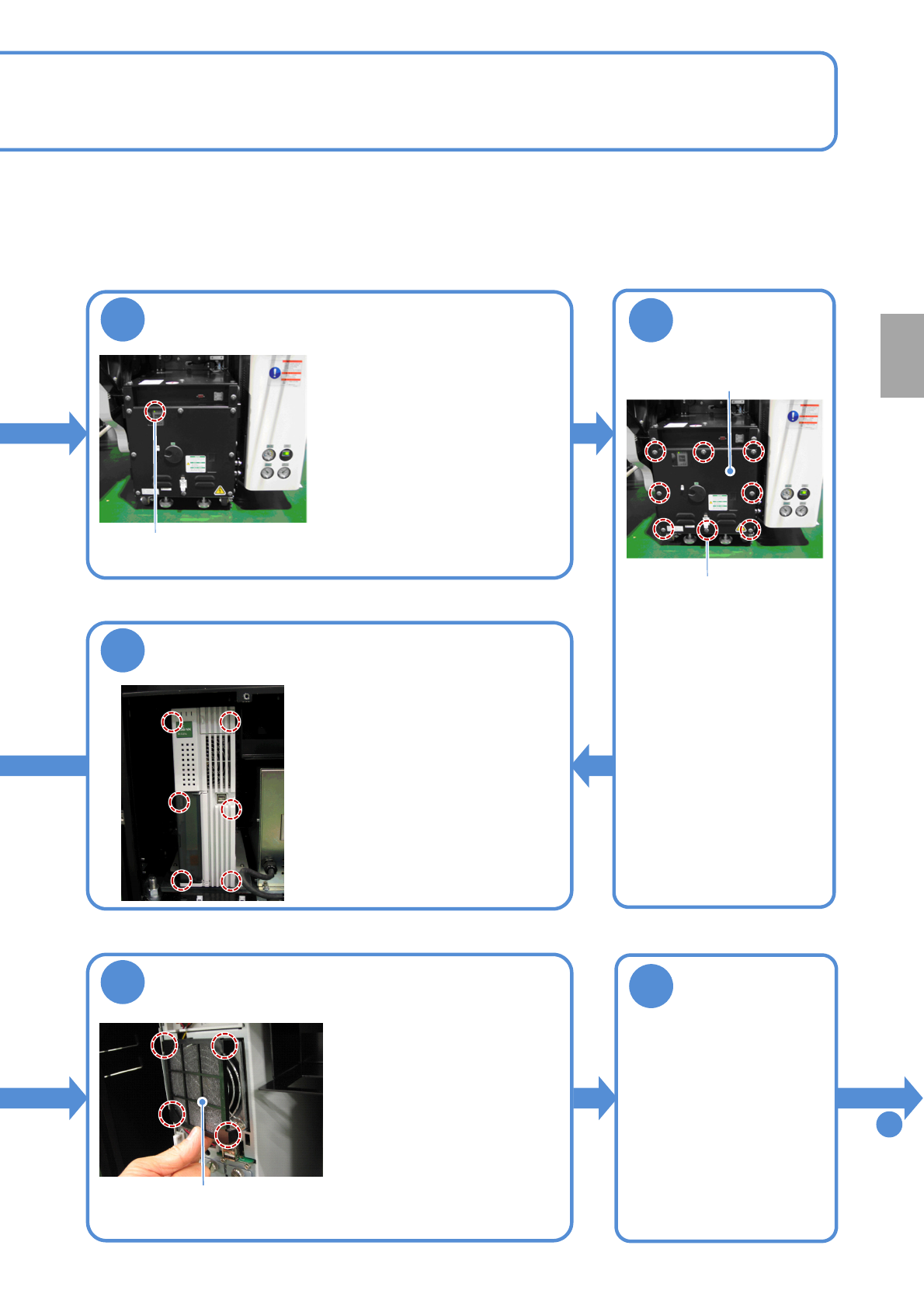
Confirm that the UPS has stopped
●Confirm that the UPS of the FA
computer in the inspection box
has stopped.
●Confirm that the power lamp of
the FA computer turns off.
Even if it is turned ON, in about
one minutes after the power
supply switch of the machine is
turned OFF, the UPS stops and
the power lamp goes out.
Power lamp
Remove the front
cover of the
inspection box
●Open the front cover of
the inspection box with
an Allen wrench.
●The front cover is
secured with eight
screws.
Fixing screw
Front cover
5
Remove the cover of the FA computer
●The cover is secured with six
claws (inside the cover) on the
right and the left side.
9
Remove a filter
●Remove the joints (at
dashed circles) of filter
holder from the four fan-
installation grooves, and
remove the filter holder.
●Remove the filter held by
the filter holder.
Filter holder
Clean the filter
10
●Remove dust with a
vacuum cleaner.
To
11
8-2-2
Every
3000
hours
PeriodicPeriodicPeriodicPeriodicPeriodic
inspection
NPM-W2 EJM7DE-MB-08M-00
8-2-3
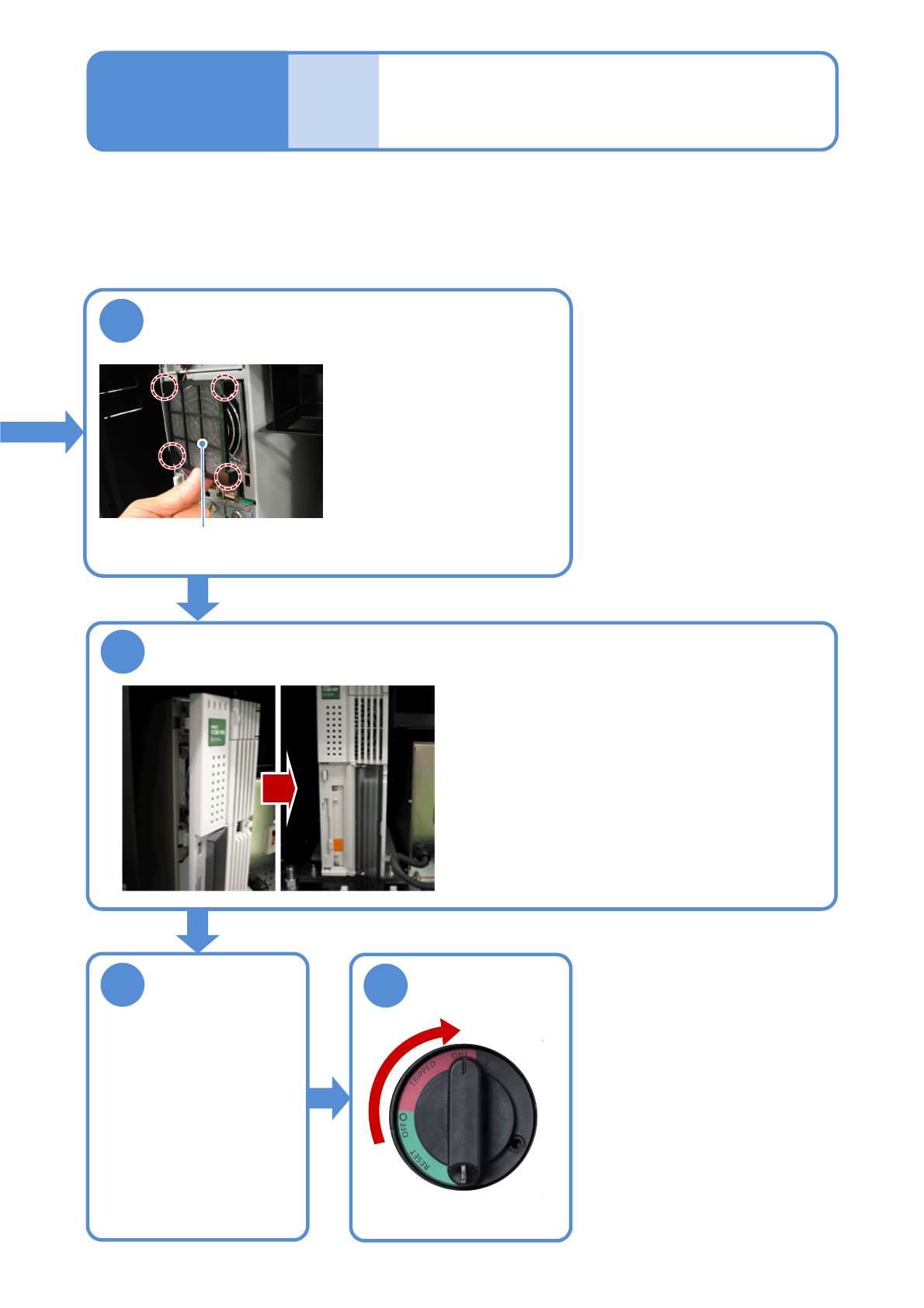
Attach the filter
11
Maintenance
8-2
●Attach the filter to the filter
holder, insert the joints into
the four fan-installation
grooves, and attach the
filter holder.
Filter holder
12
13
14
ON
Attach the cover of the FA computer
●Align the three right claws of the cover with the
appropriate positions on the case, align the three
left claws in the same way, and finally press in the
entire cover.
Attach the front
cover of the
inspection box
●Attach the front cover of
the inspection BOX with
an Allen wrench.
●Secure the front cover
with eight screws.
Cleaning the filter of
the FA computer 2
(inspection box(option))

NPM-W2 EJM7DE-MB-08M-00
8-2-4
Every
3000
hours
PeriodicPeriodicPeriodicPeriodicPeriodic
inspection