N7201A617E00_0317.pdf - 第300页
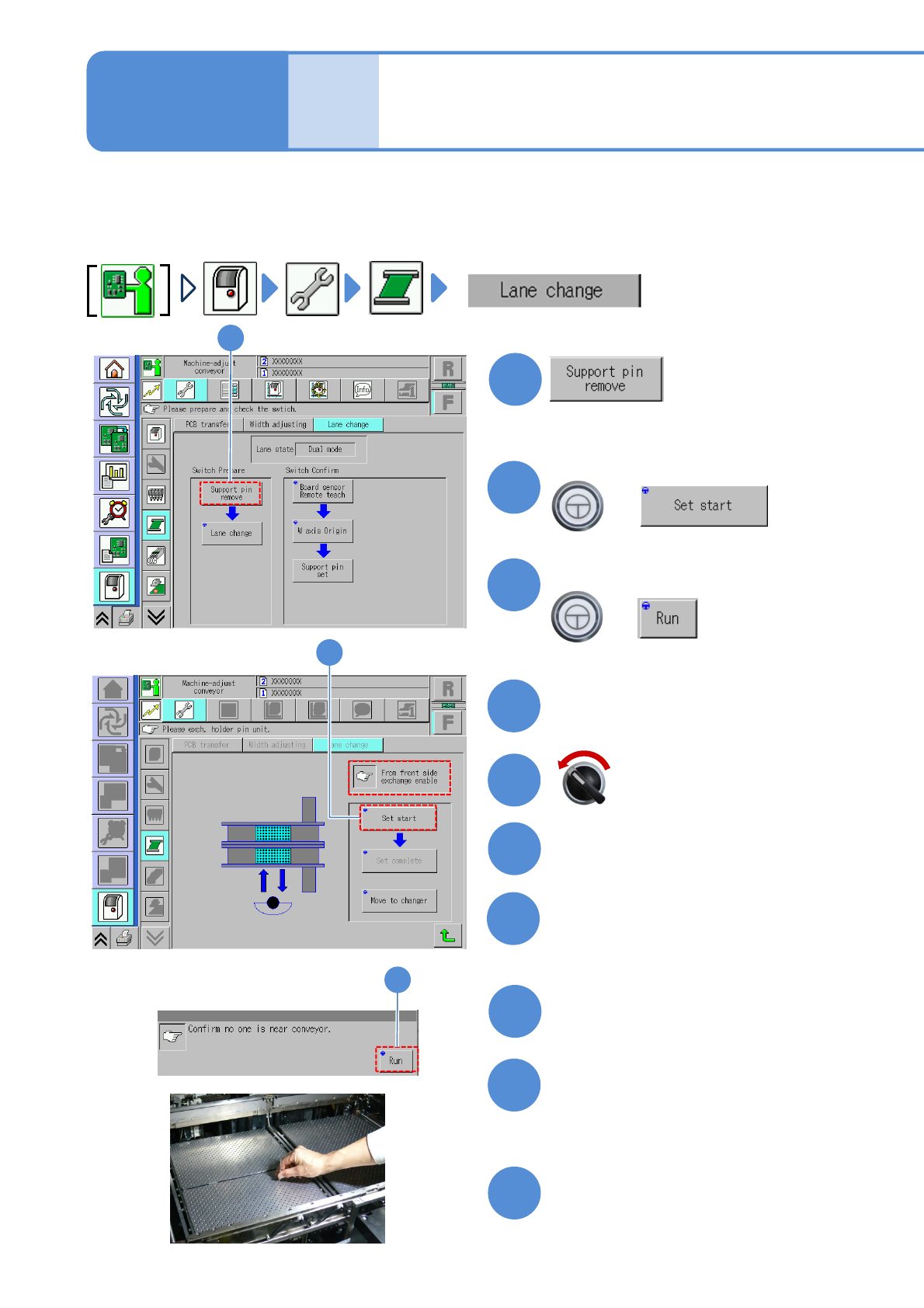
NPM-W 2 EJM7DE-MB-11 M-00 1 1-3-1 -1 1 1 3 + (The PCB-support block goe s up so that you can remove now) (The me ssage of r emoving the su pport pin unit is displayed) 4 8 Detach the feeder cart Confirm the message 2 3 +…
NPM-W2 EJM7DE-MB-11M-00
11-2
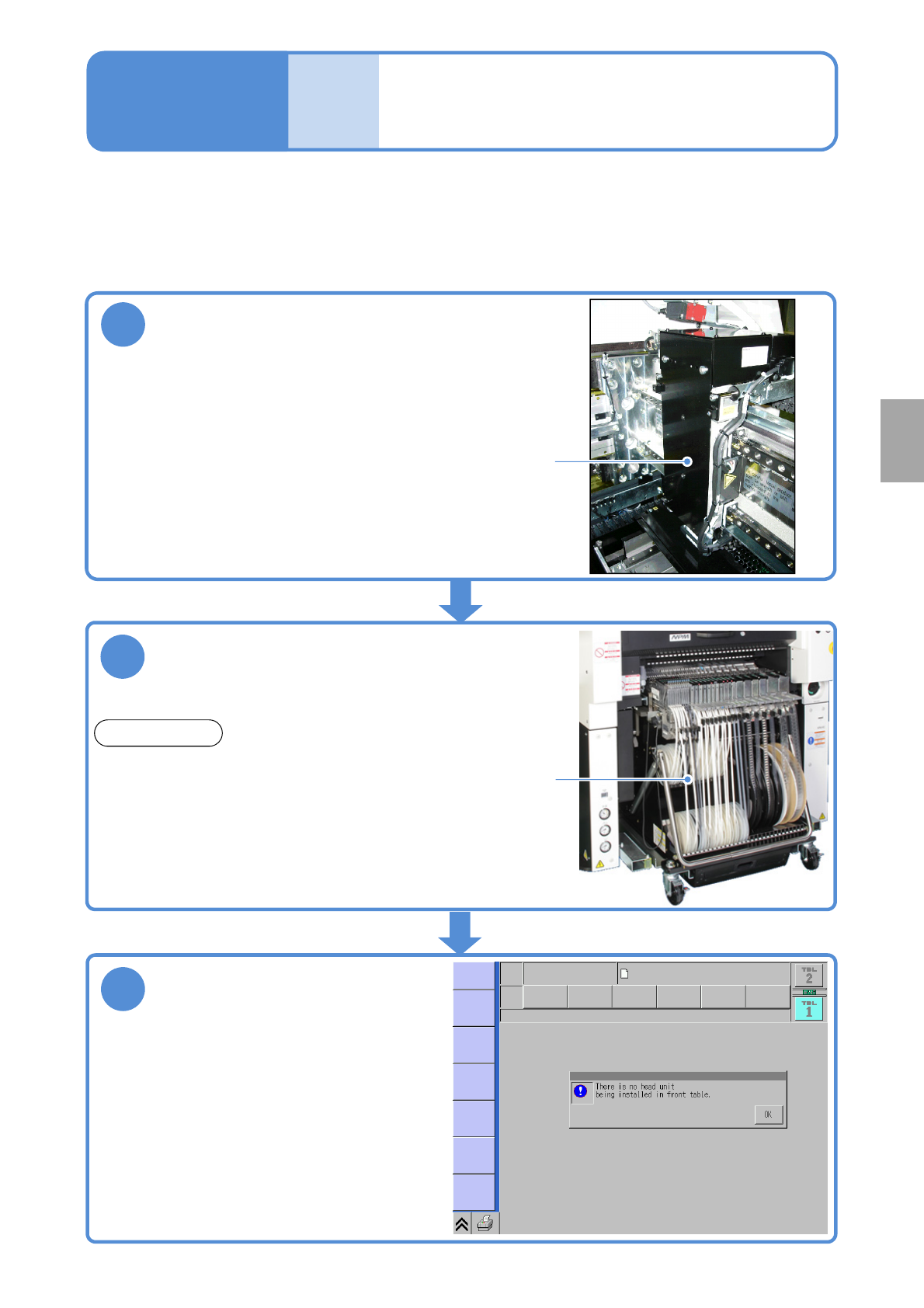
This is a function used when a head is attached to single axis on the machine or no head is attached on both
sides and a PCB being transported passes through. For how to install the attachment without head, see Head
and nozzle changer replacement (→P.11-1)
Maintenance
11-2
2
Install a feeder cart
Attachment without
head
●Machine will not operate unless installed.
1
Install the attachment without head to the
axis which does not install the head
Attachment
without head
■Machine conditions when this function is used
●Machine will not operate unless installed.
3
Power ON
●Make sure that the screen on the right appears
after turning ON the power.
(The screen indicates for the front head.)
Feeder
cart
REFERENCE
The safety cover (option) can be used instead of a
feeder cart.
Replacement
NPM-W2 EJM7DE-MB-11M-00
11-3-1-1
1
1
3
+
(The PCB-support block goes up so
that you can remove now)
(The message of removing the support
pin unit is displayed)
4
8
Detach the feeder cart
Confirm the message
2
3
+
(→P.3-2)
Cover the multi-recognition
camera with a cloth
10
2
Confirm the message
6
5
Servo switch OFF
Open the safety cover
7
9
Mode
switch
Maintenance
11-3-1
Switching to the single
lane mode
Remove the PCB-support plate
●It will keep foreign bodies from entering
the camera lens during the work.
●Be careful not to drop foreign bodies on
the multi-recognition camera (LED
lighting) or bump it.
When the machine specification is dual conveyor, switching the mode allows you to use the machine either for
single conveyor or dual conveyor.
●Follow the procedure below for switching. In this case, we explain to switch from dual conveyor to single
conveyor. Take the same procedure for switching from single lane mode to dual lane mode.
Replace the PCB-support block
(→P.5-3-2)
Fold the feeder table cover to the
back
NPM-W2 EJM7DE-MB-11M-00
11-3-1-2
15
16
+
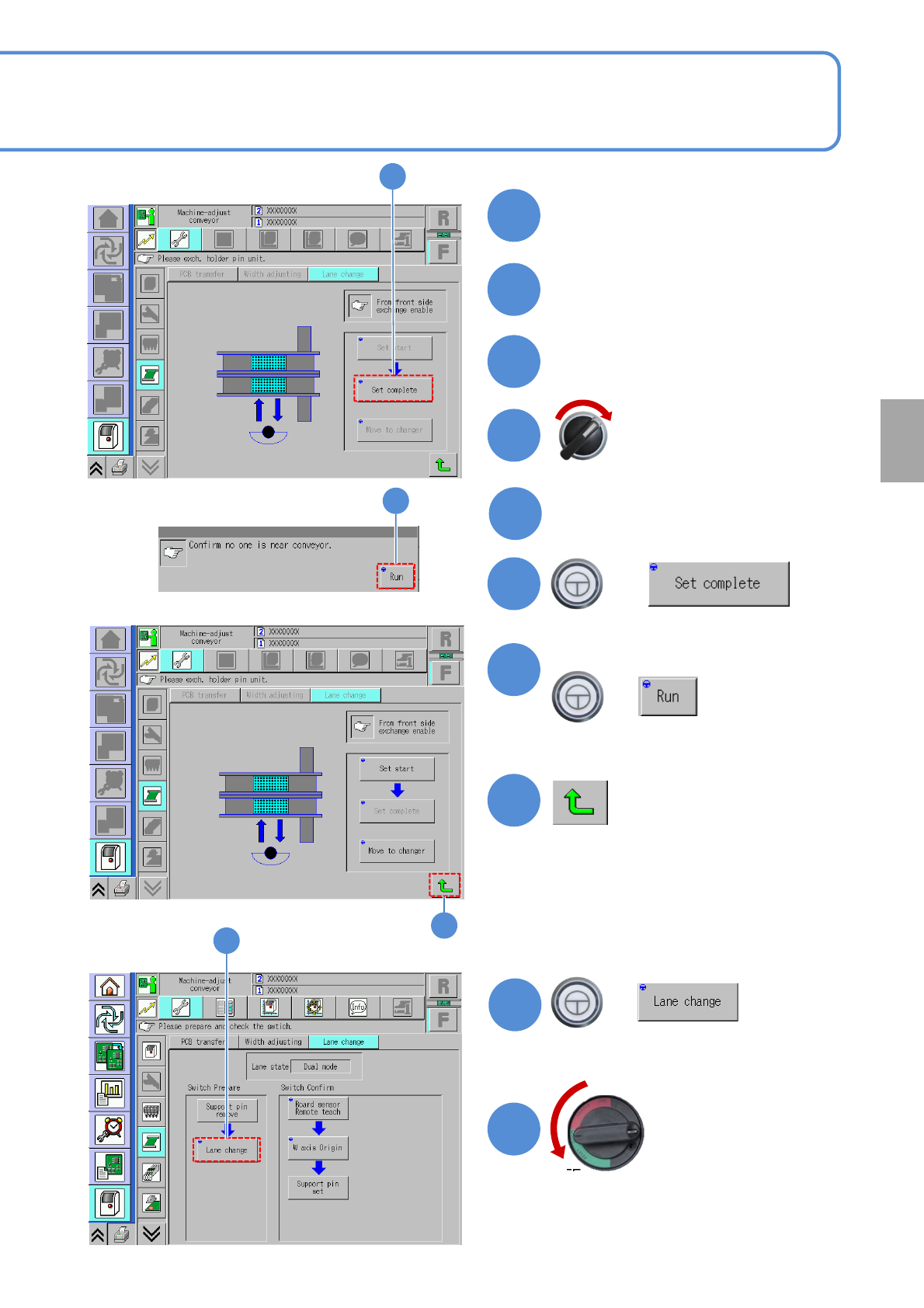
(The PCB-support block goes down)
19
Confirm the message
17
17
20
16
+
(Returns to the lane switch screen)
19
+
(The message whether or not to shut
down the power is displayed)
18
14
Attach the feeder cart
(→P.3-2)
Servo switch ON
Close the safety cover
OFF
Turn OFF the main
power switch
11
12
13
Replacement
18
Remove the cloth with which
the multi-recognition camera
was covered
Return the feeder table cover
back