N7201A617E00_0317.pdf - 第311页
NPM-W 2 EJM7DE-MB-12M-00 12-2 -2 Hook a new belt ● Loosen screws of the tension pulley in advance. (One on each rail) 9 To Consumable parts replacement 8 ● About the front and rear sides of the belt Front side: No letter…
NPM-W2 EJM7DE-MB-12M-00
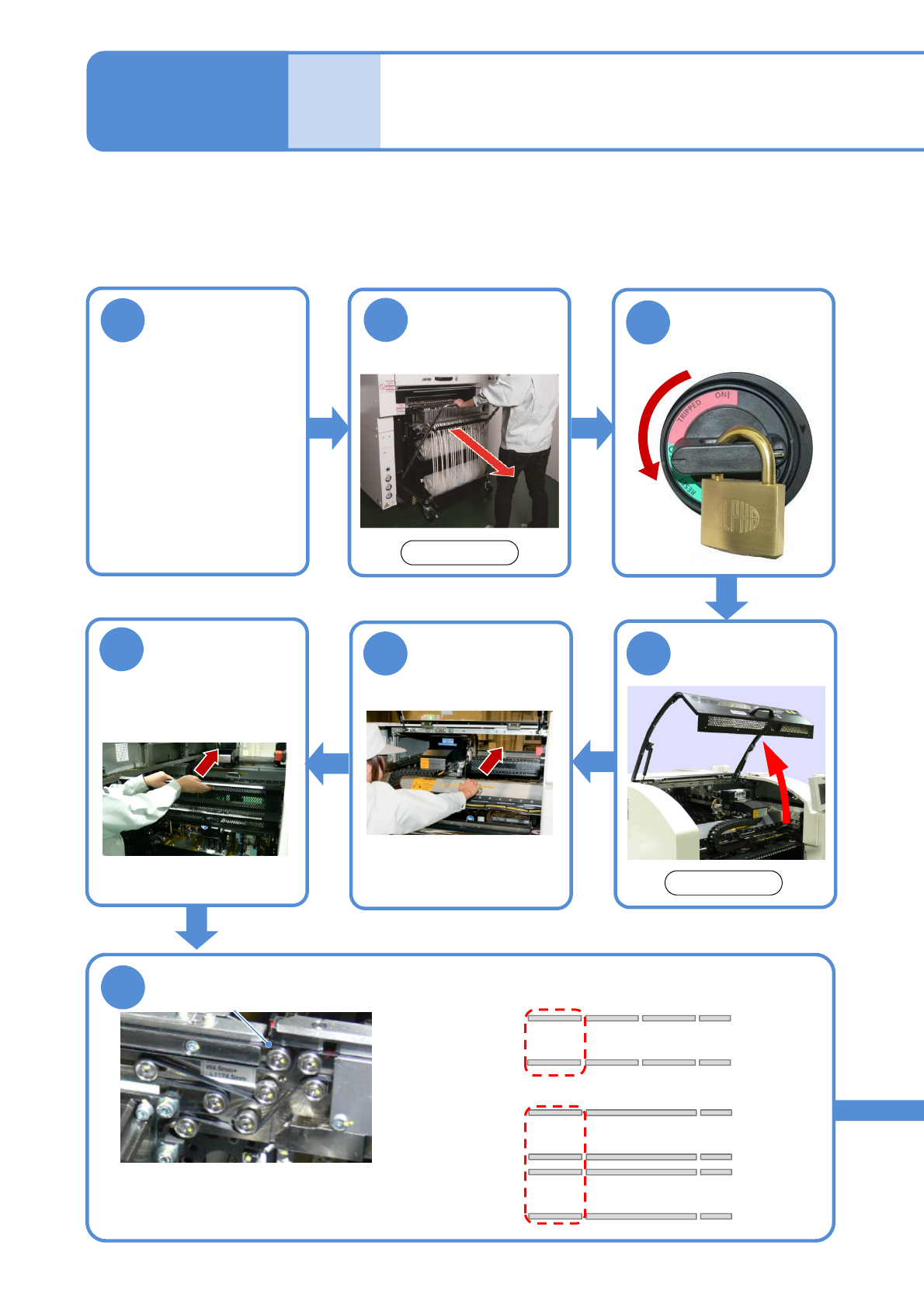
Replacing the PCB transfer
belt of the extension
conveyor (Option) 1
12-2-1
1
Detach the
feeder cart
(→P.3-2)
2
Set the conveyor
width to 150 mm
(To improve
workability)
Taking the front side as an example, the exchange method when the extension conveyor is equipped to the
downstream process is described here.
Tool used: Allen wrench (2 mm) Time required: 30 to 60 minutes
●If the transfer base is Front fixed, replace it at the front, and, for Rear fixed, at the rear after removing the
tray feeder. (→P.14-8)
Maintenance
12-2
4
3
Turn OFF the
power and lock
the machine
OFF
45
6
Remove the
feeder table
cover
(→P.3-3)
7
Remove the belt
●Remove it, pulling out towards you.
●If disposing of the belt, you may cut it
with a wire cutter or nippers to remove.
Movable side
Fixed side
■single conveyor: 2 belts
■Dual conveyor: 4 belts (one on each lane)
Movable side
Fixed side
Movable side
Fixed side
Lane 1
Lane 2
Belt
Push the X-axis
inward
Front side
Front side
(→[Operating
Procedure] P. 2-5-4)
NPM-W2 EJM7DE-MB-12M-00
12-2-2
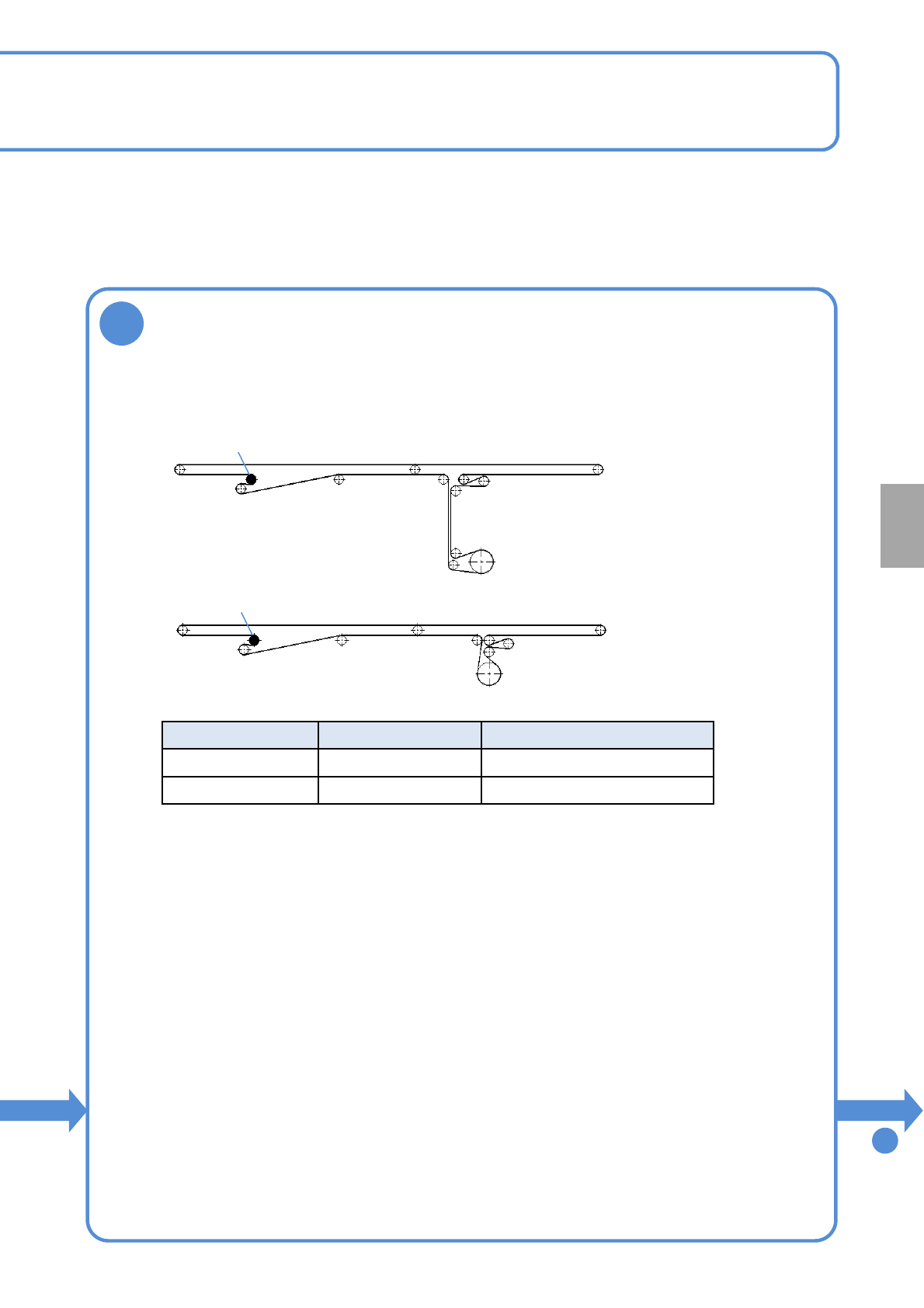
Hook a new belt
●Loosen screws of the tension pulley in advance. (One on each rail)
9
To
Consumable parts
replacement
8
●About the front and rear sides of the belt
Front side: No letter printed
Rear side: Letters are printed
●Install the belt so the belt front side shall be the PCB transfer side.
Type Belt length [mm] Product No.
Fixed rail 1602 N510064634AA
Movable rail 1394 MTMK000184AA
●Fixed rail
●Movable rail
Tension pulley
Tension pulley
■Single conveyor (one each), Dual conveyor (two each)
NPM-W2 EJM7DE-MB-12M-00
12-2-3
9
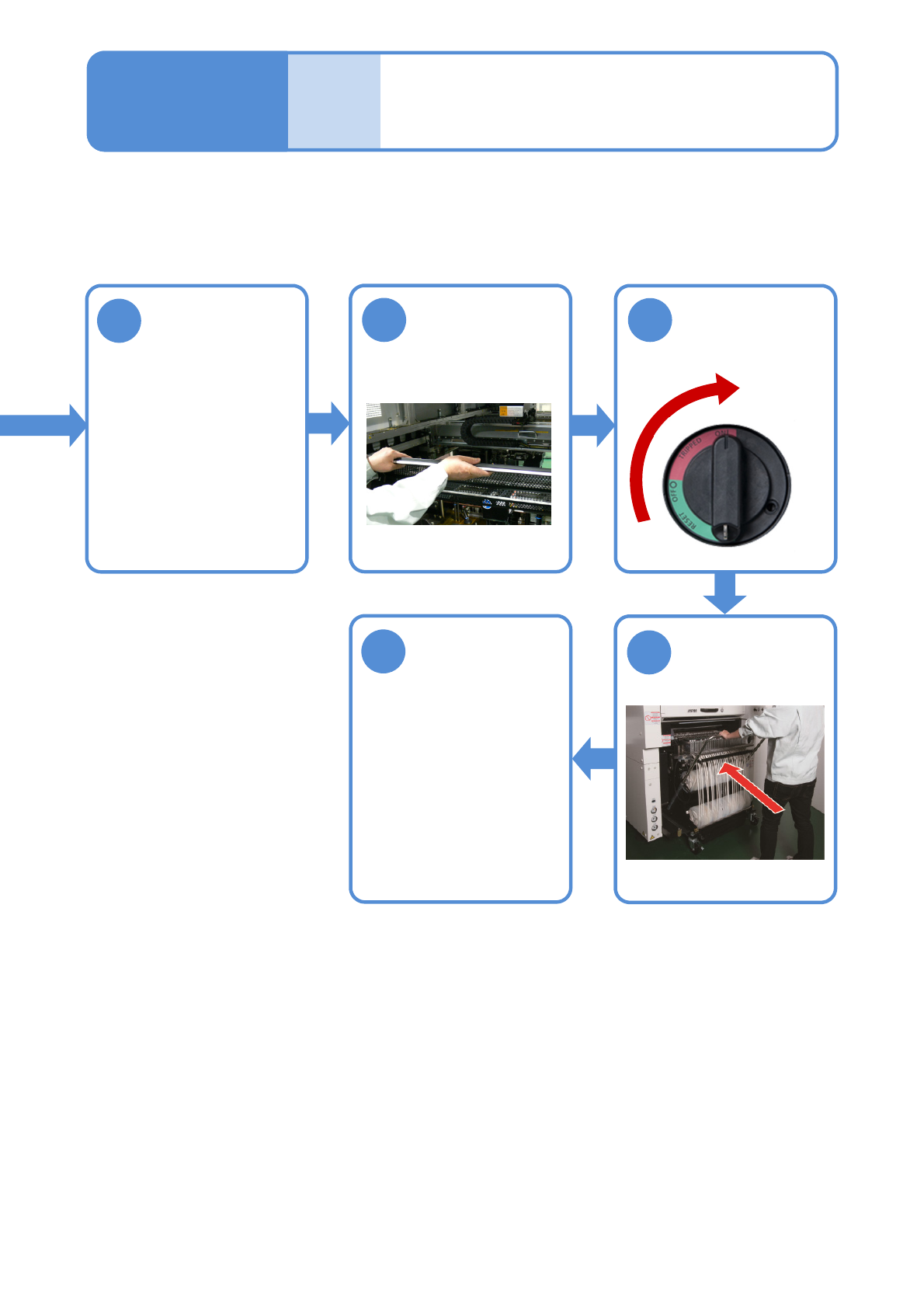
Adjust the belt
tension
(→P.6-5)
10
Place the feeder
table cover
(→P.3-3)
11
Attach the feeder
cart (→P.3-2)
12
13
Check the PCB
transfer
Maintenance
12-2
Replacing the PCB transfer
belt of the extension
conveyor (Option) 2
Unlock the
machine and
ON
(→[Operating Procedure]
P.5-2-8)