N7201A617E00_0317.pdf - 第317页
NPM-W 2 EJM7DE-MB-12M-00 12-3 -4 CPU board battery ● Even though the C PU bo ard battery has life expectancy of over 40 year s under no rmal use, if voltage dro ps within th e normal us age period, please c ontact us.
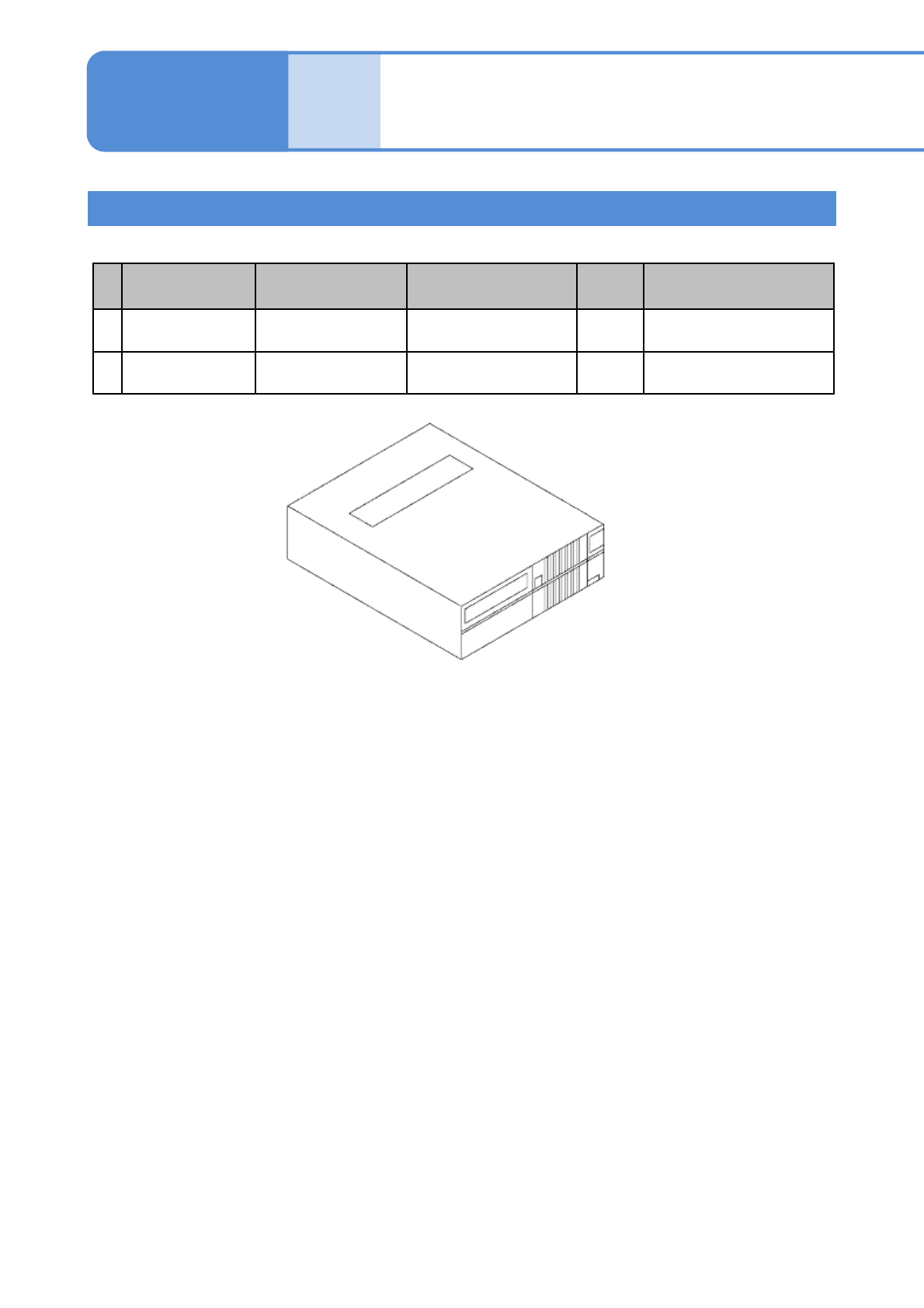
NPM-W2 EJM7DE-MB-12M-00
Replacing the
batteries 2
Maintenance
12-3
Battery locations and information 2
■LNB
No. Location Model No. (battery) Type (battery) Life
When the voltage
decreases
1
FA computer:
Calendar battery
— — 10 years
Warning message is
displayed on the monitor
2
FA computer:
UPS battery
N510069573AA FC-BP003 3 years
Warning message is
displayed on the monitor
12-3-3

NPM-W2 EJM7DE-MB-12M-00
12-3-4
CPU board battery
●Even though the CPU board battery has life expectancy of over 40 years under normal use, if voltage drops
within the normal usage period, please contact us.
NPM-W2 EJM7DE-MB-12M-00
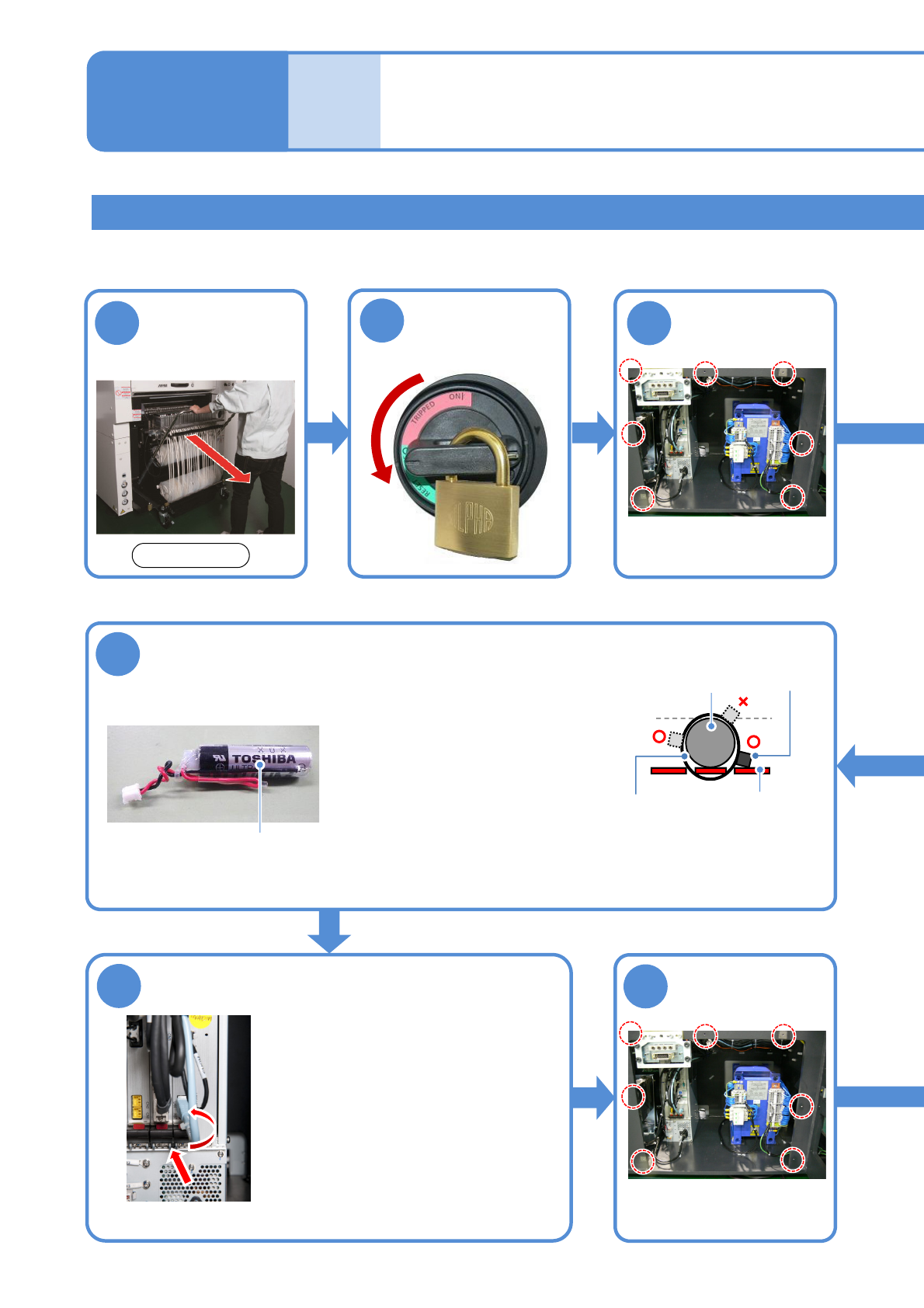
Detach the feeder
cart
(→P.3-2)
Replacing the NCIO board battery
Replacing the
batteries 3
7
Tool used: Phillips screwdriver , Allen wrench (4 mm) Time required: 30 minutes
●Please replace the battery within two hours.
●Slide the board onto the guide
and pull up the top and bottom
levers inwards to set it.
●Connect the cable.
●Screw (2 pcs) tightening torque:
240 ±20 cN·m
6
Replace the
battery with a
new one
Install the NCIO
board
●Use N610156136AA or
equivalent as a replacement
battery.
●Secure the new battery to the
board using two tie wraps
(2.5 mm or less in width, and
UL94V-0 rated (flameproof)
or equivalent).
●Connect the connector
Battery
3
●Screws(7)
1
12-3-5
Remove the
cover
8
●Screws (7)
Attach the cover
2
Turn OFF the
power and lock
the machine
OFF
Maintenance
12-3
Front side
■Connection cross-section
Tie wrap NCIO board
Battery
Tied part
●When you tie the battery, the tied part of the tie wraps should
not be higher than the battery.
●After tied, trim the excess tie wrap with a nippers.