N7201A617E00_0317.pdf - 第320页
NPM-W 2 EJM7DE-MB-12 M-00 12-3 -7 Replacing the batteries for the jig station 2 1 ■ Front face ■ Rear face 3 ● Replace all 8 AA size batteries (4 batteries x 2 boxes) ● Be careful of the (+) and (-) marks inside the batt…
NPM-W2 EJM7DE-MB-12M-00
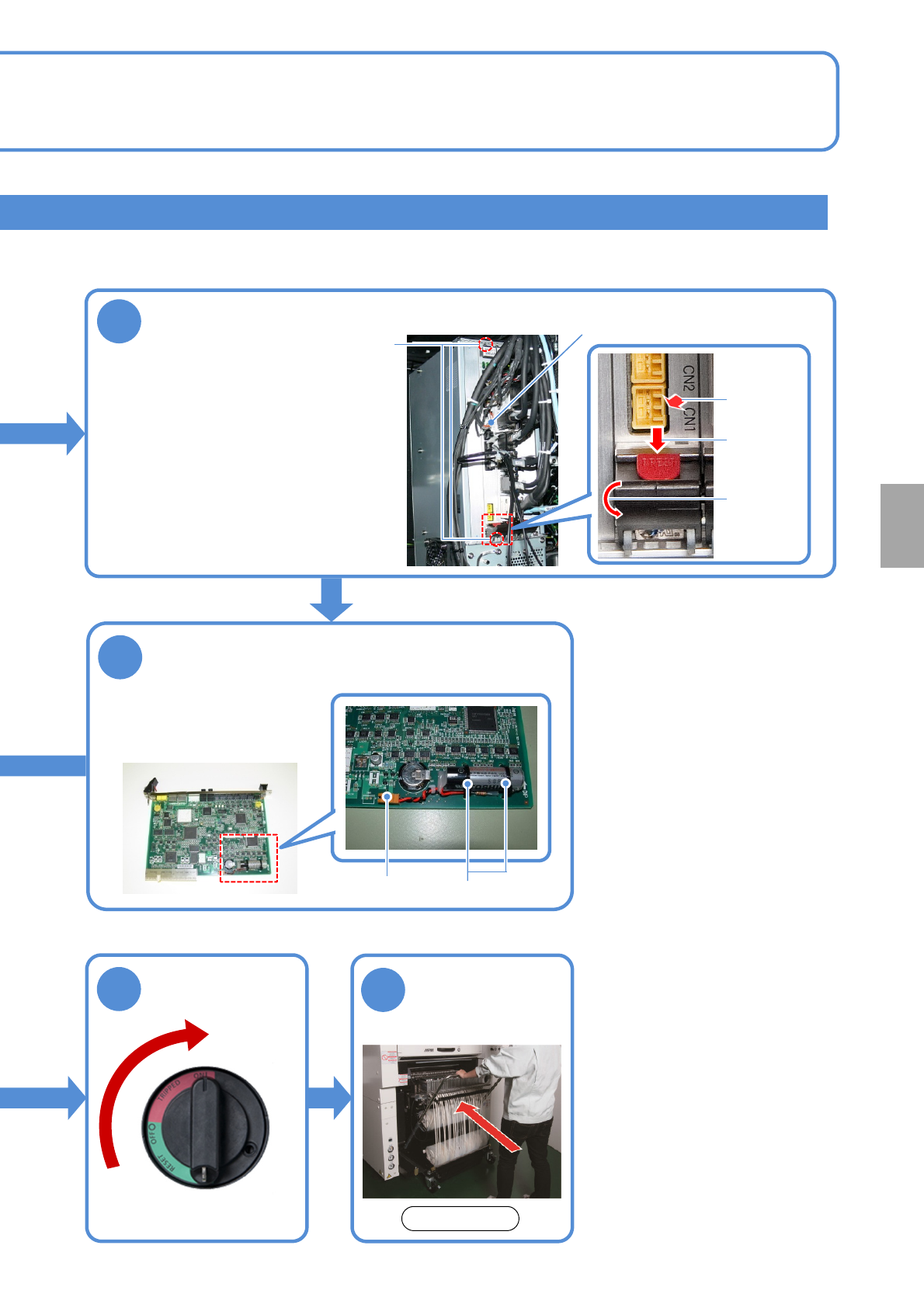
NCIO board
4
●Disconnect the cable.
●Loosen the screws securing
the NCIO board.
●Pull out the board while
holding down the red lock
release buttons (PRESS) of
the levers at the top and the
bottom of the board and
moving the lever down.
Remove the NCIO board
12-3-6
Attach the feeder
cart (→P.3-2)
10
Screws (2)
9
5
Remove the battery case
●Disconnect the battery
connector.
●Cut the tie wraps (2) to
remove the battery.
Tie wraps
Connector
Press
Move the
lever down
Pull out the
board
Unlock the
machine and
ON
Consumable parts
replacement
Front side
NPM-W2 EJM7DE-MB-12M-00
12-3-7
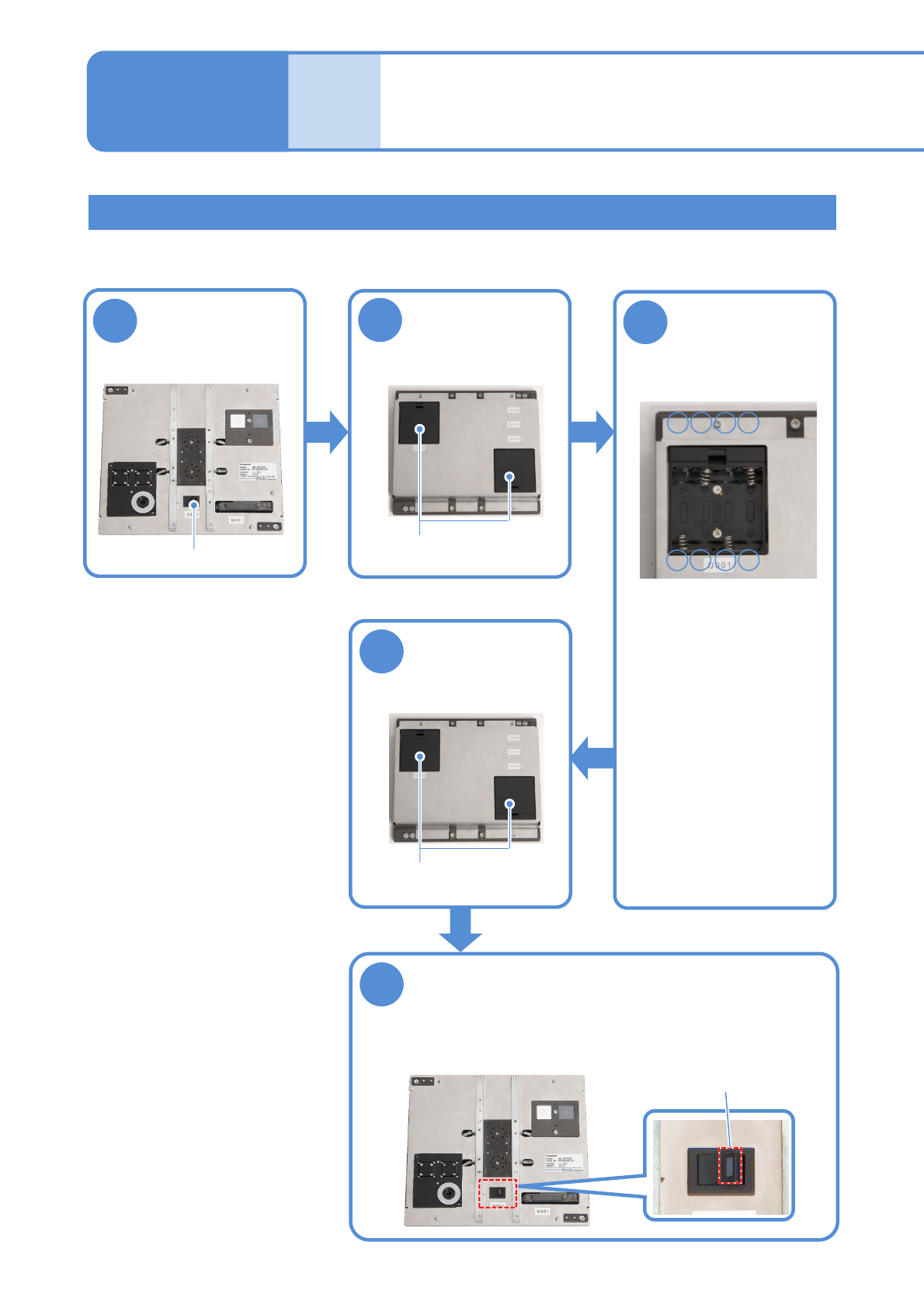
Replacing the batteries for the jig station
2
1
■Front face
■Rear face
3
●Replace all 8 AA size
batteries (4 batteries x 2
boxes)
●Be careful of the (+) and
(-) marks inside the
battery box when
replacing the batteries.
5
4
●Ensure that the LED lamp for the
power supply switch illuminates.
■Front face
Turn OFF the
power supply
switch
Open the battery
box covers
Replace the
batteries with
new ones
Close the battery
box covers
Turn ON the power supply switch
Time required: 2 minutes
Battery boxes
-+-
■Inside of the battery box
+
+--+
■Rear face
Battery boxes
Replacing the
batteries 4
Power supply switch
LED lamp
Maintenance
12-3
NPM-W2 EJM7DE-MB-12M-00
12-3-8
Replacing the calendar backup battery of the FA computer in the
inspection box
●Replacement of the calendar backup battery requires BIOS setting which should be carried out
by personnel with specialized expertise. Contact our service representative.
Replacing the UPS battery of the FA computer in the inspection box
●If a battery is used beyond its service life, the production information in the hard disk may be lost
or the hard disk may be damaged when power failure has occurred.
2
1
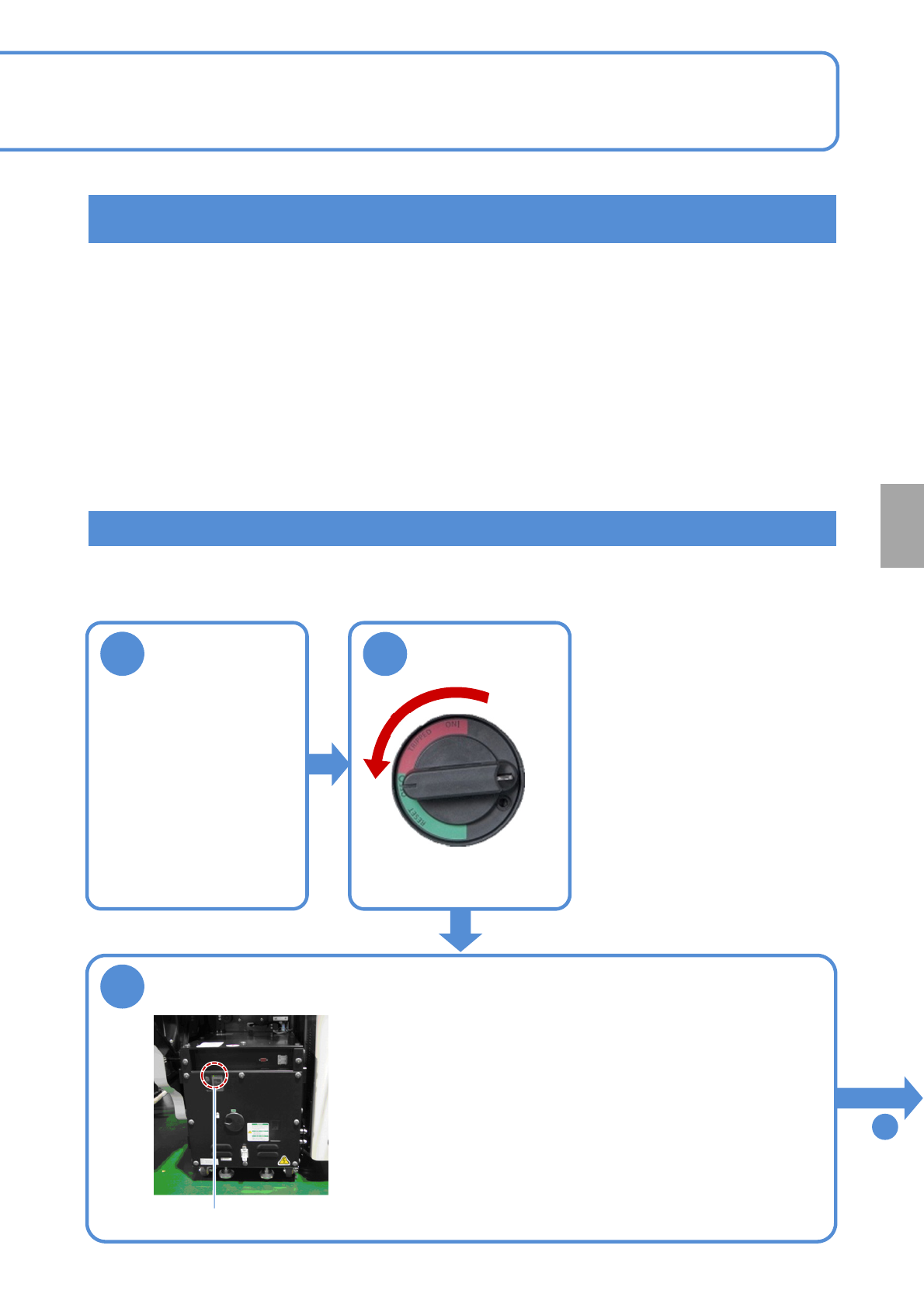
Shut down the
inspection box
3
Make sure that the UPS has stopped
●Make sure that the UPS of the FA computer in the inspection
box has stopped.
●Make sure that the power lamp on the FA computer is turned
OFF.
Even if it is turned ON, in about one minute after the power
supply switch of the machine is turned OFF, the UPS stops and
the power lamp goes out.
Power lamp
To
4
Consumable parts
replacement
OFF