N7201A617E00_0317.pdf - 第322页
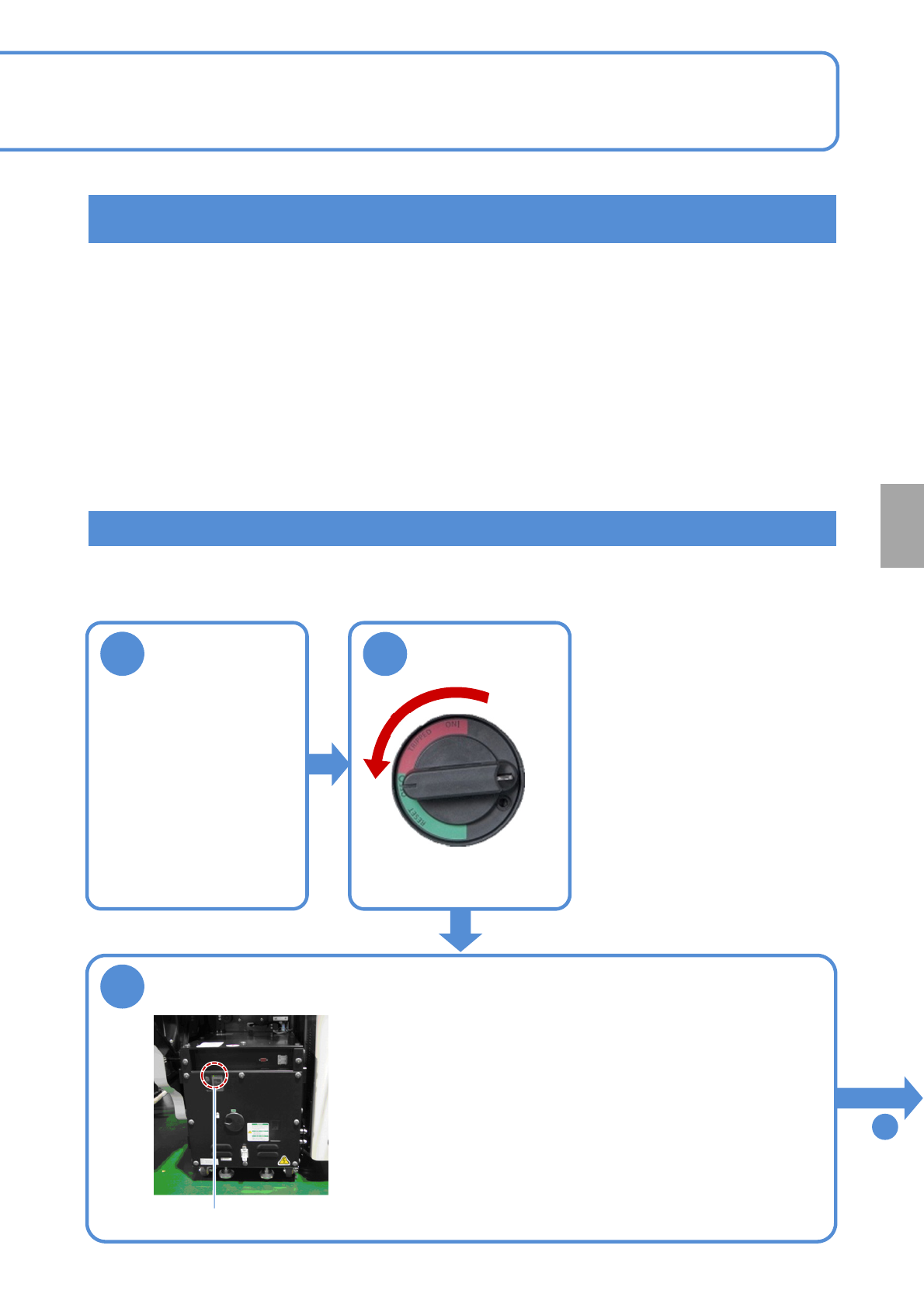
NPM-W 2 EJM7DE-MB-12 M-00 12-3 -9 Maintenance 12-3 4 Remove the front cover of the inspection box ● Open the front cover of the inspection BOX with an Allen wrench. The front cover is secured with eight screws. Front cov…
NPM-W2 EJM7DE-MB-12M-00
12-3-8
Replacing the calendar backup battery of the FA computer in the
inspection box
●Replacement of the calendar backup battery requires BIOS setting which should be carried out
by personnel with specialized expertise. Contact our service representative.
Replacing the UPS battery of the FA computer in the inspection box
●If a battery is used beyond its service life, the production information in the hard disk may be lost
or the hard disk may be damaged when power failure has occurred.
2
1
Shut down the
inspection box
3
Make sure that the UPS has stopped
●Make sure that the UPS of the FA computer in the inspection
box has stopped.
●Make sure that the power lamp on the FA computer is turned
OFF.
Even if it is turned ON, in about one minute after the power
supply switch of the machine is turned OFF, the UPS stops and
the power lamp goes out.
Power lamp
To
4
Consumable parts
replacement
OFF
NPM-W2 EJM7DE-MB-12M-00
12-3-9
Maintenance
12-3
4
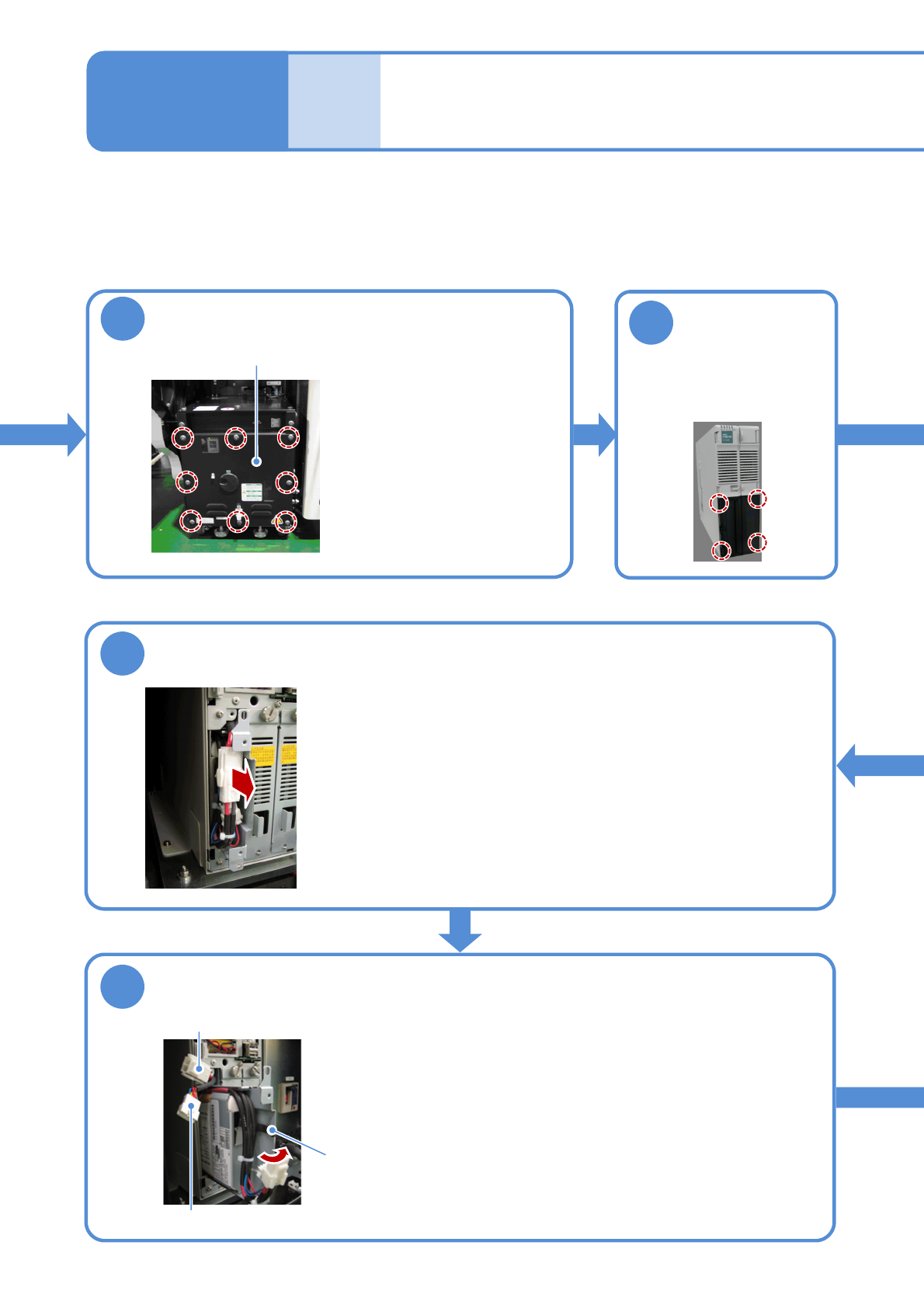
Remove the front cover of the inspection box
●Open the front cover of the
inspection BOX with an
Allen wrench.
The front cover is secured
with eight screws.
Front cover
Remove the
cover of the FA
computer
5
●The cover is secured with
four claws (inside the
cover).
10
Pull out the UPS battery
●Pull out t battery about 30 mm from inside the main body.
●Be careful not to draw it out too far because its internal cables
may be damaged. And also, take care not to pinch the cables.
Power cable (connector)
Wire sticker
Signal cable (connector)
11
Remove the UPS battery connector
●Open the wire sticker holding the connectors.
●Draw out the power and signal cables that are connected with the
battery, and pull out the connectors while pushing their locks.
Replacing the
batteries 5
NPM-W2 EJM7DE-MB-12M-00
12-3-10
6
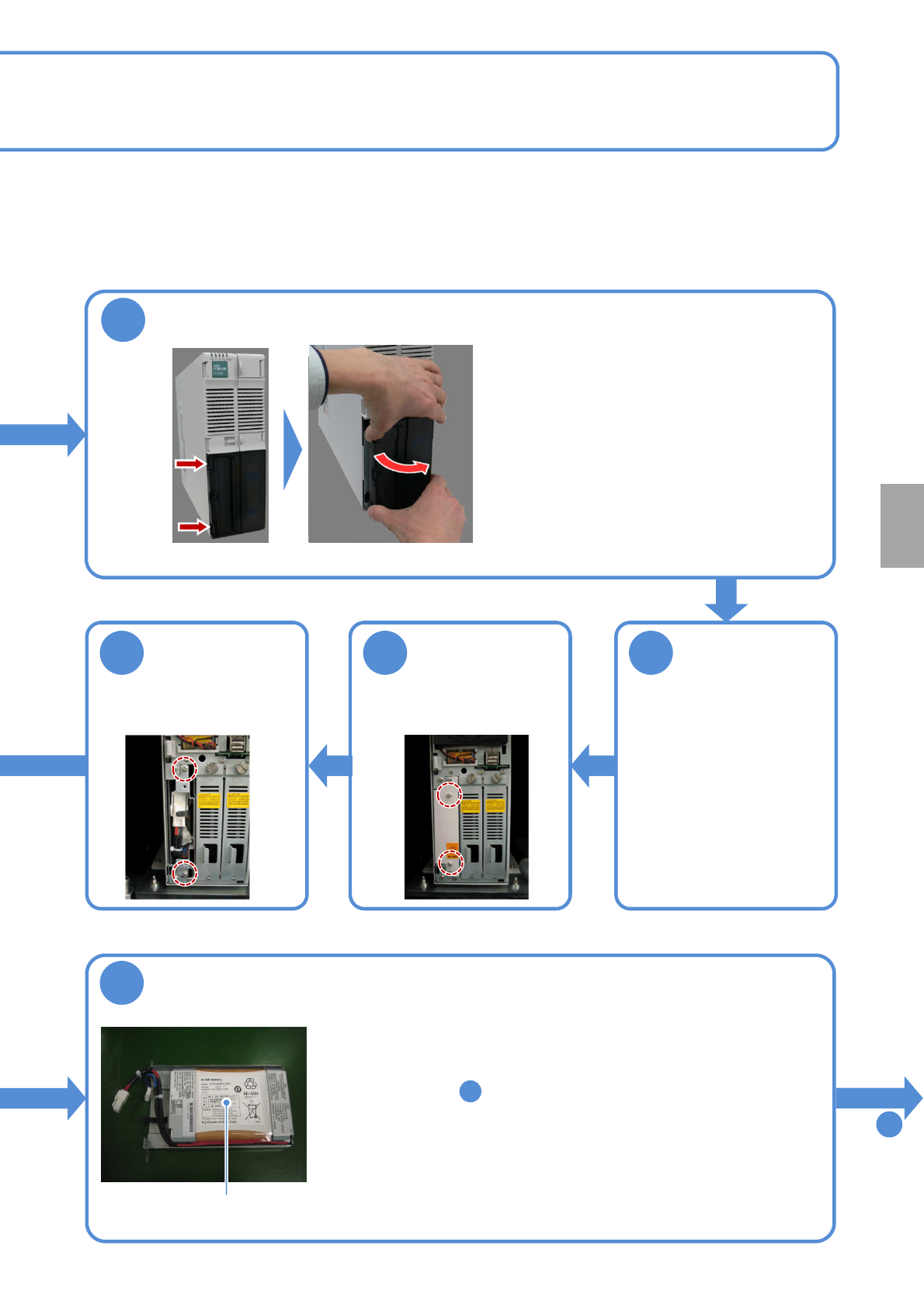
Remove the cover
●Pull the left side of the cover while pushing
the button in the left side of the cover.
●Pull it carefully because the nail can be broken
if you force it to open.
Remove the
cover from the
FA computer
main body
7
●When the left side of the
cover is detached,
slide it to the left to
disengage its right nails,
and remove it from the FA
computer main body.
Remove the
UPS battery
cover
8
●Remove the screws
fixing the cover.
Remove the
UPS battery
9
●Remove the screws
fixing the battery.
12
Replace the UPS battery
●Pull out the battery.
●The replacement battery should be N510069573AA.
●Push the new battery into the FA computer main body (to the
position in step , and connect the power and signal cable
connectors.
●The cables should be placed on the battery sheet metal in such a
manner that the power and signal cables are located outside and
inside respectively.
●Holding the power and signal connectors with the wire sticker, push
the battery into the FA computer main body.
●At this time, take care not to pinch the cables.
To
13
UPS battery
10
Consumable parts
replacement