N7201A617E00_0317.pdf - 第359页
NPM-W 2 EJM7DE-MB-13M-00 13-3 -6 Calibration
NPM-W2 EJM7DE-MB-13M-00
Plane correction XY 3
18
13-3-5
Prepare for removing the plane
correction jig
Maintenance
13-3
Open the safety cover
19
20
Push the plane correction jig
out of the machine by hand
through the left-hand or right-
hand transfer conveyor.
21
22
Close the safety cover
23
24
24
(Completes plane correction XY
operation)
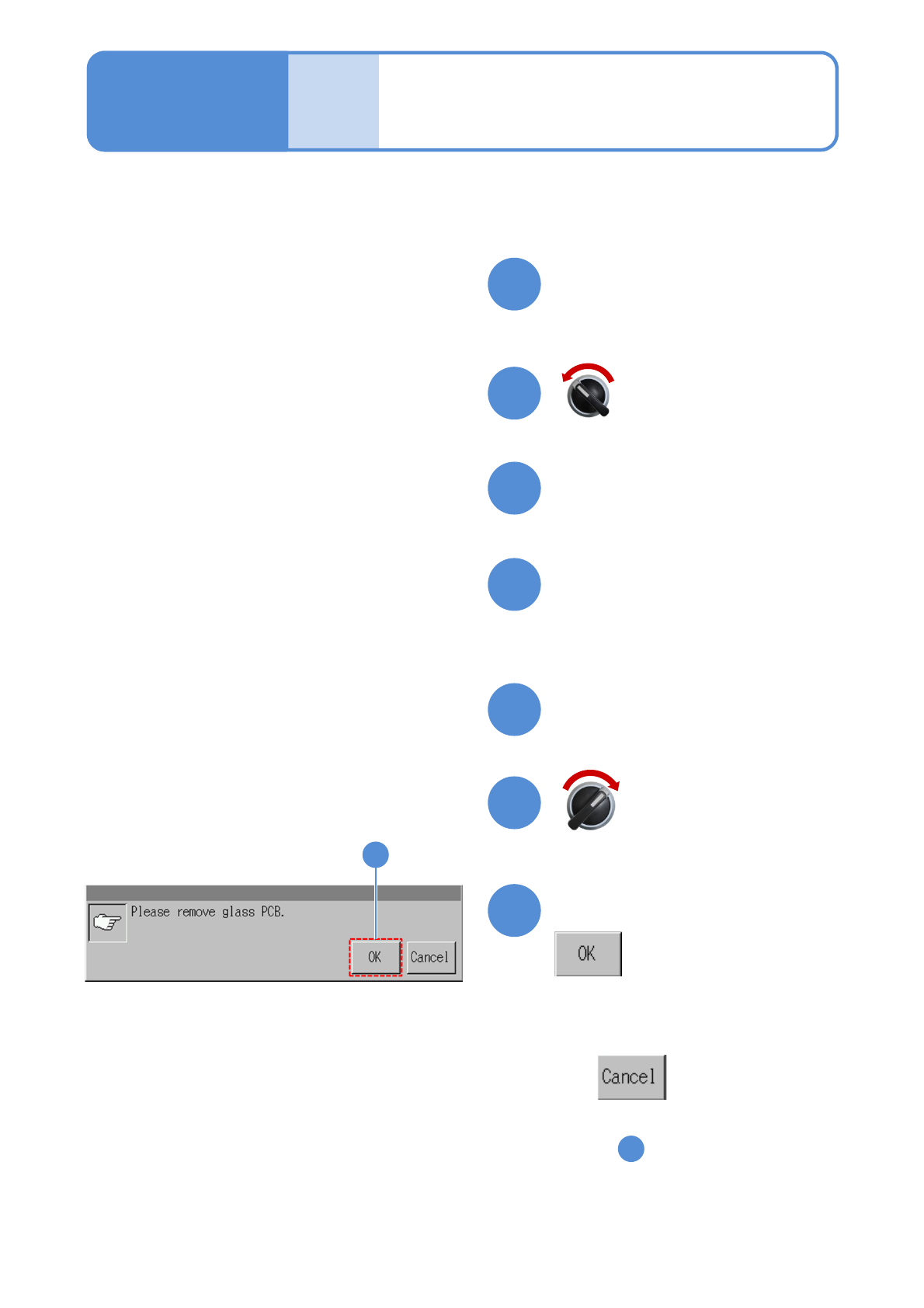
Confirm the message
●To cancel
(The screen remains as it is
in )
16
Servo switch OFF
Servo switch ON

NPM-W2 EJM7DE-MB-13M-00
13-3-6
Calibration
NPM-W2 EJM7DE-MB-13M-00
2
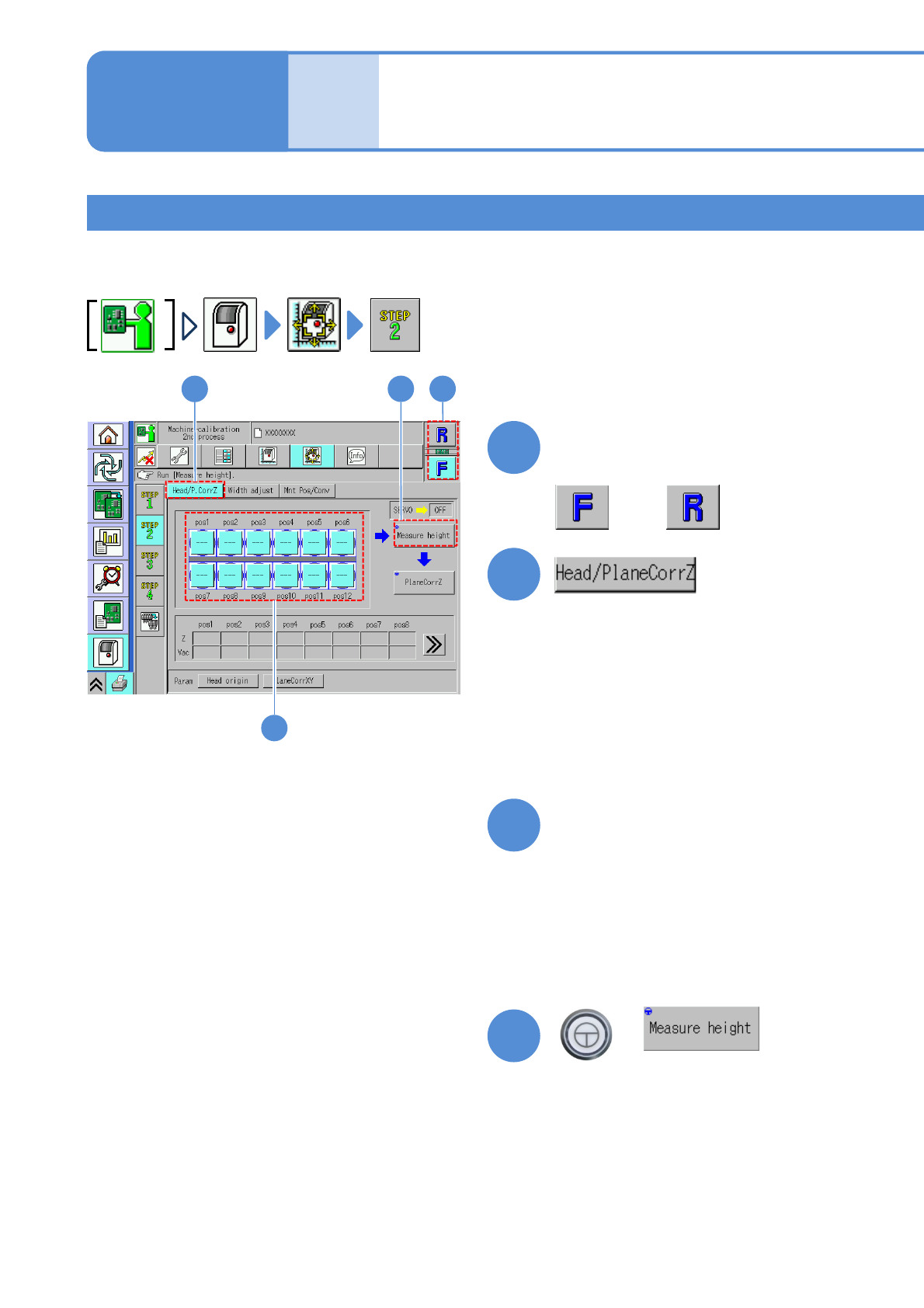
Choose a head to perform
plane correction Z
+
(The head moves to the work position)
2
Explains the method for calibrating the plane correction Z, taking for an example, the 12-nozzle head;
however, the same method can also be applied to the light weight 16-, 8-, and 3-nozzle heads.
Placement head 1
3
4
1
4
13-4-1
1
3
Choose nozzle positions to
measure the height
●On the default screen, all the nozzle
positions are selected. If there is a
nozzle position which you do not wish
to calibrate, deselect it by pressing its
box.
or
Maintenance
13-4
Head / Plane
calibration Z 1