N7201A617E00_0317.pdf - 第370页
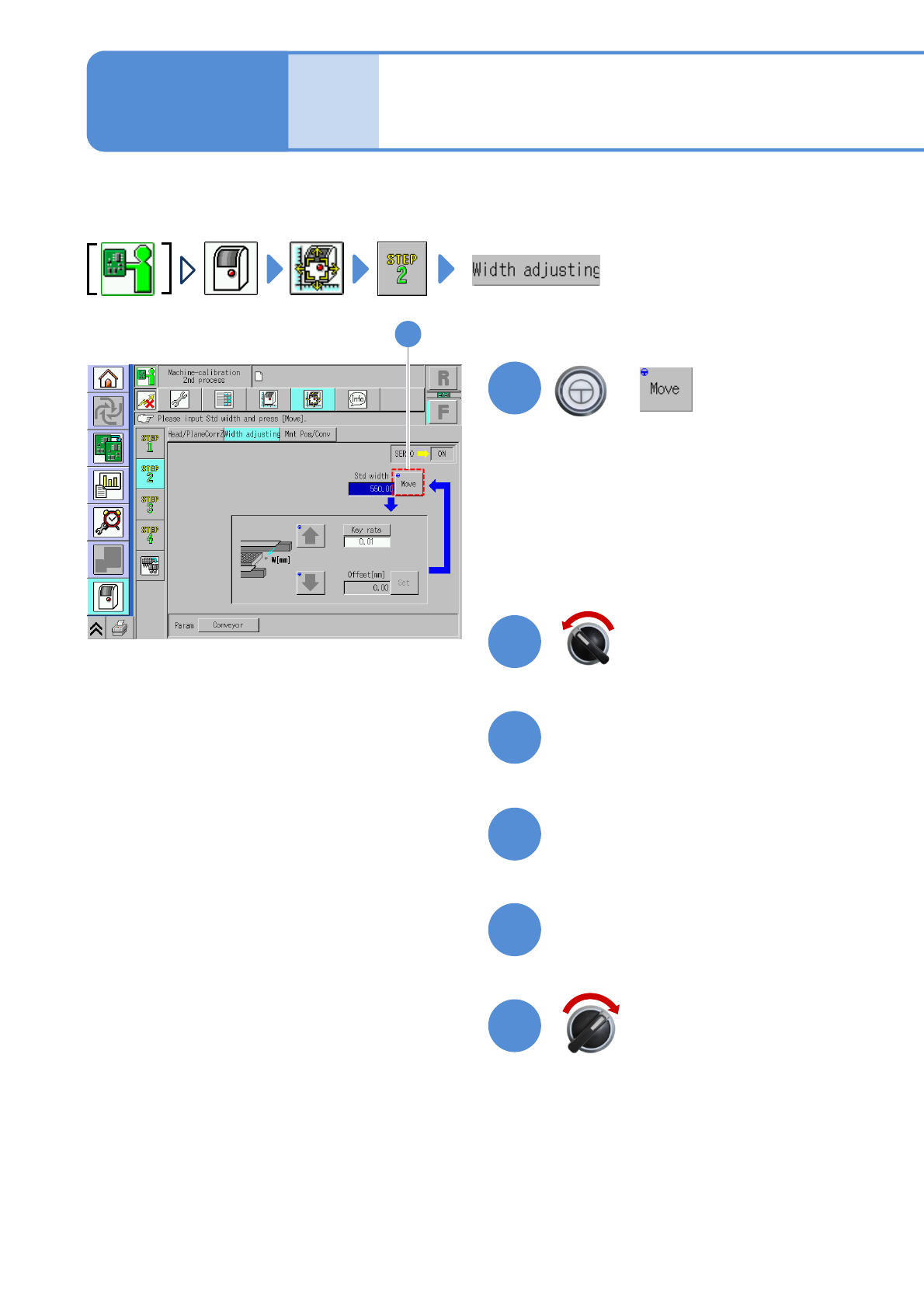
NPM-W 2 EJM7DE-MB-13M-00 W idth adjustment 1 4 3 2 + (The conveyor width is adjusted to the reference width of 550 mm.) Open the safety cover Measure the conveyor w idth with a vernier caliper 5 6 Close the safety cover …

NPM-W2 EJM7DE-MB-13M-00
13-4-10
Calibration
NPM-W2 EJM7DE-MB-13M-00
Width adjustment
1
4
3
2
+
(The conveyor width is adjusted to the
reference width of 550 mm.)
Open the safety cover
Measure the conveyor width
with a vernier caliper
5
6
Close the safety cover
1
13-5-1
Explains the method for calibrating the width adjustment of the transfer conveyor.
Maintenance
13-5
Servo switch OFF
Servo switch ON
NPM-W2 EJM7DE-MB-13M-00
9
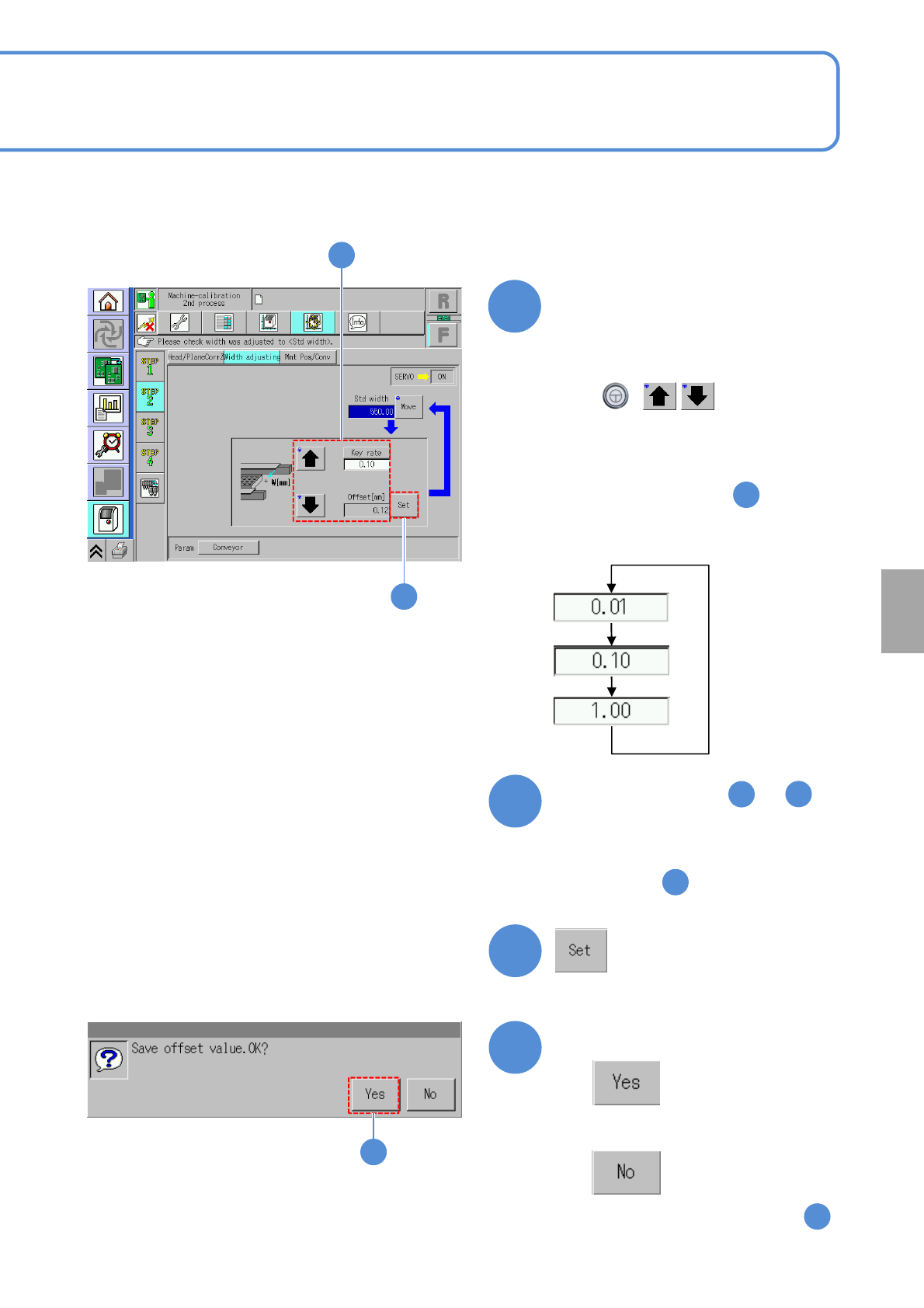
Repeat steps from to
until the above reference width
is achieved
8
10
(The offset value is set)
2
7
■When you do not save offset
(The screen remains as it is in )
9
Confirm the message
7
Adjust the transfer conveyor
width
10
13-5-2
9
Calibration
7
●When pressing [Key rate], you can
change the response.
①Use [Key rate] to set the moving
amount.
②Use to move the
conveyor.
4
+
●Adjust the value of “Offset” so that the
difference of the offset value and the
measured value in step
becomes 550.6 mm.
(The value is displayed in “Offset”.)
●Adjust the value so that the measured
value in step becomes between
550.5 and 550.7 mm.
4