N7201A617E00_0317.pdf - 第390页
NPM-W 2 EJM7DE-MB-13M-00 Place- ment load 13-8-1 -7 Placement load 4 Confirm that it has been successfully completed Press the numerical part (The n umerical keyp ad appears) Maintenance 13-8-1 Enter the measured value ●…
NPM-W2 EJM7DE-MB-13M-00
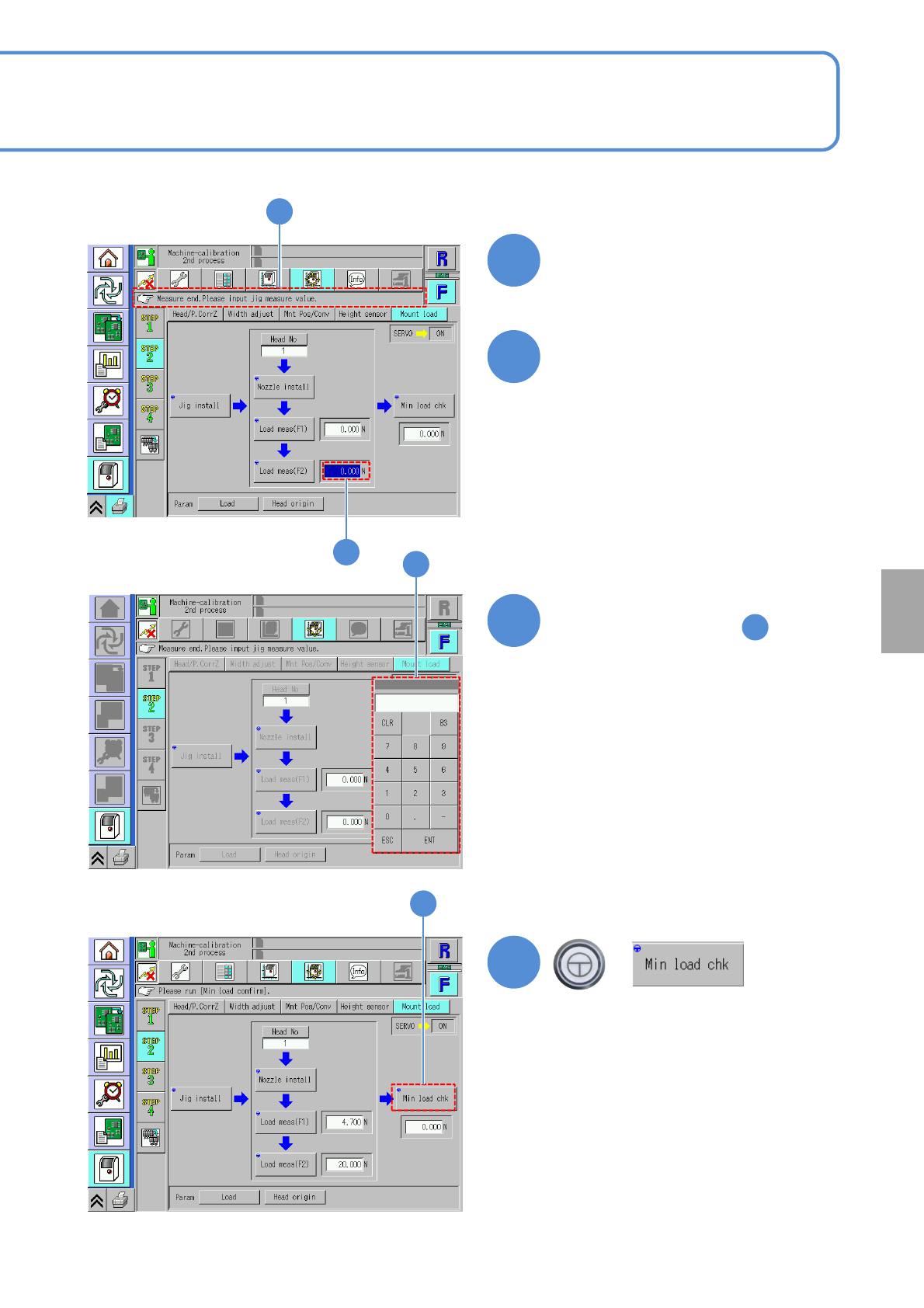
Confirm that it has been
successfully completed
Press the numerical part
(The numerical keypad appears)
13-8-1-6
Calibration
Enter the measured value
●Enter the value read in .
Input range: 15 to 25 N
●Reads a stable numerical value being
measured.
Load meas displays the standardized
value rather than the maximum value
since the numerical value goes up
momentarily when the nozzle and the
jig come in contact with each other so
that it becomes difficult to read the
measurement value accurately.
●How to change the load cell meter
display (→P.13-8-2)
+
(Calibration is carried out)
26
27
28
29
25
26
27
28
29
NPM-W2 EJM7DE-MB-13M-00
Place-
ment
load
13-8-1-7
Placement load 4
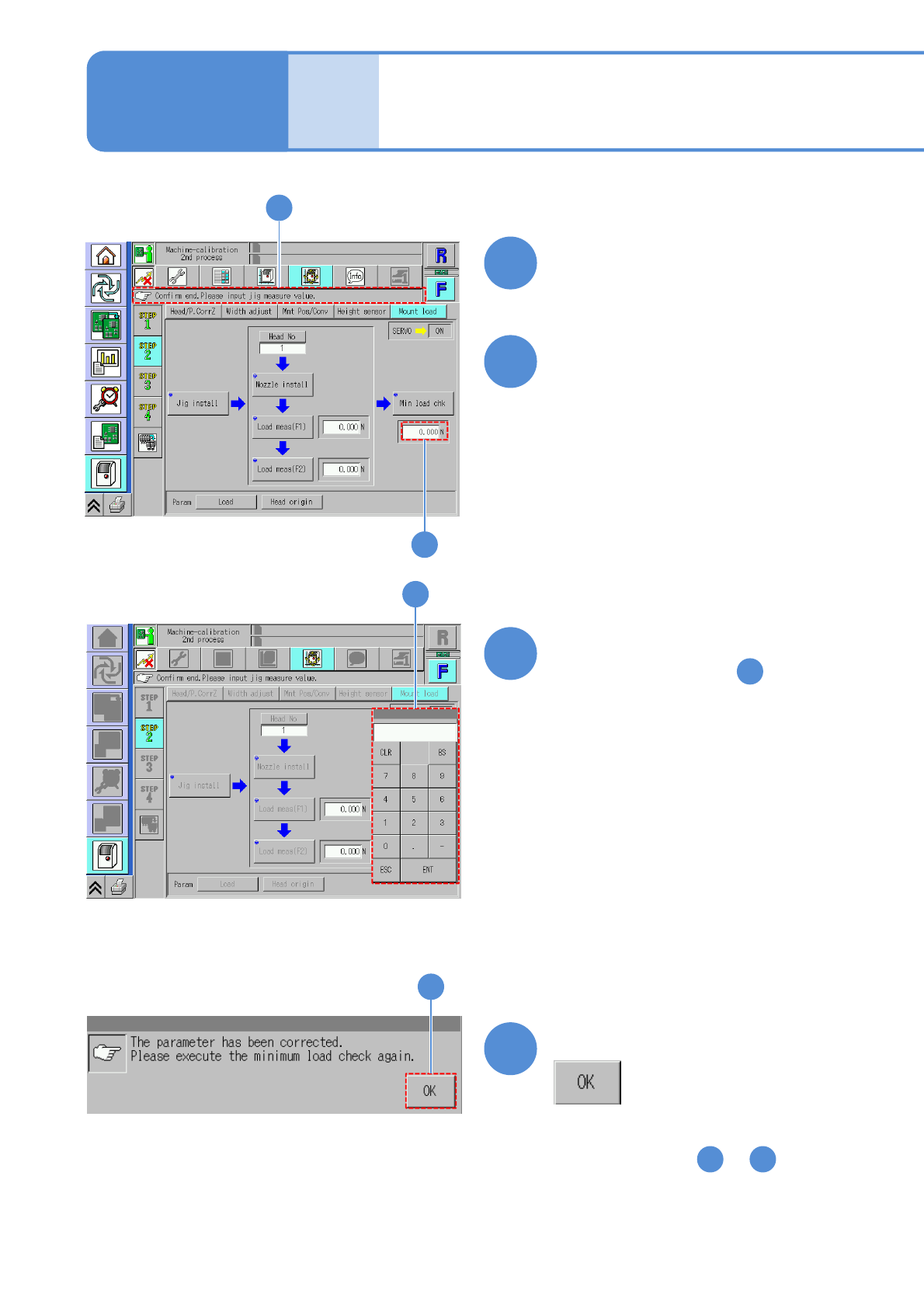
Confirm that it has been
successfully completed
Press the numerical part
(The numerical keypad appears)
Maintenance
13-8-1
Enter the measured value
●Enter the value read in .
Confirm the message
●As for the other nozzle positions,
repeat steps from to .
30
31
32
33
29
12 33
30
31
32
33
NPM-W2 EJM7DE-MB-13M-00
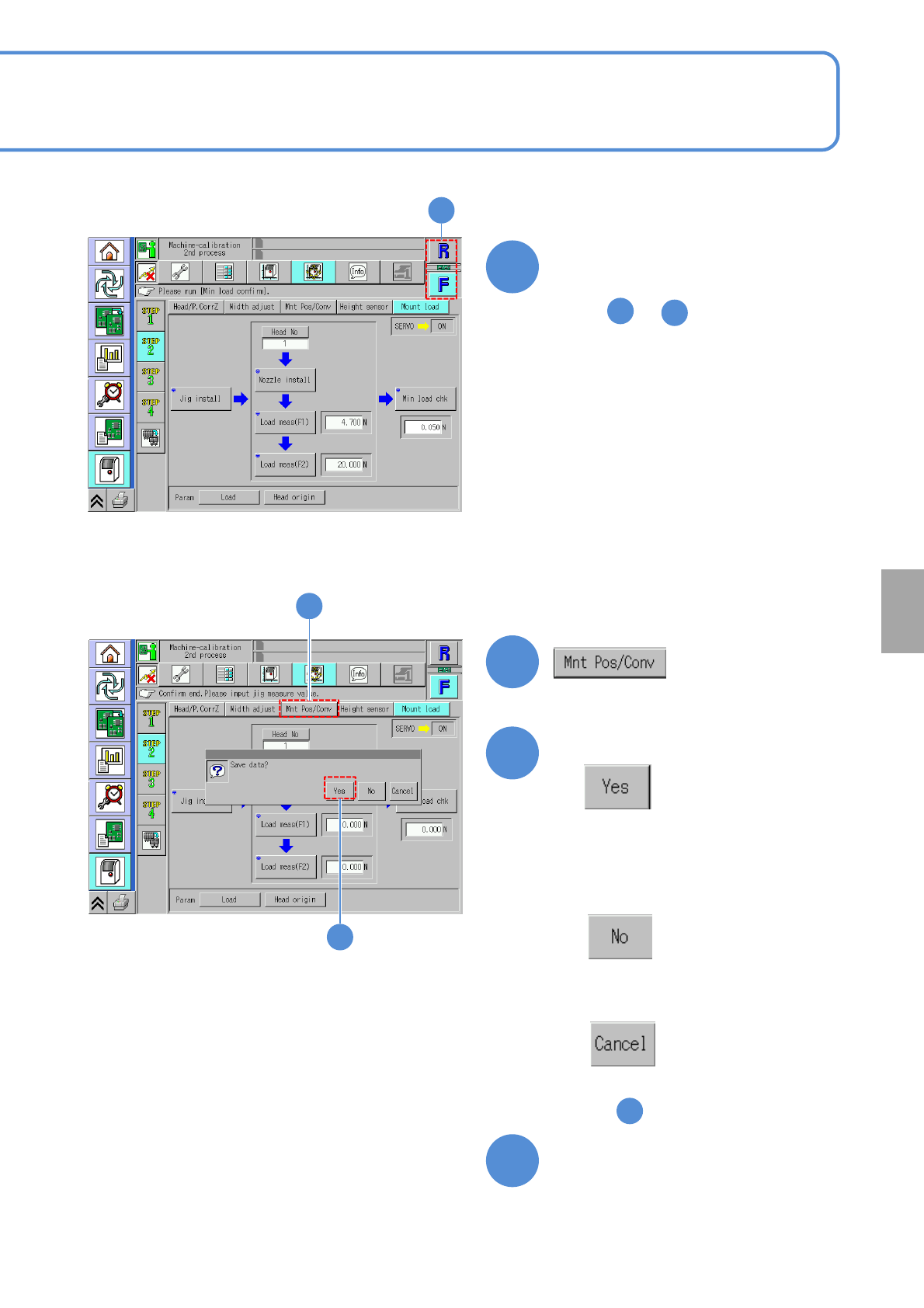
Choose the other table
●As for the other table, repeat steps
from to .
3
13-8-1-8
Calibration
Confirm the message
(It returns to the origin, and the data
obtained by calibration is lost)
(The data obtained by calibration is
saved)
■When you do not save the data
■To cancel
(The screen remains as it is
in )
Prepare to remove nozzles
34
35
36
37
33
34
34
35
36
(The head moves to the work position)