N7201A617E00_0317.pdf - 第395页
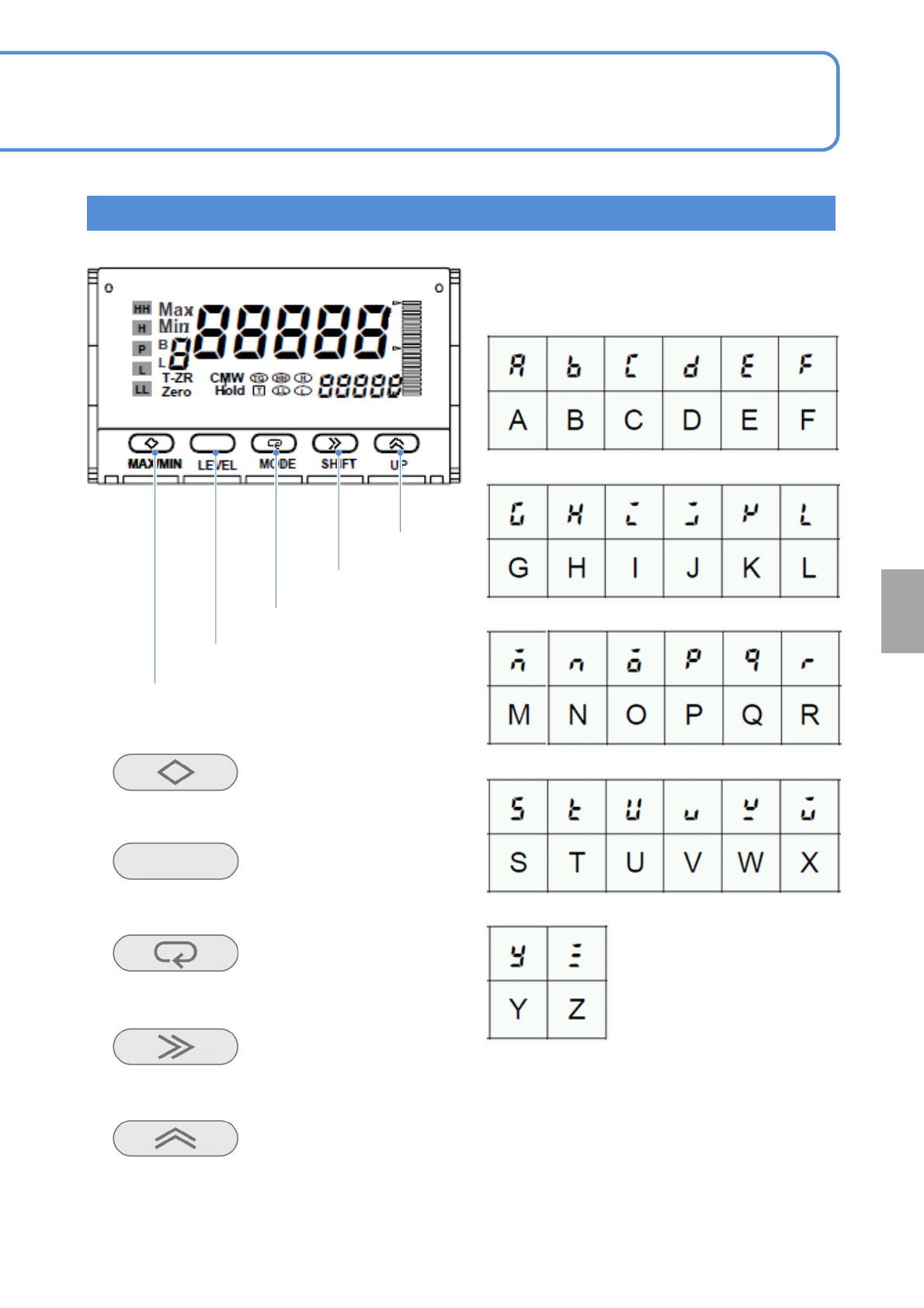
NPM-W 2 EJM7DE-MB-13M-00 13-8-2 -2 MAX/MIN Resets or changes the display between Current, MAX and MIN values LEVEL Changes the value MODE Changes display parameters SHIFT Changes values set to parameters and shift the di…
NPM-W2 EJM7DE-MB-13M-00
Place-
ment
load
How to use placement load
measurement jig
(option) 1
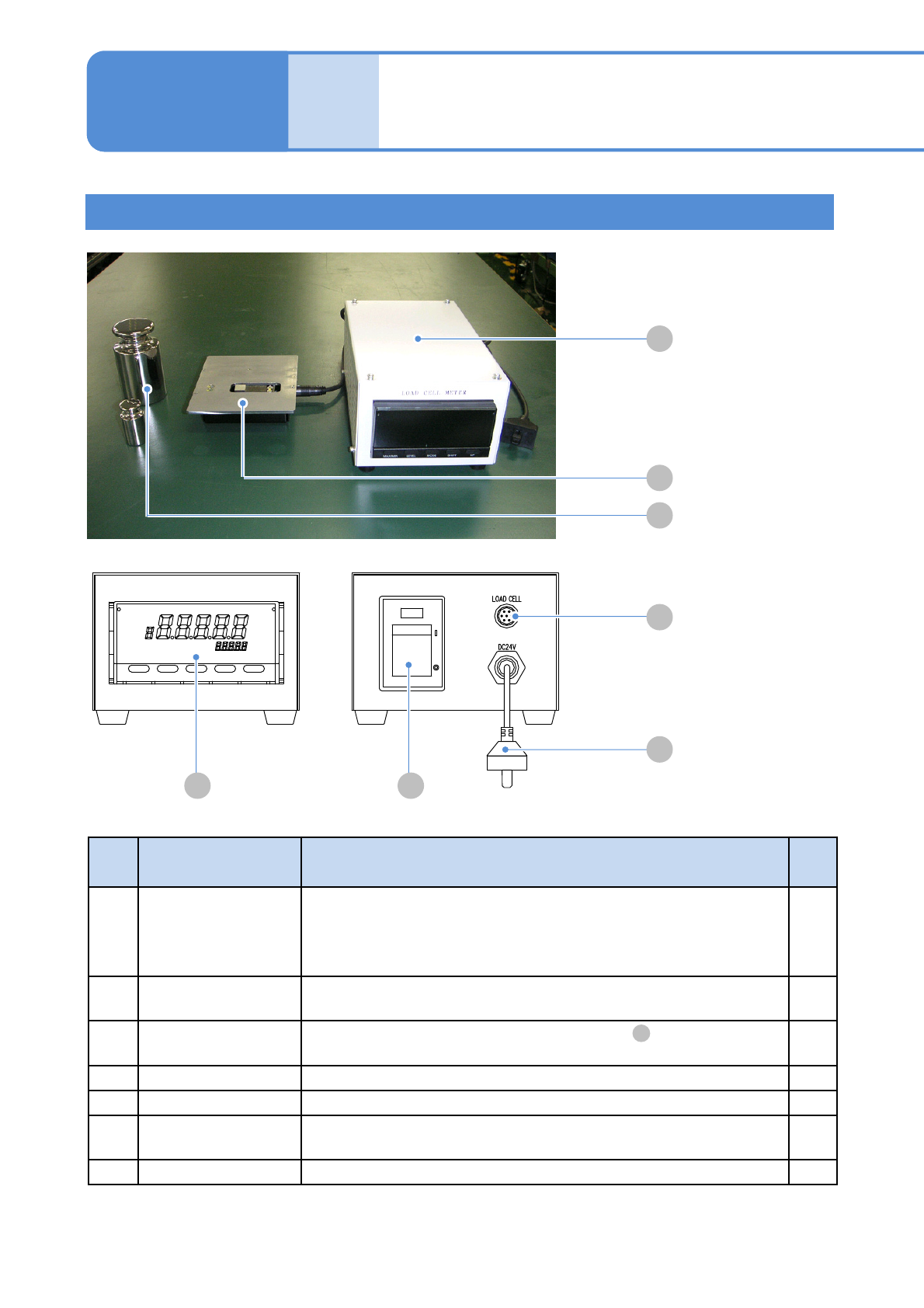
Jig configuration
13-8-2-1
Maintenance
13-8-2
A
B
C
F
G
D E
No. Unit name Function Q’ty
A Load cell meter
The unit designed specifically for the 2-, 3-nozzle head that is used,
for example, in the load control calibration to replace the head.
Power supply specs.: 24 V DC 7 VA
Mass: 1.2 kg Dimension: 120 mm(W) x 8 0 mm(H) x 19 0 mm(D)
1
B Load cell
Load measurement sensor. Connect it to the load cell meter to use.
Mass: 600 g
1
C Weight
Weight to calibrate the load cell meter stated in .
Mass: 100 g/1 kg
1
each
D Display Displays a load value.
---
E Power switch Power switch of the load cell meter’s main unit.
---
F
Sensor cable
connector
Connect it to the load cell with the attached cable. ---
G Power cable Connect it to the feeder supply unit and supply the power.
---
A
NPM-W2 EJM7DE-MB-13M-00
13-8-2-2
MAX/MIN
Resets or changes
the display between
Current, MAX and
MIN values
LEVEL
Changes the
value
MODE
Changes display
parameters
SHIFT
Changes values set
to parameters and
shift the digit of the
set values
UP
Changes the set
values and
sets/cancels zero
forcing
Each letter of the alphabet used in describing the
set data or contents is as follows.
Names and functions of operation buttons
MAX/MIN
LEVEL
MODE
SHIFT
UP
Calibration
NPM-W2 EJM7DE-MB-13M-00
Place-
ment
load
How to use placement load
measurement jig
(option) 2
1
2
3
13-8-2-3
Maintenance
13-8-2
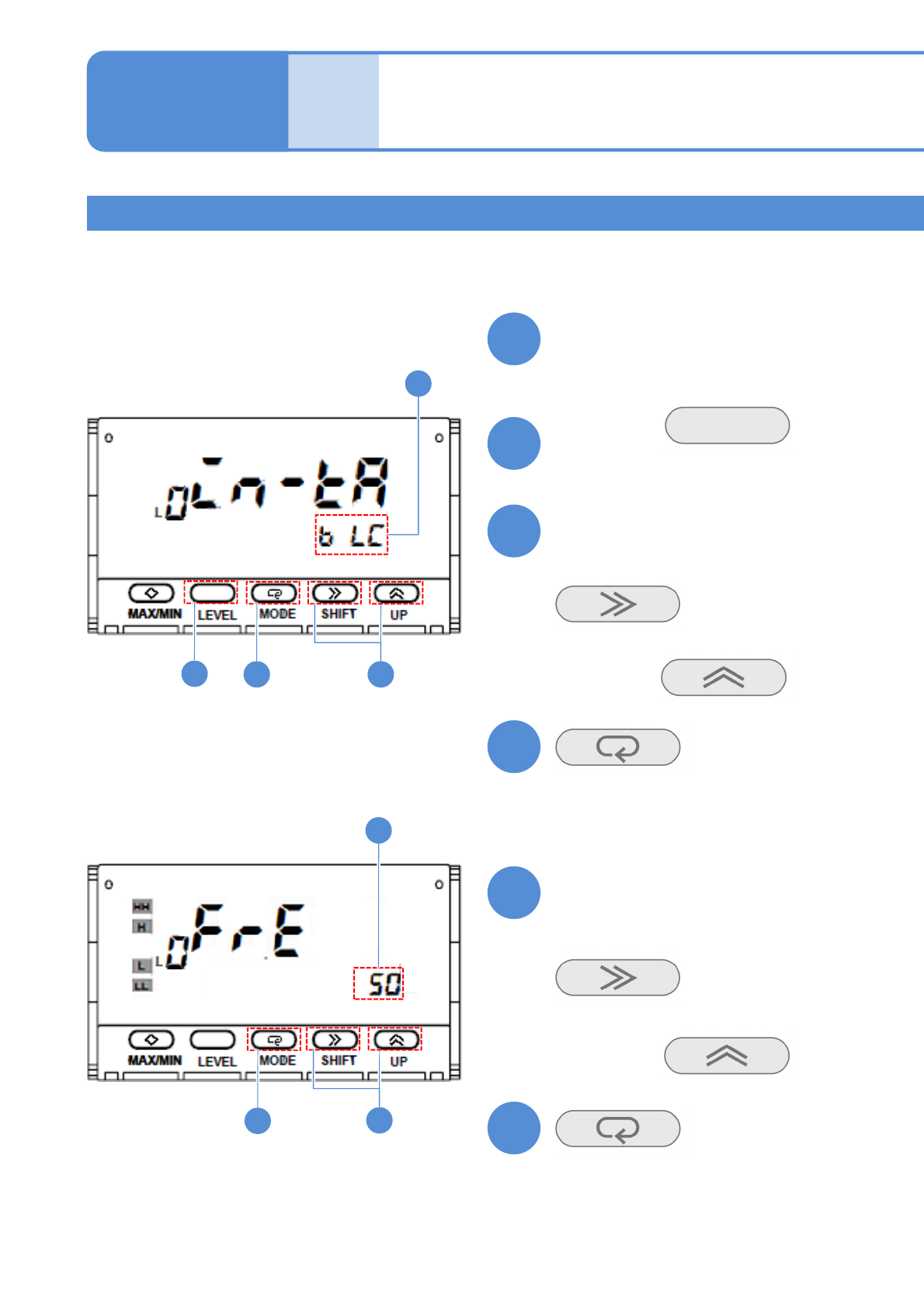
Calibration method 1
●You do not need to set the value because it is already initialized before shipment.
●Please calibrate the jig or the load cell after you replace it. Also, it is recommended that you calibrate it
every year.
Turn ON the power
Hold down
for at least three seconds
Confirm the input range
■If the screen display differs
Choose it with
4
5
Confirm the power-supply
frequency
6
(The input range is set)
(The power-supply frequency is set)
(The screen display flashes)
■If the screen display differs
(The screen display flashes)
Choose it with
3
5
34
6
2
5