N7201A617E00_0317.pdf - 第411页
NPM-W 2 EJM7DE-MB-13 M-00 Close the safety cover + Confirm the message ■ To cancel (The screen remains as it is in ) 13-10 -4 Servo switch ON Calibration Open the safety cover Prepare to install nozzles Servo switch OFF …
NPM-W2 EJM7DE-MB-13M-00
13-10-3
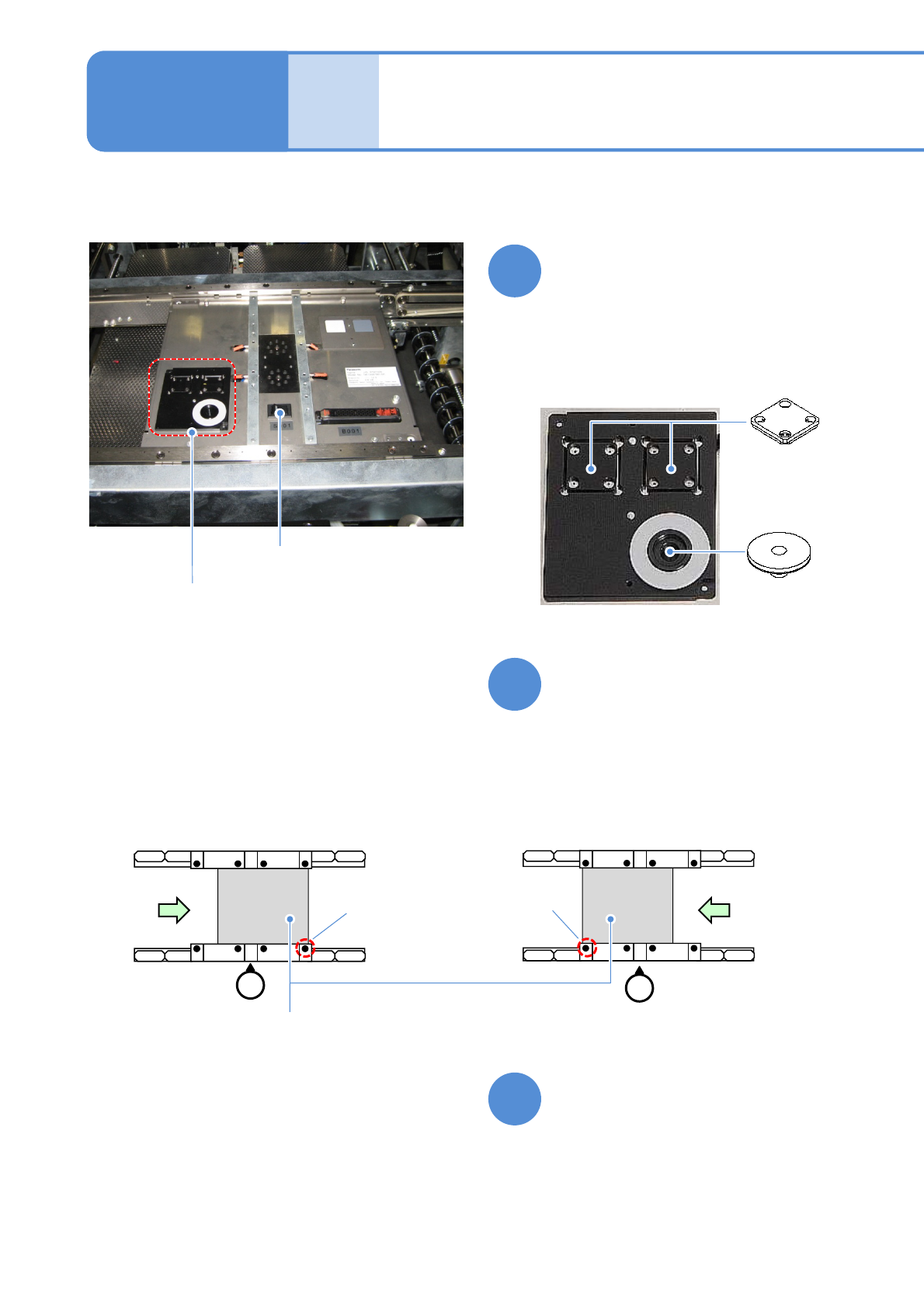
Set jig components and the
light luminosity jig to the jig
station
●Each of the two has no particular
orientation by itself.
Power supply
switch
Jig storage
unit
●Jig station
Jig station 2
Maintenance
13-10
Light
luminosity jig
Jig components
●Jig component, light and luminosity jig
storage unit.
●Check that the LED lamp is
illuminated.
Turn ON the power of the jig
station
Place the jig station on the
transfer conveyor
●Align the end face of the jig station
with the reference mark on upper
surface of the front rail.
●Make sure to place it in the right
direction.
8
9
10
●Left-to-right flow
Reference
mark
(φ1 hole)
Reference
mark
(φ1 hole)
●Right-to-left flow
Jig station
NPM-W2 EJM7DE-MB-13M-00
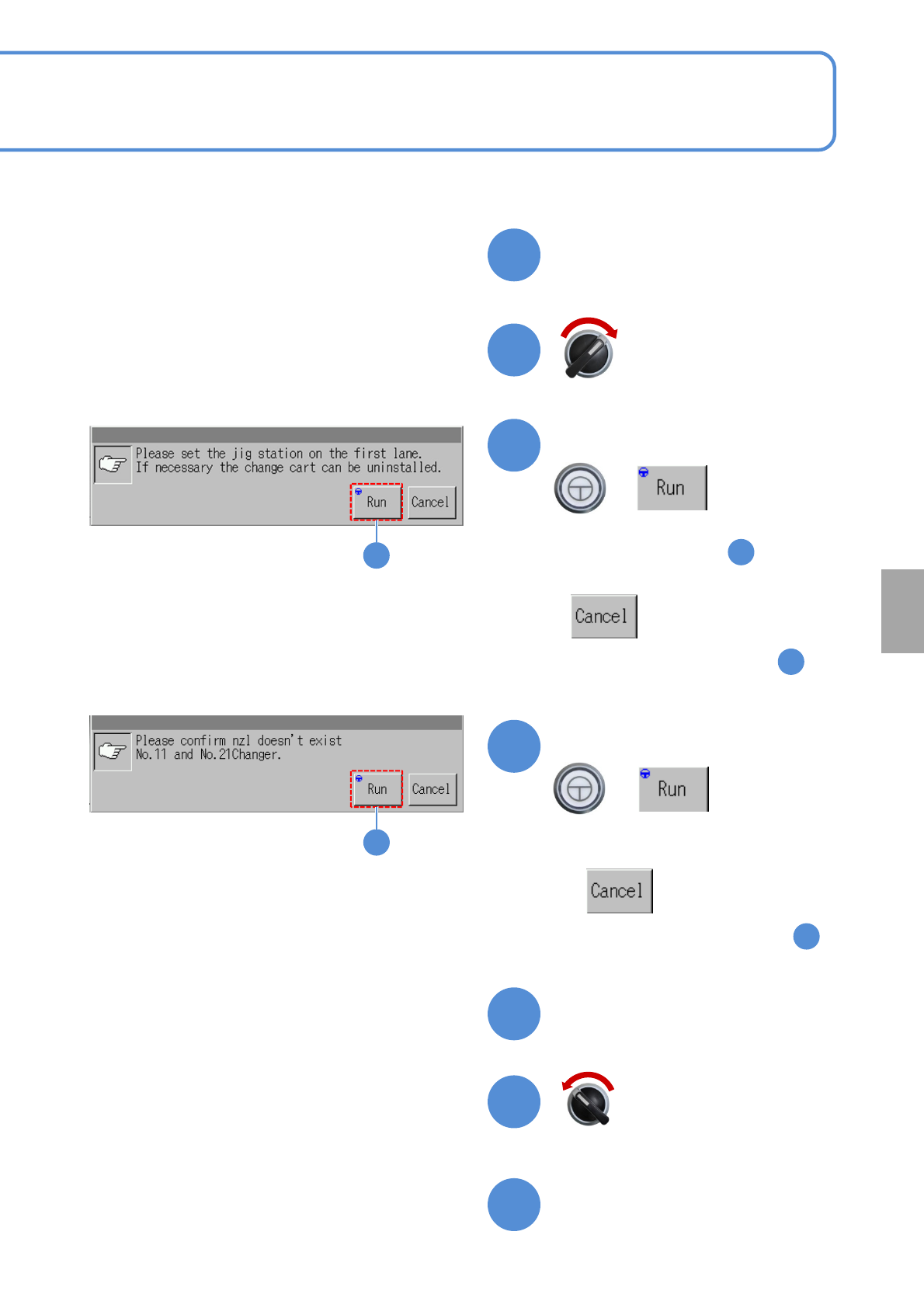
Close the safety cover
+
Confirm the message
■To cancel
(The screen remains as it is in )
13-10-4
Servo switch ON
Calibration
Open the safety cover
Prepare to install nozzles
Servo switch OFF
11
12
13
16
17
15
2
13
14
14
+
Confirm the message
■To cancel
(The screen remains as it is in )
2
(The head moves to the work position)
■For the dispensing head/2D inspection head,
・Perform after the step .
22
NPM-W2 EJM7DE-MB-13M-00
Jig station 3
13-10-5
Maintenance
13-10
+
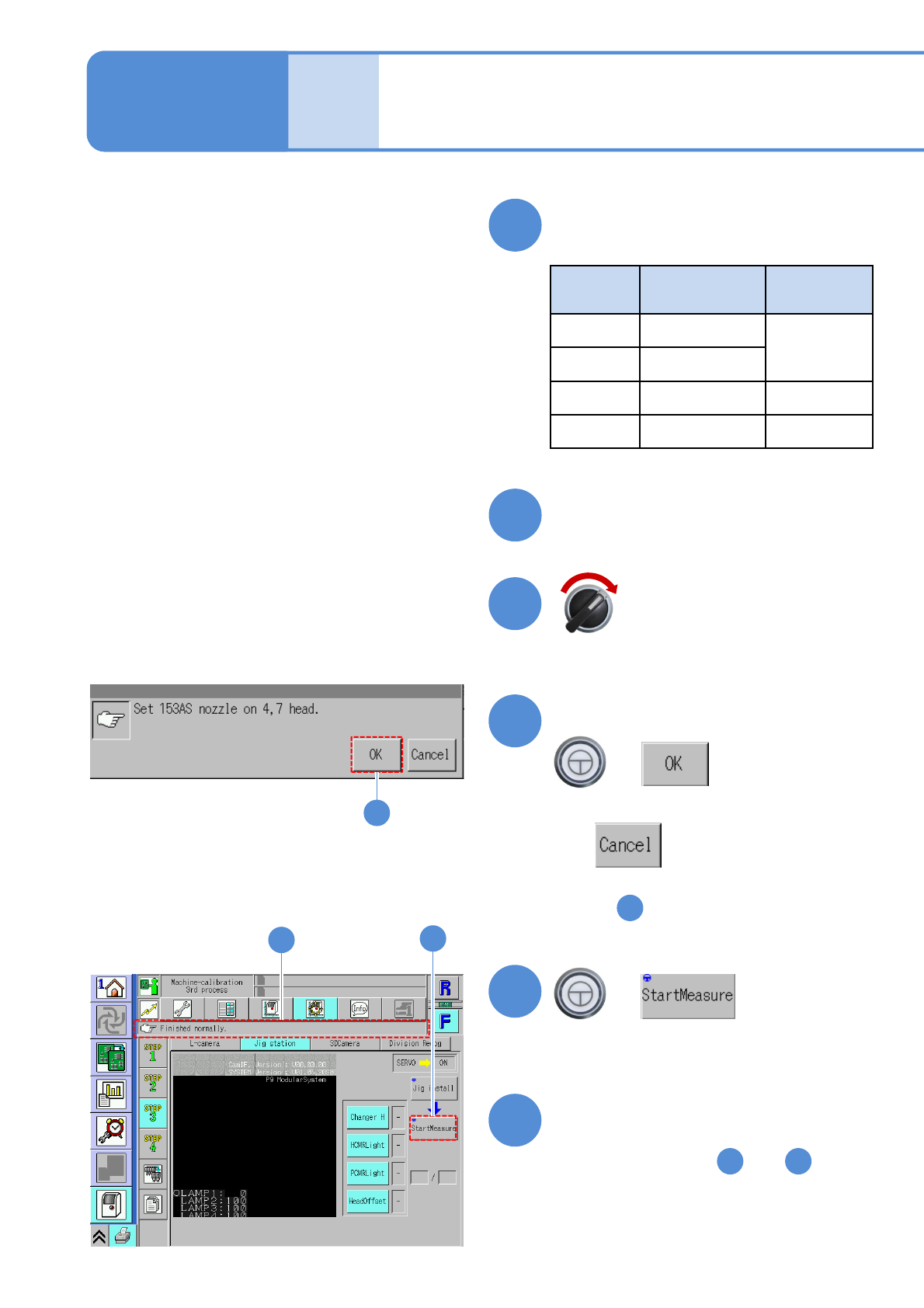
Confirm the message
■To cancel
(The screen remains as it is
in )
Confirm that it has been
successfully completed
●Repeat steps from to
from the other table.
2
1
Servo switch ON
21
23
20
22
23
23
21
22
Close the safety cover
Install nozzles
●Nozzle used
Head
type
Nozzle
position
Nozzle type
16 No. 5 and 9
153AS
12 No. 4 and 7
8 No. 3 and 6 184
3 All 1003
18
19
+
(The selected measurement item is
calibrated)