N7201A617E00_0317.pdf - 第421页
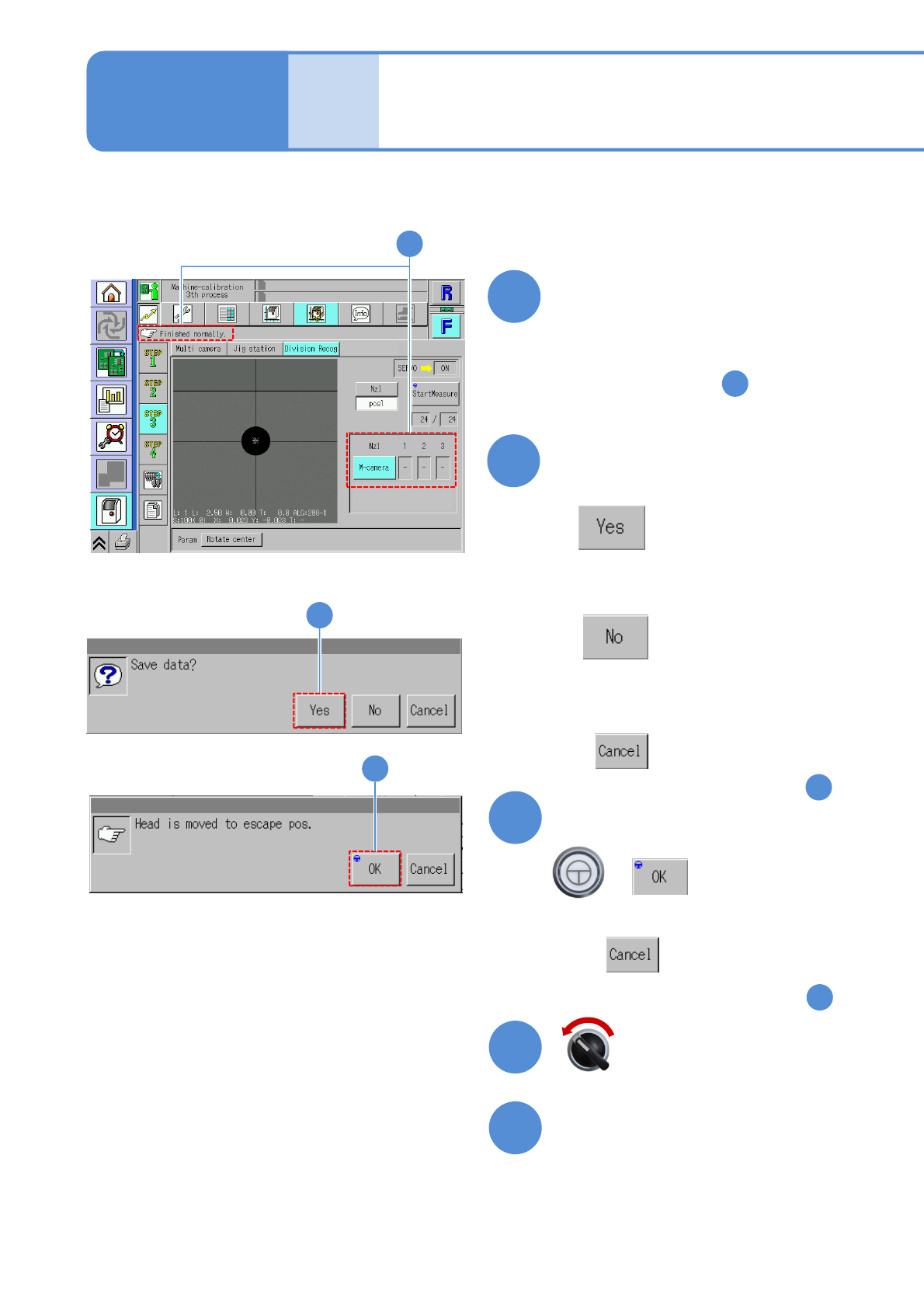
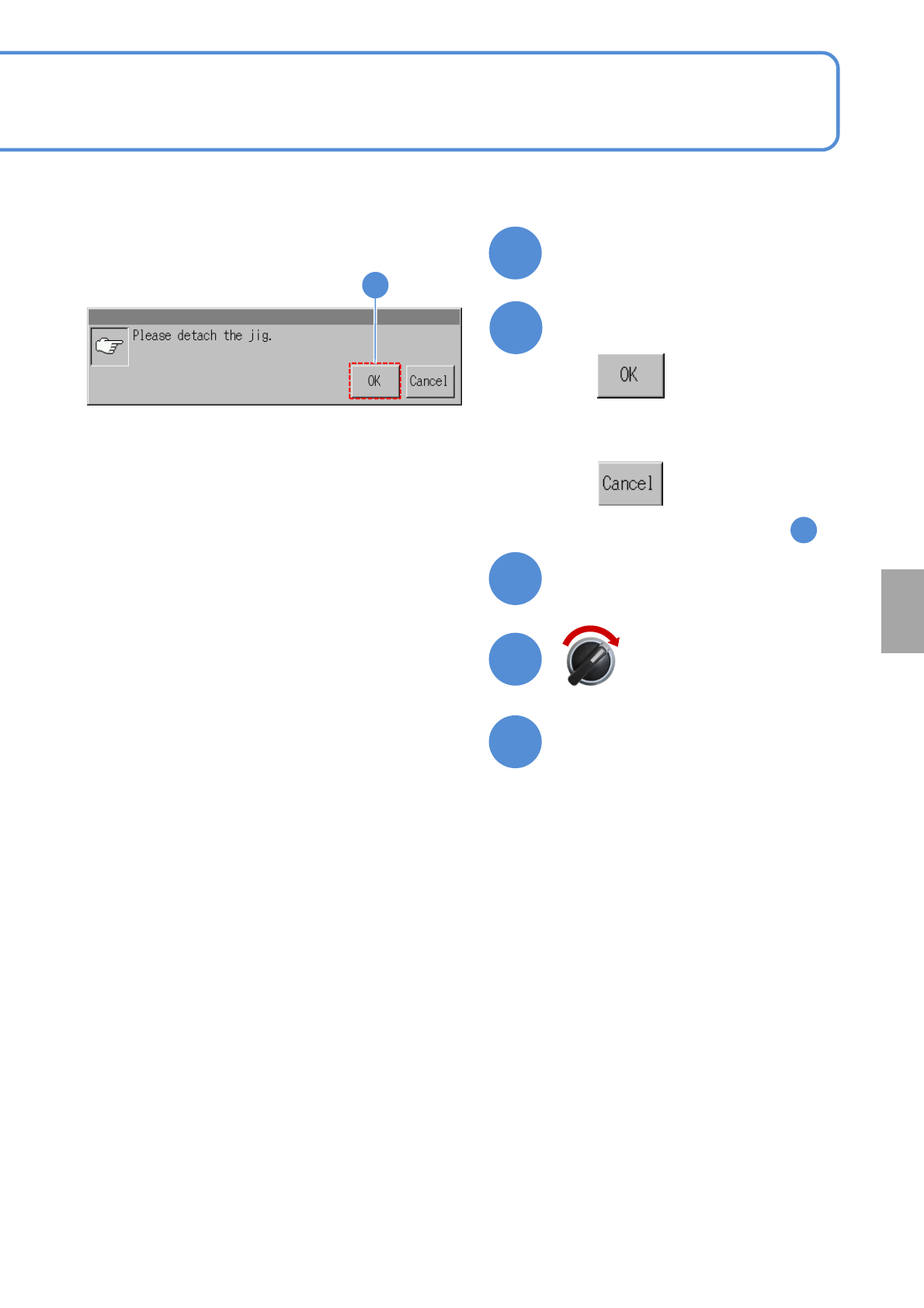
NPM-W 2 EJM7DE-MB-13M-00 13-1 1 -4 22 21 19 23 Remove the multi-recognition camera jig The selected menu (other menu) is displayed 20 20 Confirm the message ■ When you do not remove the multi- recognition camera jig (The…
NPM-W2 EJM7DE-MB-13M-00
Split recognition (option) 2
13-11-3
Maintenance
13-11
14
Confirm the measurement result
OK: When the result is successfully
completed
NG: If measurement results in error,
(perform from the step )
- :Unmeasured
5
15
Pressing other menu screen
appears confirmation message
of data save
(The data obtained by calibration is
cleared
(The data obtained by calibration is
saved)
■When you do not save
■To cancel
(The screen remains as it is in )
14
15
+
16
Confirm the message
■When you do not retract
(The screen remains as it is in )
14
16
Open the safety cover
18
17
Servo switch OFF
14
NPM-W2 EJM7DE-MB-13M-00
13-11-4
22
21
19
23
Remove the multi-recognition
camera jig
The selected menu (other
menu) is displayed
20
20
Confirm the message
■When you do not remove the multi-
recognition camera jig
(The screen remains as it is in )
14
Calibration
Close the safety cover
Servo switch ON
NPM-W2 EJM7DE-MB-13M-00
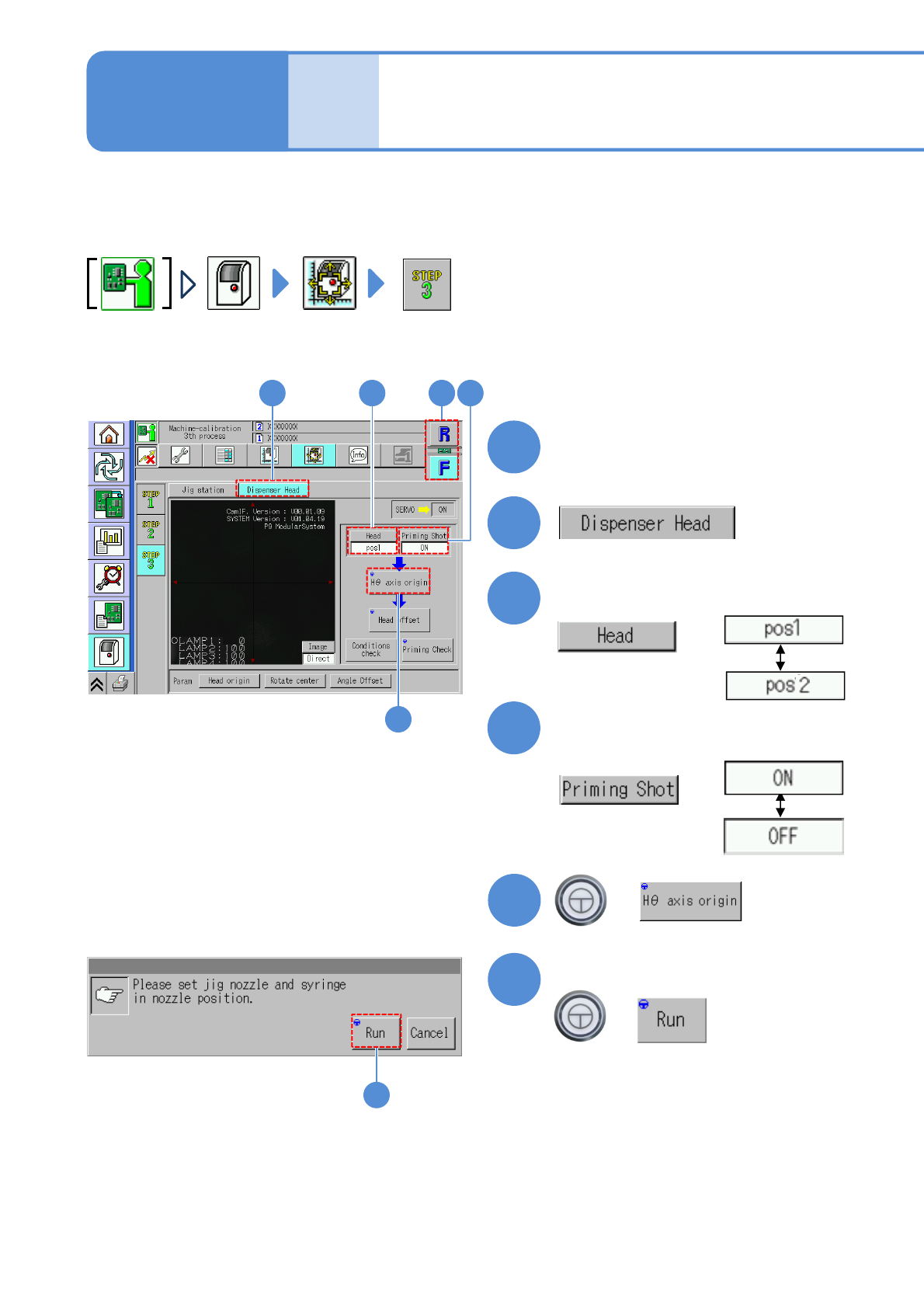
Dispensing head 1
● Install the screw unit that a calibration nozzle (nozzle no. 7202) is previously set, and fill up adhesives by
Eject Confirm in advance. (→[Operating procedure] P.3-4)
13-12-1
Maintenance
13-12
1
1
2
Choose a table
2
3
Choose a head position
3
5
4
Choose whether dummy
dispensing enables or not
4
+
5
6
Confirm the message
+
(Calibration is carried out)
6