N7201A617E00_0317.pdf - 第426页
NPM-W 2 EJM7DE-MB-13M-00 13-12 -5 + 4 ● If an action is abnormally ended , re- adjust the set value of action setting. 4 6 7 8 9 5 Dispensing head 3 Maintenance 13-12 Prepare to remove nozzles Open the safety cover Close…
NPM-W2 EJM7DE-MB-13M-00
13-12-4
Calibration might not be performed properly due to material characteristics. Follow the procedure below.
1
A
2
3
■When adhesive other than recommended (ADE820DX, ADE850D) is used
1
A
2 3
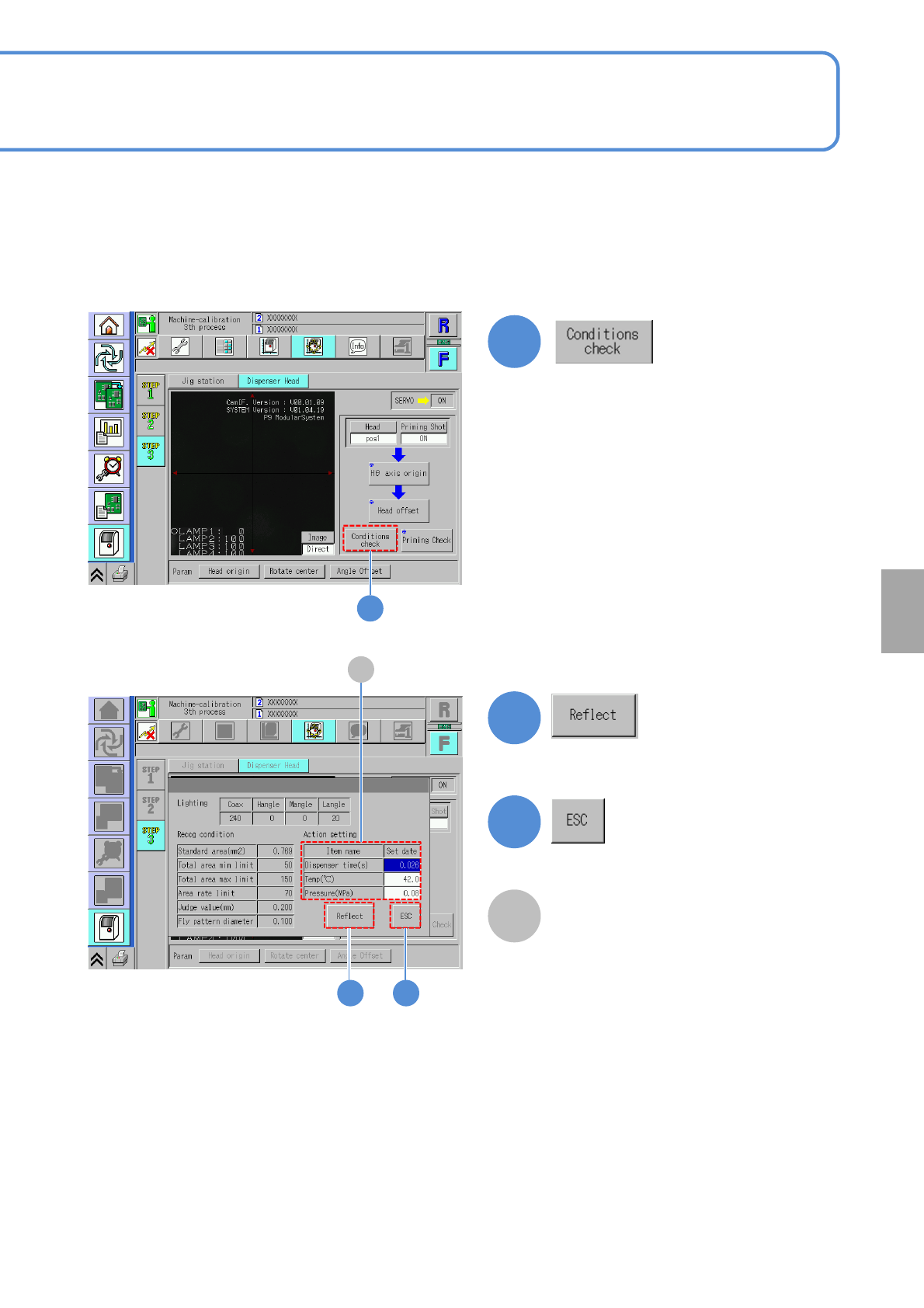
Updates the value for calibration by using
the set value in the ‘Action setting’.
Exits the condition check window.
Action setting
Change the settings of [Dispenser time
(s)], [Temperature (℃)] and [Pressure
(MPa)] based on the adhesive to use.
●If the dispensing diameter is longer
Time: Set to shorter
Temperature: Set to lower
Pressure: Set to lower
●If dispensing diameter is shorter
Time: Set to longer
Temperature: Set to higher
Pressure: Set to higher
Calibration
NPM-W2 EJM7DE-MB-13M-00
13-12-5
+
4
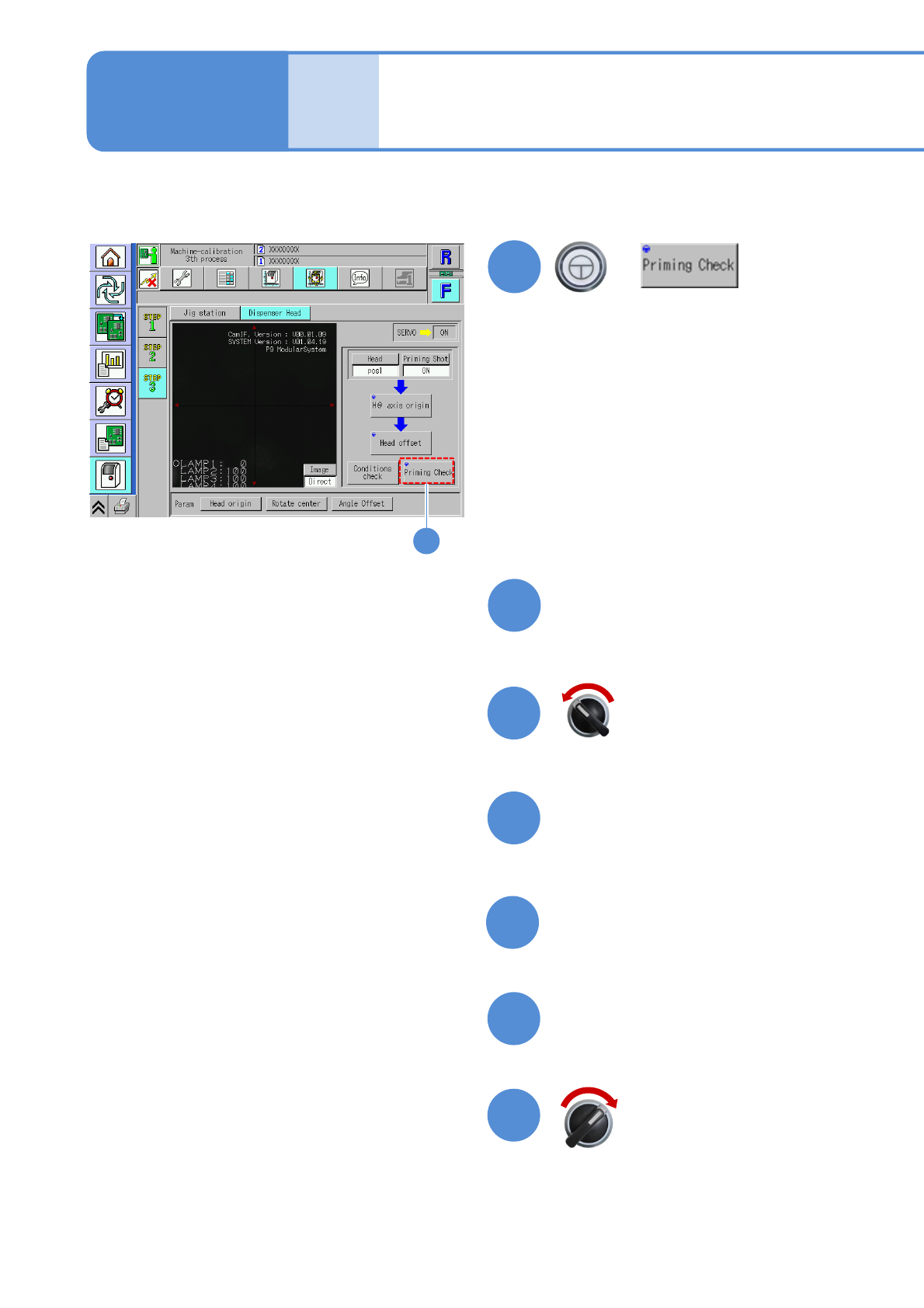
●If an action is abnormally ended, re-
adjust the set value of action setting.
4
6
7
8
9
5
Dispensing head 3
Maintenance
13-12
Prepare to remove nozzles
Open the safety cover
Close the safety cover
Install the jig nozzle and
syringe
10
Servo switch ON
Servo switch OFF
NPM-W2 EJM7DE-MB-13M-00
13-12-6
11
12
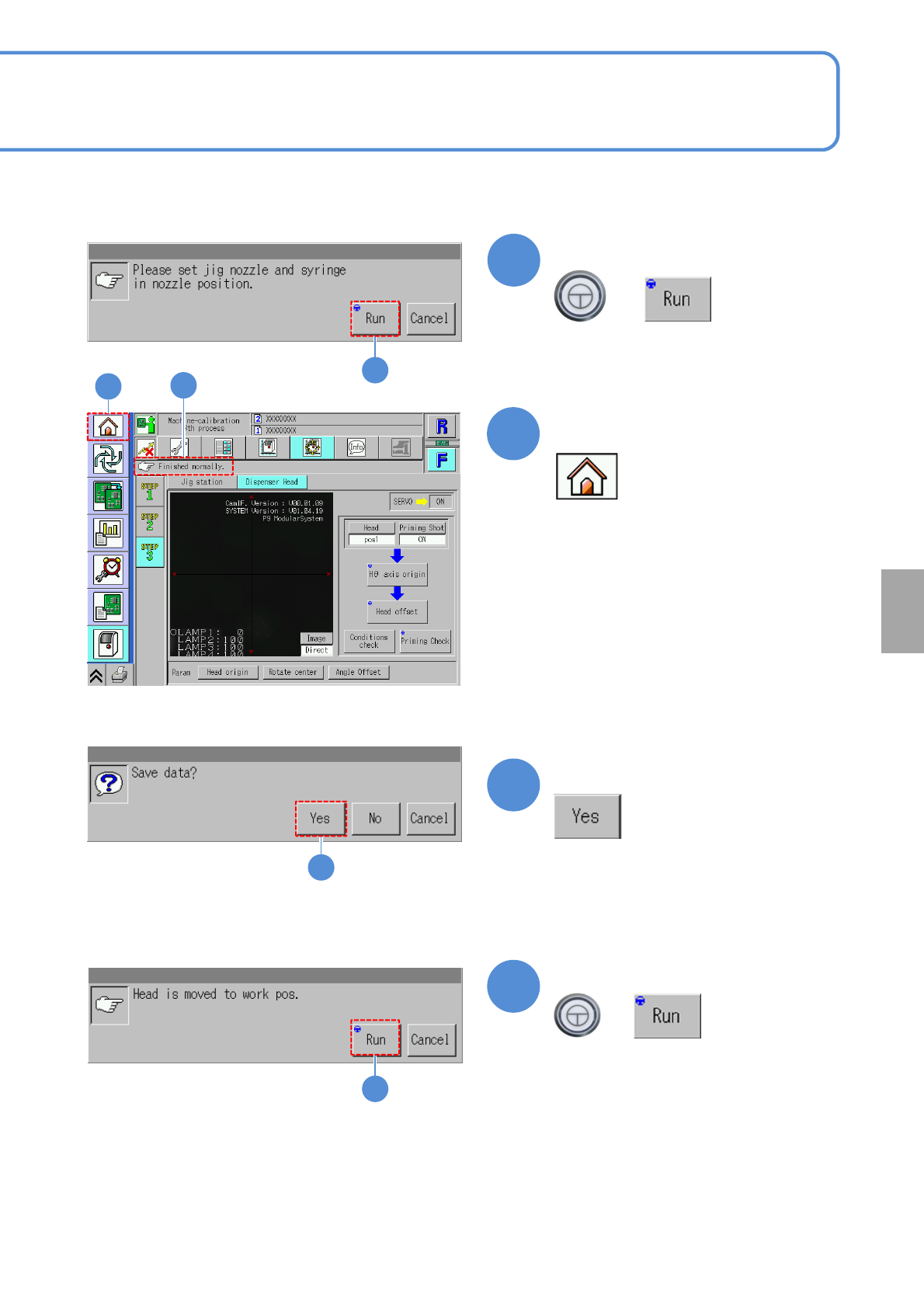
Confirm the message
+
11
12
13
14
Confirm the message
+
(Calibration is carried out)
Confirm that it has been
successfully completed
(The confirmation scree of data save
appears)
13
Confirm the message
(The data obtained by calibration is
saved)
12
Calibration
14