N7201A617E00_0317.pdf - 第428页
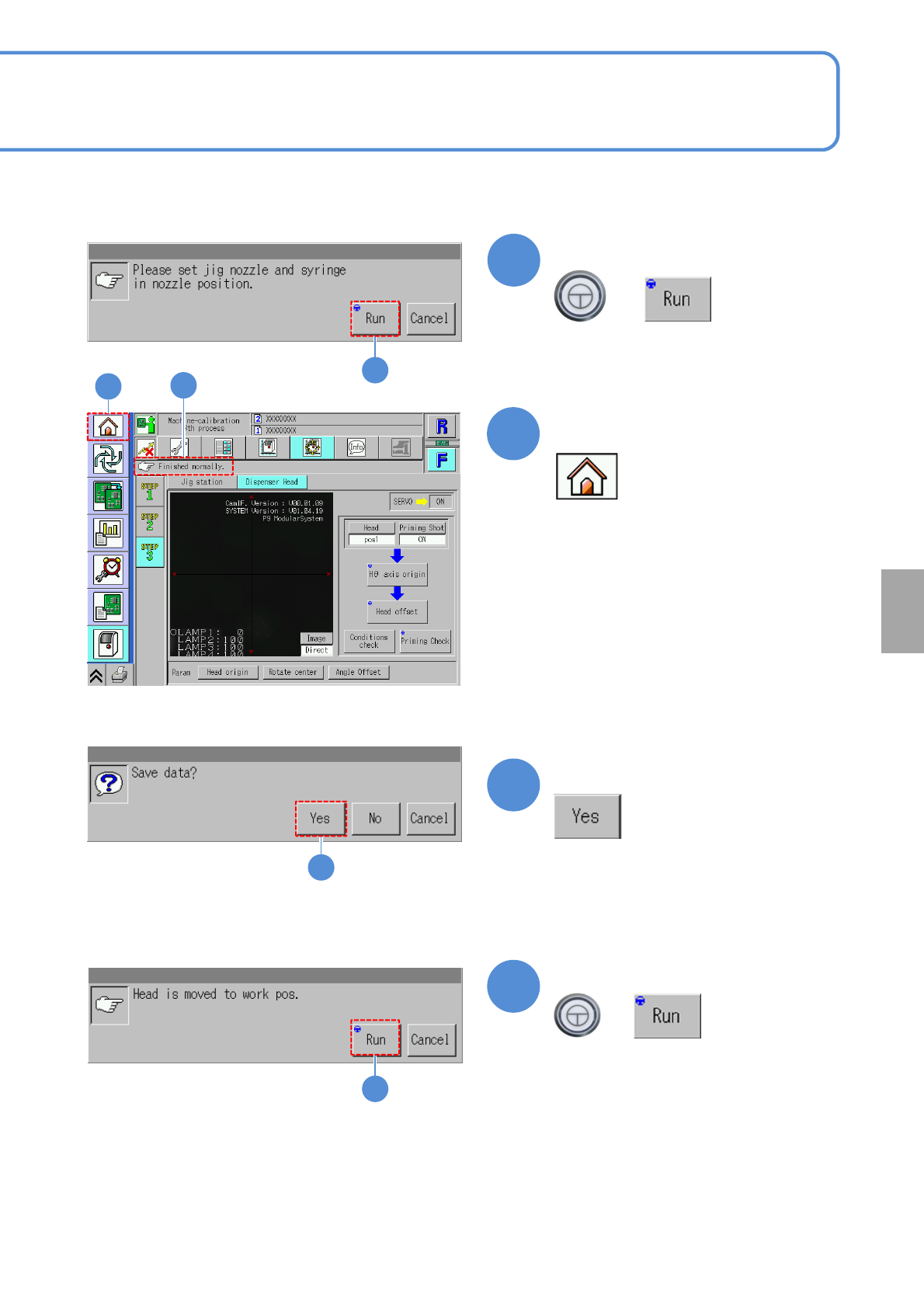
NPM-W 2 EJM7DE-MB-13M-00 13-12 -7 15 16 Open the safety cover 17 19 18 21 (Return to the Home screen) + 21 Dispensing head 4 Maintenance 13-12 Remove the jig nozzle and syringe Close the safety cover Confirm the message …
NPM-W2 EJM7DE-MB-13M-00
13-12-6
11
12
Confirm the message
+
11
12
13
14
Confirm the message
+
(Calibration is carried out)
Confirm that it has been
successfully completed
(The confirmation scree of data save
appears)
13
Confirm the message
(The data obtained by calibration is
saved)
12
Calibration
14
NPM-W2 EJM7DE-MB-13M-00
13-12-7
15
16
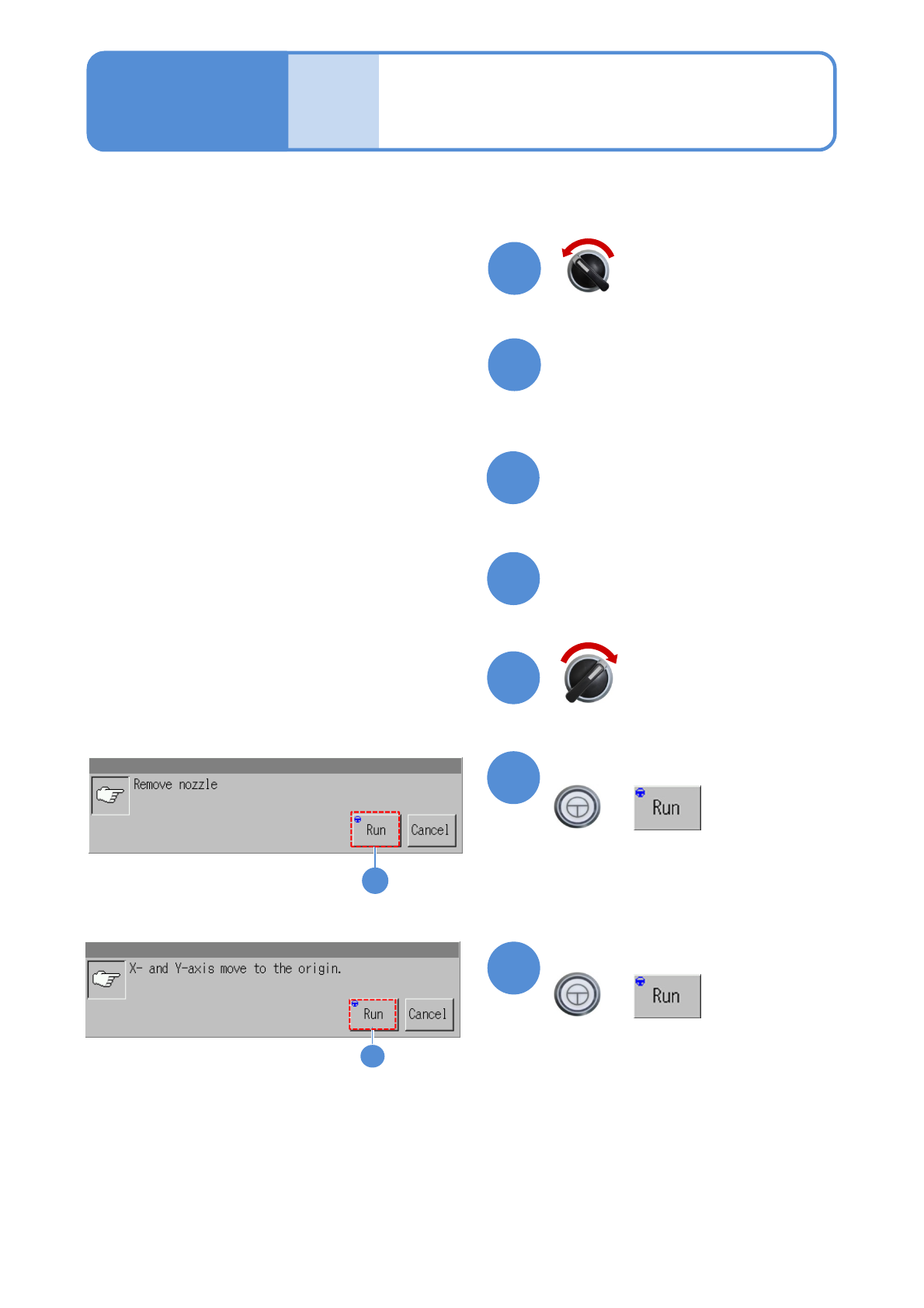
Open the safety cover
17
19
18
21
(Return to the Home screen)
+
21
Dispensing head 4
Maintenance
13-12
Remove the jig nozzle and
syringe
Close the safety cover
Confirm the message
20
Confirm the message
+
20
Servo switch ON
Servo switch OFF
NPM-W2 EJM7DE-MB-13M-00
13-13
Calibration
Maintenance
13-13
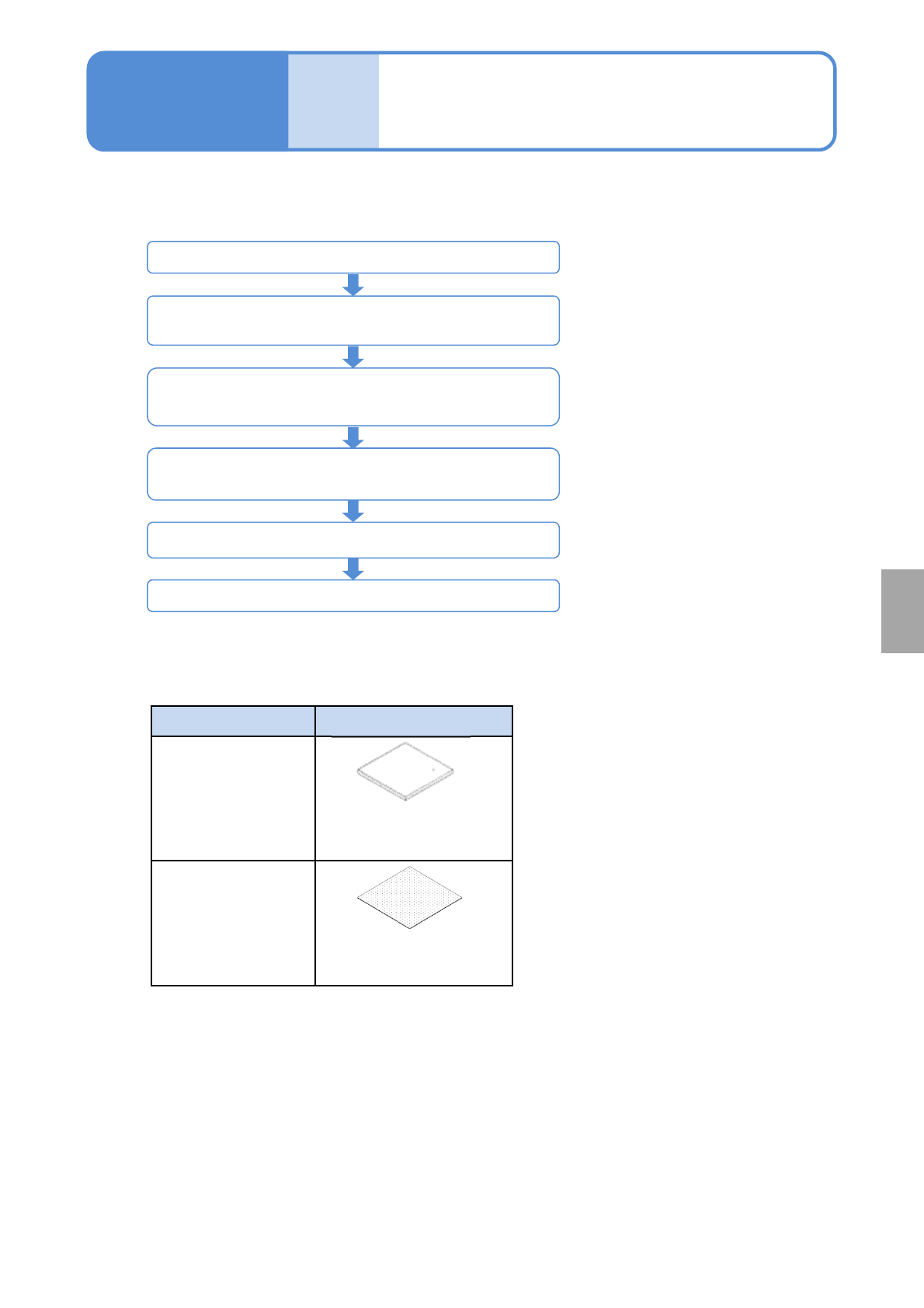
■Jigs used for calibration
Menu Jig
White balance
(option: 2D inspection
head)
Plane correction XY,
Inspection place
correction
(option: 2D inspection
head)
User master board
(gray)
(N610106576AA)
Plane correction jig
(N210147296AB)
2D inspection head calibration starts
STEP1
(Head camera XY origin, Plane correction XY)
STEP3
(White balance, Camera offset, Image quality correction,
Inspection plane correction)
Accuracy verification
(2D inspection head accuracy Reflection, 2D inspection
head accuracy Verification)
Placementheadcalibration,accuracyverification
2D inspection head calibration ends
■Calibration and accuracy verification procedures for 2D inspection head
Overview of calibration
of 2D inspection head