N7201A617E00_0317.pdf - 第430页
NPM-W 2 EJM7DE-MB-13M-00 W hite balance 1 (2D inspection head) 13-14 -1 Maintenance 13-14 1 4 1 2 Choose a table + 4 3 Enter the target value A Solder inspection ( after printin g) B Component inspection ( before pla cem…
NPM-W2 EJM7DE-MB-13M-00
13-13
Calibration
Maintenance
13-13
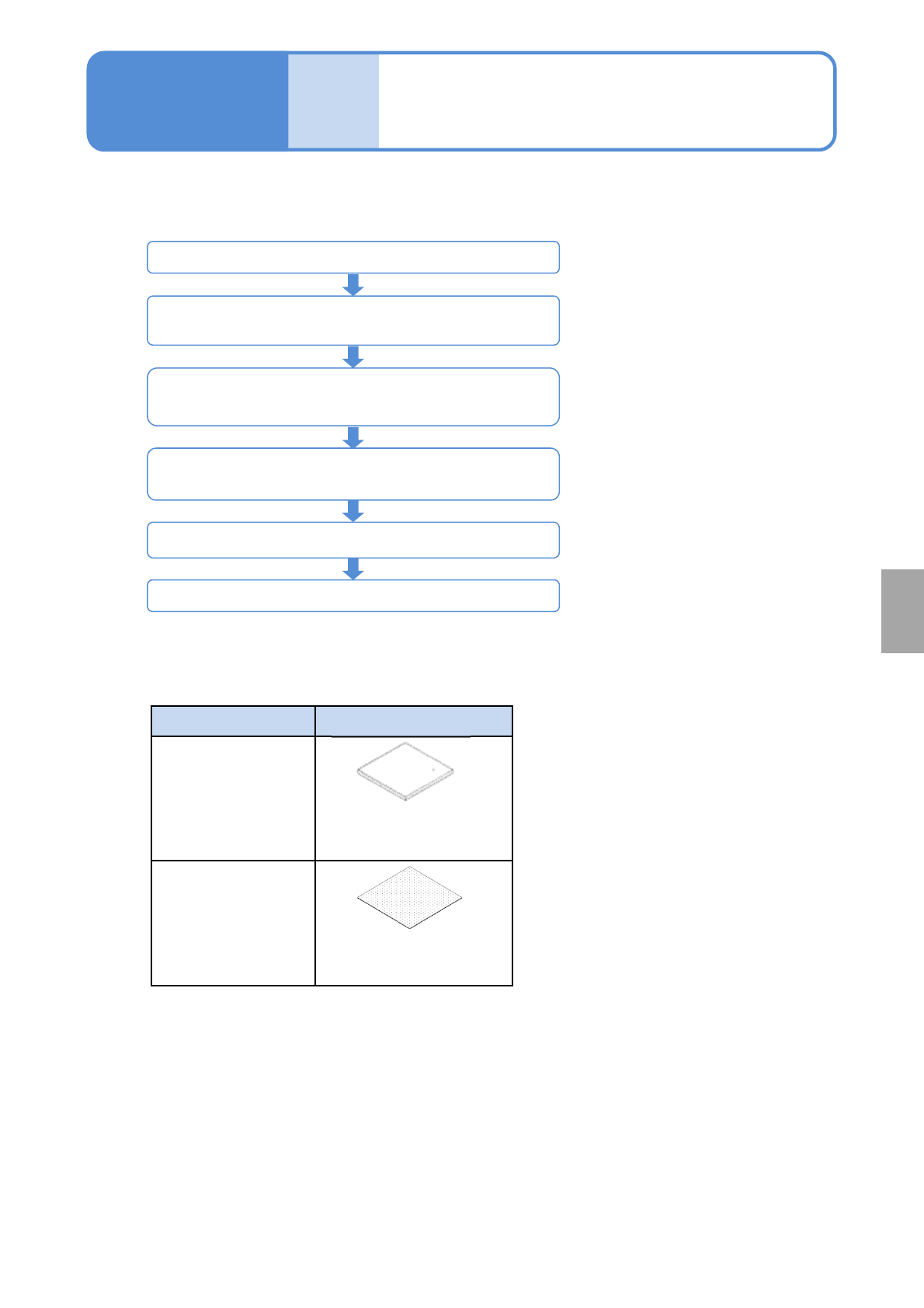
■Jigs used for calibration
Menu Jig
White balance
(option: 2D inspection
head)
Plane correction XY,
Inspection place
correction
(option: 2D inspection
head)
User master board
(gray)
(N610106576AA)
Plane correction jig
(N210147296AB)
2D inspection head calibration starts
STEP1
(Head camera XY origin, Plane correction XY)
STEP3
(White balance, Camera offset, Image quality correction,
Inspection plane correction)
Accuracy verification
(2D inspection head accuracy Reflection, 2D inspection
head accuracy Verification)
Placementheadcalibration,accuracyverification
2D inspection head calibration ends
■Calibration and accuracy verification procedures for 2D inspection head
Overview of calibration
of 2D inspection head
NPM-W2 EJM7DE-MB-13M-00
White balance 1
(2D inspection head)
13-14-1
Maintenance
13-14
1
4
1
2
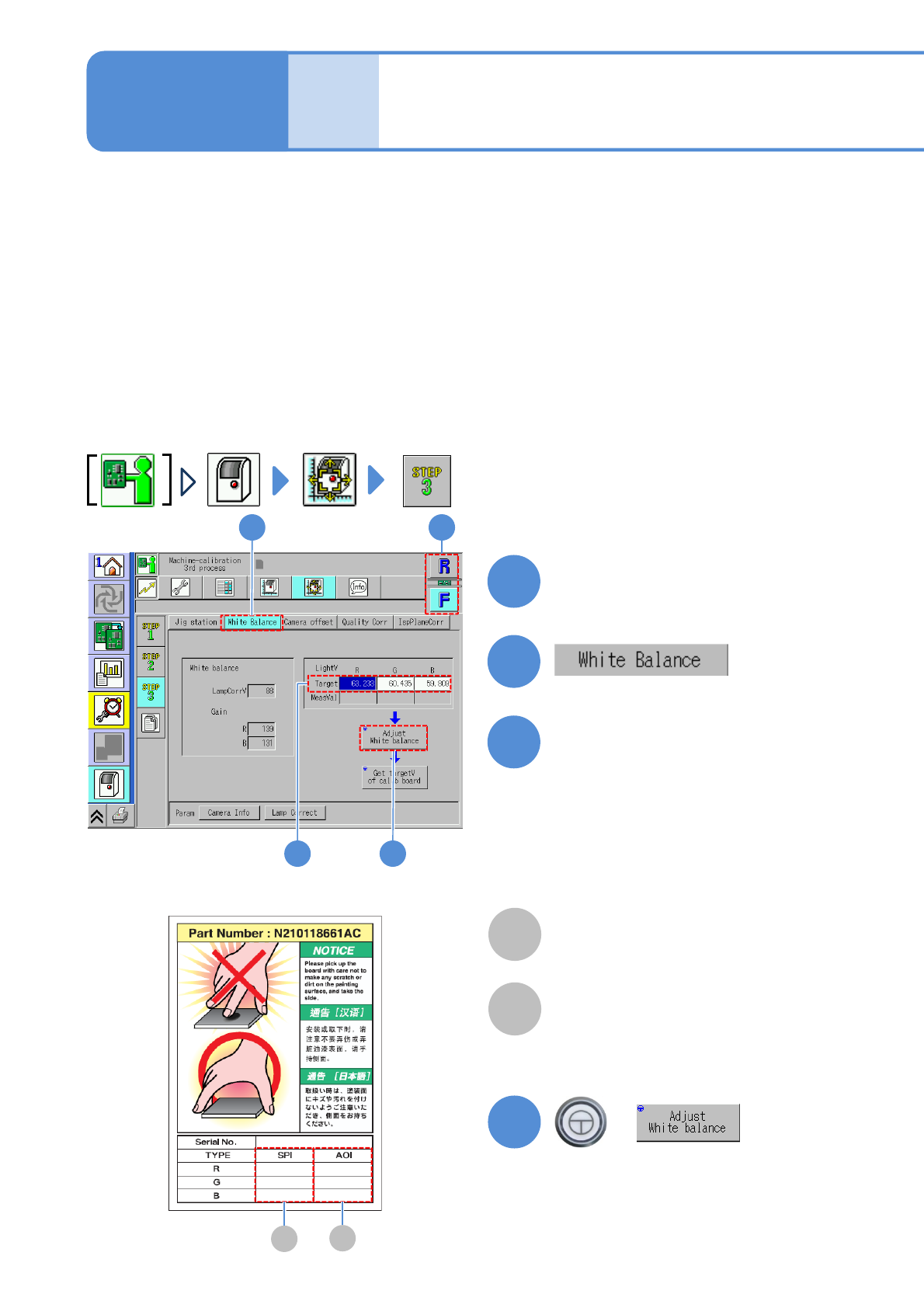
Choose a table
+
4
3
Enter the target value
A
Solder inspection (after printing)
B
Component inspection (before placement
and after placement)
Label
3
●Make sure that the serial number
written on the case of the user master
plate matches.
●Type the target values (R, G, B)
written in the case label according to
inspection.
2
A
B
This is calibration for the inspection head.
The inspection head uses the color and brightness information of images taken with the color camera to
asses an inspection.
Adjust White balance is the function that calibrates and restores the camera to normal state so that the
inspection head can properly perform an inspection.
To adjust the white balance, a calibration plate and a user master board are used. The machine employs the
calibration plate to calibrate the color and brightness of the camera. In addition, because the color and
brightness of the calibration plate itself can change due to staining on the surface, aging, etc., you can also
use the user master board for calibration.
Therefore, whenever adjusting the white balance, you should also obtain the target value for the calibration
plate. This is used for the inspection head only.
Target value for SPI
Target value for AOI
NPM-W2 EJM7DE-MB-13M-00
5
5
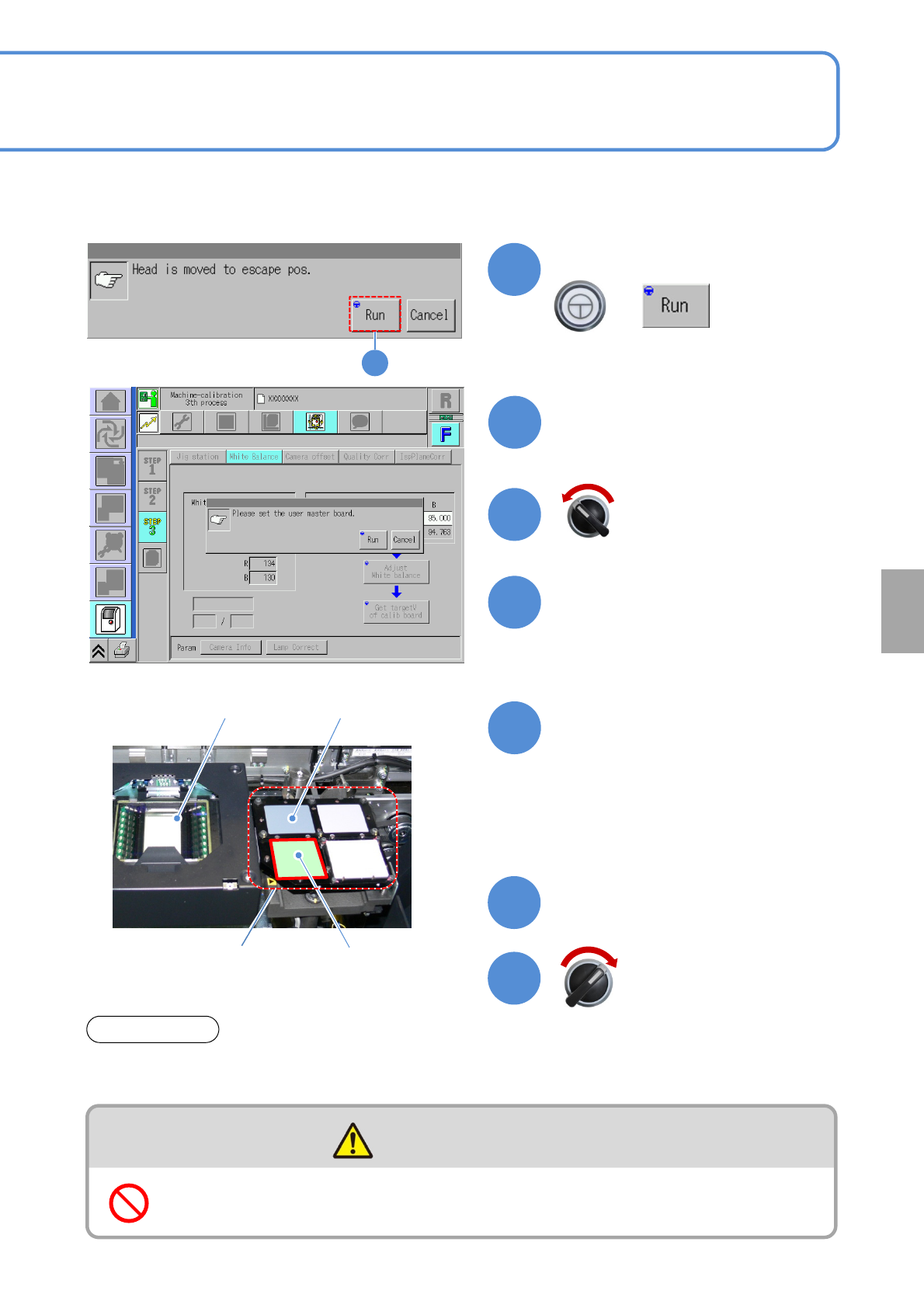
Confirm the message
+
(The head moves to the retraction
position.)
Open the safety cover
User master plate
Close the safety cover
13-14-2
Calibration plateMulti-recognition camera
Calibration jig
8
7
9
11
10
6
Confirm the message and
prepare for installing the user
master plate
Place the user master plate to
the right side of the calibration
jig
CAUTION
Do not climb on equipment, peripheral devices and moving parts
●Calibration jig, Multi-recognition camera
Do not touch the user master plate and calibration plate directly with your bare hands. Doing so they may
get dirt.
ATTENTION
Servo switch ON
Servo switch OFF
Calibration
●Do not touch the surface of the user
master plate with your bare hands.
●Before setting up the user master
plate, move it to the center of the
calibration jig.