N7201A617E00_0317.pdf - 第434页
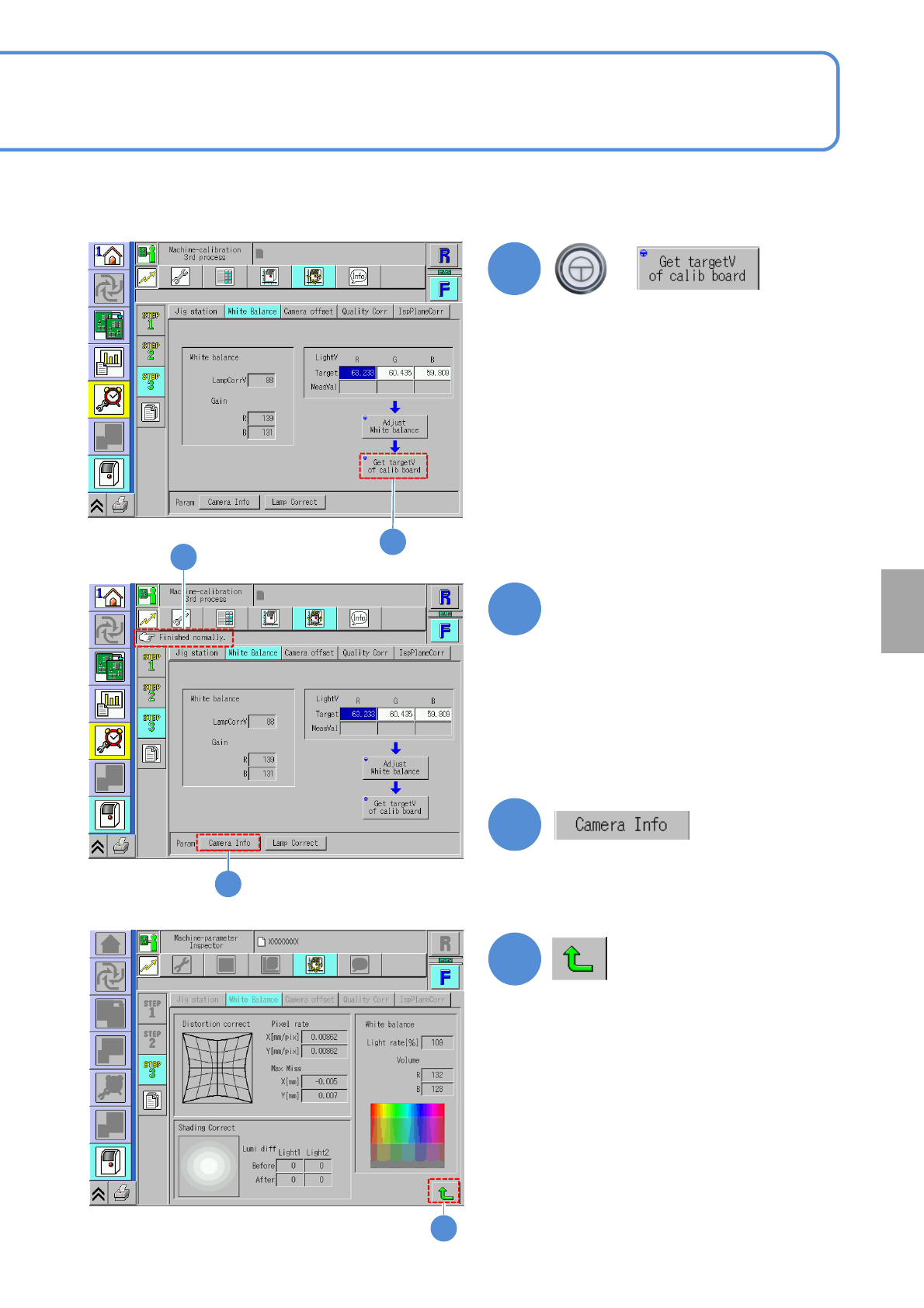
NPM-W 2 EJM7DE-MB-13M-00 13-14 -5 Maintenance 13-14 W hite balance 3 (2D inspection head) 24 24 25 25 Confirm the message (The d ata obtained by ca libration is saved)
NPM-W2 EJM7DE-MB-13M-00
20
+
20
22
21
Confirm that it has been
successfully completed
13-14-4
(The inspection head activates and the
measurement value of the calibration
jig is entered)
(The adjusted white balance values are
displayed.)
23
23
Calibration
22
21
● If an error occurs, clean the user
master plate with a blower brush.
Then set the user master plate in
manner of step ⑨ in P.13-14-2.
●If you fail to correct the error with the
above method, contact us.
NPM-W2 EJM7DE-MB-13M-00
13-14-5
Maintenance
13-14
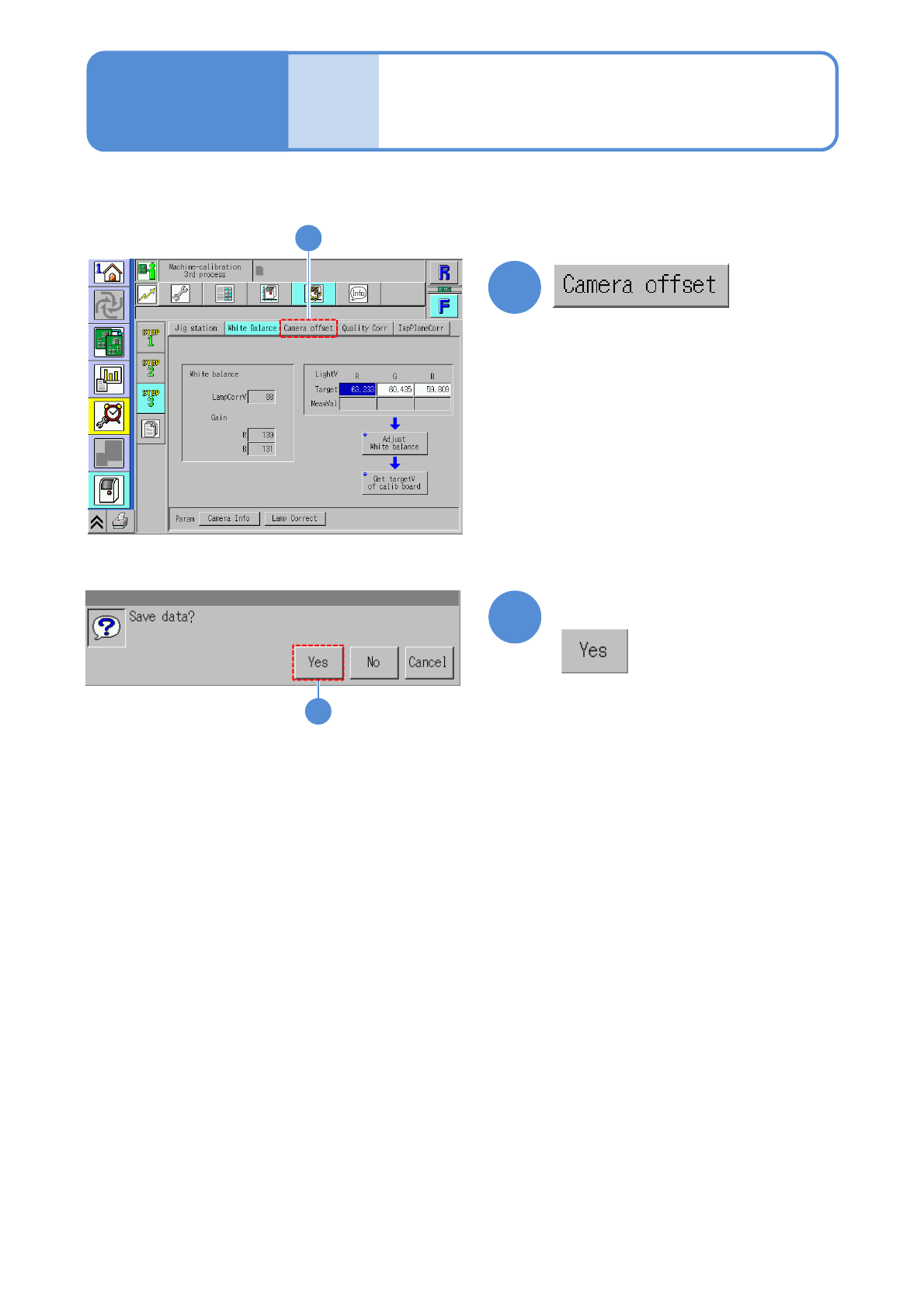
White balance 3
(2D inspection head)
24
24
25
25
Confirm the message
(The data obtained by calibration is
saved)
NPM-W2 EJM7DE-MB-13M-00
Camera offset 1
(2D inspection head)
13-15-1
Maintenance
13-15
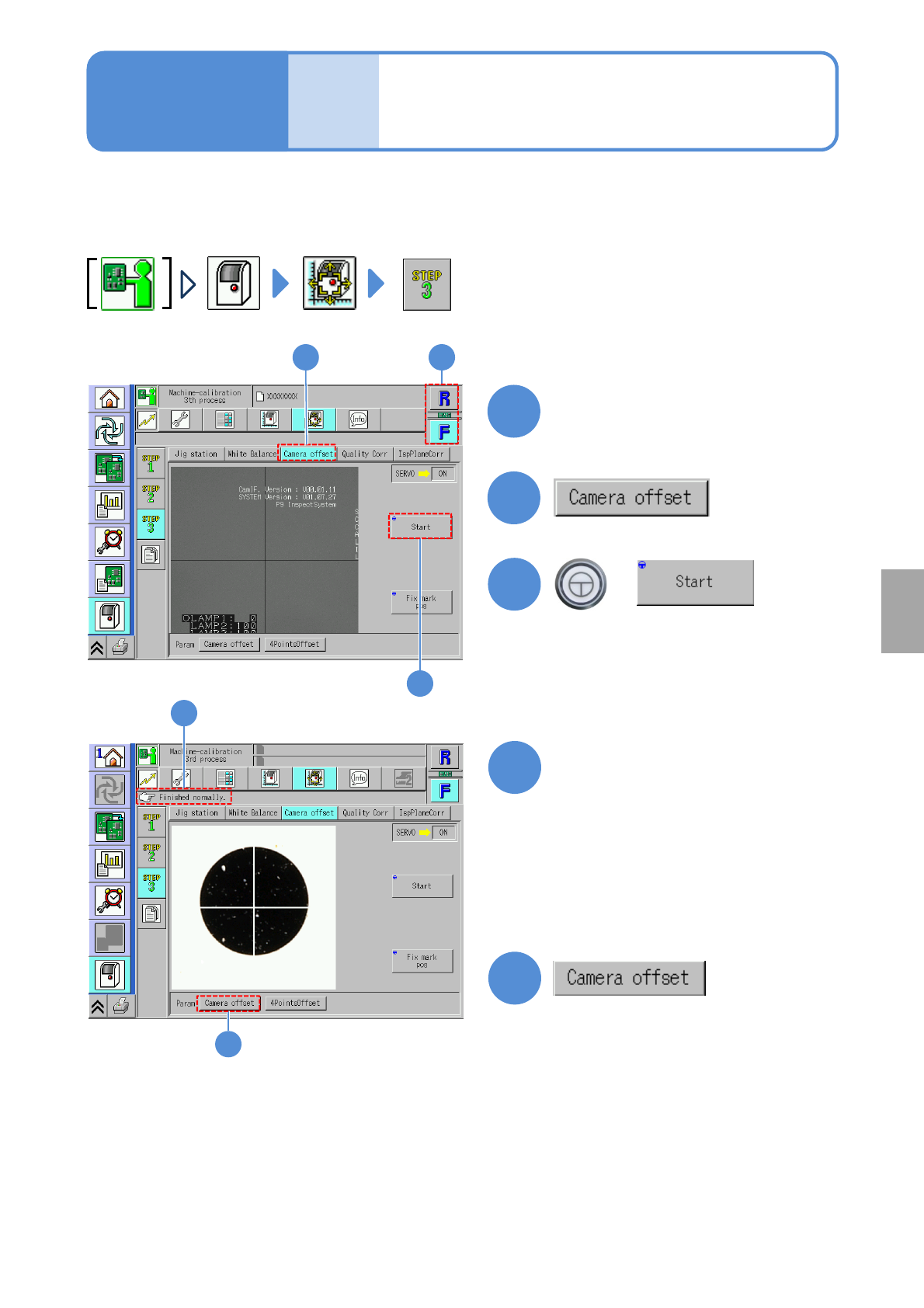
The inspection head measures offset at four reference posts while the camera is calibrated, and the camera
XY position is calibrated by the offset value obtained from four points while the image is captured.
1
3
1
2
Choose a table
+
3
(The head operates to measure the
camera offset)
4
Confirm that it has been
successfully completed
2
5
(The screen for the measured camera
offsets (X, Y, and offsets of the
inspection and head cameras) is
displayed.)
5
4
Calibration
●If an error occurs, check the condition
of installation of the 2D inspection
head and the connecting condition of
the network cable of the inspection
BOX and then try making
measurements again.
●If you fail to correct the error with the
above method, contact us.