N7201A617E00_0317.pdf - 第480页
NPM-W 2 EJM7DE-MB-13M-00 7 6 Close the safety cover Servo switch ON ② Set FIXED RAIL SIDE(TYPE A) of the plane cor rection jig to the re ference rail side. ③ Press the jig against the referenc e rail. Reference hole( φ 1…
NPM-W2 EJM7DE-MB-13M-00
Production preparation 2 (preparation for verification material )
1
1
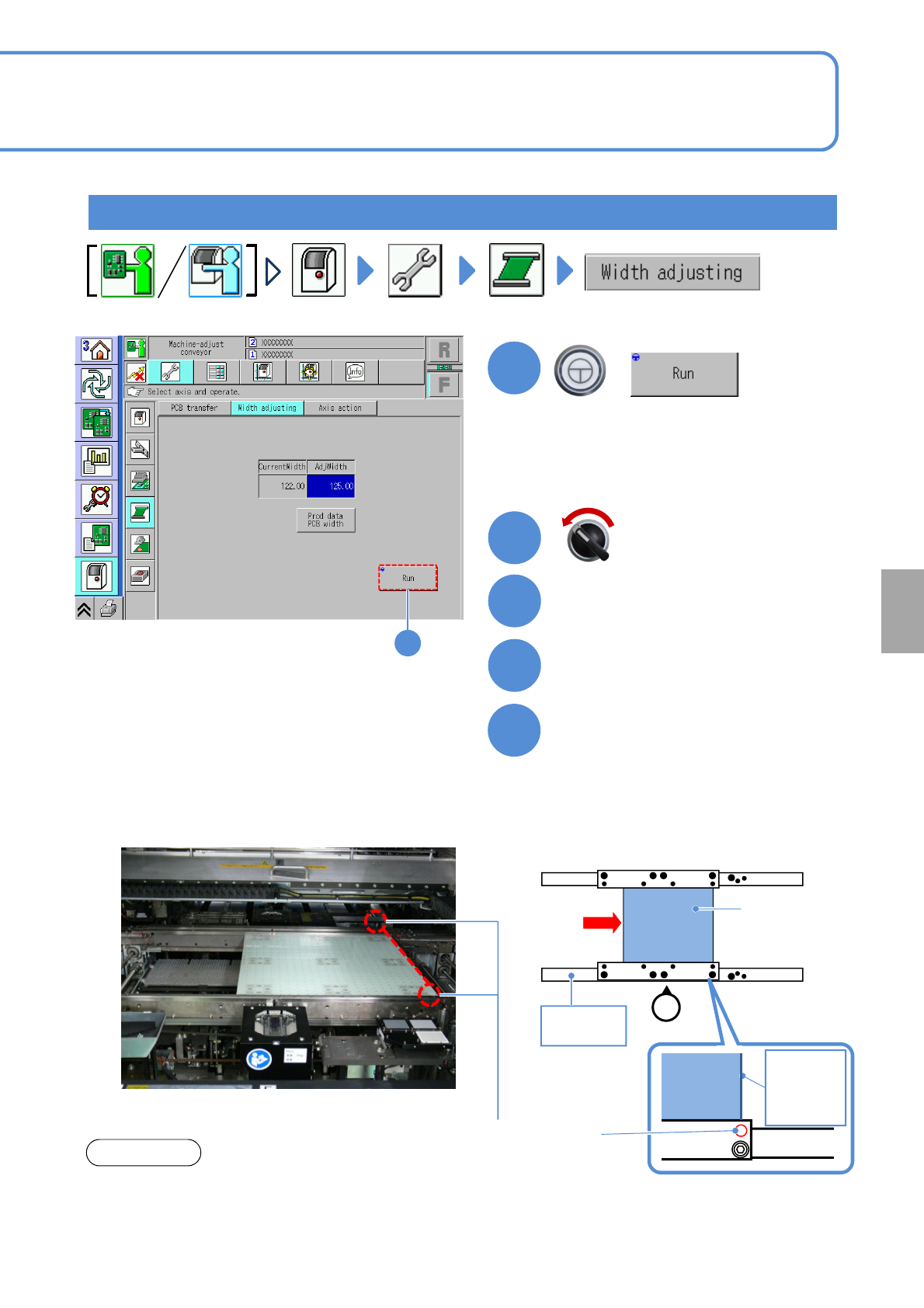
The width of the transfer conveyor is
adjusted to that of the plane correction jig.
+
Open the safety cover
3
2
Insert the plane correction jig
from the upstream process
4
13-21-2-10
Servo switch OFF
Calibration
5
Set the plane correction jig
②Set FIXED RAIL SIDE(TYPE A) of the
plane correction jig to the reference rail
side.
③Press the jig against the reference rail.
●In case of dual lane mode, change to
the single lane mode.
(→ P.11-3-1)
■When setting to the first placement position
Plane correction
jig
Operator
①
Reference
rail
FIXED RAIL
SIDE(TYPE A)
Plane
correction
jig
Right edge
of plane
correction
Jig
Reference hole
(φ1mm)
①Align and set the edge of the plane
correction jig to each reference hole in
the first or second placement positions
defined by the production data.
(Common to both the left-to-right and
right-to-left flows.)
NOTICE
●The reference hole for the plane correction differs
from the one for accuracy verification. Be sure to
use the correct one.
NPM-W2 EJM7DE-MB-13M-00
7
6
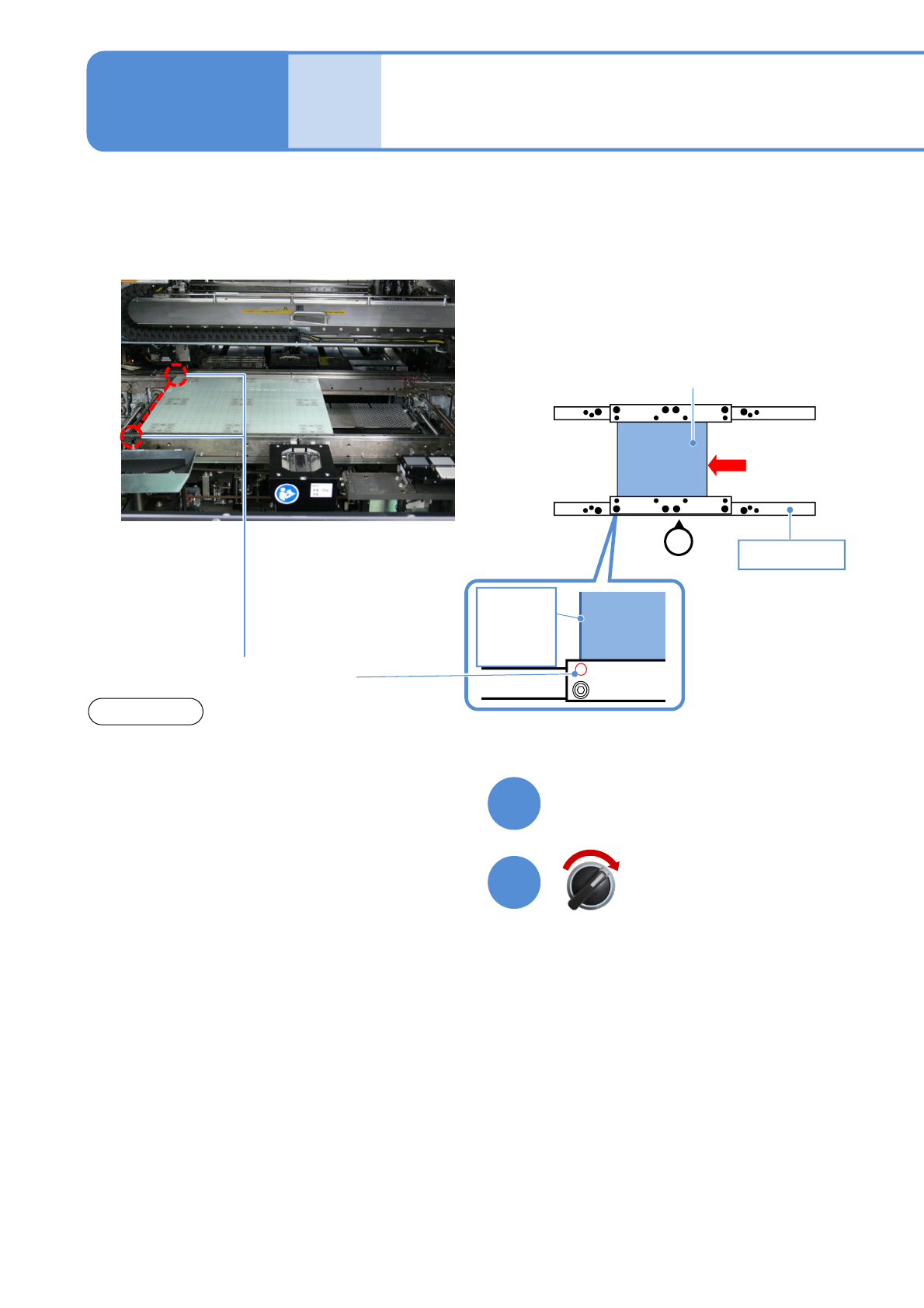
Close the safety cover
Servo switch ON
②Set FIXED RAIL SIDE(TYPE A) of the
plane correction jig to the reference rail
side.
③Press the jig against the reference rail.
Reference hole(φ1 mm)
Accuracy
verifica-
tion
Detailed process 6
(inspection head)
Maintenance
13-21-2
13-21-2-11
■When setting to the second placement position
Plane correction jig
Operator
Plane
correction
jig
Right edge
of plane
correction
Jig
①
Reference rail
FIXED RAIL
SIDE(TYPE A)
NOTICE
●The reference hole for the plane correction differs
from the one for accuracy verification. Be sure to
use the correct one.
NPM-W2 EJM7DE-MB-13M-00
Production preparation 3 (生産動作の設定)
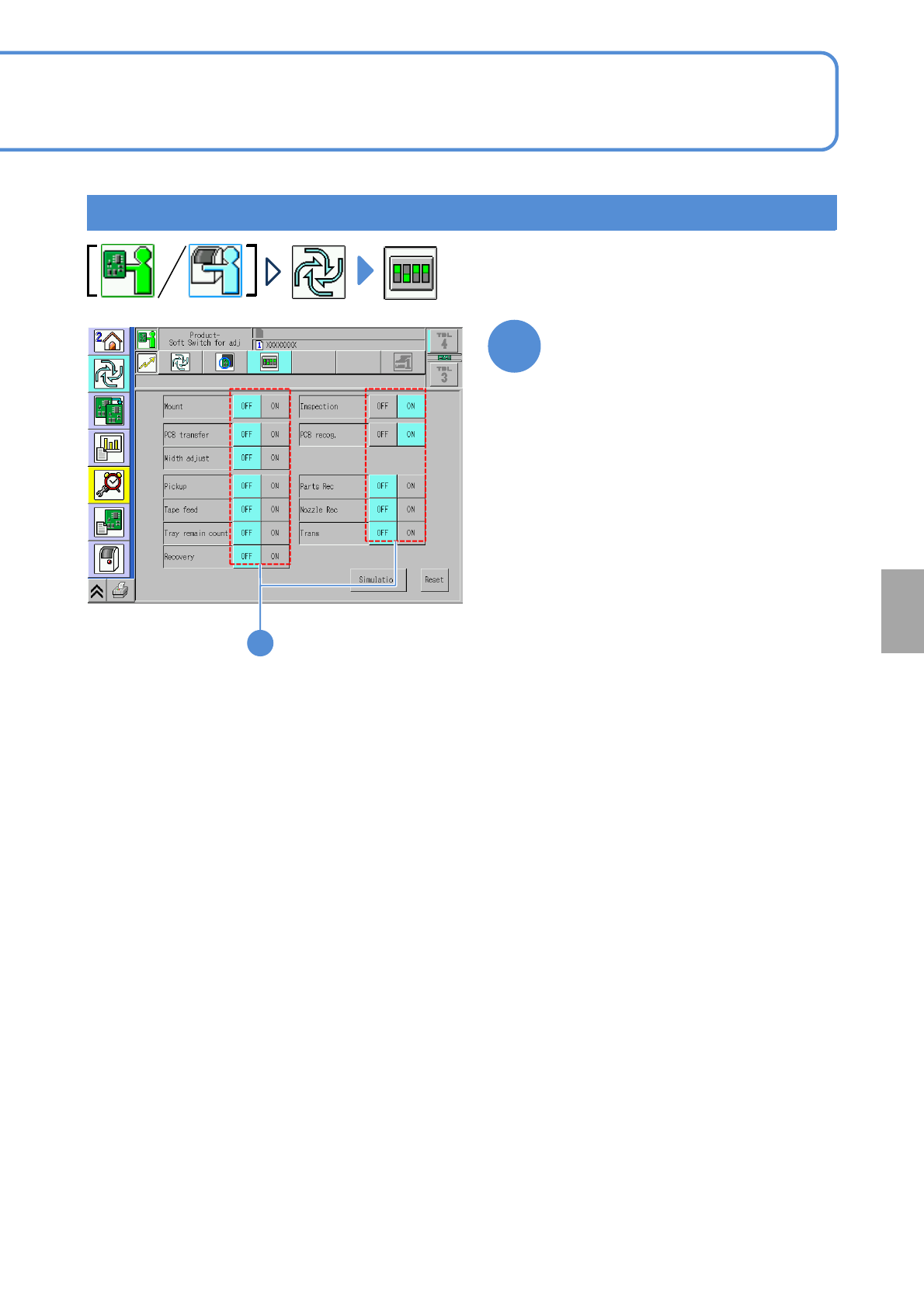
Production preparation 3 (Setting of production)
1
Turn OFF all items except
[Inspection] and [PCB recog.]
13-21-2-12
1
Calibration